Moving house is always a mix of excitement and chaos. New surroundings, new neighbors, and maybe even a new lifestyle. But along with packing boxes and hiring movers, there’s one thing people often forget—setting up the internet.
Let’s be honest. Without Wi-Fi, even the best new place feels incomplete. Streaming, working from home, gaming, even paying bills—it all depends on being online. If you’re an iiNet customer, or thinking about becoming one, managing your internet during a move doesn’t have to be stressful.
That’s where a little planning makes all the difference.
Why Internet Should Be a Top Priority
Think about it. You’ve just moved in. Boxes everywhere. You finally sit down to relax, only to realize you can’t stream a movie. Or maybe you need to work the next morning, but the internet isn’t connected yet.
It’s frustrating. But the good news? With iiNet, you can make the transition smoother if you prepare early.
Know Your Connection Options
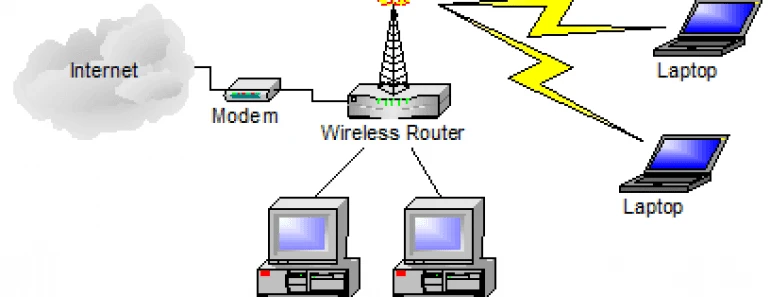
When you’re dealing with iiNet home wireless, it’s important to understand how it works compared to standard fixed-line broadband. Instead of relying on cables, it runs over a 4G or 5G mobile network. That makes it flexible, especially when you’re moving.
Why? Because you can often just take the modem with you. As long as your new address is within iiNet’s coverage area, it can keep working. That alone saves a lot of time and stress.
The First Step: Check Coverage
Before you pack that modem, always check coverage at your new home. iiNet’s website makes this simple with a quick availability tool. Type in your new address, and you’ll know instantly whether your wireless service will work there.
If you’re moving somewhere without strong coverage, you might need to switch to another iiNet plan—like NBN or fiber if available. It’s better to find this out early instead of the day you arrive.
Give Notice Before the Move
If you’re handling iiNet moving house plans, don’t wait until the last week. Give them at least two weeks’ notice if possible. This allows iiNet to prepare your service, schedule any needed technician visits, and confirm your options at the new address.
The earlier you tell them, the less chance you’ll end up in a home with no internet for days—or weeks.
Decide: Keep It or Change It
One of the perks of iiNet is flexibility. If you’re happy with your current wireless plan and coverage is fine at the new place, simply transfer it. Easy.
But moving is also the perfect time to review what you’re paying for. Maybe your new home is in a stronger coverage zone. Maybe you’ve been meaning to upgrade for faster speeds. A move is a natural chance to compare iiNet’s plans and decide if you should keep the same service or go for something better.
Prepare the Modem
Here’s a common mistake: packing the modem in some random box and losing track of it. Don’t do that. Keep it in a bag or clearly labeled box so you can set it up quickly once you arrive.
For wireless services, setup is usually simple. Plug in, turn on, and connect. But if you’re switching to a different plan, you might receive a new modem. If that’s the case, keep an eye on delivery times so it arrives before moving day.
Don’t Forget About Old Services
If you had other utilities at your old place—like fixed-line internet or pay TV—make sure you cancel them. Nothing’s worse than paying for a service you no longer use just because you forgot to switch it off.
iiNet can guide you on how to disconnect or transfer, so you don’t end up with overlapping bills.
Avoid Common Pitfalls
Plenty of people run into the same issues when moving their internet. The most common mistakes include waiting until the last minute, assuming coverage will be fine, or forgetting to test the service once it’s set up.
Don’t be that person sitting in a new house, on hold with customer service, trying to figure out why nothing works. Plan early, check coverage, and have a backup option ready just in case.
Why iiNet Works Well for Movers
There are lots of internet providers out there, but iiNet has a few perks that make it friendly for movers. First, their iinet home wireless plans are easy to transport. Second, their support team is generally pretty responsive when you give notice ahead of time. And third, they offer a variety of options if your new address requires something different.
That flexibility saves you from starting over with a completely new provider.
Quick Tips for a Smooth Transition
Here are a few simple things you can do to make sure your internet move goes smoothly:
- Check coverage before anything else.
- Notify iiNet as early as possible.
- Keep your modem safe and handy.
- Review your plan to see if an upgrade makes sense.
- Test everything on move-in day, not a week later.
Settling Into Your Connected Home
When everything is done right, you’ll walk into your new home, plug in your modem, and instantly feel connected. That little piece of planning pays off big when you don’t have to worry about internet downtime.
With iiNet, moving your connection doesn’t need to be complicated. Whether you stick with wireless or upgrade to another service, the key is preparation.
Moving house is already a huge job. Take internet stress off your plate early, and you’ll be able to focus on what really matters—settling in and enjoying your new space.