Professional printing studios, photographers, and commercial print providers rely on consistent output to meet client demands. Downtime due to technical issues or workflow inefficiencies can lead to missed deadlines and lost revenue. Knowing how to troubleshoot common issues and follow best practices ensures smooth operations.
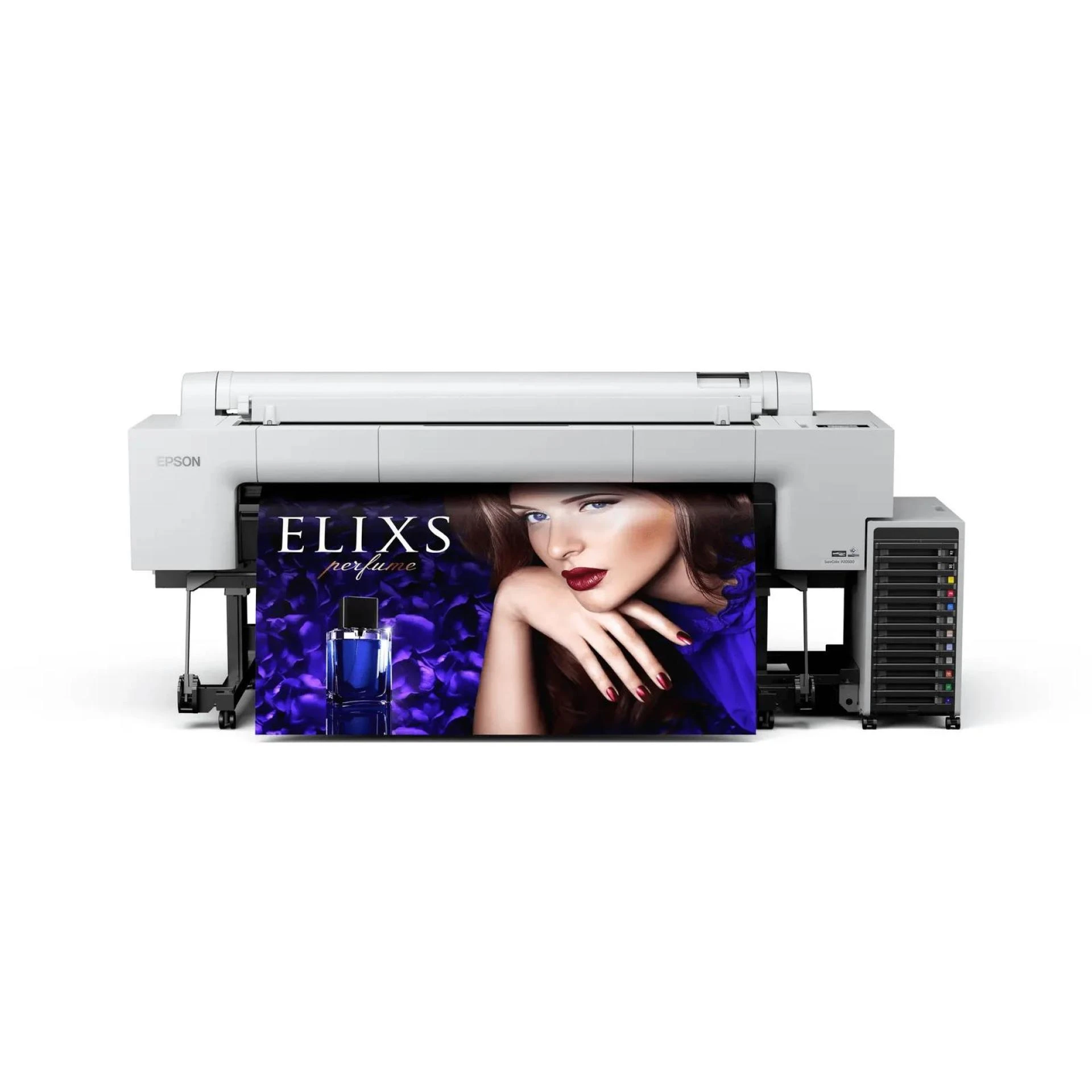
The Epson SureColor P20500 is a wide-format, high-resolution printer designed for professional use. Understanding its features, maintenance requirements, and troubleshooting strategies allows businesses to maximize productivity, maintain consistent color accuracy, and reduce operational interruptions while delivering high-quality prints.
Best Practices for Using the Epson SureColor P20500
Proper handling and workflow strategies help studios and commercial providers get the most out of the Epson SureColor P20500. Following best practices improves print quality, extends printer life, and reduces costly errors.
By combining proactive maintenance with smart workflow management, professionals can ensure reliable performance and maintain a competitive edge in the printing industry.
1. Proper Installation and Setup
Position the printer in a dust-free, stable environment with adequate ventilation. Assemble the stand carefully and ensure the printer is level to prevent media feeding issues. Verify all components are included and installed correctly, including ink packs and media rolls.
2. Correct Media Handling
Select the appropriate media type for each project, whether canvas, fine art paper, photographic stock, or promotional materials. Load media securely and adjust the roll holders for proper alignment. Avoid over-tightening to prevent skewing and ensure smooth feeding.
3. Ink Installation and Replacement
Install the 12-color UltraChrome PRO ink packs according to manufacturer instructions. Large-capacity 1.6-liter packs allow extended print runs. Replace ink promptly when low to prevent clogs and maintain consistent output.
4. Software and Workflow Optimization
Use Epson Edge Print PRO software to manage layouts, color profiles, and job queues. Leverage the 960 GB SSD for storing multiple jobs. Efficient workflow management minimizes errors, speeds up production, and improves overall print quality.
5. Color Management and Calibration
Regularly check and calibrate ICC profiles to maintain color accuracy. Black Enhance Overcoat technology enhances contrast and deepens blacks. Test prints help verify color fidelity before large projects, reducing waste and ensuring client satisfaction.
6. Routine Maintenance
Nozzle Verification Technology monitors printhead performance and corrects clogs automatically. Clean printheads and dust-sensitive areas as recommended. Regular maintenance prevents defects, reduces service interruptions, and prolongs the printer’s operational life.
7. Troubleshooting Common Issues
- Media misalignment: Ensure roll holders are adjusted correctly and media is loaded smoothly.
- Ink clogs: Run automated nozzle checks and cleaning cycles.
- Color inconsistency: Verify ICC profiles and adjust color management settings in Epson Edge Print PRO.
- Printhead errors: Follow on-screen guidance and maintenance procedures.
Understanding common issues and resolving them quickly prevents downtime and reduces wasted materials.
8. Optimizing Productivity
Queue multiple jobs using the printer’s internal storage and software. Prioritize high-volume or urgent projects to maintain efficient production schedules. Large-capacity ink packs and precise media handling allow continuous printing without frequent interruptions.
9. Applications and Versatility
The Epson SureColor P20500 supports a wide range of professional projects:
- Fine art reproductions and gallery prints
- Professional photography enlargements and portfolios
- Marketing and advertising banners, posters, and signage
- Corporate branding and promotional materials
- Museum and exhibition displays requiring accurate, durable prints
Its versatility allows studios and commercial providers to expand offerings while maintaining consistent, high-quality results.
10. Enhancing Business Operations
By following best practices and resolving issues efficiently, businesses can reduce operational costs, improve turnaround times, and maintain client satisfaction. The Epson SureColor P20500’s reliability and performance contribute to smoother workflows, higher productivity, and stronger market competitiveness.
Conclusion
Mastering the Epson SureColor P20500 requires understanding its features, maintenance requirements, and troubleshooting techniques. Following best practices ensures consistent, professional-quality prints while minimizing downtime.
For studios, photographers, and commercial print providers in Saudi Arabia, this printer delivers vibrant, wide-format output, reliable performance, and operational efficiency, making it an essential tool for professional printing success.