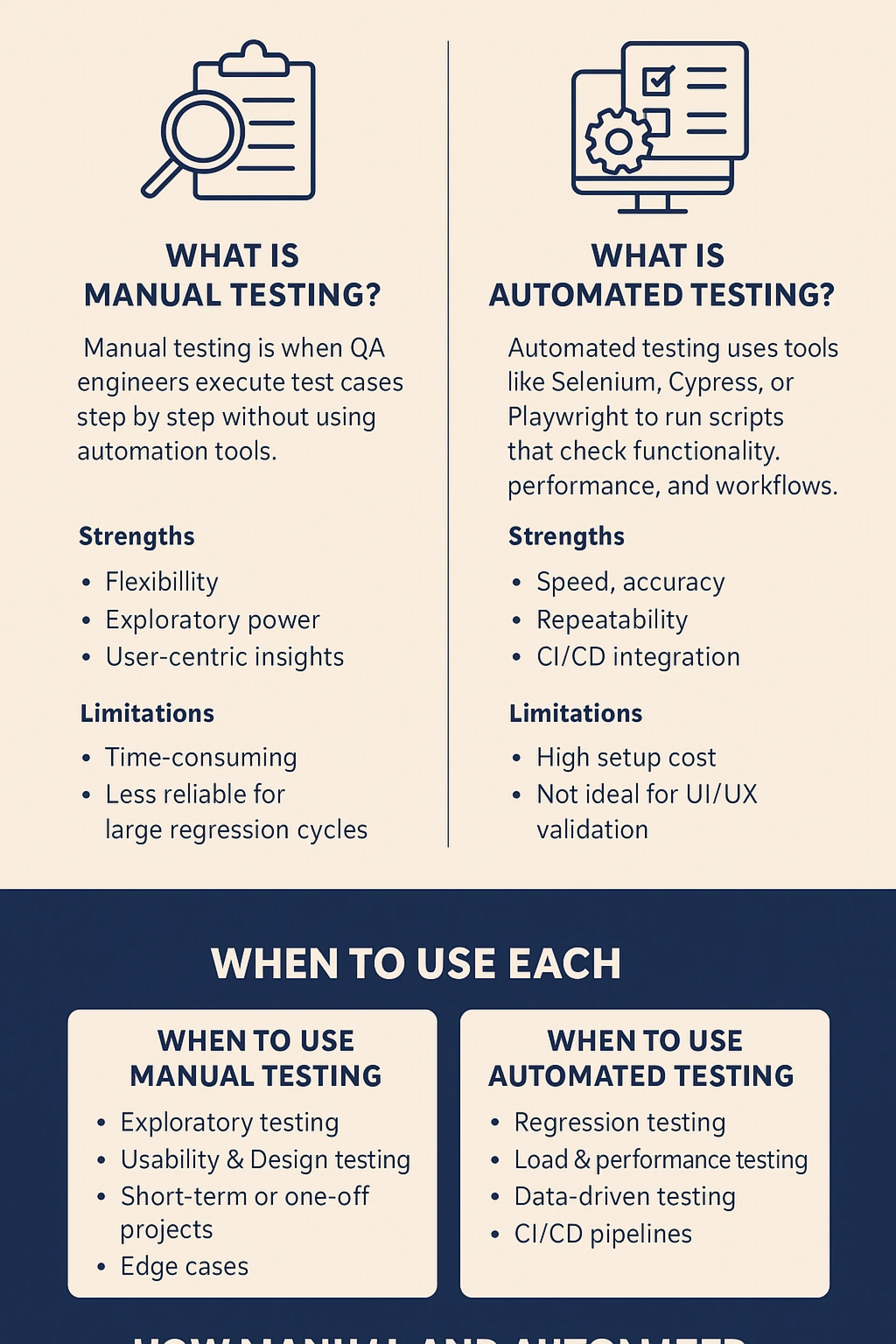
In software development, testing isn’t just a checkbox; it is the critical safety net that ensures every release is stable, secure, and delivers a great user experience. For project managers and developers, a common dilemma is: Manual vs. Automated testing – which one should we use, and when?
The Quick Answer:
- Use Manual Testing for exploratory, usability, and ad-hoc testing. It's about human intuition and the user's perspective.
- Use Automated Testing for regression, load, and repetitive data-driven testing. It's about speed, accuracy, and efficiency.
- The Best Strategy: A blend of both. Use manual testing to design and explore, and automation to maintain and scale.
Let's break down the details to understand how to strike the perfect balance.
What Is Manual Testing?
Manual testing is the process where Quality Assurance (QA) engineers execute test cases step-by-step without the assistance of automation tools. It relies on human observation to identify visual bugs, assess intuitive design, and evaluate the overall user experience (UX). The tester acts as the first end-user, exploring the application to find unexpected behaviors.
Strengths:
- Flexibility & Adaptability: Testers can quickly alter their approach on the fly based on what they discover, something scripts cannot do.
- Exploratory Power: Ideal for uncovering hidden bugs or issues that were not anticipated in the test cases.
- User-Centric Insights: Provides invaluable feedback on usability, design aesthetics, and how intuitive the application feels.
- No Coding Required: Can be performed by testers who may not have programming skills, making it accessible.
Limitations:
- Time-Consuming: Executing test cases manually, especially large regression suites, is incredibly slow.
- Prone to Human Error: Repetitive tasks can lead to oversight and mistakes due to fatigue.
- Not Reusable or Repeatable: Manual tests must be executed again from scratch for every new build or release.
- Less Practical for Large Scale: Running the same tests on multiple devices and browsers manually is nearly impossible.
What Is Automated Testing?
Automated testing uses software tools (like Selenium, Cypress, Playwright, or Katalon) to execute pre-scripted tests on an application. It compares actual outcomes against expected results automatically. The primary goal is to automate repetitive but necessary tasks and to run tests that are difficult to perform manually.
Strengths:
- Speed & Efficiency: Tests can run unattended and are exponentially faster than manual execution.
- Accuracy & Reusability: Eliminates human error, and test scripts can be reused across different versions of the application.
- High Coverage: Allows for testing a vast number of complex scenarios and data sets in a short time.
- CI/CD Integration: Essential for modern DevOps practices; tests can be triggered automatically with every code commit for immediate feedback.
- Parallel Execution: Tests can be run simultaneously across various environments and browsers.
Limitations:
- High Initial Investment: Requires significant time and resources to set up the framework and write scripts.
- Inability to Judge UX: Cannot assess usability, look-and-feel, or intuitive design—it can only verify what it's programmed to check.
- Maintenance Overhead: Test scripts need to be maintained whenever the application's UI changes.
- Not Suited for Exploratory Testing: Automation follows a strict script; it cannot creatively explore an application for unforeseen issues.
When to Use Manual Testing
Manual testing is indispensable in scenarios that require a human touch and cognitive skills.
- Exploratory & Ad-hoc Testing: When requirements are still evolving or when you need to investigate the application without predefined test cases to find hidden vulnerabilities.
- Usability & User Experience (UX) Testing: To evaluate how easy and pleasing the application is to use. This includes judging design elements, navigation flow, and overall user satisfaction.
- Short-Term or One-Off Projects: If a project is small or a one-time release, the cost of setting up automation cannot be justified.
- Testing Edge Cases & Complex Scenarios: Simulating unpredictable, real-world user behavior that would be too complex or costly to script.
- Accessibility Testing: Verifying compliance with standards like WCAG to ensure the app is usable by people with disabilities often requires manual verification.
When to Use Automated Testing
Automation excels in situations that demand repetition, scale, and precision.
- Regression Testing: The perfect use case. Running a full suite of tests after every new build or code change to ensure existing functionality remains intact.
- Load, Performance, and Stress Testing: Simulating thousands of virtual users to see how the application behaves under heavy load, which is impossible to do manually.
- Data-Driven Testing: Testing the same functionality with a huge volume of different input values (e.g., testing a login with 1000 different username/password combinations).
- Repetitive Tasks: Automating tasks that must be repeated identically every time, such as environment setup or data seeding.
- CI/CD Pipelines: Integrating automated tests into the deployment pipeline to act as quality gates, ensuring no broken code is deployed to production.
How Manual and Automated Testing Work Together
The most effective testing strategy is a symbiotic relationship between manual and automated efforts, often formalized in the Software Testing Life Cycle (STLC).
- Requirement Analysis & Test Planning (Manual): Humans analyze requirements to devise a test strategy and plan.
- Test Case Development (Manual): Testers design detailed test cases. These will later become the basis for automation scripts.
- Test Environment Setup (Mix): While often manual, this process can be automated using scripts and containerization tools like Docker.
- Test Execution (Blended Approach):
- Early Development: New features are tested manually for stability and usability.
- Stabilization: Stable, repetitive test cases are automated.
- Regression Cycles: Automated suites run quickly after each build.
- Exploratory & UX Testing: Manual testers use the application like a user would, even as the automated tests run in the background.
- Test Cycle Closure (Manual): Humans analyze results from both manual and automated runs, report bugs, and assess quality metrics.
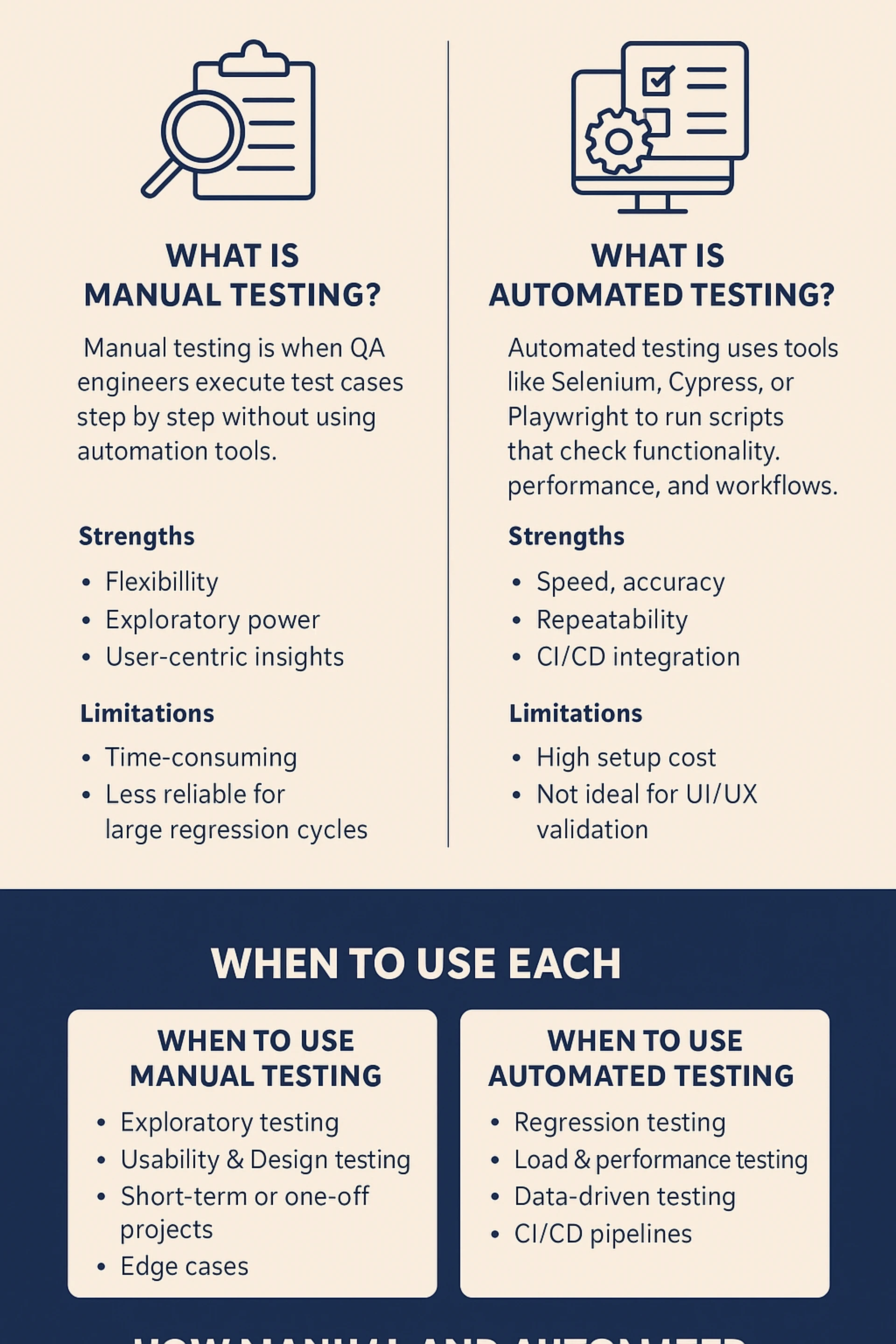
How Testing Fits Into SDLC and Its Phases
Testing is not a single phase but a continuous thread integrated throughout the SDLC and its phases
- Requirement Gathering: Testers assess requirements for testability and potential gaps.
- Design Phase: QA teams start designing test strategies and high-level test cases.
- Development Phase: Developers write unit tests (a form of automation). Testers begin writing and automating test scripts based on completed modules.
- Testing Phase: The full blended testing approach is executed: feature testing, integration testing, regression testing (automated), and user acceptance testing (manual).
- Deployment & Maintenance: Automated regression packs are crucial for hotfixes and patches. Manual testing checks final production readiness.
Conclusion
The debate isn't about manual vs. automated testing; it's about manual and automated testing. Each has a distinct and vital role to play. Manual testing provides the crucial human lens for user experience and creative exploration, while automated testing offers the speed, scale, and precision needed for modern agile development.
As a leading software development company in Kochi, we often see businesses struggle with one big question: When should you stick to manual testing, and when should you bring in automation tools like Selenium? Here we strategically integrate both approaches into the SDLC and STLC to help our clients release robust, high-quality, and user-delighting applications. Whether it's thorough manual QA or building scalable automation frameworks with Selenium, our goal is to ensure your testing process drives growth, ensures scalability, and guarantees customer satisfaction.