For many business owners, “managed WordPress hosting” and “WordPress maintenance” sound like the same thing.
They are related, but they are not identical.
That confusion matters because a lot of website owners assume that once they move to a better host, everything is handled. They expect speed, updates, backups, plugin stability, security checks, and support to all be covered under one label. Sometimes that is partly true. Often, it is only true up to a point.
The reality is that hosting and maintenance solve different layers of the same problem.
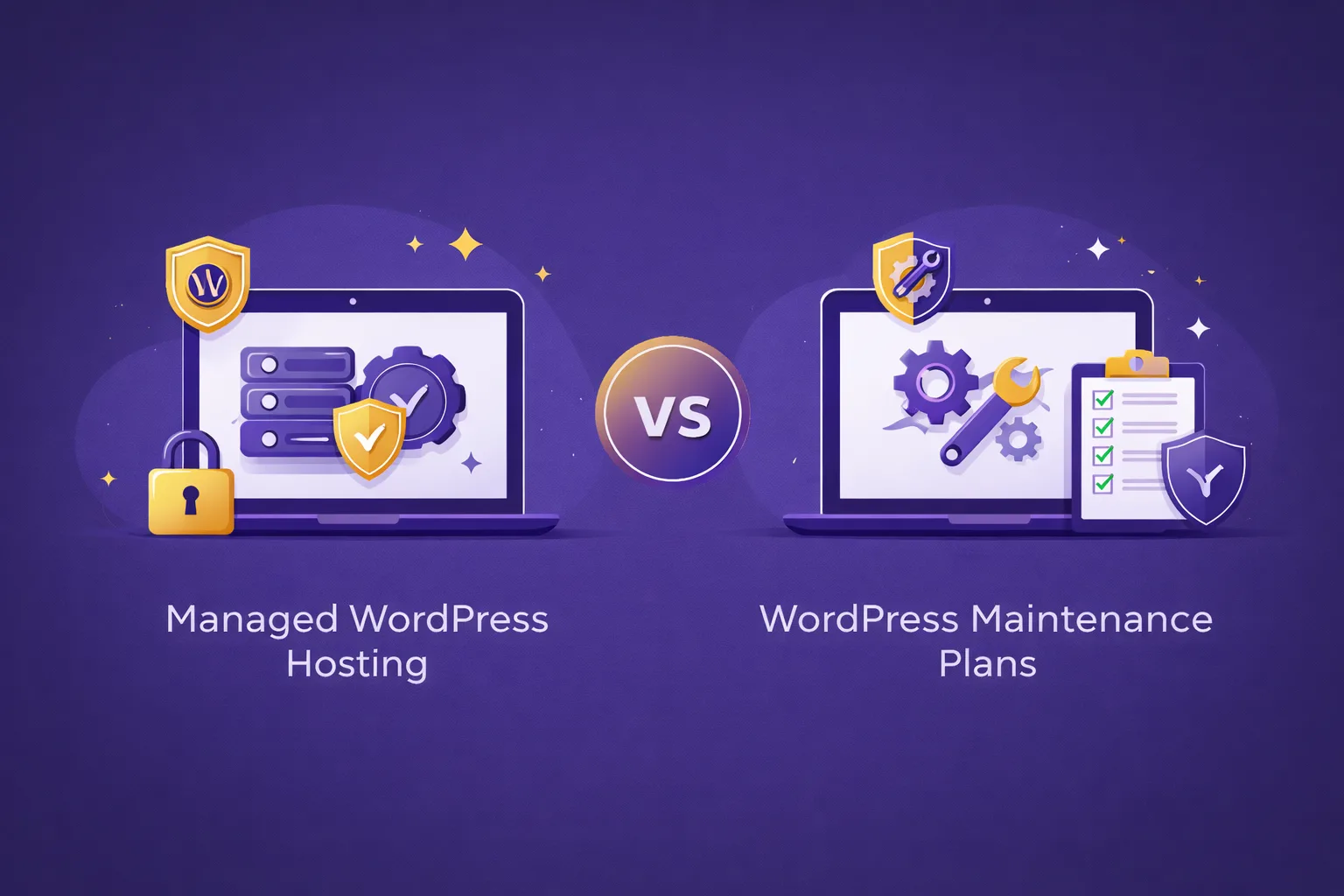
A managed WordPress hosting setup usually focuses on the server side of the equation. It gives your site a stronger technical foundation, better performance, a WordPress-friendly environment, and a hosting provider that understands the platform. A maintenance plan, on the other hand, focuses more on the WordPress application itself: updates, offsite backups, plugin and theme checks, ongoing monitoring, and what happens when something breaks.
If your website matters to your business, understanding the difference can save you from choosing the wrong setup.
Managed hosting is the foundation
Think of managed WordPress hosting as the environment your site lives in.
A good managed hosting service is built specifically for WordPress. That usually means better server configuration, stronger uptime monitoring, SSL handling, caching support, backup systems at the server level, and a team that is more familiar with the platform than generic shared hosting support.
This matters because WordPress sites do not perform well in weak environments. Even a well-built site can feel slow, unstable, or vulnerable if the hosting layer is poor. If your site brings leads, supports your reputation, or handles sales, that foundation becomes even more important.
This is where managed hosting earns its value. It removes a lot of server-level responsibility from the business owner and gives the website a more stable place to run.
But even good hosting is not the whole story.
Maintenance happens inside WordPress itself
A website is not only a server setup. It is also a living WordPress installation made up of the core software, themes, plugins, content, settings, and integrations.
That part needs ongoing care.
Plugins need to be updated. Themes need to be reviewed. Core updates need to be handled safely. Security checks need to happen regularly. Backups should exist outside the hosting environment too, not only inside it. And when an update causes a conflict or a feature stops working, someone needs to investigate and fix the issue.
That is the maintenance side.
This is the part many site owners overlook because problems often build slowly. A site may seem fine for months while plugins age, backups go untested, vulnerabilities accumulate, and minor errors go unnoticed. Then one day a form stops sending, a layout breaks after an update, or the site gets compromised, and suddenly the website that seemed “fine” turns into a stressful repair job.
That is why maintenance is not just about running updates. It is about preventing slow deterioration.
Why people confuse the two
The confusion exists because some providers bundle hosting and maintenance together, while others treat them as separate services.
That means one business may hear “managed hosting” and assume it includes regular plugin updates, offsite backups, troubleshooting, and hands-on care. Another business may sign up for hosting and discover that the host only handles the infrastructure side, leaving the WordPress upkeep largely to the client.
Neither model is inherently wrong. The problem is when expectations are unclear.
A host may keep the server healthy and still not take responsibility for plugin conflicts. A maintenance plan may keep the WordPress installation healthy but not control the underlying server environment. The best setup depends on what your website actually needs and how much you want one partner to manage for you.
When managed hosting may be enough
There are cases where managed hosting alone can be enough, or at least enough for now.
If your website is small, changes rarely, uses a simple plugin stack, and is not central to your business operations, then a lighter setup may work. You may only need a strong WordPress-friendly host and a minimum level of safe upkeep.
This can also make sense if you or your internal team are already comfortable handling updates, content changes, plugin reviews, and routine checks. In that case, hosting gives you the technical base, and your own team handles the rest.
But this works only when somebody is truly taking responsibility for the WordPress side. If no one is watching that layer consistently, then “hosting only” often turns into neglect without anyone meaning for it to.
When a maintenance plan becomes essential
A maintenance plan becomes much more important when your site actively supports the business.
If your website brings enquiries, bookings, leads, or revenue, downtime becomes more expensive. If your content matters for visibility and credibility, a broken layout or hacked page becomes more than a minor inconvenience. If you run WooCommerce, memberships, or a plugin-heavy site, the risks grow even further.
In those cases, regular updates, proactive backups, security reviews, uptime monitoring, and faster help when something breaks are not luxuries. They are part of responsible website operations.
This is also why the best maintenance plans go beyond “click update once a month.” They usually include layered backups, regular security scans, different frequencies of maintenance depending on the site type, and some level of hands-on support when issues appear.
For a serious business site, that ongoing care is often what keeps small technical issues from becoming larger business problems.
The smartest setup is often both
For many businesses, the most practical answer is not “hosting or maintenance.” It is both.
That is especially true when the website matters but the owner does not want to coordinate between separate providers. One partner handles the hosting environment, backups, monitoring, updates, and support workflows together. That reduces blame-shifting and confusion when something goes wrong.
Instead of wondering whether the problem is “the server” or “WordPress,” the client has one clear point of responsibility.
This bundled model tends to work best for business websites, professional service sites, high-value blogs, WooCommerce stores, and agencies managing multiple sites. It simplifies decision-making and makes the support experience more predictable.
It is also a better fit for people who do not want to spend their own time learning hosting dashboards, update logs, plugin troubleshooting, or restore procedures.
How to decide what your site really needs
A simple way to choose is to ask how important the website is to your business and how much internal technical capacity you actually have.
If the site is small, fairly static, and not mission-critical, managed hosting with minimal upkeep may be enough.
If the site is active, business-facing, content-driven, or revenue-connected, a dedicated maintenance layer becomes much more important.
And if you want the least friction overall, a combined managed WordPress hosting setup with a proper WordPress maintenance plan usually makes the most sense.
The goal is not to buy the biggest package by default. The goal is to match the level of care to the actual importance of the site.
That is the part many businesses miss. They either overspend on services they do not need yet, or they under-protect a site that quietly supports leads, trust, and growth every day.
Final thoughts
Managed WordPress hosting and WordPress maintenance plans are closely connected, but they are not interchangeable.
Hosting gives your site a better technical home. Maintenance keeps the WordPress installation healthy over time. One supports the infrastructure. The other supports the ongoing operation of the website itself.
If your website is more than just an online placeholder, it is worth looking at both layers carefully.
The right decision is not about labels. It is about making sure your site stays fast, stable, secure, and dependable long after launch.