The internet moves fast. You share a story, a report, a hot take, a long post… and within a few hours it’s buried under the next wave of content.
But behind every good story, there’s a quiet layer most people ignore:
- Screenshots of posts and replies
- Research articles and links
- Contracts, briefs, and brand guidelines
- Drafts, scripts, and outlines
- Reports, studies, and reference documents
If all of that lives in random folders, old email threads, and “document(7).pdf” downloads, you’re making it harder for your ideas to travel, be trusted, and live longer than a single scroll.
A surprisingly powerful fix? Tightening up how you use PDFs—especially tools like merge PDF and split PDF from pdfmigo.com—so your stories carry their receipts, context, and extra value with them.
Why PDFs Still Matter in a World of Feeds and Reels
Social posts are great for attention. PDFs are great for memory.
They’re still the format people use when something is supposed to feel:
- Official
- Shareable beyond an app
- Printable
- Keepable
Think about what lands in your downloads:
- Event decks and sponsorship kits
- Whitepapers and research summaries
- Brand playbooks and launch plans
- Media kits, press releases, speaker profiles
If you create content, run a brand, or just take your ideas seriously, PDFs are where your work turns into something people can return to—not just scroll past.
Turn Scattered Assets Into a Single “Story Packet”
Most big pieces of content aren’t just “one file.” They’re built from:
- A main article or script
- Reference links and research
- Screenshots or quotes from social
- Visuals, charts, or infographics
- Notes, outlines, or Q&A
If these are scattered, it’s hard for you—or anyone else—to understand the full picture later.
Instead, you can create a Story Packet PDF: one file that holds everything important.
Simple workflow:
- Export your main article, script, or outline to PDF.
- Save key research pages, charts, and screenshots as PDFs.
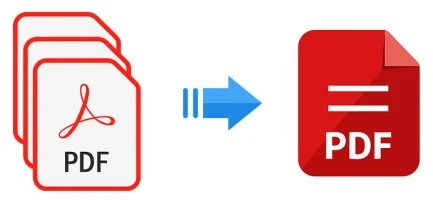
- Drop them all into a tool like merge PDF.
- Arrange them in a logical order:
- Front: your finished piece
- Middle: data, visuals, extra context
- Back: sources, notes, or bonus material
Now, if a collaborator, client, or future you asks, “What was that story built on?”, you don’t scramble—you send one file.
Build Trust With “Receipts Packs”
In the age of hot takes, people are skeptical. Saying “trust me, I saw it somewhere” doesn’t land.
You can quietly level up your credibility by building Receipts Packs:
- Cover page: a calm explanation of what the pack is about
- Pages with key screenshots (tweets, posts, statements)
- Excerpts from official docs or reports
- Your short notes on what matters inside each source
Use merge PDF to bundle all of this into a single, tidy PDF you can link in a post, send to a client, or keep for your own records.
Later, if someone challenges a claim, you’re not arguing from memory—you’re sharing context.
Cut the Fluff: Share Only the Pages That Matter
Long PDFs can be overwhelming:
- 120-page government report
- 80-page brand guidelines PDF
- Full event deck with every slide ever made
Most of the time, people only need a slice:
- A 5-page executive summary
- The slide section about your campaign results
- The pages that show pricing, terms, or timelines
- The chapter that explains a specific framework
Instead of dumping the entire file on people, you can use split PDF to carve out exactly what they need:
- Brand-Guidelines_Social-Only.pdf
- Campaign-Results_Key-Charts.pdf
- Report_Takeaways-and-Conclusions.pdf
This is kinder to your readers—and makes it much more likely your PDFs actually get opened and read, instead of stored and ignored.
Make Collaboration Easier With Clean PDF Bundles
If you work with others—writers, editors, designers, clients, sponsors—you know the pain of “Can you resend that?” and “Which version is this?”
You can fix a lot of that with smarter PDF habits:
- For every project, create a single bundle that includes:
- Brief or overview
- Brand or project guidelines
- Latest scripts or drafts
- Key reference visuals
- Merge them into one file so nobody has to dig through five different attachments.
When something changes, you update the pieces, re-export them, and run them through merge PDF again. The bundle name stays the same; the contents stay current.
Suddenly, “Where is that?” stops being a daily question.
Turn Content Seasons Into Evergreen Kits
If you create content around recurring seasons or themes—holidays, awareness months, product launches, sports seasons—you can build evergreen kits that save you tons of time later.
For example:
- A “Holiday Campaign Kit” with last year’s concepts, scripts, results, and visual references.
- A “Launch Playbook” that bundles briefs, checklists, timelines, and sample copy.
- A “Podcast or Series Starter Pack” with guest email templates, format outlines, and promo examples.
Once each season ends:
- Export the best assets as PDFs.
- Use merge PDF to assemble them into a kit.
- Save and label clearly for next year.
When the season rolls around again, you’re not reinventing everything from scratch—you’re updating and remixing from a strong base.
Give Your Audience Downloadables That Actually Help
People love content they can keep:
- Checklists
- Framework diagrams
- How-to step breakdowns
- Resource lists and reading guides
Often, these live inside your long articles, presentations, or decks. You can pull them out and repurpose them as standalone value:
- Start with a big “master” PDF—like a full guide or slide deck.
- Use split PDF to extract:
- The checklist page
- The framework diagram
- The “do this next week” action page
- Offer those tiny PDFs as bonus downloads or lead magnets.
It’s the same content, just packaged in a way that’s easier to use, save, and share.
Why a Dedicated Toolkit Helps
Could you brute-force this with random apps? Maybe.
Will you actually do it consistently if it’s a pain every time? Probably not.
That’s why having a simple, browser-based toolkit like pdfmigo.com matters:
- Use merge PDF to turn scattered files into clear story packets, kits, and bundles.
- Use split PDF to trim huge documents down into focused, shareable assets.
No installs, no heavy software—just quick, repeatable moves you can build into your workflow.
Let Your Stories Outlive the Scroll
The internet will always move fast. Feeds will refresh, trends will fade, posts will sink.
But when you start treating your work like something worth preserving—organizing your sources, bundling your stories, trimming the noise—you make it easier for people to take you seriously, come back to your ideas, and share them in spaces way beyond a single post.
You’re already doing the hard part: thinking, researching, creating.
Smarter PDF habits simply make sure that work doesn’t vanish in the blur—and that when someone asks, “Can you send me everything on this?”, you can say “Sure” and mean it.