Business email can quickly become difficult to manage when a team is dealing with hundreds of messages, customer requests, internal discussions, meetings, and follow-ups every week.
Important emails can get buried. Tasks may be forgotten. Customer information can end up scattered across different tools, and employees may spend more time searching for information than actually working on it.
This is where having an organized business email system can make a difference.
Zoho Mail is more than an inbox. It brings email together with tools such as Calendar, Contacts, Tasks, Notes, and other business applications, giving teams a more connected way to manage everyday communication.
Why Business Email Needs More Than an Inbox
For an individual user, managing email may be relatively simple.
For a growing business, however, email can become connected to almost every part of daily work.
- A customer sends a question.
- A salesperson needs to follow up.
- A manager schedules a meeting.
- A team member needs to review an attachment.
- Someone needs to turn an email request into a task.
If each of these activities is handled separately, employees may need to move between several applications throughout the day.
A business email platform that connects these activities can make the workflow easier to manage.
Keep Contacts Close to Your Email
Contact information is one of the most useful parts of business communication.
Zoho Mail includes a Contacts application where users can manage personal and organization contacts. Contacts can also be added directly from email, making it easier to save information about people the team communicates with.
For example, if a new customer sends an email, the sender's details can be added to Contacts rather than leaving the address buried inside the conversation.
Over time, this can help create a more organized business address book.
Turn Emails Into Tasks
Not every email simply needs a reply.
Some emails require action.
A customer may ask for a document. A manager may assign something to an employee. A prospect may request a follow-up call.
Instead of leaving these messages in the inbox as reminders, teams can connect email communication with tasks and other activities.
Zoho Mail provides integrations with applications such as Tasks and Calendar, allowing users to work with these activities from the mailbox.
This creates a simple distinction:
Email tells you what someone said.
Tasks help you remember what needs to happen next.
Keep Meeting Plans Connected to Communication
Business conversations often lead to meetings.
A prospect may want a product demonstration. A customer may request a discussion. An internal team may need to review a project.
When email and calendar activities are connected, it becomes easier to move from the conversation to the meeting without treating them as completely separate activities.
Zoho Mail also supports calendar-related CRM workflows, including syncing business event invitations with the Zoho CRM calendar.
For teams that rely heavily on email, this can create a smoother workflow between communication and scheduling.
Save Important Information With Notes
Some emails contain information that needs to be remembered beyond the original conversation.
Instead of searching through an old email later, users can turn an email into a note and add additional information.
Zoho Mail supports adding emails to Notes, allowing the email content to be retained as a reference along with additional information.
This can be useful for:
- Project discussions
- Customer requirements
- Internal decisions
- Important instructions
- Follow-up information
- Reference material
The goal is not to turn every email into a note. It is to give teams a practical place for information that needs to remain useful after the conversation itself is finished.
Reduce the Need to Switch Between Applications
One of the challenges of modern work is the number of applications employees use every day.
Email might be in one application.
Tasks might be somewhere else.
Customer information could be in a CRM.
Meetings may be managed through a calendar.
Files may be stored in another system.
Zoho Mail provides integrations with several Zoho applications, including CRM, Projects, Creator, and WorkDrive. It also supports connections with third-party applications through integrations such as Zapier.
This doesn't mean every business needs to connect every application.
Instead, teams can choose the integrations that actually fit their workflow.
Connecting Zoho Mail With Zoho CRM
For sales teams, the connection between email and CRM can be particularly useful.
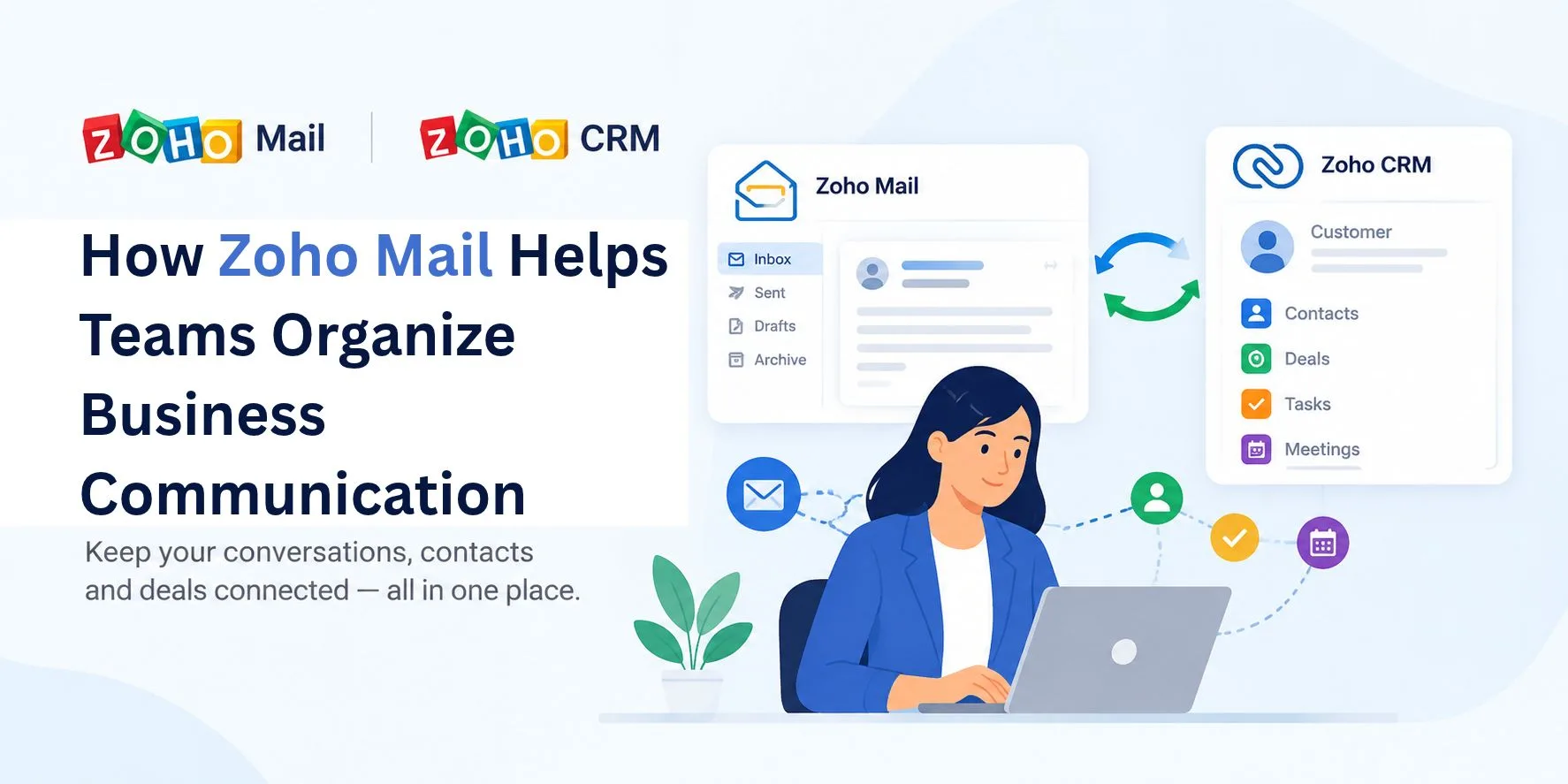
Zoho Mail's CRM integration allows users to access information about leads, contacts, deals, cases, accounts, and other CRM modules from within the mailbox. Users can also create or modify records and associate notes, tasks, and events with CRM records.
For example, a salesperson receiving an email from a new prospect can use the CRM integration to create a lead or contact.
If the sender already exists in CRM, the salesperson can access relevant information before responding.
Emails can also be associated with leads, contacts, and other CRM entities.
This helps connect the conversation in the inbox with the broader customer relationship.
A Simple Workflow for Sales Teams
Imagine a potential customer sends an email asking for more information.
The salesperson can:
- Open the email.
- Check whether the sender already exists in CRM.
- Create a lead or contact if necessary.
- Review relevant customer information.
- Associate the email with the CRM record.
- Create a follow-up task if required.
- Schedule a meeting if the conversation moves forward.
Instead of handling every step in a separate system, the salesperson can manage much of the process from the email environment.
Managing Email Attachments More Effectively
Business emails often contain documents, proposals, presentations, quotations, and other files.
These attachments can become difficult to find when they are spread across long email conversations.
Zoho's current Mail and CRM integration also provides an attachment workflow that can connect email attachments with CRM records through Zoho WorkDrive.
For teams that regularly exchange customer documents, keeping files connected to the relevant business record can make information easier to locate later.
Business Email Security Still Matters
Organization is only one part of business email management.
Security also needs attention, especially when employees are communicating with customers and sharing business information.
Zoho Mail provides administrative controls and security features, including two-factor authentication. Its current administration documentation also includes configurations such as BIMI, MTA-STS, and TLS-RPT.
Businesses should still establish their own policies around passwords, account access, permissions, external sharing, and employee security practices.
Technology can provide the controls, but a good email security process also depends on how those controls are used.
When a Team Should Review Its Email Workflow
There are a few signs that a business may need to rethink how it manages email.
Important requests keep getting missed
If employees regularly forget to respond to customer requests, email may be doing too much of the work as a reminder system.
Employees spend too much time searching
If people constantly search through old emails to find customer information or previous conversations, better organization may be needed.
Customer information is scattered
When contact information, email conversations, tasks, and customer records live in different places, employees may have difficulty seeing the full picture.
Teams rely heavily on forwarded emails
Forwarding messages can be useful, but if it becomes the main way teams share customer context, a more connected workflow may be worth considering.
If you want a broader look at Zoho Mail, including its features, pricing, security, and AI capabilities, read the Zoho Mail Overview: Features, Pricing & Zia AI.
Creating a More Organized Email Routine
Technology alone will not solve every email management problem.
Teams should also establish simple habits.
For example:
- Use folders or organizational tools consistently.
- Turn important requests into tasks.
- Keep customer contacts updated.
- Store useful information where other authorized team members can find it.
- Connect email with CRM records when appropriate.
- Avoid keeping important business information only inside one person's inbox.
- Review access and permissions regularly.
A simple process that everyone follows is often more useful than a complicated system that nobody uses consistently.
Zoho Mail as Part of a Larger Business Workflow
The biggest advantage of a connected email environment is that email does not have to operate on its own.
A customer message can lead to a CRM update.
A conversation can lead to a task.
A request can lead to a meeting.
An email can become a note or reference.
A customer document can be connected with the appropriate business record.
These connections can make everyday communication easier to organize without forcing employees to treat each activity as a completely separate process.
Final Thoughts
Business email is no longer just about sending and receiving messages.
For many teams, email is closely connected to sales, customer service, project work, meetings, tasks, and internal collaboration.
Zoho Mail brings several of these activities into one environment and provides integrations with other Zoho applications, including Zoho CRM, Projects, Creator, and WorkDrive.
The right setup will depend on how a business works, but connecting email with the tools employees already use can help reduce scattered information and make everyday communication easier to manage.