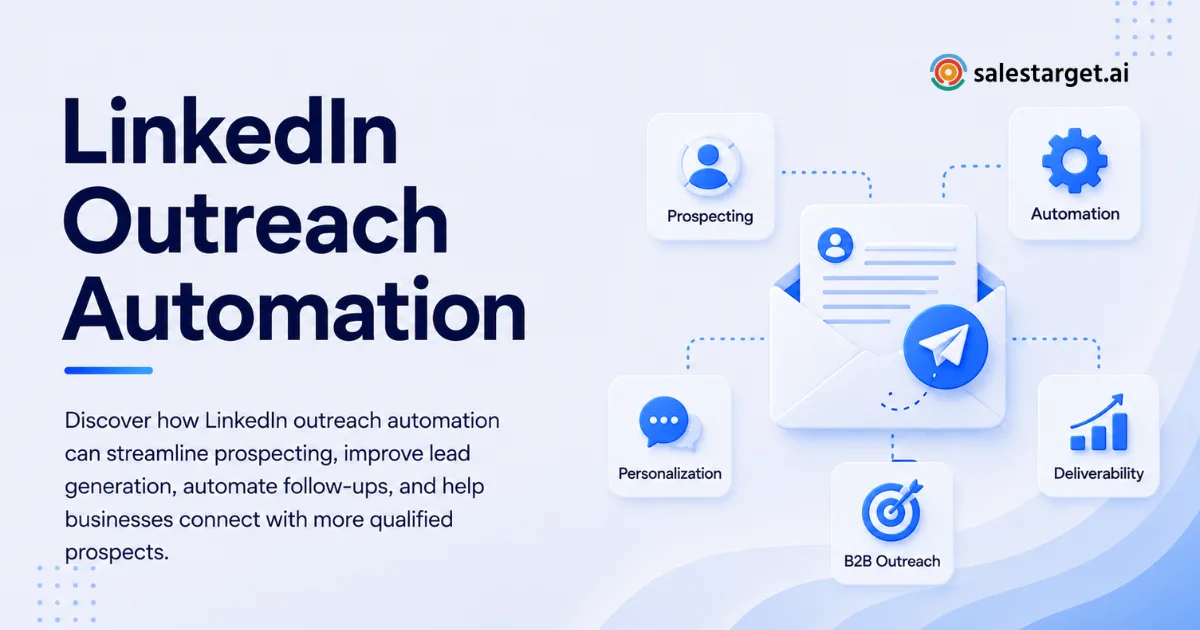
Sales teams can spend hours building prospect lists, checking profiles, sending connection requests, and remembering follow-ups, yet still end up with weak reply rates. The problem is rarely a lack of activity. It is usually poor targeting, generic messaging, weak sequencing, or automation that keeps running after a prospect has already shown disinterest.
Automated LinkedIn Outreach gets better results when automation handles repetitive execution while salespeople control targeting, messaging, timing, and conversation quality. The goal is not to send more requests. The goal is to create more relevant conversations from the same prospecting effort.
Recent industry guides repeatedly point to the same failure points: generic messages, weak prospect lists, excessive activity, missing follow-up logic, and treating automation as a replacement for sales judgment.
What Makes Automated LinkedIn Outreach Effective?
Effective Automated LinkedIn Outreach starts before the first connection request. Your team needs a defined ideal customer profile, a reason to contact each segment, relevant messaging, and a sequence that changes based on prospect behavior.
Automation is most useful for repetitive actions such as scheduling touchpoints, moving prospects between sequence steps, stopping follow-ups after a response, and keeping campaign activity organized. Human judgment should stay involved when a prospect replies, raises an objection, shows buying intent, or needs a more specific answer.
The biggest shift is to treat LinkedIn outreach as a controlled sales process rather than a volume exercise. A campaign with 100 highly relevant prospects can produce more useful conversations than a campaign aimed at thousands of poorly matched contacts.
This matters for B2B teams where sales reps already have calls, demos, account research, and CRM work competing for their attention. Good automation removes administrative repetition without removing the parts of selling that require judgment.
How Does Automated LinkedIn Outreach Improve Results?
Automated LinkedIn Outreach improves results by creating consistency across prospect selection, messaging, follow-up, timing, and measurement. Instead of relying on individual reps to remember every next action, the system keeps qualified prospects moving through a defined process.
A strong workflow starts with a narrow audience. Suppose you sell revenue software to SaaS companies. Instead of targeting every founder or sales leader, you could focus on companies within a defined employee range, specific growth stages, and roles responsible for outbound revenue.
Your message can then reflect the problems those people actually face. A VP of Sales may care about rep productivity and pipeline coverage. A founder may care about predictable acquisition. A RevOps leader may care about data quality and workflow efficiency.
That level of relevance gives automation something useful to scale.
Another improvement comes from follow-up discipline. Prospects rarely respond simply because they received one message. A structured sequence gives your team a consistent way to follow up without asking reps to maintain spreadsheets or manually check every profile.
The important distinction is that automation should support a good process. It cannot rescue weak positioning.
What Is the Best LinkedIn Outreach Strategy for Better Results?
A strong automated LinkedIn outreach strategy has four parts: accurate targeting, relevant messaging, behavior-based sequencing, and continuous measurement.
Start with your ideal customer profile. Define company type, industry, employee count, geography, seniority, role, and buying signals. Then identify the trigger that makes the prospect worth contacting now. Hiring activity, expansion, funding, technology changes, leadership changes, or a new strategic initiative can provide stronger context than a job title alone.
Next, build messaging around the prospect's situation. A connection request should have a reason. A follow-up should add context. A later message should either provide useful information or give the prospect an easy reason to respond.
Avoid turning every step into a pitch.
Your sequence should contain decision rules. If someone replies, stop the automated sequence. If someone shows a meaningful buying signal, route the lead for human follow-up. If there is no response after a reasonable number of attempts, stop rather than continuing indefinitely.
This approach turns automation into a controlled workflow instead of an endless message machine.
See SalesTarget.ai's AI-powered LinkedIn prospecting workflow
How Should You Build Automated LinkedIn Messaging?
Automated LinkedIn messaging works best when every message has one job. The connection request should establish relevance. The first follow-up should create a reason to continue the conversation. Later messages should address another angle, offer useful context, or close the sequence respectfully.
Do not write one long sales pitch and split it across multiple messages. Prospects recognize that pattern quickly.
Instead, build short messages around specific situations. If you are contacting sales leaders at growing SaaS companies, your opening could reference the operational issue created by adding more outbound reps. A later message could address follow-up consistency. Another could discuss the difficulty of coordinating LinkedIn activity with email.
Personalization should go beyond inserting a first name. Useful personalization changes the reason for contact based on the prospect's role, company, market, or current business signal.
AI can help generate these variations, but every message should still meet a simple test: would this message make sense if the prospect's name were removed?
If the answer is no, the personalization is probably superficial.
What Are the Steps to Improve LinkedIn Outreach Automation?
Step 1: Tighten the Prospect List
Your prospect list controls the ceiling of your campaign. If the list contains people who have no realistic reason to buy, better copy will not solve the problem.
Use company and people filters together. Add role, seniority, industry, location, company size, and relevant intent or business signals. Remove duplicate contacts and outdated records before launching the sequence.
SalesTarget.ai's Lead Explorer combines professional profiles, business data, intent signals, and enrichment so sales teams can build more targeted lists before outreach begins.
Step 2: Create Different Messages for Different Segments
Do not use one campaign for every buyer.
Create separate sequences for different roles, industries, or use cases when the pain point changes. A sales leader and a RevOps manager may purchase the same product, but they can respond to very different reasons for starting a conversation.
Segmented messaging makes automation more useful because the system is scaling relevance rather than scaling repetition.
Step 3: Build Conditional Follow-Ups
A basic sequence says, "send message one, wait, send message two." A better sequence asks what happened after each step.
If the connection is accepted, move to the next message. If the prospect replies, stop automation and alert the salesperson. If there is no response, continue with another useful touchpoint. If the prospect indicates they are not interested, remove them from the active sequence.
This simple logic prevents one of the most common outreach mistakes: continuing to send automated messages after the conversation has changed.
Step 4: Personalize Around Business Context
Good personalization answers one question: why this person?
Reference a business situation, role-specific problem, recent company development, or relevant trigger when you have reliable information. Avoid fake compliments and generic observations such as "I noticed you are a leader in your industry."
The best personalization is useful even if the prospect never buys.
Step 5: Measure the Whole Funnel
Do not judge a campaign only by connection acceptance.
Track connection acceptance, response rate, positive response rate, meetings booked, qualified opportunities, and revenue contribution. These metrics tell different stories.
A campaign with a high acceptance rate but very few qualified conversations may have good opening copy but weak positioning. A campaign with strong replies but poor meetings may have a targeting or offer problem.
Measure the point where prospects become valuable, not just the point where they click or respond.
What Are the Benefits of LinkedIn Outreach Automation?
The biggest benefit is consistency. Reps can follow a defined process without manually remembering every connection, follow-up, or campaign action.
Automation can save time on repetitive prospecting work and make follow-up more dependable. It can give sales leaders better visibility into campaign performance and help teams identify which segments and messages generate meaningful conversations.
Another benefit is coordination. LinkedIn activity can become part of a broader outbound process instead of operating as an isolated channel. SalesTarget.ai combines LinkedIn outreach with email, lead data, validation, and CRM workflows, giving teams a single place to manage prospecting activity.
That matters when a prospect needs several touches before becoming sales-ready. Instead of maintaining separate spreadsheets and tools, teams can keep activity connected to the lead record and sales process.
The practical value is simple: reps spend less time managing outreach mechanics and more time handling actual conversations.
If your team is losing selling time to repetitive LinkedIn tasks, the next step is to map those tasks before automating them. Identify what can run automatically, what needs review, and what should always stay human.
Automated LinkedIn Outreach vs. Manual Outreach: Which Works Better?
AreaManual OutreachAutomated OutreachProspect researchTime intensiveCan be organized and enriched fasterConnection requestsReps send individuallyScheduled through sequencesFollow-upsEasy to missConsistent sequence logicPersonalizationHighly controlledCan be scaled with structured dataResponse handlingHuman by defaultCan stop sequences and route repliesReportingOften spread across toolsCentralized campaign trackingScaleLimited by rep capacityHigher operational capacityQuality controlDepends on each repDepends on rules and reviewManual outreach still has an important role. A salesperson should take control when a prospect responds, asks a detailed question, or enters an active buying conversation.
Automation wins on repetitive execution. Manual work wins on judgment.
The strongest model uses both rather than pretending one can replace the other.
What Are the Best Practices for LinkedIn Outreach Automation?
Follow a few rules consistently.
Keep the audience narrow. A smaller list of qualified prospects gives your messaging a better chance of being relevant.
Use role-specific positioning. Speak to the problem owned by the person receiving the message.
Keep messages short. Prospects do not need your complete product explanation in the first interaction.
Use conditional sequences. Stop automation when someone replies and change the next action based on behavior.
Test one variable at a time. Change the opening angle, offer, audience segment, or follow-up timing rather than changing everything at once.
Review campaign quality weekly. Look at replies and qualified conversations, not only activity counts.
Keep platform compliance in mind. LinkedIn states that unauthorized third-party software, bots, browser extensions, and automated methods that access or manipulate its website are prohibited. Teams should review current LinkedIn rules before deploying any automation workflow.
That last point matters. A high-volume campaign is not successful if it creates account risk or damages your reputation with prospects.
What Mistakes Hurt Automated LinkedIn Outreach Results?
The first mistake is optimizing for volume instead of relevance. Sending more messages to the wrong audience creates more noise, not more pipeline.
The second is relying on generic templates. Replacing a name does not make a message personalized. Prospects care about why you contacted them, not whether your software inserted their first name correctly.
The third is using the same sequence for every buyer. Different roles have different priorities, so the reason for contact should change with the segment.
The fourth is measuring shallow metrics. Connection requests and acceptance rates can look impressive without producing qualified opportunities.
The fifth is allowing automation to continue after a prospect responds. Once someone engages, the objective changes from sequence execution to conversation quality.
A less obvious mistake is ignoring data quality. If your contact information is outdated, your campaign can waste time targeting people who have changed roles or companies. Enrichment and verification should happen before the prospect enters the active sequence.
Another overlooked issue is the handoff between outreach and sales. A positive LinkedIn response has little value if nobody knows who owns the conversation or what should happen next. Automated outreach should create a clear path into CRM follow-up.
How Can SalesTarget.ai Improve Automated LinkedIn Outreach?
SalesTarget.ai brings prospecting, enrichment, LinkedIn outreach, email outreach, validation, CRM activity, and AI assistance into one outbound workspace.
Its Lead Explorer provides access to 840M+ professional profiles, 146M+ business entities, 4,000+ intent signals, and 50+ data sources. Teams can search using plain-English criteria or combine business and people filters, then enrich prospects with contact information.
Its LinkedIn Outreach module supports connection requests, direct messages, follow-ups, engagement actions, AI personalization, conditional sequences, timezone-aware scheduling, and safeguards such as rate limits and auto-pause logic.
The advantage is the workflow connection. A salesperson can identify a prospect, enrich the record, add the lead to an outreach sequence, track responses, and continue the sales process from the same workspace.
SalesTarget.ai's CRM records campaign activity and follow-up tasks, giving sales leaders a view beyond the initial outreach event. Its AI Copilot can help teams find leads, create sequences, query CRM information, monitor campaign performance, and assign tasks through conversational prompts.
For B2B teams, this reduces the number of disconnected systems involved in outbound prospecting.
If your current LinkedIn workflow requires spreadsheets, separate prospecting tools, manual follow-up reminders, and a disconnected CRM, review where leads are getting lost between those steps. Consolidating the workflow can give reps more time for qualified conversations and give managers better campaign visibility.
Final Thoughts
Better results from Automated LinkedIn Outreach do not come from sending more connection requests. They come from improving the system behind every request: better prospect data, sharper segmentation, relevant messaging, conditional follow-ups, reliable measurement, and a clear handoff when a real conversation starts.
The strongest campaigns automate repetitive execution without automating sales judgment. They give reps a cleaner prospecting process, stop sequences when prospects engage, and connect outreach activity to the rest of the sales workflow.
SalesTarget.ai gives B2B outbound teams the infrastructure to bring those pieces together. Its lead intelligence, enrichment, LinkedIn outreach, email sequences, CRM, validation, and AI Copilot can work inside one outbound workflow instead of forcing reps to stitch together multiple disconnected tools.
If your team is spending too much time managing LinkedIn outreach and not enough time talking with qualified buyers, it is time to replace manual task management with a more controlled process. Start building a targeted, measurable Automated LinkedIn Outreach workflow with SalesTarget.ai and turn more of your prospecting time into real sales conversations.