Long support recordings can contain valuable explanations that never appear in formal documentation. Webinars, troubleshooting calls, training sessions, and product demonstrations often capture unusual problems, practical workarounds, and detailed answers from subject-matter experts.
The problem is access. A customer or support agent may know that the answer exists somewhere inside a 60-minute recording but have no practical way to locate it.
Making long recordings useful requires clear organization, accurate transcripts, descriptive metadata, and tools that connect questions with relevant moments.
Give Every Recording a Clear Title
A title such as “Support Session – May” provides little information about what the recording contains.
Use a title that identifies the product, audience, and main topics. “API Integration Troubleshooting: Authentication, Permissions, and Rate Limits” is easier to understand and search.
The description should summarize the questions addressed in the session. Include important feature names, error codes, affected versions, and alternative terms customers may use.
Good titles and descriptions help people decide whether a recording is relevant before opening it.
Generate an Accurate Transcript
A transcript converts spoken information into searchable text. Instead of dragging through the video timeline, users can search for a phrase, feature, or error message.
Automatic transcription can save time, but technical recordings should be reviewed. Product names, commands, abbreviations, model numbers, and error codes are common sources of errors.
For example, an incorrect API parameter in a transcript may prevent the right section from appearing in search or cause someone to misunderstand the instructions.
Cincopa supports automatic transcription, which can make the spoken content of support recordings available for search. Human review remains important when accuracy affects the solution.
Divide Recordings Into Chapters
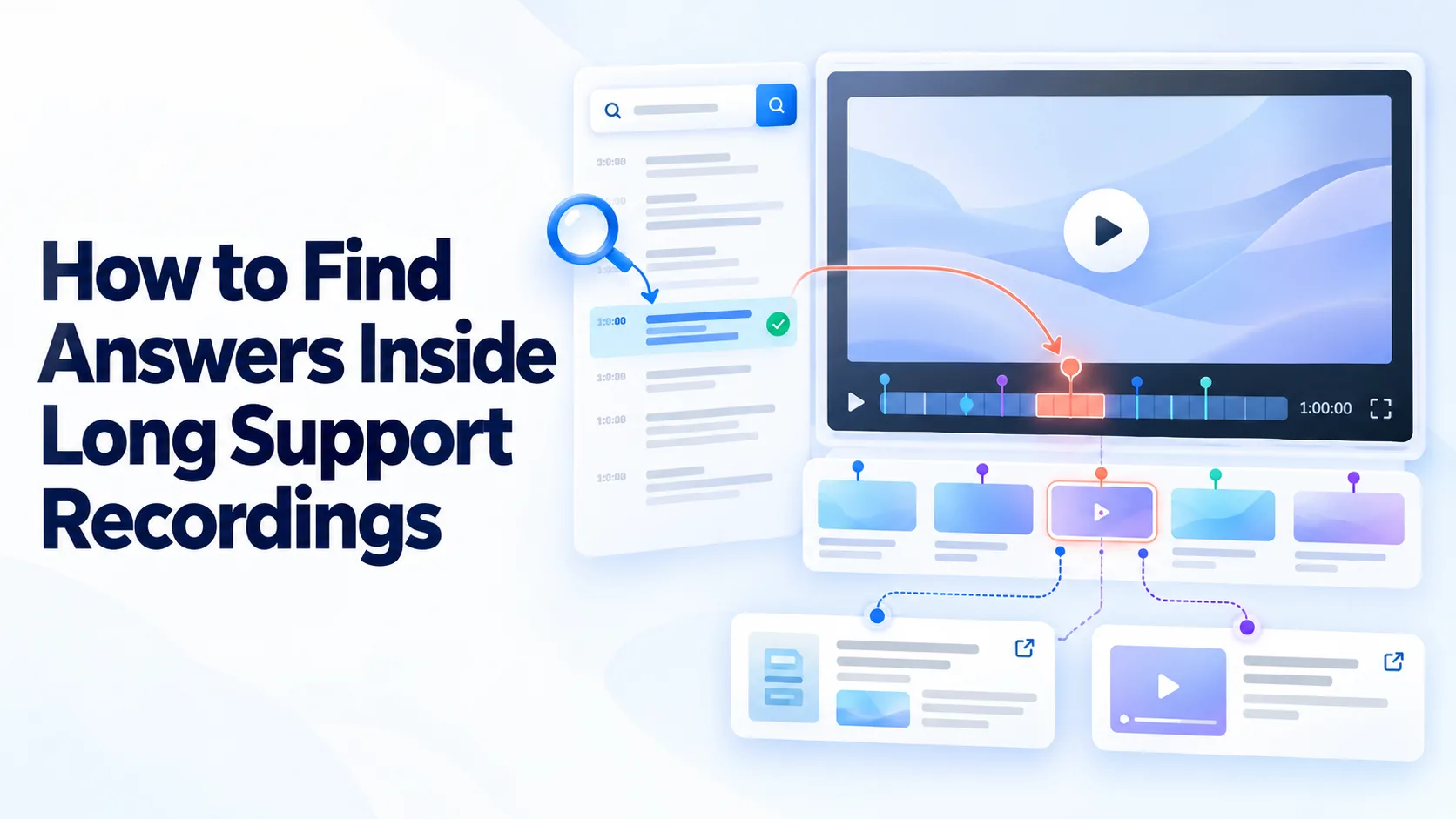
Chapters give viewers a visible map of a long recording.
A troubleshooting webinar might include chapters for installation, authentication, permission errors, connection testing, common failures, and audience questions.
Chapter names should describe the actual topic. “Error 403: Checking Account Permissions” is more useful than “Troubleshooting Part Two.”
Chapters allow viewers to skip unrelated material and provide additional context for search systems.
Add Useful Metadata
The correct search phrase may not appear in the recording.
A presenter may use the official term “workspace permissions,” while a customer searches for “why can’t my coworker open the project?” Metadata can connect these different ways of describing the same problem.
Add relevant product names, features, customer roles, versions, error codes, and common search terms. Use a consistent tagging system across the video library.
Metadata should describe the content accurately rather than include unrelated keywords simply to attract traffic.
Support Natural-Language Questions
Keyword search works when users know the exact language used in a recording. Customers often describe symptoms instead.
Someone may ask, “Why does my integration disconnect every few days?” while the recording discusses expired access tokens. A question-based search system can help connect the customer’s description with the relevant explanation.
Cincopa’s VideoGPT can use available information from videos, PDFs, transcripts, titles, descriptions, chapters, tags, and approved summaries. This allows users to ask questions across different knowledge formats rather than search each file separately.
The original sources should remain visible so users can verify the answer and review its context.
Link to the Exact Moment
Finding the correct video is only part of the solution. Sending someone to the start of a long recording still requires them to locate the answer manually.
When timestamped transcript data is available, provide a direct link to the point where the explanation begins. This is particularly helpful when support agents share recordings through chat or email.
The linked section should include any relevant warning or prerequisite. Starting the video too late can remove context needed to understand the procedure safely.
Exact-moment links also make long recordings more suitable for embedding in help-center articles.
Connect Recordings With Written Guidance
Video and written documentation serve different purposes.
A recording can demonstrate a workflow and explain why a problem occurs. Written content is better for commands, links, settings, checklists, and information users need to copy.
Connect each important recording with the relevant support article. The article can provide a concise solution, while the video offers visual context and a deeper explanation.
This relationship also supports maintenance. When a product workflow changes, the owner can review the article, video, transcript, screenshots, and saved responses together.
Extract Frequently Used Sections
Improving search does not mean every answer should remain buried inside a long recording.
If support agents repeatedly share the same timestamp, turn that section into a short video or standalone article. A focused resource is easier to find, maintain, and update.
The original recording can remain available for broader context, while the shorter resource becomes the primary answer.
Playback and search behavior can help identify sections that deserve separate content.
Protect Sensitive Information
Recorded support sessions may contain customer names, account details, internal system information, or unreleased product features.
Review each recording before adding it to a searchable library. Remove or restrict content containing sensitive information.
Permissions should cover the video and its transcript, description, summary, and related documents. Protecting only the recording can still expose confidential information through searchable text.
Cincopa can help teams organize private video collections for different audiences, but organizations still need clear rules for approval and access.
Keep Recordings Current
A searchable answer is not useful if it is outdated.
Every important recording should have an owner, applicable product version, and review date. Product releases should trigger a review of related videos and supporting documentation.
A small visual change may only require a note in the description. A changed workflow, permission model, security rule, or configuration process usually requires a replacement recording.
If an old recording remains useful for a legacy product version, label it clearly and keep it separate from current guidance.
Learn From Failed Searches
Search failures can reveal missing or poorly organized knowledge.
If users repeatedly search for a topic without finding a result, the library may need a new resource. If the answer already exists, the title, transcript, chapters, description, or tags may require improvement.
Compare failed searches with support tickets. When customers search for a topic and then contact an agent, review the answer the agent eventually provides.
That resolution may need to become a searchable article, short video, or updated section within an existing recording.
Measure Whether Users Find the Answer
Views alone do not show whether a long recording is useful.
Review whether viewers reach the relevant section, continue watching, repeat their searches, or contact support afterward. Compare video engagement with ticket volume, repeated contacts, and resolution outcomes.
If users frequently jump around the timeline, the recording may need chapters. If they leave soon after opening it, the title or description may not match the content.
If viewers reach the correct section but still require support, the explanation may be incomplete or difficult to apply.
Final Thoughts
Finding answers inside long support recordings depends on how the content is prepared and maintained.
Clear titles, accurate transcripts, descriptive chapters, useful metadata, natural-language search, and timestamp links can turn lengthy recordings into practical support resources.
Cincopa can support this process by helping teams organize, transcribe, search, share, and control access to video-based knowledge. However, frequently requested answers should still be converted into focused articles or shorter videos.
The goal is not simply to make a recording searchable. It is to help customers and agents reach an accurate answer without watching more content than necessary.