
Summary:
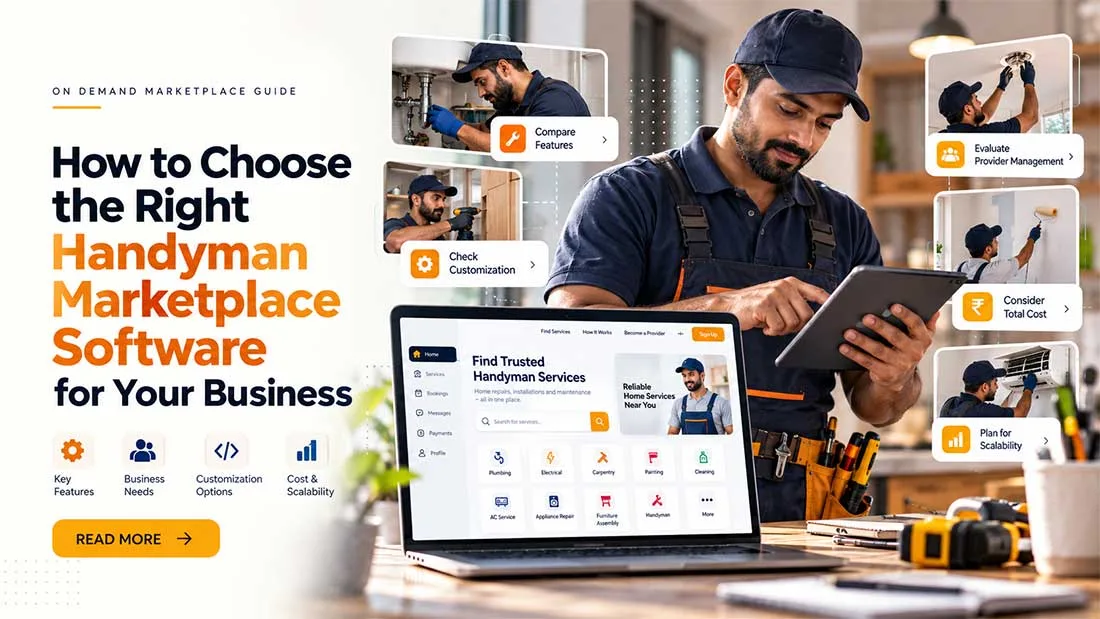
Choosing handyman marketplace software is a business decision, not a feature contest. This guide shows founders how to match software to their business model, workflows, payments, trust needs, location plans and long-term control, then test it before buying. It includes an evaluation table to use on every vendor call, plus guidance on when a ready-made platform makes sense.
A practical guide to comparing marketplace software based on your business model, workflow, customization needs, and long-term plans.
Search for handyman software and you will find two very different kinds of product. Tools like Jobber and Housecall Pro help one handyman company run its day: scheduling, estimates, invoices. Capterra defines handyman software the same way: a tool for small repair businesses to manage daily operations.
Handyman marketplace software is another thing. It lets you build a platform where many customers meet many handymen. This guide is for that second group, and it starts from one idea: the right software is the one that fits how your business will run, not the one with the longest feature list.
Start With Your Handyman Marketplace Business Model
Software should follow your money model, not the other way around. Housecall Pro's overview of Thumbtack describes a pay-per-lead model, where professionals pay for access to customer requests. Taskrabbit's help center says clients pay a service fee on top of the Tasker's rate, plus a Trust & Support fee. Urban Company, going by third-party write-ups, sets standard prices, trains its professionals and earns commission on bookings.
Three marketplaces, three different engines. A lead-fee model needs lead credits and request matching. A commission model needs payment collection and payout splits. You will rarely need all of it, so decide your model first and shop second.
Map the Customer and Handyman Workflow
The basic path is simple: the customer finds a service, picks a provider, gets a price, books, the job happens, payment is made, a review follows. The middle is where businesses differ. Fixed-price booking suits small jobs like mounting a shelf. Request-for-quote suits bigger repairs where the handyman needs to see the problem first. Emergency calls need speed, and recurring home services need repeat scheduling.
Write your workflow on one page before you watch any demo. Then ask every vendor to walk through it, step by step.
Look Beyond the Feature List
Every product claims bookings, reviews and payments. A long list tells you what exists, not whether it works for you. The better question is how each feature behaves in your business.
- Reviews: Ask whether only customers with a completed job can leave one.
- Messaging: Ask whether you can read the thread when a dispute starts.
- Quotes: Ask whether a quote can show materials and labor separately.
A feature you will never use is not a bonus. It is one more thing to maintain.
Check How Handymen and Service Providers Are Managed
Your handymen are your inventory. See how they sign up, what skills and categories they can list, how they set availability and service areas, and how you approve, pause or remove them.
Look at the admin side too. If approving one new provider takes ten clicks and a spreadsheet, your operations team will struggle once you pass the first few dozen providers.
Evaluate Payments and Your Revenue Model
Payment tools should match how you earn. Commission means the platform collects the payment, splits it and pays the provider. Lead fees mean providers buy credits or a subscription. Check refunds, cancellations, payout schedules and tax needs in your region.
Payment gateway support differs by country, so ask to see the exact gateways you need working in the demo. A logo on a sales page proves very little.
Don't Ignore Trust and Provider Verification
Customers let handymen into their homes. Trust is not a nice extra. Look at how the software handles ID and document checks, profile information, ratings and reviews, reporting, blocking, moderation, support tickets and dispute handling.
Taskrabbit's help center says part of its Trust & Support fee funds safety measures and customer support. That tells you trust has a running cost. Software gives you tools, but it cannot remove risk. Decide who reviews documents, how fast, and what happens after a complaint.
Consider Location and Service Areas
Location sits at the heart of a handyman service marketplace. Check whether you can define cities, postal codes or a service radius, whether handymen choose the areas they cover, and whether customers only see providers who can actually reach them.
Great software will not help if customers pile up in one suburb while your handymen live across town. Sharetribe's guide on building marketplace supply makes a useful point: bring in your first quality providers before customers arrive. Start in one city, then expand.
Check Handyman Software Customization Before You Buy
Sort every requirement into three buckets.
Configure when the software already does it and you only need to set it up, like categories or commission rates. Customize when your business truly needs something different, such as a quote flow with materials or a safety check before a first job. Leave standard when changing it adds cost and complexity without helping customers.
Every customization also needs maintenance and may need rework when the core software is upgraded. Ask how that works before you sign.
Ask About Source Code and Long-Term Control
These shape your life in year three, not launch week. Do you receive the source code? Can you modify it, and can another developer work on it? Who maintains custom modules? How are upgrades handled, and what happens to your customizations? Is documentation available? Can you migrate later? What happens if the vendor relationship ends?
Get the answers in writing.
Calculate the Total Cost, Not Just the Software Price
The licence or subscription is only the start. Add development, customization, integrations, hosting, maintenance, upgrades, support, third-party services like maps, SMS and payment fees, and daily operating costs such as verification and customer support.
A cheaper starting option can cost more over time if every small change needs a developer. Ask each vendor to list what is included and what is billed separately.
Test the Software Before Making a Decision
Screenshots will not tell you how a booking feels. Ask for a live demo or trial and run your own jobs through it. Register as a customer, then as a handyman. Book or request a service, create and accept a quote, pay, complete the job and leave a review.
Then switch to the admin panel. Approve a provider, process a refund, change a commission rate and open the reports. Check notifications, location handling and the mobile experience on a real phone.
Think About Scalability, But Define What It Means
Handling more users is only one meaning. Growth can also mean more providers, more cities, more categories, more transactions, a heavier admin workload, more integrations or more complex workflows like recurring bookings. Pick the growth you expect in the next 18 months and test against that.
Use a Simple Handyman Marketplace Software Evaluation Framework
Bring this table to every vendor call and score each answer from 1 to 5.
Evaluation AreaQuestion to AskWhy It MattersBusiness ModelDoes it support my revenue model, such as commission, lead fees or subscriptions?Software built for one model is hard to bend.WorkflowCan it run fixed-price, quote-based or scheduled jobs the way I need?Customers follow workflows, not feature lists.Provider ManagementHow do handymen register, set skills, availability and areas, and how do I approve them?Provider quality is your product.PaymentsCan I collect, split, refund and pay out the way my model needs, in my region?Payment errors break trust on both sides.Trust & SafetyWhat verification, reporting, blocking and dispute tools exist?Customers invite providers into their homes.LocationCan I control cities, postal codes or radius, and show only reachable providers?Poor matching creates empty searches.CustomizationWhich of my needs are configuration, and which need custom work?Custom work adds cost and upgrade effort.Source CodeDo I get it, and can another developer maintain it?It decides how much control you keep.Total CostWhat is included, and what is billed separately?The real cost shows up after launch.
When Ready-Made Handyman Marketplace Software Makes Sense
A ready-made platform makes sense when you want to test the idea quickly and do not want to spend your first budget rebuilding standard parts like registration, booking, payments, reviews and admin. It leaves more money for what makes your business different: your service area, provider quality and customer support.
Custom development can be the better path if your core workflow is unlike anything standard, or if you already have a strong technical team. Neither route is always right. It depends on your requirements, budget, timeline and model. Our posts on white-label service marketplace software and an Airtasker-style service marketplace explain the ready-made route in more detail.
If you would rather not build the marketplace foundation from zero, Best Freelancer Script's handyman marketplace software is one option to review next to your own requirements. Ask it the same questions you would ask anyone, especially about source code, customization and support.
Final Takeaway
Do not choose handyman marketplace software because it has the most features. Choose the one that fits your business model, customer and handyman workflows, revenue model, location strategy, trust needs, customization plans, budget, growth and long-term control.
Software is a business decision first and a technology purchase second. If you want to see how a ready-made option holds up against your checklist, request a demo and bring your workflow page with you.