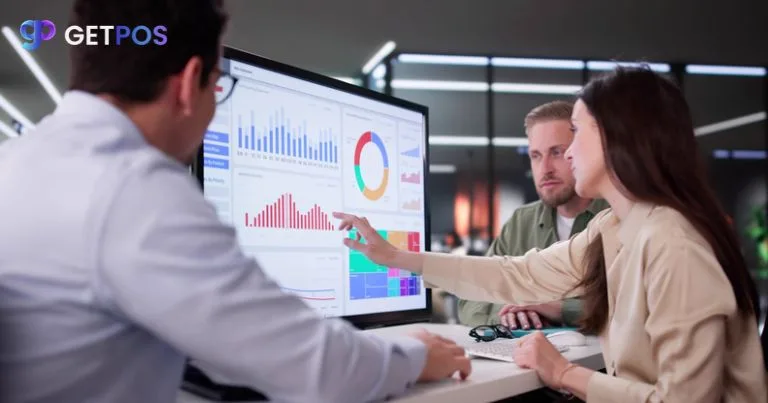
Retail analytics software helps businesses understand sales, inventory, customer behaviour, and store performance through organised data and reports. For retailers managing multiple products, stores, or sales channels, choosing the right software can improve visibility and support better business decisions.
However, not every retail analytics platform offers the same capabilities. Some focus mainly on sales reports, while others combine inventory analytics, customer insights, financial reporting, and multi-store performance tracking.
This guide explains the 10 essential features to compare when choosing retail analytics software, particularly for Indian retail businesses.
What Is Retail Analytics Software?
Retail analytics software is a business intelligence solution that collects, processes, and presents retail data through dashboards, reports, and performance metrics.
It helps retailers analyse sales transactions, inventory movements, customer purchases, and operational activities.
Businesses can use retail analytics software to identify sales trends, monitor product performance, and make informed business decisions.
For example, a retail manager can use a sales dashboard to identify bestselling products, compare store performance, and review revenue trends.
10 Essential Features to Compare in Retail Analytics Software
1. Real-Time Sales Analytics
Real-time retail reporting helps managers monitor sales activity as transaction data becomes available.
Look for software that provides daily sales summaries, product-level revenue, transaction counts, and comparisons across reporting periods.
A reliable sales analytics software solution should also support analysis by store, category, product, and sales channel.
These insights help retailers identify changes in demand and respond more quickly.
2. Inventory Analytics and Stock Visibility
Inventory visibility is essential for maintaining product availability and controlling stock-related costs.
Retail inventory analytics should provide information about current stock levels, inventory turnover, stock ageing, and fast-moving or slow-moving products.
Connecting analytics with retail inventory management helps businesses monitor stock movement and make informed replenishment decisions.
For multi-location retailers, stock visibility across outlets also supports better inventory allocation.
3. Customisable Retail KPI Dashboard
A retail KPI dashboard presents important business metrics in one place.
Retailers should be able to monitor indicators such as total sales, gross profit margin, average transaction value, inventory turnover, and sales growth.
Customisable dashboards are particularly useful because different teams need different information.
Store managers may focus on daily targets, while business owners may prioritise profitability and overall retail performance tracking.
4. Multi-Store Retail Analytics
Businesses operating several outlets need consolidated reporting across locations.
Multi-store retail analytics allows managers to compare store revenue, inventory availability, product performance, and operational trends.
Look for software that supports both individual-store reports and combined business-level dashboards.
This feature is especially valuable for Indian retail chains, franchises, supermarkets, and fashion retailers managing multiple locations.
5. Customer Behaviour Analytics
Understanding customer purchasing patterns helps retailers improve marketing and retention strategies.
Customer behaviour analytics can reveal purchase frequency, average spending, preferred products, and repeat purchasing trends.
When connected with customer relationship management (CRM) software, these insights can support customer segmentation, loyalty programmes, and personalised promotions.
Retailers should also evaluate how customer data is collected, protected, and used.
6. Profitability and Margin Analysis
High sales revenue does not always indicate strong profitability.
Retail analytics software should help businesses evaluate gross margins, product profitability, discount impact, and category-level performance.
For example, a product may generate substantial sales but deliver lower margins because of frequent discounts.
Retail business intelligence tools that combine sales and cost information can help managers understand these differences.
7. Automated Retail Reporting
Manual reporting often requires teams to collect data from multiple spreadsheets and applications.
Retail reporting software can simplify this process through scheduled reports, reusable dashboards, and automated data updates.
Compare whether the platform supports report exports, custom filters, scheduled delivery, and role-based access.
Automated reporting can reduce repetitive administrative work and improve consistency across departments.
8. POS and Business Software Integration
Retail analytics depends on the quality and completeness of the underlying data.
Software that connects with POS, inventory management, accounting, CRM, and eCommerce systems can provide a more complete operational view.
Before selecting a solution, verify its supported integrations, data synchronisation methods, and compatibility with existing applications.
For Indian retailers, GST-related reporting requirements and compatibility with local business processes may also be important.
9. Historical Trends and Demand Forecasting
Historical retail sales analytics helps businesses identify seasonal patterns and changes in product demand.
Advanced analytics platforms may also offer forecasting capabilities based on historical transactions, inventory movement, and other available information.
These features can support purchase planning, seasonal stock preparation, and promotional decisions.
However, forecasting accuracy depends on data quality, demand patterns, and the methods used by the software.
10. Ease of Use, Security, and Scalability
Retail analytics software should be practical for everyday business users.
Evaluate dashboard navigation, mobile accessibility, user permissions, data security, training requirements, and technical support.
The platform should also accommodate business growth, including additional outlets, products, employees, and transaction volumes.
A scalable solution helps retailers avoid replacing their reporting system whenever operational requirements expand.
How to Compare Retail Analytics Software Before Buying
Choosing retail analytics software requires more than comparing feature lists.
Start by identifying your business reporting requirements. A single-store retailer may need straightforward sales and stock dashboards, while a multi-store chain may require consolidated reporting and detailed profitability analysis.
Next, request a demonstration using realistic business scenarios.
Check whether the software can answer your most important questions without extensive manual data preparation.
Also compare implementation costs, subscription fees, integration requirements, user training, and ongoing support.
Finally, confirm that the reporting system can deliver accurate information from your existing retail applications.
How GETPOS Supports Retail Analytics
GETPOS is an AI Based Retail Operating System designed to bring important retail operations into a connected platform.
Its retail analytics and reporting capabilities are intended to help businesses review sales performance, inventory information, and operational data through centralised workflows.
For retailers managing multiple stores, connected reporting can make it easier to review business performance without relying entirely on separate applications.
Businesses evaluating retail analytics software can explore GETPOS Retail Analytics Software to understand its reporting capabilities and discuss their requirements with the team.
Conclusion
Choosing the right retail analytics software starts with understanding which business decisions the platform needs to support.
Real-time reporting, inventory analytics, customer insights, profitability tracking, and multi-store visibility are important features to compare.
Retailers should also consider integration compatibility, usability, security, and long-term scalability.
A well-chosen retail analytics solution can turn transaction and operational data into useful insights that support inventory planning, sales monitoring, and more informed business decisions.