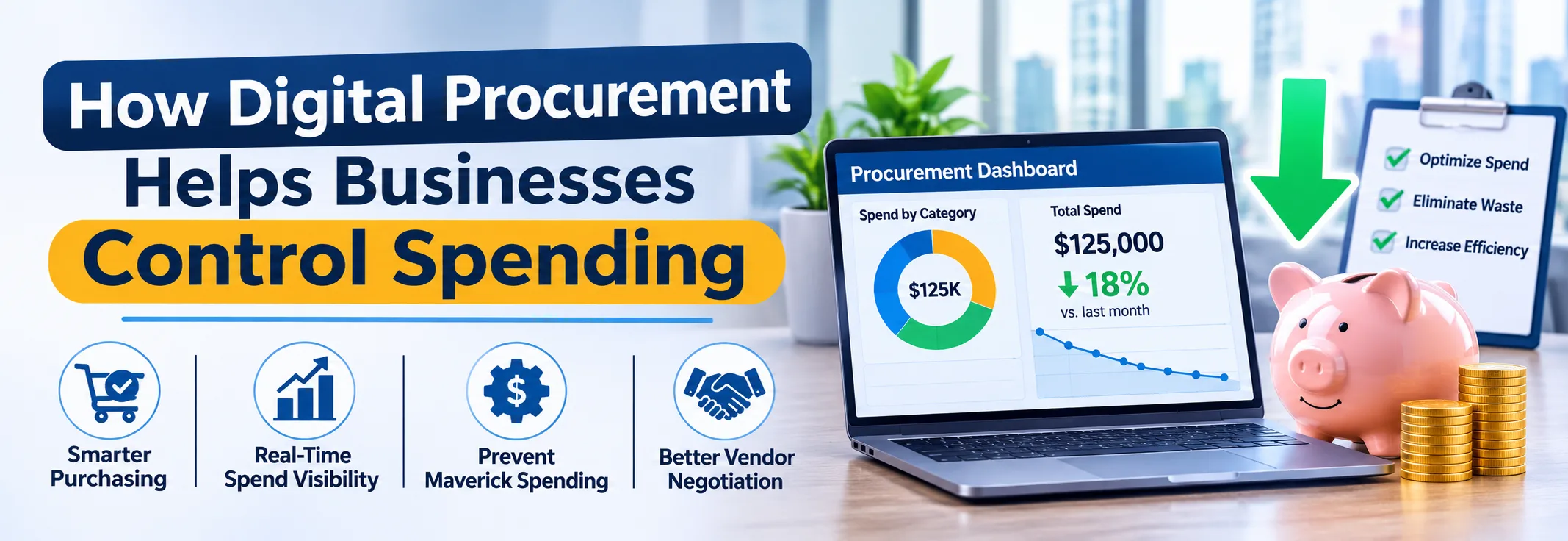
Most overspending does not come from one big mistake. It builds up through small purchases made outside the process: an urgent order placed without approval, a repeat buy at a higher price, an invoice paid twice. By the time finance sees the numbers at month-end, the money is already gone. This is the problem that digital procurement software is designed to solve, by applying control before the purchase happens, not after.
This guide explains how digital procurement helps businesses control spending, which features matter most, and how to choose a platform that gives your team real visibility.
Why Spending Gets Out of Control
Spend control fails when purchasing is spread across people, tools and approvals that nobody can see in one place. The usual causes are easy to recognise:
- Purchases made without a request or approval, often called maverick spending
- Budgets checked only after the order is placed
- Different teams buying the same item from different suppliers at different prices
- Orders placed outside agreed contracts
- Invoices paid without checking the order and delivery
- Spend data scattered across spreadsheets, emails and accounting entries
When these issues pile up, finance can only explain the overspend, not prevent it. That is why control has to be built into the buying process itself. A clear view of the procurement workflow shows where those checks belong.
What Is Digital Procurement?
Digital procurement means running purchasing through connected software instead of email, paper and spreadsheets. Requests, approvals, quotations, purchase orders, receiving and invoices all happen in one system, so every step leaves a record and follows the same rules. You will also see it called a procurement system, procurement management software or e-procurement software.
The key difference from manual buying is that rules are applied automatically. Approval limits, budget checks and preferred suppliers are part of the workflow, so policy does not depend on someone remembering to enforce it. If you are new to the idea, this guide to what procurement software is explains the basics.
How Digital Procurement Controls Spending
1. Control Before the Purchase: Requests and Approvals
The cheapest place to stop unnecessary spend is before the order exists. A structured purchase request captures what is needed, who needs it and why. The system then routes it to the right approver based on amount, category or department, and applies budget and policy checks configured by your team. Purchases that do not follow the process do not move forward.
2. Better Prices Through Quotation Comparison
Without comparison, buyers often accept the first offer or the usual supplier. Digital quotation workflows make it easy to ask several suppliers for prices and see them side by side. With quotation management, buyers compare price, terms and delivery in one view and keep a record of why an offer was chosen.
3. Structured Strategic Sourcing
For larger or recurring categories, price per order is only part of the picture. Strategic sourcing software helps teams define requirements, invite suppliers, score responses and agree terms that hold over time. A structured RFP process gives every supplier the same brief and gives evaluators a consistent way to decide, which supports better terms and stronger negotiation.
4. Purchase Orders That Match What Was Approved
Orders created by hand are easy to get wrong: wrong price, wrong quantity, duplicate order. Purchase order software and purchase management software create the order directly from approved data, so what is ordered is what was approved. This connected procure-to-pay flow also keeps open commitments visible, which helps managers see what has already been spent or promised.
5. Supplier and Contract Discipline
Controlling spend also means buying from the right suppliers on agreed terms. Vendor management keeps supplier records, prices and documents in one place, so teams use approved vendors. Storing agreements in a central contract management system helps buyers purchase against agreed terms instead of renegotiating each time.
6. Paying Only for What Was Received
A common leak is paying an invoice that does not match the order or delivery. Digital procurement compares the purchase order, the receipt and the invoice, and flags differences before payment. Recording receipts through a goods receipt note (GRN) process ties payment to what actually arrived, and connected accounts payable helps finance pay the right amount on time.
7. Spend Analytics and Visibility
You cannot control what you cannot see. Spend analytics software and spend analysis software organise purchasing data by supplier, category, department and period, so leaders can spot repeat buying, off-contract purchases and price creep. Spend analytics turns that data into dashboards that support savings decisions and supplier consolidation.
To understand how this fits the wider discipline, read about spend management.
Spend Management, Cost Management and Expense Management
These terms are related but cover different ground. Spend management software looks at what the business buys from suppliers. Cost management software tracks and controls costs against budgets across projects and departments. Expense management software handles employee spending such as travel and claims. Procurement covers the first group, while employee expenses are handled separately. For the second, ZYNO Expenz manages travel and business expenses.
Before vs After Digital Procurement
AreaBeforeAfter Digital ProcurementPurchase approvalAfter the order or by emailBefore the order, rule-basedBudget checkAt month-endAt request and approvalSupplier pricingFirst quote or habitSide-by-side comparisonPurchase ordersTyped by handCreated from approved dataInvoice paymentPaid with limited checksMatched to order and receiptSpend reportingCompiled manuallyLive dashboardsWhere AI Helps
AI adds another layer of control by reducing manual data work. It can read purchase requests written in plain language, extract invoice data and flag mismatches for review. ZYNO Procurement includes these capabilities as AI procurement software inside the same workflow, with your team still approving the decisions that matter.
What to Look for in a Digital Procurement Platform
Because the aim is control, check how each platform enforces rules, not only how it looks. This overview of top procurement software solutions helps you build a shortlist. A strong platform should offer:
- Purchase requests with approval limits and budget checks
- Quotation comparison and sourcing support
- Purchase order creation linked to approvals
- Supplier and contract records
- Receipt and invoice matching
- Spend dashboards by supplier, category and department
- AI support for intake and invoice checks
- Audit trail and role-based access
- Integration with your ERP, accounting and expense tools
Also check that the pricing model fits your size and that the platform can grow with you, since spend control matters more as volumes rise.
Control Your Spending With ZYNO Procurement
ZYNO Procurement connects requests, approvals, quotations, purchase orders, receiving, invoices, supplier management and spend visibility in one platform. Control is applied at every step, and leaders get one view of what has been requested, ordered and paid.
See how it works with your own process: start a 14-day free trial or book a demo with the team.
Frequently Asked Questions
What is digital procurement?
It is the use of connected software to manage purchasing from request to payment, including approvals, quotations, purchase orders, receiving, invoices and reporting.
How does digital procurement help control spending?
It applies approvals and budget checks before orders are placed, compares supplier prices, ties orders to approvals and matches invoices before payment.
What is maverick spending?
It is buying outside the approved process or contracts. Digital procurement reduces it by routing purchases through defined workflows.
What is the difference between spend management and expense management?
Spend management covers what the business buys from suppliers. Expense management covers employee spending such as travel and claims.
What is spend analytics software?
It organises purchasing data by supplier, category and department so teams can find savings, repeat buying and off-contract spend.
Is procurement automation software only for large companies?
No. Smaller businesses also benefit because automation adds control without extra headcount, especially in approvals and invoice matching.
What should I look for in a procurement system?
Check lifecycle coverage, approval controls, supplier and contract records, invoice matching, spend dashboards and integration with your finance tools.