
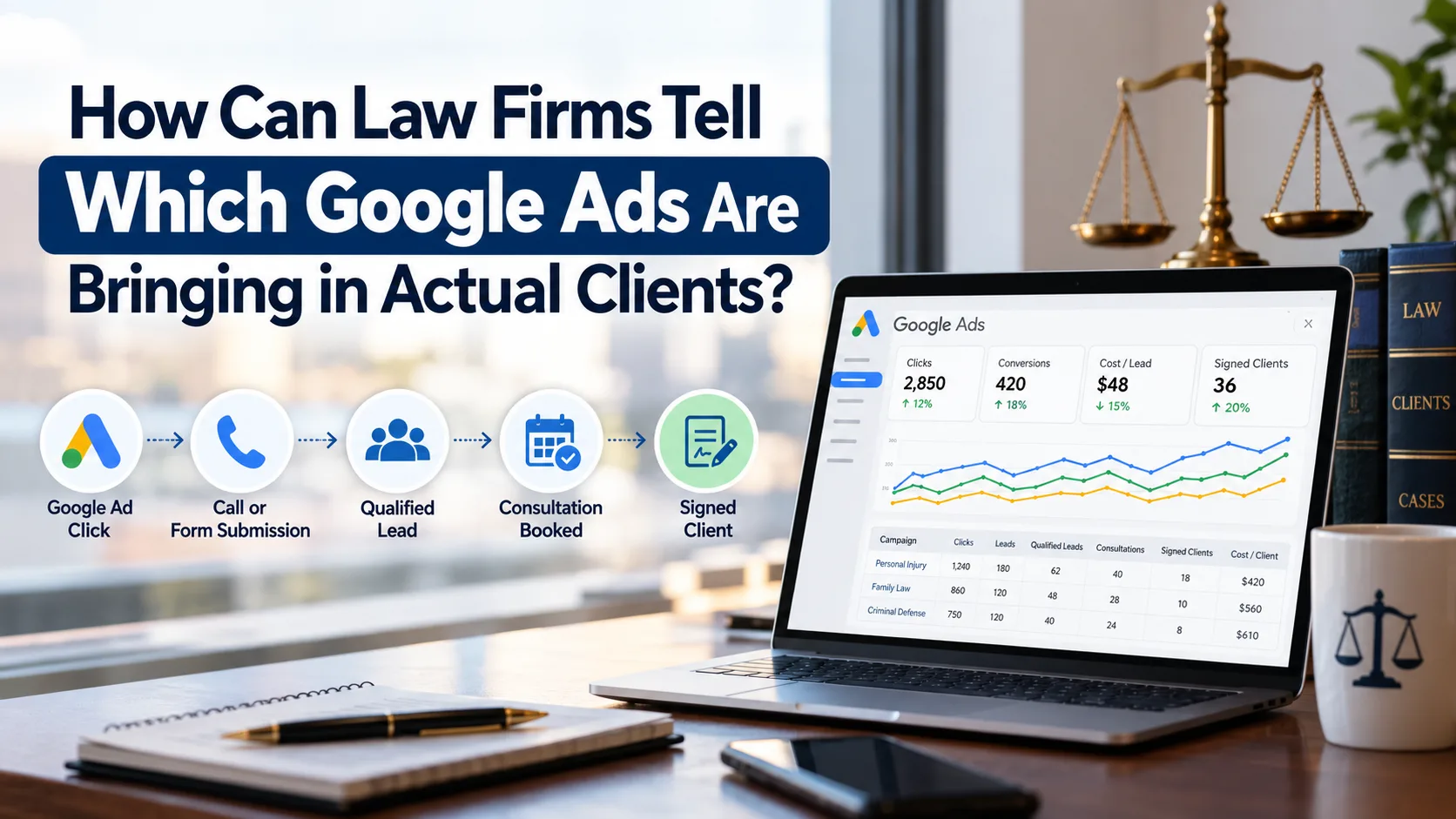
Law firms can tell which Google Ads bring in actual clients by connecting ad clicks to phone calls, form submissions, consultations, and signed cases. That takes more than website analytics. It takes a tracking setup that follows each inquiry from the first click through your intake process to the engagement letter.
For firms investing in PPC for law firms, this is where budgets are won or lost. A campaign can produce plenty of clicks and inquiries without producing a single matter you want to take. Tracking the full journey shows which campaigns attract the right prospects and which ones are quietly burning budget.
Why Clicks and Leads Don't Tell the Whole Story
Google Ads reports show impressions, clicks, spend, and conversions. Those numbers describe campaign activity. They don't tell you whether anyone hired you.
Picture a firm running two campaigns, one for personal injury and one for family law. Personal injury generates 40 inquiries in a month. Family law generates 20. On a lead-volume report, personal injury looks like the winner. But when the intake team reviews the calls, most of the personal injury inquiries turn out to be people with minor claims outside the firm's criteria, while the family law inquiries are well matched and book consultations.
Judging by volume alone, this firm would shift budget toward the wrong campaign.
Separate these stages in your reporting:
- Clicks: People who visit the website after interacting with an ad.
- Inquiries: People who call, submit a form, or request information.
- Qualified leads: Prospects whose matter fits the firm's practice areas, location, and intake criteria.
- Consultations: Prospects who schedule or attend an initial discussion.
- Signed cases: Prospects who formally engage the firm.
Each stage is a place where prospects drop out. Measuring every stage shows you where.
Did you know? Google Ads can only optimize toward what you tell it to count. If the only conversion you track is a form submission, the system will chase more form submissions, including spam, wrong-number calls, and people looking for free advice. Feeding it better outcomes changes what it learns to find.
Set Up Conversion Tracking for Google Ads
Conversion tracking records the valuable actions people take after interacting with an ad. For a law firm, that usually means completed case evaluation forms, calls, and consultation bookings.
Start by deciding which actions matter most to your firm. Then configure tracking to measure those actions accurately.
Useful conversion events include:
- Completed contact or case evaluation forms
- Calls from ads or from the website
- Consultation requests and bookings
- Qualified leads recorded by the intake team
- Signed cases, when reliable offline conversion tracking is available
Not every interaction deserves to be a primary conversion. Clicking a phone number doesn't prove a call happened. Visiting a thank-you page doesn't prove the form reached anyone if the form is broken.
Common mistake: Counting every action as a primary conversion. When page views, button clicks, and form submissions all carry equal weight, Google Ads reports inflated conversion numbers, and the firm ends up with a dashboard that says "success" while the intake team says "we're not getting clients." Keep primary conversions for actions that signal real intent, and treat softer actions as secondary.
Review your conversion settings on a regular schedule. Look for duplicate events, broken tags, and actions that don't represent genuine inquiries. Google's documentation also explains how offline conversion imports can connect ad interactions with outcomes recorded outside your website. See Google Ads Help: about offline conversion imports.
Use Call Tracking to See Which Ads Make the Phone Ring
For many practice areas, especially criminal defense, immigration, and personal injury, the phone is the main way people reach a firm. A call log alone won't tell you which campaign, keyword, or landing page prompted the call.
Call tracking closes that gap. Depending on the setup, it shows whether a call came from a Google search ad, a specific campaign, or a particular website visit.
To make call tracking useful:
- Track calls from ads and from relevant website visits.
- Attach campaign and source information to each call record.
- Record whether each call was relevant to the firm's services.
- Mark the outcome: consultation scheduled, follow-up required, or matter declined.
- Compare call quality across campaigns and practice areas.
The value of calls varies more than the volume suggests. A criminal defense campaign might bring in calls from people who need a lawyer today. Another campaign might bring in calls from people looking for free legal information. Both can show the same call count. Their value to the firm is very different.
Call duration helps you flag calls for review, but it shouldn't be your only quality measure. A two-minute call can end in a booked consultation. A twenty-minute call can turn out to be a wrong number or an unrelated question.
Pro tip: Have intake staff tag every call with a simple outcome code (qualified, not a fit, spam, existing client). Ten seconds of tagging per call gives you the data that makes every later report meaningful.
Call tracking also has legal implications. Follow applicable privacy, consent, and call-recording requirements in the states where your callers are located.
Connect Google Ads With Your Client Intake System
Conversion tracking shows what happens on your website. Your intake system, usually a CRM, shows what happens after the inquiry reaches your team.
When those two systems run separately, you can't say which campaigns produce qualified leads and signed cases. You can only say which ones produce form fills.
A connected setup preserves source information when a new inquiry enters intake. Staff then update the record as the prospect moves forward. For each inquiry, consider recording:
- Original marketing source and campaign
- Practice area and type of legal matter
- Date of first inquiry
- Lead qualification status
- Consultation status
- Whether the firm accepted the matter
- Whether the prospect signed an engagement agreement
Google Ads supports offline conversion measurement, including importing outcomes recorded in external systems. Depending on your setup, you can use click identifiers or enhanced conversions for leads to tie those outcomes back to ad interactions. Details
are in Google's offline conversion guidance.
Expert insight: In practice, the weakest link is rarely the ad platform. It's the handoff. Tracking breaks when a form submission lands in a shared inbox, someone retypes it into the CRM, and the source data never makes the trip. Fix the handoff first, and the rest of the reporting gets easier.
A note on confidentiality. Prospect information can be sensitive, and lawyers have professional duties around confidentiality and advertising. Before sending any client or prospect data to an advertising platform, involve your technical team and review the question with counsel or your state bar's guidance. Share only what is permitted, avoid passing details about the legal matter itself, and put appropriate safeguards in place.
Measure Cost Per Qualified Lead and Cost Per Signed Case
A low cost per lead looks attractive. It doesn't mean the campaign is profitable. Some campaigns generate plenty of inquiries that never become consultations or clients.
Two metrics give a more honest picture.
Cost per qualified lead compares ad spend to the number of inquiries that meet your qualification criteria.
Total campaign spend ÷ Qualified leads
Cost per signed case compares ad spend to the number of clients who formally engage the firm.
Total campaign spend ÷ Signed cases attributed to the campaign
Here's an illustrative example. A firm spends $2,000 on each of two campaigns.
MetricCampaign ACampaign BInquiries4020Qualified leads810Signed cases24Cost per qualified lead$250$200Cost per signed case$1,000$500Campaign A produces twice as many inquiries. Campaign B produces more qualified leads and twice the signed cases for the same spend.
These numbers are for illustration only. Real results depend on your practice area, market, fee structure, and intake process. The point holds either way: lead volume is a poor stand-in for campaign success.
Case value belongs in this conversation too. A campaign with a higher cost per signed case can still be the better investment if the matters it brings in are worth significantly more. Look at cost alongside expected fees and the time it takes a matter to convert.
Review Search Terms and Campaign Performance
The search terms report in Google Ads shows the actual searches that triggered your ads. Reviewing it next to your lead and case outcomes reveals which searches bring in relevant prospects.
Suppose you advertise representation in a specific type of dispute. Your campaign may attract the people you want. It may also attract students, job seekers, and people hunting for free templates or general information.
A regular review routine looks like this:
- Pull the search terms report for each campaign.
- Match terms against qualified leads and signed cases from your intake records.
- Add negative keywords for searches that consistently bring unqualified inquiries.
- Compare performance by campaign, practice area, location, and landing page.
The goal isn't to cut clicks. It's to see which searches contribute to useful inquiries and which ones eat budget without producing anything. A keyword with a higher cost per click can still be worth it if it attracts prospects who are far more likely to become clients.
Build a Report That Connects Ad Spend to Actual Clients
A good PPC report answers one question: what happened to the money we spent on advertising?
Skip the dashboard crowded with impressions. Build a report around the numbers that connect spend to outcomes:
- Advertising spend by campaign
- Clicks and website conversion rate
- Calls and completed forms
- Qualified leads
- Consultations booked and attended
- Signed cases
- Cost per qualified lead
- Cost per signed case
Review these over a consistent period, and give inquiries enough time to move through intake. Some legal matters take weeks or months to sign, so recent campaigns may not show their full results yet.
Did you know? Offline conversion imports work within a limited lookback window tied to the original click. A matter that signs months after the first ad interaction may fall outside it, so check your conversion window settings against how long your cases typically take to sign.
Use the report to look for patterns. If a campaign produces qualified leads but few signed cases, examine consultation attendance, follow-up speed, case suitability, and your intake process before you touch the ad strategy. The problem may not be the ads at all.
If signed cases aren't being attributed correctly, fix the tracking gaps before you make major budget decisions from the report.
How PPC Management Can Improve Lead Attribution
Accurate tracking isn't a one-time project. Campaign settings, website forms, call tracking numbers, and intake systems all change, and each change can quietly break attribution.
Effective PPC marketing for lawyers ties campaign performance to the quality of incoming inquiries. That means reviewing conversion settings, checking search terms, monitoring landing pages, and comparing lead outcomes across campaigns.
When you evaluate PPC services for lawyers, ask how the provider measures results beyond clicks and form fills. Find out whether reports include qualified leads, consultations, signed cases, and cost per acquisition.
Strong measurement also improves lead generation for lawyers, because it shows where potential clients enter your process and where they get lost. The aim is better decisions from reliable data, not simply a bigger pile of inquiries.
For firms reviewing their PPC advertising for lawyers, the most useful reporting process is the one that connects ad spend to real intake outcomes. It tells you what's working and where to look next.
Final Thoughts
Law firms learn which Google Ads bring in actual clients by following every inquiry from the click to the signed engagement letter. Accurate conversion tracking, call attribution, and consistent intake records make campaigns comparable and show where to improve.
PageOne Lawyers helps law firms approach paid search with close attention to campaign tracking, call attribution, landing pages, and lead quality. If you're reviewing your current measurement setup, explore PPC services for law firms to see how campaign management and reporting can support better advertising decisions.
Frequently Asked Questions
How can a law firm track leads from Google Ads?
A law firm can combine Google Ads conversion tracking, call tracking, website form tracking, and a CRM to record where inquiries originate. Connecting these systems lets the firm follow each lead through qualification, consultation, and signed-case stages.
Can Google Ads show which keywords generate clients?
Google Ads reports on the keywords and search terms tied to your ad activity. To learn which ones lead to signed clients, firms need to connect advertising records with intake outcomes and, where supported, import offline conversions.
What is the most important metric for law firm PPC campaigns?
No single metric fits every firm. Cost per qualified lead and cost per signed case usually say more about client acquisition than clicks or raw inquiry volume. Firms should also weigh case value and the time it takes to convert a lead.
How can law firms track signed cases from paid advertising?
Firms can preserve ad click identifiers or other permitted attribution data in their intake system, record when a prospect signs, and import eligible offline conversion data into Google Ads. The setup must follow platform requirements and applicable privacy rules.
Why does Google Ads report more conversions than the firm has clients?
Ad conversions can include form submissions, calls, and other actions that never become clients. Duplicate events, spam inquiries, unqualified leads, and differences between platform attribution and the firm's intake records can also create gaps.
How long does it take to see which Google Ads produce clients?
It depends on your practice area. Matters that sign within days show results quickly. Matters with longer decision cycles need weeks or months of data, so judge campaigns over a consistent period instead of reacting to a single week.