How an Automated LinkedIn Outreach Tool Can Scale Your LinkedIn Prospecting
If your sales team spends hours finding prospects, checking profiles, writing connection messages, and remembering follow-ups, the problem is not a lack of leads. The problem is the amount of manual work sitting between finding a prospect and starting a conversation.
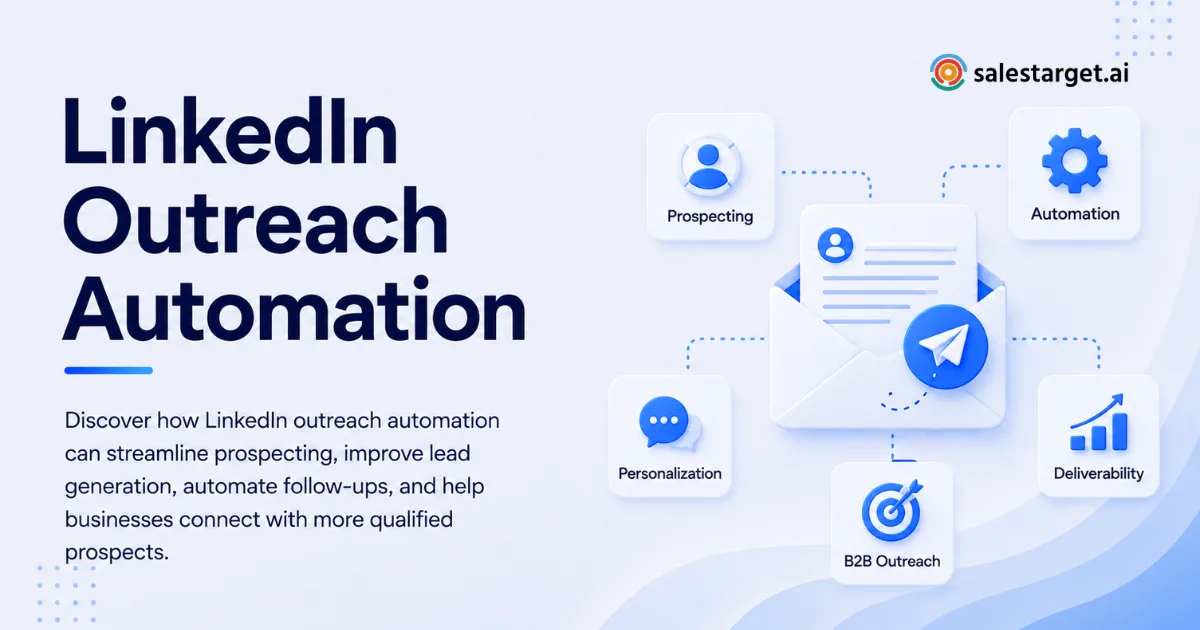
An Automated LinkedIn Outreach Tool can reduce that repetitive workload by organizing prospecting, connection requests, messaging, follow-ups, personalization, scheduling, and campaign tracking into a repeatable workflow. The real value comes from scaling the process without turning every prospect into the same generic message.
What Is an Automated LinkedIn Outreach Tool?
An Automated LinkedIn Outreach Tool helps sales teams manage repetitive LinkedIn prospecting and outreach activities through predefined workflows. Instead of manually moving from one profile to another, sales reps can create a sequence that controls who receives outreach, what action happens next, when it happens, and what condition changes the next step.
The strongest tools go beyond sending connection requests. They connect prospect targeting with messaging, follow-ups, personalization, response handling, and performance tracking. Current LinkedIn outreach platforms commonly focus on these areas, with several offering conditional sequences, profile-based personalization, activity controls, and multichannel workflows.
For a B2B team, this matters because prospecting volume can grow faster than the rep's available time. Automation gives the team a repeatable operating system for outreach while leaving people responsible for judgment, conversations, qualification, and closing.
How Does LinkedIn Prospecting Automation Work?
LinkedIn prospecting automation works by turning individual outreach actions into a structured sequence. The exact workflow varies by platform, but a practical process starts with defining the ideal customer profile, building a targeted prospect list, creating personalized outreach, scheduling actions, monitoring responses, and routing interested prospects to the next sales step.
Step 1: Define the Right Prospects
Scaling outreach starts with targeting, not message volume. A campaign aimed at every marketing manager on LinkedIn can create activity without creating useful opportunities.
Define the companies, industries, job functions, seniority levels, locations, company sizes, and other buying signals that matter to your offer. A narrow audience gives your messaging a clearer reason to exist.
Step 2: Build and Enrich the Lead List
Once the audience is defined, prospects need to be collected and checked. This is where poor data can quietly damage an outreach campaign.
SalesTarget.ai's Lead Explorer combines prospect discovery and enrichment, with 840M+ professional profiles, 146M+ business entities, 4,000+ intent signals, and 50+ data sources. The platform can enrich prospects with professional email, personal email, phone, and mobile data, helping sales teams reduce the manual work involved in preparing a campaign.
Step 3: Create the Outreach Sequence
A sequence can include connection requests, direct messages, follow-ups, and engagement actions. The goal is to create a progression rather than sending the same pitch repeatedly.
SalesTarget.ai's LinkedIn Outreach module supports conditional sequences that can branch based on replies, actions, or no response. This gives the campaign a way to react to prospect behavior instead of blindly continuing the same sequence.
Step 4: Personalize Before Sending
Automation should remove repetitive work, not remove relevance.
Personalization can use details such as a prospect's role, company, industry, recent activity, or likely business priorities. A useful automated message should still answer the prospect's implicit question: "Why are you contacting me?"
Step 5: Schedule and Monitor Actions
Timing matters when multiple prospects are moving through a campaign. Smart scheduling can spread activity across appropriate time windows and reduce the need for reps to manually track every next action.
SalesTarget.ai supports timezone-aware scheduling, human-like delays, rate limits, warm-up logic, and auto-pause safeguards within its LinkedIn outreach workflow.
Step 6: Move Replies Into the Sales Process
The sequence is not the finish line. A reply needs to become a sales action.
Interested prospects should move into a workflow where reps can qualify them, schedule conversations, create follow-up tasks, and track pipeline progress. This is where an outreach tool becomes much more useful than a simple messaging automation product.
What Are the Benefits of an Automated LinkedIn Outreach Tool?
The biggest benefit is consistency. A sales team can run a defined prospecting process without asking reps to remember every connection request, follow-up date, or campaign condition.
An Automated LinkedIn Outreach Tool can help sales teams:
- Reduce repetitive prospecting tasks
- Keep follow-ups from being forgotten
- Personalize outreach at higher volume
- Maintain consistent campaign timing
- Segment prospects by audience and behavior
- Coordinate LinkedIn and email outreach
- Track responses and campaign activity
- Route interested leads into a CRM
- Give managers better visibility into outbound activity
There is another benefit that is easy to overlook: automation makes process problems easier to see. If a campaign produces many connection acceptances but very few replies, the issue may be the message. If replies are strong but meetings remain low, qualification or follow-up may be the bottleneck.
That makes campaign data useful beyond reporting. It helps the team decide what part of the sales process needs work.
If your reps are spending more time maintaining outreach sequences than speaking with prospects, that is a good point to review your automation setup. A centralized workflow can remove repetitive handoffs and give reps more time for conversations that require human judgment.
Automated LinkedIn Outreach vs. Manual Prospecting
Manual prospecting gives reps maximum control, but it becomes difficult to maintain once outreach volume increases. Every prospect requires research, message preparation, tracking, and follow-up management.
Automation creates the opposite tradeoff. It improves consistency and volume, but poor targeting or weak messaging can make bad outreach happen faster.
The best approach is not to choose between automation and human selling. Use automation for repeatable actions and people for decisions that require context.
For example, automation can identify prospects, schedule a connection request, send a relevant follow-up, pause when a prospect responds, and record the activity. A salesperson should decide how to respond to an objection, whether the prospect is qualified, what solution fits the situation, and when a sales conversation should move forward.
That division of work is important. Automation should support the salesperson, not replace the salesperson.
How Can LinkedIn Sales Automation Scale Without Making Outreach Generic?
Scaling does not mean sending more messages to everyone. It means creating a process where the right prospects receive relevant communication without forcing reps to perform every repetitive action manually.
One practical approach is to create separate campaigns for distinct buyer groups. A SaaS founder, a VP of Sales, and a RevOps leader may have different priorities, so they should not receive the same opening message.
The sequence can remain automated, but the campaign logic should reflect the audience.
Another useful approach is conditional branching. If someone accepts a connection but does not respond, the sequence can continue with a different follow-up. If they reply, automation can pause so the salesperson can take over. If a prospect shows a negative signal, the campaign can stop rather than continuing to push messages.
This type of workflow is more useful than simply increasing daily outreach volume.
SalesTarget.ai combines LinkedIn outreach with email outreach, prospect data, validation, CRM workflows, calling, and AI assistance. That means a prospect does not have to be manually copied between separate prospecting, outreach, and CRM systems before the sales team can act.
What Features Should You Look for in LinkedIn Prospecting Tools?
Not every automation platform solves the same problem. Before choosing a tool, look beyond the ability to send connection requests.
A strong LinkedIn prospecting workflow should include several practical capabilities.
Targeting and enrichment: The tool should help you identify the right prospects and obtain useful contact information without creating a separate manual research process.
Sequence control: Look for multiple steps, delays, conditional branches, and stop conditions. These features make the campaign responsive to prospect behavior.
Personalization: The system should support profile and company context rather than relying entirely on static templates.
Safety controls: Activity limits, scheduling controls, delays, warm-up logic, and pause mechanisms are important parts of responsible automation. Different platforms implement these controls in different ways.
Campaign visibility: You should be able to see connection activity, replies, follow-ups, and other meaningful outcomes rather than only the number of messages sent.
CRM connection: Outreach becomes much more valuable when replies, tasks, calls, and opportunities can be connected to the sales pipeline.
Multichannel capability: B2B prospects do not always respond on the first channel. Coordinating LinkedIn and email can create a more complete follow-up process.
What Are the Best Practices for Scaling Automated LinkedIn Outreach?
The best campaigns are built around relevance, timing, and control.
Start with a focused audience. A smaller campaign aimed at a well-defined buyer group is easier to personalize and optimize than a large campaign with vague targeting.
Keep the first message simple. The first objective is usually to start a conversation, not explain the entire product. Long pitches can create friction before the prospect has shown interest.
Give every follow-up a reason to exist. If every message says "just following up," automation becomes obvious. Follow-ups should add context, answer a likely question, share a useful point, or create a natural reason to respond.
Set clear stopping conditions. If someone replies, the automated sequence should not continue sending messages as though nothing happened. The same applies to prospects who should be excluded from the campaign.
Review campaign performance by stage. Track connection acceptance, replies, positive responses, meetings, and pipeline movement. High activity does not automatically mean a successful campaign.
Most importantly, test one variable at a time. Changing the audience, message, offer, timing, and sequence at once makes it difficult to know what caused the result.
For teams looking to scale, automated LinkedIn prospecting workflows can help organize these repetitive actions into a more controlled process.
What Mistakes Should You Avoid With LinkedIn Outreach Automation?
The biggest mistake is treating automation as a volume switch.
Sending more requests does not fix weak targeting. More messages do not fix an unclear offer. More follow-ups do not fix a poor first interaction.
Another common mistake is using one sequence for every prospect. Different roles have different priorities, and a message that works for one segment may feel irrelevant to another.
Ignoring data quality creates another problem. If contact information is outdated or the prospect does not match the intended audience, automation simply increases wasted activity.
Teams should avoid measuring success through activity alone. Connection requests sent and messages delivered are operational metrics. Replies, qualified conversations, meetings, opportunities, and revenue are closer to the business outcome.
A final mistake is failing to give sales reps control. Automation should handle predictable steps, but reps need the ability to pause campaigns, review conversations, exclude prospects, and take over when a real sales opportunity appears.
How SalesTarget.ai Fits Into an Automated LinkedIn Prospecting Workflow
SalesTarget.ai is built for B2B teams that want prospecting and outbound execution in one workspace.
Its Lead Explorer supports prospect discovery, enrichment, and buying-signal research. Its LinkedIn Outreach module handles connection requests, direct messages, follow-ups, engagement actions, personalization, conditional sequences, scheduling, and safety controls.
The workflow extends beyond LinkedIn. SalesTarget.ai combines LinkedIn and email outreach with contact validation, CRM functionality, calling, and AI assistance. The CRM automatically brings campaign leads into the sales workflow, logs email and call activity, and creates follow-up tasks.
The AI Copilot can be used to find leads, create email sequences, query CRM information, track campaign revenue, and create or assign tasks through conversational prompts.
SalesTarget.ai reports 840M+ profiles, 146M+ businesses, 4,000+ intent signals, and 50+ data sources within its prospecting environment. It reports 99% verified contact data, 90% of emails validated before sending, and CRM metrics including 91% follow-up completion and approximately six hours saved per rep per week.
The practical advantage is the connected workflow. A team can find a prospect, enrich the record, launch LinkedIn and email outreach, manage the response, create follow-up actions, and track the opportunity without stitching each stage together manually.
Final Thoughts
An Automated LinkedIn Outreach Tool is most useful when it gives sales teams a repeatable process without turning prospecting into mass messaging. The goal is not to automate every human interaction. The goal is to remove repetitive work so salespeople can spend more time on research, conversations, qualification, and closing.
Scaling LinkedIn prospecting starts with better targeting, relevant personalization, controlled sequencing, reliable follow-up, and clear measurement. Once those pieces are connected, automation can help a small sales team manage a much larger prospecting operation without adding the same amount of manual work.
SalesTarget.ai brings prospect discovery, LinkedIn outreach, email outreach, validation, CRM workflows, calling, and AI assistance into one outbound platform. For B2B teams that are tired of moving prospects between disconnected tools, it provides a practical way to manage the path from target account to sales opportunity.
If your team is losing hours to manual LinkedIn prospecting and scattered follow-ups, it is time to build a workflow that can handle the repetitive steps for you. Start with a focused audience, automate the predictable actions, and let your salespeople take over where human judgment matters most.