Introduction
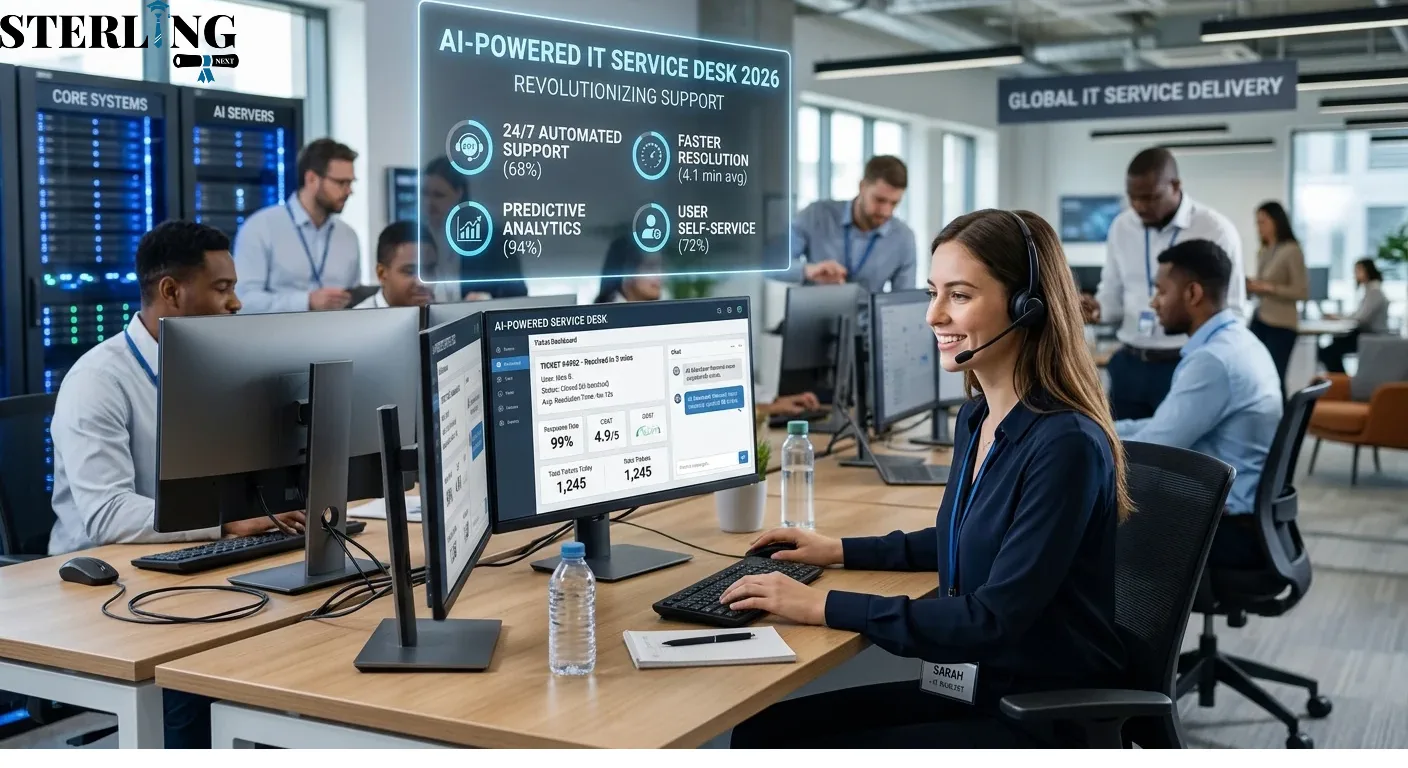
IT support has changed significantly as businesses depend on digital systems for everyday operations. Employees expect quick answers, minimal downtime, and reliable technical assistance whenever problems occur. Traditional service desks often struggle to meet these expectations because many tasks still depend on manual processes. Artificial intelligence is changing this situation by helping support teams identify issues, respond to requests, and manage workloads more efficiently. An AI-powered IT service desk combines intelligent automation, machine learning, and data analysis to improve the way organizations handle technical support and deliver IT services.
1. Understanding the Role of AI in Modern IT Service Desks
An IT service desk is the central point where employees and customers report technical problems, request access, and receive assistance with technology-related issues. It connects users with IT professionals who manage systems, applications, devices, and business technology.
Traditional service desks depend heavily on human agents to perform repetitive activities. These include recording incidents, assigning tickets, answering common questions, and updating users about the progress of their requests. When ticket volumes increase, these activities can create delays and put pressure on support teams.
Artificial intelligence introduces a more efficient approach by handling routine activities and helping employees make better decisions.
How Artificial Intelligence Works in IT Support
AI systems analyze information from support tickets, knowledge articles, previous incidents, and user interactions. They use this information to identify patterns and suggest appropriate actions.
Some common applications include:
- Natural language processing: Understands questions written in everyday language rather than requiring technical commands.
- Machine learning: Identifies patterns in historical support data and improves predictions over time.
- Intelligent chatbots: Answer common questions and guide users through basic troubleshooting.
- Predictive analytics: Examines operational data to identify possible problems before they affect users.
- Automated workflows: Performs repetitive tasks such as ticket categorization, routing, and status updates.
A Simple Example
Consider an employee who cannot access a company application. In a traditional environment, the employee submits a ticket and waits for a technician to review it.
An intelligent service desk can recognize the access-related issue, suggest relevant troubleshooting steps, check approved access policies, and route the request to the appropriate team if human approval is necessary.
This reduces unnecessary communication and allows support professionals to focus on more complicated technical work.
The purpose is not to remove human involvement. Instead, AI helps create a support environment where routine work requires less manual effort and technical expertise can be used where it matters most.
2. How an AI-Powered IT Service Desk Improves Support Operations
One of the biggest advantages of intelligent service desk technology is its ability to improve everyday support operations. Many IT departments receive similar requests repeatedly, including password resets, software installation questions, account access problems, and network connectivity issues.
Handling each request manually consumes valuable time. Intelligent systems can automate several steps, allowing support teams to manage larger workloads without relying entirely on additional staff.
Faster Incident Identification and Ticket Management
AI can examine incoming tickets and identify their subject, urgency, and possible cause. Based on this information, the system can recommend the correct support category and assign the ticket to a suitable team.
For example, a ticket reporting that several employees cannot access the company network may indicate a wider infrastructure problem rather than an individual device issue.
Intelligent analysis helps identify these patterns and bring related incidents to the attention of IT professionals.
Automating Common Support Requests
IT support automation can handle repetitive activities such as:
- Password reset guidance.
- Account unlock requests.
- Software access instructions.
- Basic troubleshooting.
- Ticket creation and classification.
- Routine status notifications.
- Frequently requested technical information.
Organizations can also create predefined workflows for activities that require approval or verification.
Improving Response Times
Automated responses provide immediate assistance for common questions. Employees do not always need to wait for a support agent to become available.
However, automation should not replace human assistance when an issue involves security risks, business-critical applications, or complicated technical failures.
A well-designed support environment combines automated first-level assistance with clear escalation procedures. This approach improves response speed while maintaining service quality.
3. The Major Ways AI Is Transforming IT Service Delivery
Modern organizations expect IT services to remain available, reliable, and aligned with business requirements. IT service delivery involves more than resolving technical problems. It includes managing requests, maintaining service quality, supporting business applications, and ensuring that technology remains accessible.
AI is helping organizations move from reactive support toward a more proactive operating model.
1. Intelligent Incident Management
Incident management focuses on restoring normal service as quickly as possible when an unexpected disruption occurs.
AI tools can analyze incoming incidents, compare them with historical records, identify similar problems, and recommend possible solutions.
For example, if multiple employees report slow application performance, the system may identify a common pattern and suggest investigating a shared server or network connection.
The process can help IT teams:
- Identify related incidents.
- Prioritize business-critical disruptions.
- Recommend suitable troubleshooting actions.
- Recognize recurring technical issues.
- Escalate urgent incidents to the right specialists.
This makes incident handling more organized and reduces the time spent investigating repeated problems.
2. Smarter Service Request Management
Service request management handles planned requests for standard IT services, such as new software access, hardware requirements, or account permissions.
AI can guide employees through request forms, check whether required information is available, and initiate approved workflows.
3. Better Knowledge Management
Knowledge management involves creating, organizing, and maintaining information that helps employees solve technical problems.
AI can search large knowledge libraries and identify relevant articles based on the language used in a support request.
It can also help teams identify outdated instructions and recognize topics that need additional documentation.
4. Proactive IT Operations
IT operations automation allows organizations to reduce manual monitoring and repetitive operational activities.
Rather than waiting for employees to report every issue, AI can analyze system performance, event logs, and monitoring data.
These capabilities support earlier investigation of unusual behavior and potential service interruptions.
Together, these improvements help organizations build a more consistent support environment while giving technical teams better visibility into everyday operations.
4. Practical Applications of AI Across IT Service Management
The value of AI becomes easier to understand when its applications are examined across different service management activities.
IT service management provides a structured way to plan, deliver, support, and improve technology services. AI can support several activities within this framework, particularly where large amounts of operational information need to be reviewed.
Chatbots and Virtual Support Assistants
AI-powered virtual assistants allow employees to ask questions using normal conversational language.
For example, an employee might ask how to connect to a corporate VPN. The assistant can provide approved instructions, suggest basic troubleshooting steps, and create a support ticket when additional help is required.
Modern conversational systems can also maintain context across interactions, making support conversations more useful.
Automated Problem Management
Problem management focuses on identifying and addressing the underlying causes of recurring incidents.
AI can analyze historical ticket records and identify groups of incidents that may share the same technical cause.
This allows specialists to investigate patterns instead of treating every incident as an unrelated event.
Intelligent Knowledge Recommendations
Support agents often spend time searching multiple documents for accurate troubleshooting instructions.
AI can recommend relevant knowledge articles while an agent reviews a ticket. This reduces search time and encourages consistent support practices.
Predictive Maintenance and Monitoring
AI can examine system performance indicators, unusual traffic patterns, and resource consumption.
For example, an organization may use predictive analytics to identify a server that repeatedly approaches its storage capacity. IT teams can investigate the issue before it causes a service interruption.
Automated Workflow Coordination
Some support processes involve several departments. A new employee's onboarding request, for instance, may require account creation, software permissions, device preparation, and security approval.
Automation can coordinate these steps through predefined workflows, while keeping the appropriate employees involved in authorization and decision-making.
5. The Connection Between ITIL 4 CDS and AI-Driven Service Delivery
Technology alone does not guarantee effective IT services. Organizations also need structured practices that define how services are delivered, supported, and improved.
ITIL 4 CDS (Create, Deliver and Support) is an important part of the ITIL 4 Managing Professional framework. It focuses on integrating service management activities, managing service value streams, and supporting effective service delivery.
The framework provides useful guidance for organizations introducing intelligent automation into their IT operations.
Understanding ITIL 4 CDS
The certification focuses on how organizations create, deliver, and support services while maintaining coordination between people, processes, and technology.
Its major areas include:
- Managing service value streams.
- Coordinating service delivery activities.
- Integrating different service management practices.
- Supporting service quality and continuous improvement.
- Improving collaboration across teams.
How AI Supports ITIL-Based Practices
AI can support several activities associated with ITIL service delivery best practices.
For example:
- Incident management: Categorizes incidents and recommends priorities.
- Problem management: Identifies recurring patterns and possible causes.
- Service request management: Automates routine request workflows.
- Knowledge management: Finds relevant information and identifies content gaps.
- Service monitoring: Highlights unusual system behavior.
- Continual improvement: Analyzes performance data and recurring service issues.
These capabilities can help organizations apply structured service management practices more consistently.
Why Professional Knowledge Matters
Introducing automation requires more than selecting software. IT professionals need to understand service workflows, responsibilities, performance measurement, and the relationship between different service management practices.
Training in ITIL 4 CDS helps professionals understand how service creation, delivery, and support work together.
When this knowledge is combined with practical experience in intelligent technologies, organizations can introduce automation without losing control over service quality and accountability.
6. Challenges Organizations Must Consider When Implementing AI
Although intelligent service desk solutions offer several advantages, successful implementation requires careful planning. Organizations should understand the limitations of these technologies before introducing them into important business processes.
Data Quality and Accuracy
AI systems depend on the information used to train, configure, and guide them.
Incomplete ticket records, outdated knowledge articles, and inconsistent categorization can reduce the quality of automated recommendations.
Before implementation, organizations should review their existing support data and improve documentation standards.
Data Privacy and Security
Service desks may contain sensitive employee information, access details, internal documents, and business records.
Organizations must establish clear policies covering:
- Who can access support information.
- How employee data is stored and processed.
- Which AI systems can access internal records.
- How confidential information is protected.
- How automated actions are reviewed and recorded.
Incorrect Recommendations
AI-generated responses are not always accurate. An incorrect troubleshooting recommendation could create additional problems or expose business systems to unnecessary risks.
For this reason, important decisions should include human review and appropriate approval procedures.
Integration With Existing Systems
Many organizations use separate platforms for monitoring, communication, asset management, and service desk operations.
New AI solutions must work effectively with these existing systems. Poor integration can create duplicate records, disconnected workflows, and reporting problems.
Employee Adoption and Training
Support professionals may need time to understand new tools and adjust their working methods.
Organizations should provide practical training, explain how automation changes daily responsibilities, and collect feedback during implementation.
A gradual rollout is often more effective than automating every support activity at once.
7. Measuring the Impact of AI on IT Support Efficiency
Implementing new technology is only useful when organizations can measure its actual contribution to service performance.
Businesses should establish baseline performance figures before introducing automation. These figures provide a reference point for evaluating improvements and identifying areas that still require attention.
Important Service Desk Performance Metrics
The following indicators can help measure operational performance:
- First response time: Measures how quickly a support team initially responds to a request.
- Mean time to resolution (MTTR): Measures the average time required to resolve incidents.
- First contact resolution (FCR): Tracks the percentage of issues resolved during the first interaction.
- Ticket backlog: Shows the number of unresolved support tickets.
- SLA compliance: Measures the percentage of requests completed within agreed service targets.
- Customer satisfaction (CSAT): Collects user feedback about support quality.
- Automation rate: Tracks the percentage of eligible activities handled automatically.
Using Data to Identify Improvements
Suppose an IT department receives 1,000 support tickets each month. A large portion relates to password resets and routine access questions.
After introducing an intelligent virtual assistant, the department can compare the number of manually handled requests, average resolution times, and employee satisfaction scores.
If routine tickets decrease while service quality remains stable or improves, the organization has evidence that the new system is helping.
However, automation rate should never be treated as the only measure of success. Resolving fewer tickets manually does not automatically mean employees are receiving better support.
Continuous Performance Reviews
Service desk managers should regularly review:
- Changes in ticket volume and ticket categories.
- Resolution times across different incident types.
- Accuracy of automated recommendations.
- Employee satisfaction and feedback.
- Repeated incidents that require deeper investigation.
- Areas where human intervention remains necessary.
These reviews help organizations refine workflows and ensure that automation continues to support business requirements.
8. The Future of AI-Powered Service Desks: What to Expect Beyond 2026
The role of intelligent technology in IT support is expected to continue developing. Organizations are moving toward service environments where automation, predictive analysis, and human expertise work together.
Several developments are likely to influence the next stage of service desk operations.
More Advanced AI Agents
AI agents are designed to complete connected tasks rather than simply provide answers.
For example, an agent may identify an approved software access request, gather the necessary information, initiate a workflow, and report its progress.
Sensitive actions will still require appropriate authorization, access controls, and human oversight.
Greater Use of Predictive Support
Future systems will increasingly combine information from monitoring platforms, historical incidents, and infrastructure data.
This can help IT teams identify unusual patterns earlier and investigate potential disruptions before they become major incidents.
More Personalized Support Experiences
AI assistants may provide recommendations based on an employee's approved role, device, software environment, and previous support interactions.
This can make troubleshooting instructions more relevant without requiring every employee to follow the same generic process.
Stronger Integration Across IT Operations
Service desks will continue connecting with cloud platforms, cybersecurity systems, monitoring tools, and business applications.
Better integration can reduce information gaps and improve coordination between technical teams.
Human Expertise Will Remain Important
Even with more advanced automation, human professionals will continue to play an important role in complex troubleshooting, security decisions, service design, and stakeholder communication.
The future of IT support is not simply about automating more tasks. It is about creating reliable services that combine intelligent systems with responsible human decision-making.
Conclusion
Artificial intelligence is changing how organizations manage technical support, resolve incidents, and deliver IT services. Intelligent ticket classification, virtual assistants, predictive monitoring, and automated workflows can reduce repetitive work while improving operational visibility. However, successful adoption depends on reliable data, strong security practices, employee training, and clear performance measurements.
Organizations that combine AI capabilities with structured service management practices can build more responsive and consistent support environments. As technology continues to develop, professionals with knowledge of service management frameworks and automation will remain valuable in delivering reliable IT services.