In today’s fast-paced business environment, organizations need an efficient, scalable, and integrated solution to streamline operations and improve productivity. Microsoft Dynamics 365 is one such solution, offering a suite of business applications that help companies manage their finances, sales, customer service, and more. However, implementing Dynamics 365 is not just about installing software — it requires careful planning and execution.
In this guide, we’ll walk you through the step-by-step process of implementing Dynamics 365, covering everything from planning and customization to deployment and optimization.
What is Dynamics 365 Implementation?
What is Dynamics 365 Implementation? We have already created a separate blog about it. Check it out, and let’s continue.
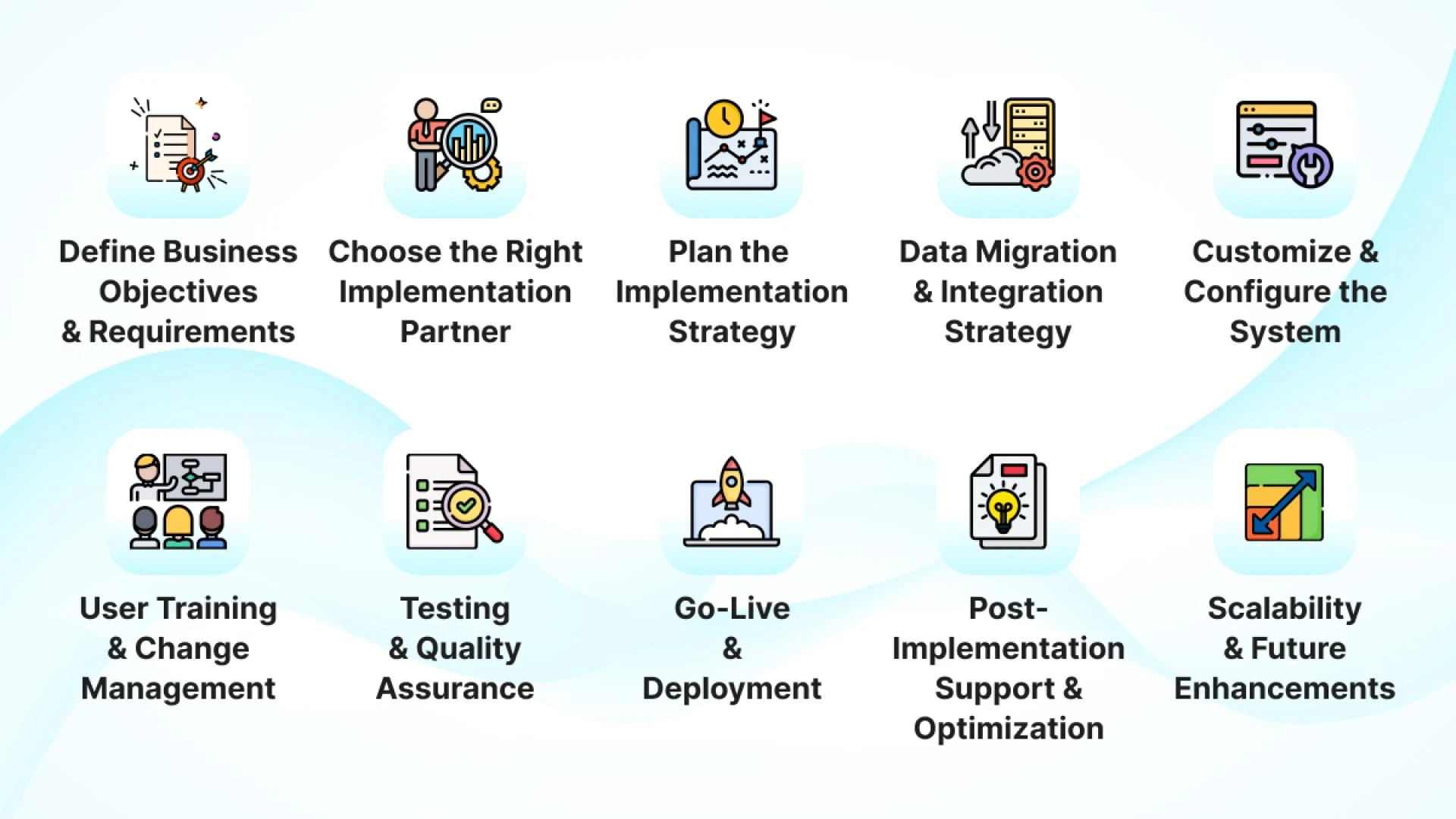
Before implementing Dynamics 365, businesses must identify their objectives and key pain points. Ask yourself:
- What are the main challenges we need to solve?
- Which Dynamics 365 modules best fit our business needs?
- What KPIs will define a successful implementation?
Common modules to consider:
- Dynamics 365 Sales — For lead tracking, sales automation, and forecasting.
- Dynamics 365 Customer Service — To enhance customer support and case management.
- Dynamics 365 Finance & Operations — For financial management and supply chain optimization.
Partnering with a Dynamics 365 implementation Partner can help streamline the process and ensure best practices. When selecting an implementation partner, consider:
- Their experience with Dynamics 365 in your industry.
- Their track record of successful implementations.
- Post-implementation support and training services.
Once the goals are clear, create a detailed implementation roadmap. This should include:
- Project timeline and milestones
- Budget allocation
- Roles and responsibilities
- Expected ROI and business impact
Migrating data from legacy systems to Dynamics 365 is one of the most critical steps. To ensure a smooth transition:
- Conduct a data audit to identify redundant or outdated data.
- Cleanse and format data for compatibility.
- Use Microsoft’s Data Migration tools for seamless transfer.
Additionally, Dynamics 365 can integrate with third-party apps like Power BI, SharePoint, and external ERPs for a connected ecosystem.
Step 5: Customization & ConfigurationEvery business operates differently, which is why customization is essential. With Dynamics 365, you can:
- Modify dashboards and reports.
- Set up automation workflows.
- Customize fields, security roles, and user permissions.
Best practice: Avoid excessive customization that could complicate future updates and maintenance.
Step 6: Testing & User TrainingBefore going live, conduct User Acceptance Testing (UAT) to ensure:
- The system is functioning as expected.
- Workflows and integrations are running smoothly.
- Users are comfortable navigating the platform.
Providing training sessions and resources helps drive user adoption, reducing resistance to new technology.
Step 7: Deployment & Go-LiveOnce testing is complete, roll out Dynamics 365 in phases:
- Pilot Deployment — Implement the system with a small user group first.
- Full Deployment — Roll out to the entire organization.
- Post-Go-Live Monitoring — Continuously track performance and address any issues.
Implementation doesn’t end after deployment. To maximize efficiency:
- Monitor system performance regularly.
- Optimize features based on user feedback.
- Keep up with Microsoft updates and new functionalities.
1. Data Migration Issues
✅ Solution: Perform a thorough data audit and use Microsoft’s data migration tools.
2. User Resistance
✅ Solution: Provide hands-on training and highlight benefits for employees.
3. Integration Complexities
✅ Solution: Work with an expert to ensure smooth integration with existing systems.
4. Budget Overruns
✅ Solution: Define clear project scope and budget contingencies from the start.
Conclusion & Next StepsA well-planned Dynamics 365 implementation can transform the way businesses operate, improve efficiency, and drive growth. Organizations can avoid common pitfalls and ensure a smooth transition to Dynamics 365 by following this step-by-step guide.
🔹 Looking for expert guidance on implementing Dynamics 365? Let’s connect!