
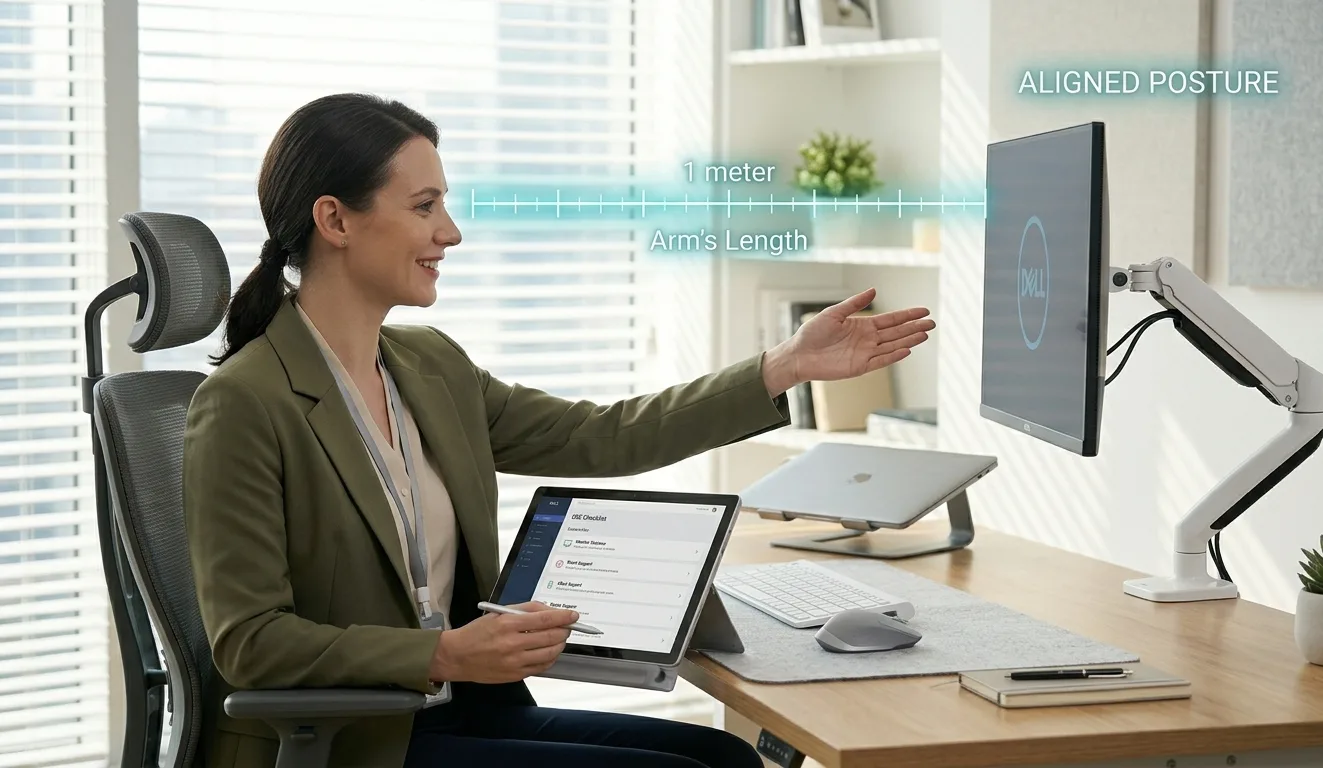
Modern office work is no longer just about typing and answering emails. It is a prolonged engagement with screens, chairs, and static postures that quietly shape long-term health. Small inefficiencies in workstation setup can accumulate into persistent discomfort, reduced productivity, and musculoskeletal strain. That is why understanding foundational Ergonomic Advice is essential for every office worker aiming to stay both comfortable and effective throughout the working day.
The Hidden Cost of Poor Workplace Ergonomics
At first glance, a slightly awkward chair height or poorly positioned monitor may seem harmless. Yet over weeks and months, these minor misalignments can contribute to neck stiffness, lower back pain, wrist strain, and even headaches. The human body is designed for movement, not prolonged stillness in constrained positions.
Office environments often prioritize aesthetics and space efficiency over biomechanics. This imbalance leads to workers unconsciously adapting to their environment rather than the environment adapting to them. Good ergonomics reverses this dynamic.
Simple corrections like aligning the screen with eye level or adjusting lumbar support can dramatically improve physical well-being. Comfort is not a luxury in office work; it is a productivity multiplier.
The Foundation: Chair, Desk, and Alignment
A well-adjusted chair is the cornerstone of any ergonomic setup. Feet should rest flat on the floor, with knees forming a gentle 90-degree angle. The backrest should support the natural curve of the spine, especially the lumbar region.
The desk height should allow elbows to remain close to the body at roughly right angles while typing. If the desk is too high, the shoulders elevate unnaturally. Too low, and the spine begins to collapse forward. Both scenarios create strain that compounds over time.
A subtle but powerful principle in Ergonomic Advice is neutrality keeping joints aligned in positions that minimize tension. Neutral posture reduces muscular effort, allowing the body to remain stable without fatigue.
Screen Positioning and Visual Comfort
The monitor is often the most overlooked element of workstation setup. Ideally, the top of the screen should be at or slightly below eye level. This prevents excessive neck flexion or extension.
Distance matters as well. A screen placed too close encourages eye strain, while one too far away causes leaning and forward head posture. A comfortable distance typically falls within an arm’s length.
Glare should also be minimized. Reflections from windows or overhead lighting force the eyes to constantly adjust, leading to visual fatigue. Adjusting screen angles or using blinds can significantly improve clarity.
Regular breaks from screen exposure are equally important. The 20-20-20 rule looking at something 20 feet away for 20 seconds every 20 minutes can help reduce digital eye strain.
Keyboard and Mouse Positioning
The hands and wrists are among the most active parts of the office worker’s body. Poor alignment here often leads to repetitive strain injuries.
The keyboard should sit directly in front of the user, not at an angle. Wrists should remain straight rather than bent upward or downward. A floating wrist position is preferable over resting heavily on hard surfaces for extended periods.
The mouse should be positioned close enough to avoid overreaching. Excessive lateral movement of the arm places strain on the shoulder and upper back. Small adjustments here often yield noticeable relief.
Movement: The Missing Ergonomic Ingredient
Even the most perfectly designed workstation cannot replace movement. The human body thrives on variability.
Remaining static for long periods reduces circulation and increases stiffness. A simple shift in posture, standing up for a short walk, or stretching every 30–60 minutes can reset muscular tension.
Micro-movements matter too. Adjusting sitting position, rolling the shoulders, or gently stretching the neck can prevent stiffness from becoming entrenched.
In many workplaces, movement is unintentionally discouraged. However, integrating movement into routine tasks is one of the most effective forms of Ergonomic Advice available.
Lighting, Noise, and Environmental Balance
Ergonomics extends beyond furniture and posture. Environmental conditions play a significant role in cognitive performance and physical comfort.
Poor lighting can cause eye strain and headaches, while overly bright lighting can create glare and discomfort. Balanced, diffused lighting is ideal for sustained screen work.
Noise levels also matter. Constant background noise can increase cognitive load, leading to fatigue. In contrast, overly silent environments may heighten distraction for some individuals. Finding a balanced acoustic environment supports focus and reduces mental strain.
Temperature should also be considered. Overly warm rooms can induce sluggishness, while cold environments may cause muscle tension as the body subconsciously contracts.
The Role of Structured Workplace Evaluation
While personal adjustments are important, structured assessments provide a more systematic approach to workplace health.
A DSE Assessment (Display Screen Equipment assessment) is a formal evaluation of an employee’s workstation setup. It examines posture, equipment placement, and environmental factors to identify risks and recommend improvements.
Such assessments are particularly valuable because they go beyond subjective comfort. They apply established standards to ensure that workstations meet safety and efficiency benchmarks.
A well-conducted DSE Assessment often reveals overlooked issues such as incorrect chair height, inadequate monitor positioning, or improper keyboard placement that users may have adapted to without realizing the long-term consequences.
Workplace Compliance and Regional Standards
In many regions, ergonomic standards are not just recommended they are part of legal and organizational responsibility.
In professional environments influenced by Health and Safety Cambridge guidelines, there is a strong emphasis on proactive risk management. Employers are encouraged to assess workstation setups regularly and ensure that employees are not exposed to preventable musculoskeletal risks.
This approach shifts ergonomics from a reactive process (fixing pain after it occurs) to a preventative strategy (designing out discomfort before it develops). It reflects a broader philosophy: a healthy workspace is a productive workspace.
Practical Ergonomic Checklist for Daily Use
Small, consistent actions often create the biggest improvements. The following checklist can serve as a daily reference point:
- Feet flat on the floor with stable support.
- Knees aligned at a comfortable right angle.
- Screen positioned at eye level and arm’s length away.
- Shoulders relaxed, not elevated or hunched.
- Keep your wrists straight while typing and using a mouse.
- Frequent micro-breaks are incorporated into the workflow.
- Adequate lighting without glare or harsh contrast.
- Regular posture adjustments throughout the day.
These principles form the backbone of effective Ergonomic Advice and can be implemented without expensive equipment or major workspace changes.
The Cognitive Side of Ergonomics
Ergonomics is not purely physical. Mental strain often mirrors physical strain.
Poorly designed workspaces can increase cognitive fatigue by forcing constant adjustment and discomfort. Conversely, a well-structured environment reduces mental noise, allowing for clearer thinking and improved concentration.
Cluttered desks, inefficient layouts, and poorly organized digital workflows can all contribute to cognitive overload. Simplifying both physical and digital environments enhances mental clarity.
Building Sustainable Work Habits
Sustainability in office work is not about working harder it is about working intelligently. Ergonomics supports this by aligning the human body with its environment rather than forcing adaptation through strain.
When combined with structured evaluations like a DSE Assessment, and guided by regional standards such as Health and Safety Cambridge, ergonomic practices become more than personal habits. They evolve into a workplace culture of well-being.
Final Thoughts
Ergonomics is often misunderstood as a set of rigid rules or expensive adjustments. In reality, it is a flexible system of awareness, alignment, and adaptation. Small changes in posture, equipment positioning, and movement habits can transform daily comfort and long-term health.
Office work will continue to evolve, but the human body remains constant in its need for balance and movement. Applying thoughtful Ergonomic Advice ensures that productivity does not come at the expense of well-being, but rather grows alongside it.