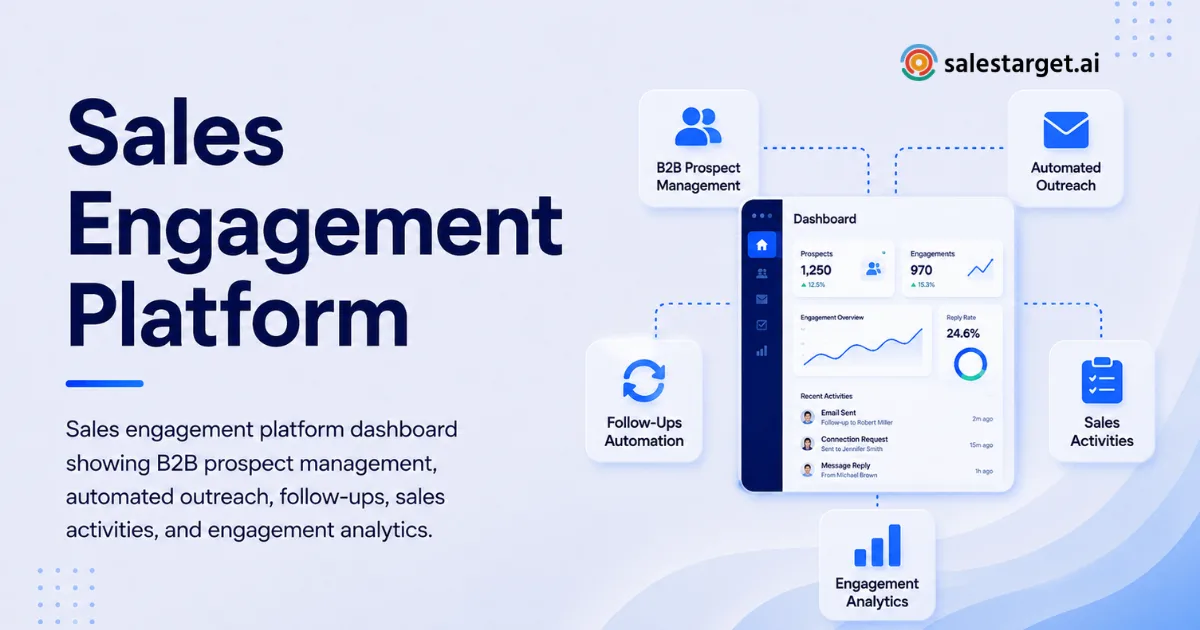
Sales teams can lose hours every week switching between prospect databases, email tools, LinkedIn, spreadsheets, dialers, and CRMs. The software stack may be full of useful features, yet reps still miss follow-ups, work from stale contact data, and repeat the same manual tasks.
Enterprise software enablement fixes this execution gap by giving teams the systems, workflows, guidance, data, and automation they need to use business software correctly in their daily work. For revenue teams, that means connecting prospecting, outreach, follow-up, CRM activity, and performance tracking so reps can spend less time managing tools and more time having useful sales conversations.
What Is Enterprise Software Enablement?
Enterprise software enablement is the process of helping employees use business software effectively, consistently, and in line with the workflows that drive business results. It goes beyond software training. The goal is to make the right action easy to complete inside the tools employees already use.
For a sales organization, that could mean giving an SDR a verified prospect, the right contact information, a ready-to-run outreach sequence, a clear follow-up task, and a CRM record without requiring the rep to move information across several disconnected applications.
Good enablement starts with the work itself. Leaders should identify where reps lose time, where data gets corrupted, where handoffs break, and where important actions depend on memory. The software configuration should then support those workflows rather than forcing employees to build their own workarounds.
This distinction matters. A team can complete every training session and still perform poorly if the actual workflow remains fragmented.
Why Does Enterprise Software Enablement Matter for Revenue Teams?
The value of enterprise software enablement comes from reducing the gap between what software can do and what employees actually do with it. A CRM may support detailed activity tracking, but that benefit disappears if reps forget to log calls or managers cannot see the next action. A prospecting database may contain millions of records, but those records have little value if reps cannot verify contacts and act on buying signals quickly.
Revenue teams need enablement tied to measurable behavior. Useful indicators include time spent creating campaigns, percentage of contacts verified before outreach, follow-up completion, meetings generated from existing leads, sales cycle duration, and the number of manual steps required to move a prospect from research to active opportunity.
A less obvious issue is workflow memory. If a rep must remember five different steps across four applications, performance depends on individual discipline. If those steps are built into the workflow, the system carries part of that operational load.
That is where enablement becomes a sales performance issue rather than a training project.
CTA: If your reps are spending more time managing sales tools than working qualified opportunities, SalesTarget.ai can bring prospecting, outreach, validation, and CRM activity into one workspace. Use the platform to reduce manual handoffs and give reps a more direct path from lead discovery to follow-up.
How Does Enterprise Software Enablement Work in Practice?
Effective enablement follows the employee's actual workflow. The process starts by identifying the work that matters, then removing friction from each stage.
Step 1: Map the Revenue Workflow
Start with the full path from target account selection to closed opportunity. Document where prospects are found, how contact data is checked, how outreach is launched, where replies are handled, and how follow-up tasks reach the rep.
Do not document the ideal process alone. Watch what reps actually do. A rep may be instructed to update the CRM after every call but keep a private spreadsheet because entering information takes too long. That workaround is a valuable enablement signal.
Step 2: Remove Unnecessary Tool Switching
Every application switch creates a chance for information to be delayed, duplicated, or lost. A practical enablement stack should keep related actions close together.
SalesTarget.ai combines B2B lead data, enrichment, email validation, email outreach, LinkedIn outreach, calling, and CRM functions in one workspace. Its Lead Explorer provides access to more than 840 million professional profiles and 146 million business entities, with 4,000+ intent signals and data from 50+ sources, according to SalesTarget.ai.
For a rep, the important point is not the size of the database. It is the ability to find a prospect, enrich the record, verify contact information, launch outreach, and continue follow-up without rebuilding the record in another system.
Step 3: Build Role-Based Actions
An SDR, AE, sales manager, and RevOps operator should not need the same workflow. SDRs need fast prospect discovery and repeatable outreach. AEs need account context, conversation history, follow-up visibility, and opportunity tracking. Managers need activity and pipeline visibility.
Enablement works better when the software supports these distinct jobs rather than giving every employee the same collection of features.
Step 4: Measure Behavior, Not Training Completion
A completed training course does not prove that a rep can execute the process correctly. Measure what happens after training.
Track whether contacts are verified, sequences are launched correctly, replies receive timely follow-up, CRM records remain current, and qualified leads progress through the pipeline. These measures tell leaders whether the workflow is being adopted.
What Is the Difference Between Software Enablement and Sales Enablement Automation?
Software enablement focuses on helping people use business applications correctly and consistently. Sales enablement automation focuses on reducing repetitive sales tasks through automated workflows.
The two work best together. Automation can handle repetitive actions such as contact validation, sequence scheduling, follow-up creation, and activity logging. Enablement makes sure reps know what the system is doing, why the workflow exists, and what action is required when an exception occurs.
A common mistake is automating a broken process. If a sales team has poor targeting, inaccurate data, or unclear ownership, adding automation can make those problems happen faster.
The better approach is to simplify the workflow first, automate repeatable actions second, then monitor the resulting behavior.
Enterprise Software Enablement vs. Traditional Training
Traditional training and enterprise software enablement solve different parts of the adoption problem. Traditional training is mainly focused on transferring knowledge through courses, workshops, documentation, and scheduled sessions. It can teach employees how a system works, but it does not necessarily change how they perform their daily tasks.
Enterprise software enablement focuses on execution. Instead of asking employees to remember every process detail, it connects software configuration, workflows, guidance, automation, and measurement to the work employees perform every day. Adoption is judged through behavior and business outcomes rather than attendance or course completion.
For sales teams, this distinction is important. A rep might know how to update a CRM but still avoid doing it if the process takes several minutes after every call. A better-enabled workflow can automatically record the activity, create the next task, and keep the opportunity record current.
Traditional training still has value for product knowledge, compliance, onboarding, and process education. The mistake is treating training as the final stage of adoption. Enterprise software changes over time, sales processes shift, and teams develop new requirements. Enablement needs to continue after the initial training session.
Which Sales Enablement Software Features Actually Improve Adoption?
The best features are the ones that remove friction from a real workflow. For B2B outbound teams, several capabilities deserve close attention.
Unified prospect data: Reps should be able to search for accounts and people, enrich records, and access relevant contact details without manually combining multiple databases.
Contact verification: Sending messages to inaccurate addresses creates wasted effort and can create deliverability problems. SalesTarget.ai validates email addresses through MX and SMTP checks, disposable-email detection, and risk scoring.
Multichannel sequences: Modern outbound teams may use email, LinkedIn, and phone during the same prospecting motion. Coordinating these activities from one workflow reduces the chance that one channel gets forgotten.
Automated follow-up: A lead should not disappear simply because a rep became busy. Follow-up tasks and conditional sequences can keep the process moving.
Unified reply management: Replies should reach the person responsible for the opportunity without forcing them to check several inboxes.
CRM visibility: Every important interaction should contribute to a shared record. SalesTarget.ai automatically sends campaign leads into its CRM and logs email and call activity on the lead timeline.
AI assistance: An AI Copilot can help reps search for leads, generate sequences, query CRM information, track campaign revenue, and create tasks through conversational prompts.
A useful test is simple: Can a new rep complete the core workflow without needing a separate spreadsheet, private checklist, or manual data transfer? If the answer is no, there is still an enablement gap.
How Can Teams Build a Better Sales Enablement System?
A strong system connects people, process, data, and technology. The following practices help keep it usable at scale.
Build Around High-Value Workflows
Do not enable every feature at once. Start with workflows tied directly to revenue, such as account research, prospect qualification, first-touch outreach, reply handling, and opportunity follow-up.
Each workflow should have a clear owner, expected action, and measurable outcome. This keeps enablement focused on work rather than software features.
Create One Source of Truth for Prospect Activity
Duplicate records create confusion. A prospect should have one reliable place for contact information, outreach history, tasks, and opportunity status.
When reps have to check three systems to answer a simple question, adoption drops. Consolidation is often a bigger productivity improvement than adding another feature.
Build Exception Paths
This is an area many enablement programs miss. Most workflows document what happens when everything goes right. Real sales work includes bounced emails, duplicate contacts, no-response prospects, changed job titles, negative replies, and prospects who request contact later.
Create a defined action for each common exception. Reps should know what to do next without asking a manager or creating a personal workaround.
Review Workflow Friction Every Quarter
Enablement should have a feedback loop. Ask reps which steps take too long, which fields are ignored, which alerts are unnecessary, and which actions still require manual copying.
Then use that information to change the workflow. A system that was efficient at 20 reps may become painful at 100 reps.
CTA: If your outbound process still depends on spreadsheets, separate inboxes, and manual CRM updates, review the workflow from the rep's perspective. SalesTarget.ai gives teams a single workspace for prospect data, outreach, follow-up, and CRM execution, making it easier to identify where manual work can be removed.
What Mistakes Should You Avoid in Enterprise Software Enablement?
The first mistake is treating adoption as a training problem only. Training cannot compensate for confusing workflows, bad data, excessive tool switching, or unclear ownership.
The second is measuring activity instead of outcomes. Counting completed courses or logged-in users tells leaders very little about whether sales execution improved.
The third is giving employees too many choices. A system with dozens of available actions can create decision fatigue. Reps need clear default workflows for common situations, with exceptions handled separately.
The fourth is ignoring data quality. Poor data can make a well-configured sales workflow look ineffective. If contact records are inaccurate, reps lose trust in the system and return to manual research.
The fifth is automating without governance. Automated outreach needs rules around targeting, message quality, frequency, contact validation, and follow-up ownership. Automation should make the approved process easier to execute, not remove human judgment from every decision.
The sixth is failing to connect enablement with management. Managers should reinforce the same workflows during pipeline reviews, coaching sessions, and one-on-ones. If leadership asks reps to follow one process but rewards another behavior, adoption will weaken.
How Should You Measure Enterprise Software Enablement Success?
The right metrics depend on the workflow, but revenue teams should connect software usage to operational outcomes.
Useful measurements include time required to build a prospect list, percentage of contacts verified before outreach, campaign creation time, follow-up completion rate, meetings generated per qualified lead, number of manual steps per prospect, CRM data completeness, sales cycle duration, response handling time, and pipeline movement after outreach.
SalesTarget.ai reports 35% faster campaign creation and 90% of emails validated before sending across its Email Outreach workflow. Its CRM reports include 91% follow-up completion, approximately six hours saved per rep each week, and 2.4X more meetings from the same leads.
The broader lesson is more important than any individual metric: enablement should be measured through the work employees perform and the business results connected to that work.
For teams evaluating platforms, a useful benchmark is time to productive action. Ask how long it takes a rep to move from a target account to a verified prospect, from prospect to first touch, and from reply to next action. Shortening those gaps can reveal more than a feature checklist.
How Do You Choose the Right Platform for Enterprise Software Enablement?
Choose the platform around the workflow you need to improve, not the number of features shown in a product demo.
Look at data quality first. Then examine how prospecting connects with outreach. Check whether email, LinkedIn, phone, CRM, validation, and task management can operate as one process. Review integrations with the systems your team already uses.
You should test the workflow with a real sales scenario. Give a rep an account segment and ask them to find prospects, verify contacts, launch outreach, handle a reply, create a follow-up, and update the opportunity. Count the number of screens, manual transfers, and decisions required.
For teams comparing platforms, this guide to connected sales engagement workflows can help you evaluate how prospecting, outreach, automation, and CRM capabilities fit together: The strongest platform is rarely the one with the longest feature list. It is the one that makes the desired sales process easier to repeat correctly.
Final Thoughts
Enterprise software enablement succeeds when software stops being another task for employees to manage and starts supporting the work they already need to do.
For B2B revenue teams, that means connecting reliable prospect data with outreach, validation, follow-up, CRM activity, and performance visibility. It means measuring behavior instead of training attendance. It means removing unnecessary tool changes and giving reps clear workflows for both normal situations and exceptions.
SalesTarget.ai brings these functions into one outbound workspace. Its Lead Explorer supports prospect discovery and enrichment, Email Outreach handles automated sequences and validation, LinkedIn Outreach coordinates social prospecting, the CRM tracks follow-up and deal activity, and AI Copilot gives reps a conversational way to work with leads, campaigns, and CRM data.
If your team is losing productive selling time to disconnected systems and manual follow-up, SalesTarget.ai gives you a practical way to bring the workflow together. Start by mapping your current outbound process, identify the three biggest friction points, and use an integrated system to remove them from the rep's daily workload.