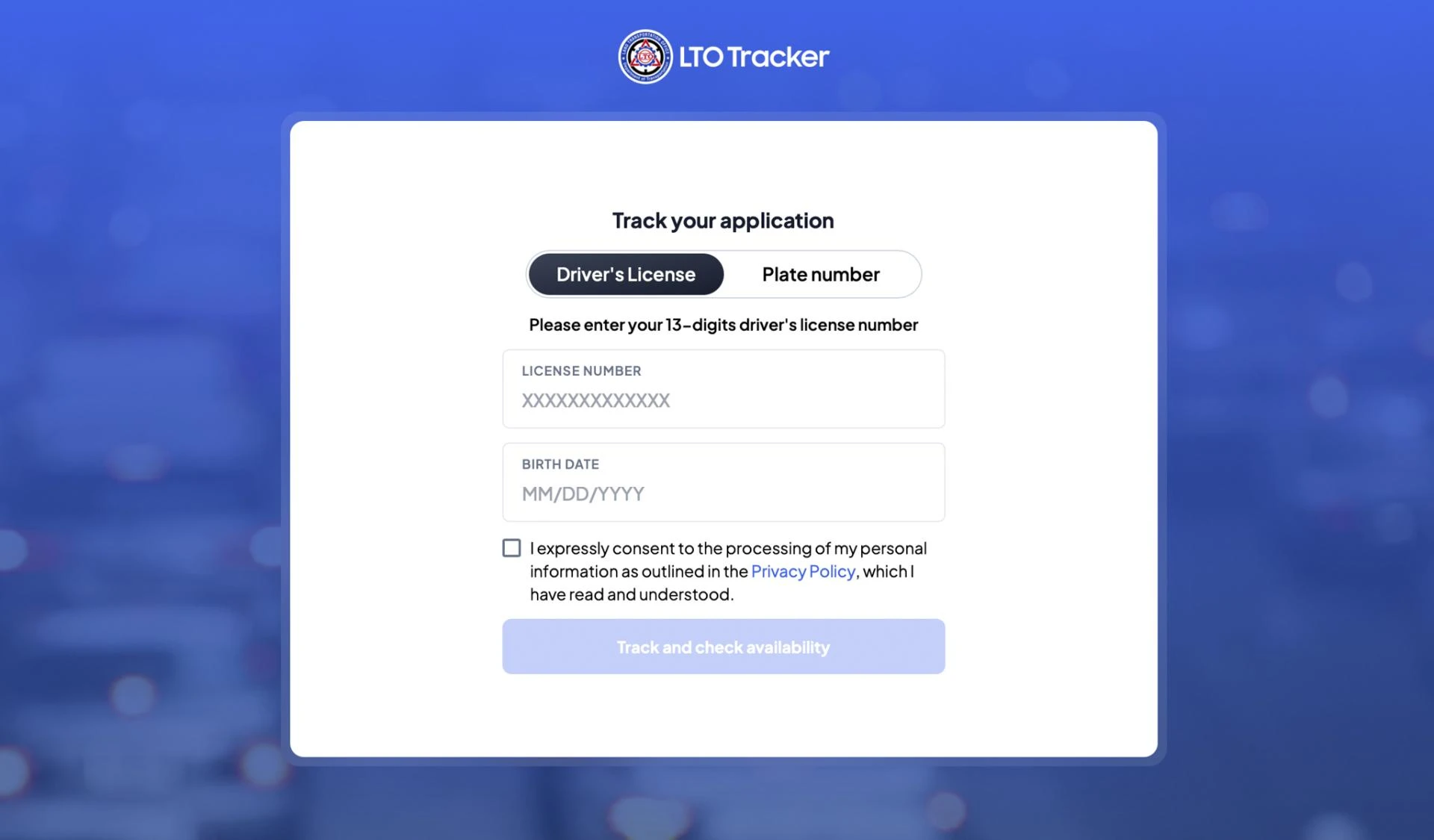
In today’s digital world, waiting in long lines and making repeated trips to government offices to check your driving license status is no longer necessary. Thanks to improved online systems, driving license tracking has become fast, convenient, and accessible for everyone. Whether you are applying for a new license, renewing an old one, or checking the status of a lost or duplicate license, online tracking systems allow you to stay updated at every step.
This comprehensive guide explains what driving license tracking is, how it works, its benefits, common issues, and tips to ensure a smooth process.
What Is Driving License Tracking?
Driving license tracking refers to the ability to check the progress, status, and delivery details of your driving license application online. Most transport authorities provide an online portal where applicants can enter their registration details—such as application number, license number, or mobile number—to view their current status.
This system eliminates the need for in-person status checks and helps applicants stay informed throughout the approval and dispatch process.
Why Driving License Tracking Is Important
Tracking your driving license is not just about convenience. It also provides multiple benefits that help you avoid delays and unexpected issues. Here are some key reasons why driving license tracking matters:
1. Real-Time Status Updates
Online tracking portals provide instant updates on your application, such as:
- Application received
- Verification in progress
- Testing scheduled
- License approved
- License printed
- License dispatched
These updates help applicants stay informed without guessing or waiting unnecessarily.
2. Helps Avoid Delays
If your application gets stuck due to missing documents or verification issues, tracking helps you detect the problem early. Taking timely action prevents delays in receiving your license.
3. Convenient and Time-Saving
Instead of calling customer support or visiting a physical office, you can check your status from your phone or computer in minutes.
4. Ensures Transparency
Online tracking ensures the entire licensing process is transparent. You can see the exact stage of your application without relying on third-party agents.
5. Useful for Lost or Damaged License Requests
If you applied for a duplicate license, tracking helps you monitor when your new card will be issued and dispatched.
How Driving License Tracking Works
Although tracking methods may vary slightly by region, the overall process is generally similar everywhere. Here’s how it works:
Step 1: Submit Your Application
You start by applying for a new license, renewal, duplicate license, or address update through the official transport portal or office.
Step 2: Receive an Application Number
Once your application is submitted, you receive a unique application number or reference ID. This is essential for tracking your license.
Step 3: Visit the Online Tracking Portal
The transport authority’s website usually includes a “Track Application Status” or “Driving License Status” section. You must open this page to continue.
Step 4: Enter Your Details
You may be required to enter:
- Application number
- Date of birth
- License number (for renewal or duplicate requests)
- Mobile number
After entering your details, click the “Track Status” button.
Step 5: View Your Status
The system will display your current driving license status, including whether it is approved, printed, dispatched, or delivered.
Common Application Stages in Driving License Tracking
When you check your driving license status, you may see several possible stages. Here are the most common ones and what they mean:
1. Application Received
Your application has been successfully submitted and is now waiting for verification.
2. Verification in Progress
Authorities are verifying your documents, identity, and eligibility.
3. Test Scheduled
If you applied for a new license, you may see the date of your driving test.
4. Test Passed / Test Completed
This indicates that your driving test was successful and your license can now be processed.
5. License Approved
Your license has been officially approved and is ready for printing.
6. License Printed
Your card has been printed and prepared for dispatch.
7. License Dispatched
Your license has been sent via mail or courier to your registered address.
8. License Delivered
The document has reached your address and the process is complete.
Driving License Tracking Methods
Different transport authorities offer multiple ways to check the status of your license. The most common methods include:
1. Online Tracking Portal
The most widely used method. Simply enter your application number to view your status.
2. Mobile App
Many regions have dedicated transport apps that offer license tracking, renewal services, and document verification.
3. SMS Tracking
Some authorities allow you to check your status by sending an SMS with your application number to a designated number.
4. Customer Support Helpline
If online systems are down, you can call customer service and request your license status.
5. Physical Office Visit
Although not recommended unless necessary, you can visit a transport office to check the status manually.
Common Issues and How to Fix Them
Even though driving license tracking is simple, users sometimes face issues. Here are the most common problems and their solutions:
1. “Application Number Not Found”
This usually happens if:
- You entered the wrong application number
- Your application has not yet been uploaded to the system
Solution: Double-check your details or try again after 24 hours.
2. Incorrect Status Displayed
Sometimes the status does not update immediately.
Solution: Wait for a few hours or check again the next day.
3. “Verification Pending” for Too Long
If your application is stuck in verification for more than a week:
Solution: Visit your transport office with your documents to resolve the issue.
4. License Dispatched but Not Delivered
If your status shows “dispatched” but you haven’t received it:
Solution: Contact the postal service or visit your transport authority with your tracking details.
Tips for Smooth Driving License Tracking
Following a few simple tips can make your driving license tracking experience easier and faster:
1. Keep Your Application Number Safe
Take a screenshot or write it down somewhere to avoid losing it.
2. Use Official Websites Only
Always track your license on the official government portal to avoid scams.
3. Ensure Your Address Is Correct
Delivery issues often arise due to incorrect or incomplete addresses.
4. Complete All Document Requirements
Missing documents can delay verification and approval.
5. Track Regularly
Checking the status regularly ensures you do not miss important updates.
Conclusion
Driving license tracking has completely transformed the way people monitor their license applications. With quick online access, real-time updates, and multiple tracking methods, applicants no longer need to worry about long waits or uncertainty. Whether you are applying for a new license, renewing an existing one, or requesting a duplicate card, online tracking makes the entire process smooth, transparent, and convenient.