Most HRMS software fails quietly. Not at launch. Not in the demo. Six months post-go-live, when your HR team is running a 47-row reconciliation spreadsheet because payroll still can't pull clean data from the attendance module.
That's not a vendor problem. That's what happens when the technology underneath doesn't fit the work on top of it.
This piece is for HR leaders, ops directors, and tech teams who are either evaluating human resource management software solutions for the first time or replacing a system that stopped working somewhere between promises and production. We're covering what actually matters in a modern HRMS build, why the tech stack question isn't a developer-only conversation, and where custom development makes more sense than buying something off the shelf.
Read More: AI-Powered QA as a Service for Enterprises: Benefits and Use Cases
What a Real HRMS Needs to Handle
The old model was payroll software with an HR wrapper. That's not good enough anymore, and most companies buying "modern HRMS" are still getting something close to that.
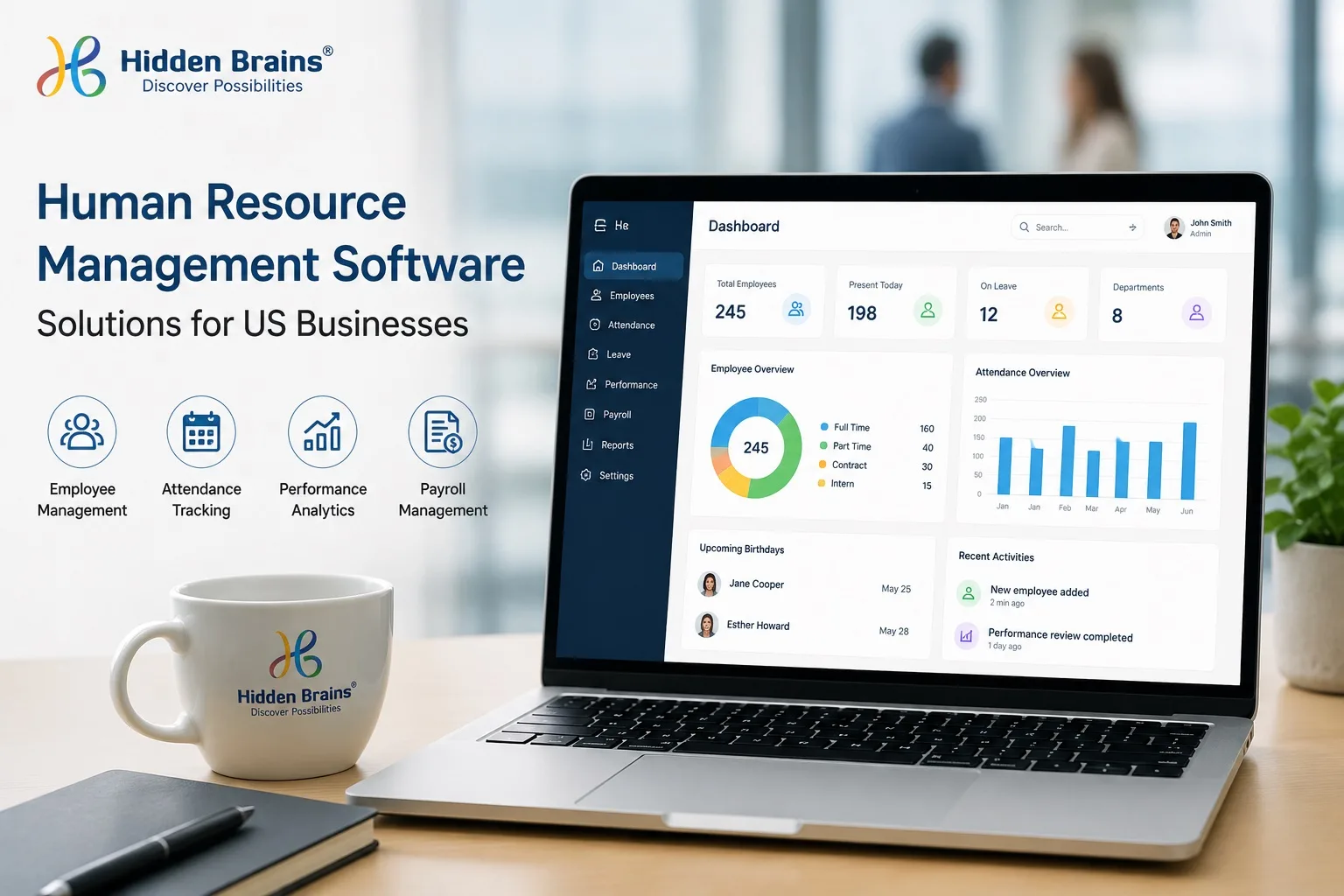
A production-ready HR management system runs the full employee lifecycle without requiring your HR team to stitch data together manually at the end of each pay cycle. Here's what that actually covers:
Core HRMS modules:
- Employee data management — centralized profiles, document storage, org chart relationships, version history
- Onboarding and offboarding workflows — structured checklists, digital signatures, access provisioning tied to role
- Attendance and leave tracking — real-time clock-in/out, leave balance calculations, multi-shift support
- Payroll processing — automated tax calculations, direct deposit, statutory compliance by state
- Performance management — goal setting, review cycles, rating workflows, 360-degree feedback loops
- Expense management — submission, multi-level approval routing, reimbursement sync with payroll
- Role-based access control — GGM, HR Executive, HR Associate, Payout Approver, Financial Analyst each see exactly what their role needs, nothing more
That last one gets skipped in a lot of implementations. Stakeholder-level access control isn't a configuration setting you tune after go-live. It's a compliance and data-integrity requirement that needs to be designed into the system from day one. When it's not, someone with the wrong access level accidentally exports salary data, and the conversation gets uncomfortable fast.
Hidden Brains' HR Management Software Solutions cover all of these modules on a cloud-based architecture, built so HR teams can access centralized company data from any device, location, or time zone without routing through a VPN or emailing someone for a report.
Why Off-the-Shelf Keeps Disappointing at Scale
Off-the-shelf HRMS platforms are designed around the average company. Average headcount, average workflows, average compliance needs.
Most mid-to-large US businesses aren't average.
You've got multi-state payroll with different tax tables per location. Shift workers with overtime rules that don't line up with the platform's leave calculation logic. Performance cycles tied to fiscal quarters your vendor's template doesn't support. A contractor workforce sitting in a gray zone that the software treats the same as full-time employees.
The vendor's answer to all of this is add-ons, workarounds, and integrations with third-party tools. Each layer adds a failure point. Each integration slows down payroll runs. And every time you change a business process that now lives inside the software's template, you're filing a support ticket instead of updating a config.
Custom HRMS development flips this. Your workflows define the system, not the other way around.
Yes, custom costs more upfront. It takes longer. That's real. But for companies managing 300-plus employees with non-standard HR structures, the savings on integration overhead, workaround maintenance, and per-seat licensing typically close the gap within 18 to 24 months. A few clients we've seen hit that crossover point faster when the off-the-shelf system was actively causing payroll errors.
Why MERN Stack Shows Up in Every Serious HRMS Conversation
When engineering teams sit down to choose a stack for an HRMS build, MERN (MongoDB, Express.js, React, Node.js) comes up a lot. Not because it's trendy. Because HRMS has a specific set of demands that MERN handles cleanly.
Think about what an HRMS actually does under load. Several hundred employees all clocking in at shift start. Leave approval notifications going out to 12 managers at once. Payroll calculations running for 500 records in a single cycle. That's heavy concurrent traffic hitting a backend that also needs to serve dashboards in real time.
MongoDB stores employee data as flexible documents, not fixed rows. When your compensation structure changes mid-year, or you add a new benefits tier, you're updating documents. You're not restructuring a relational table and hoping nothing breaks downstream.
Node.js + Express runs non-blocking I/O, which means it handles those 500 simultaneous payroll API calls without queuing them up and making people wait.
React on the frontend keeps HR dashboards responsive. Attendance boards, leave queues, and approval status update without full page reloads, which matters when your HR manager is cross-checking five things at once before a 9 a.m. payroll cut.
Companies that hire MERN stack developers for HRMS projects consistently ship faster than teams that split frontend and backend across different languages. Same codebase philosophy, shared logic, fewer handoff gaps. On a complex HRMS build with real-time features, that time difference adds up.
What This Looks Like When It Actually Works
A US logistics company came in with 400 employees split between warehouse floor and corporate. They had three separate tools: one for time tracking, one for payroll, one for performance reviews. None of them connected. Their HR coordinator was spending over 15 hours every month manually reconciling attendance data before payroll could run, and still finding errors on the back end.
The HRMS build at Hidden Brains covered:
- Unified employee database in MongoDB with role-based document access per stakeholder level
- Attendance API syncing in real time with their existing biometric hardware through a Node.js middleware layer
- React dashboard giving HR managers a single view of live attendance, pending leave requests, and approval queues
- Automated payroll triggers pulling confirmed attendance data before each pay cycle, cutting manual reconciliation out of the loop entirely
First live payroll run: six weeks post-go-live. Monthly HR reconciliation hours: dropped from 15-plus to under two.
It's not magic. It's what happens when you build the system around how the work actually moves, instead of forcing a standard tool to accommodate exceptions it wasn't designed for.
Where AI Helps in HRMS and Where It's Just Marketing
Every HRMS vendor pitches AI right now. Not all of it is useful.
The honest list of where AI actually earns its place in an HR system:
Resume screening at volume. Matching incoming applications against defined role criteria is repetitive and pattern-based. Models handle it well and at a volume no recruiter team can sustain manually without quality dropping off.
Attendance anomaly detection. A supervisor with 30 direct reports doesn't catch that one team has had a 40% spike in Monday absences over six weeks. A properly configured model flags it before it becomes a workforce or compliance issue.
Attrition signals. When you combine tenure data, recent performance scores, absence frequency, and engagement survey results, you can surface employees who are likely disengaging before they've started looking. That early warning is genuinely valuable, especially for hard-to-replace roles.
Hidden Brains builds AI analytics directly into its HRMS software so these capabilities run inside the platform, not as a separate reporting tool you check once a quarter. With 23+ years of enterprise software development behind them and recognition as a Deloitte Technology Fast 50 company, they've built enough of these systems to know which AI features hold up under real HR conditions and which ones look good in a demo.
Read More: The executive guide to choosing a custom software development company
The Part of Implementation Nobody Warns You About
Even well-built human resource management software underperforms when the rollout is rushed.
The most common mistake: flipping every module on simultaneously. Payroll, attendance, performance reviews, recruitment, expense management, all live on week one. It sounds efficient. It almost always ends in low adoption, confused managers, and a rollback conversation two months in.
Phased rollout works better every time. Start with attendance and leave. Those modules touch every employee, the data is unambiguous (someone either clocked in or they didn't), and the feedback cycle is fast. Once that's clean and the team trusts the system, bring payroll online. Then performance. Each phase catches the edge cases before they multiply.
The other thing: nobody budgets for change management and almost everyone needs it. The software can be perfect and still sit unused because the HR Associate never got trained on the approval queue, or the Financial Analyst doesn't know where the new expense reports surface, or the GGM can't find the final approval dashboard. That's not a training problem. That's a handoff problem. And it's the number one reason solid HRMS builds quietly underperform after go-live.
FAQ: HRMS and MERN Stack, Real Answers
Q. What is human resource management software, and do we actually need it?
It's the system that replaces your HR team's spreadsheet stack. HRMS handles payroll, attendance, leave requests, performance reviews, and employee records in one connected place. Whether you need it depends on how much manual work your team is currently absorbing to keep those pieces in sync. If the answer is "more than a few hours a month," you've already crossed the threshold.
Q. Why does the MERN stack keep coming up for HRMS builds specifically?
HRMS puts unusual pressure on a backend: lots of users hitting it at the same time, real-time data that can't be stale, and employee records that don't fit neatly into fixed columns. MongoDB handles the flexible data structure. Node.js handles the concurrent load without choking. React keeps the dashboards fast. It's a natural fit for what HRMS actually demands in production, not just in a demo environment.
Q. How long does a custom HRMS build take, honestly?
For a mid-size US company, somewhere between 4 and 9 months for a full-featured system, assuming scope doesn't shift. Where projects drag is usually month 3, when someone surfaces a contractor payroll exception or a state-specific overtime rule that wasn't in the original spec. Companies that phase the build — attendance first, payroll second, performance third — consistently get to first live payroll faster than teams that try to launch everything at once.
Q. Can a custom HRMS hook into the payroll or ERP tools we already use?
Yes, and you should plan for that from day one, not as a post-launch add-on. A good custom HRMS build includes API connectors for your existing payroll processor, accounting system, and biometric hardware if you have it. Integration is straightforward when it's designed in. It gets slow and expensive when it's retrofitted after the core system is already built.
Q. What's the real tradeoff between buying an HRMS and building one?
Buying is faster and cheaper upfront. Your team is live in weeks, not months. But your workflows have to conform to the vendor's template, and every exception costs you in add-ons, workarounds, or support tickets. Building takes longer and costs more to start, but the system matches how you actually operate. For companies with standard HR processes, buying usually makes sense. For companies with multi-state payroll, mixed workforce types, or non-standard compliance requirements, custom typically earns back the difference within two years.
Q. Which US industries tend to need custom HRMS the most?
The ones where off-the-shelf has already burned someone. Logistics and manufacturing are the most common — shift scheduling, overtime rules that vary by state, and union agreements that don't map to standard leave templates. Healthcare has credentialing and certification tracking layered on top of standard HR. Oil and gas adds site-based workforce management and compliance tracking for field workers. If your HR team has more than two or three active workarounds in your current system, that's usually a sign you've outgrown what you're using.