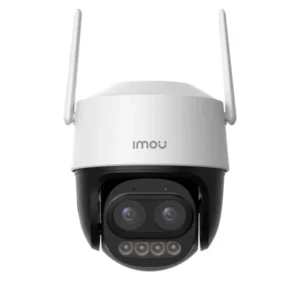
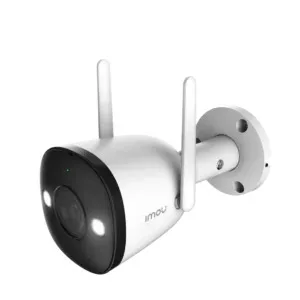
Reliable surveillance has become an important part of protecting homes, offices, shops, warehouses, educational institutions, and other properties. As security requirements continue to grow, many people are moving away from complicated wired installations and choosing wireless solutions that offer greater flexibility. A properly planned wireless surveillance network can provide effective monitoring while reducing installation challenges.
A WIFI CCTV camera can be an excellent choice for locations where running network cables is difficult, expensive, or impractical. However, simply installing wireless cameras does not guarantee a reliable surveillance system. Network strength, camera placement, bandwidth, power supply, storage, security settings, and environmental conditions all play an important role.
Understanding these factors can help property owners create a stable wireless surveillance network that delivers consistent video performance and dependable security.
What Is a Wireless Surveillance Network?
A wireless surveillance network uses Wi-Fi connectivity to transmit video and other camera data between security cameras and network devices. Instead of relying entirely on Ethernet cables for data transmission, cameras communicate through a wireless router, access point, or compatible networking equipment.
This approach is particularly useful in homes, rental properties, offices, retail stores, and buildings where installing cables may require significant construction work.
Modern wireless security cameras can provide features such as motion detection, night vision, two-way audio, mobile notifications, and local or cloud storage. Depending on the model, some cameras can also detect people, vehicles, or specific types of movement.
However, wireless connectivity should not be confused with completely cable-free operation. Many wireless cameras still require a power source unless they are specifically designed with rechargeable batteries or solar charging capabilities.
Why Network Planning Matters
The reliability of a wireless surveillance system depends heavily on the quality of the underlying Wi-Fi network. A camera positioned far away from the router may experience weak signals, delayed video, dropped connections, or inconsistent recording.
Before installing cameras, evaluate the property and identify areas where Wi-Fi coverage is strong or weak. Walls made from concrete, brick, metal, or other dense materials can reduce wireless signal strength. Large buildings may also require additional access points or mesh networking equipment.
The objective is to create sufficient wireless coverage throughout the areas where cameras will operate.
A network designed specifically for surveillance should also have enough bandwidth to handle multiple video streams. High-resolution cameras can consume considerable network capacity, especially when several cameras are transmitting video simultaneously.
Choosing the Right Wi-Fi Camera
Selecting an appropriate camera is one of the most important steps in building a reliable wireless surveillance network. Consider the resolution, lens angle, night vision capability, storage options, motion detection features, weather resistance, and connectivity requirements.
Indoor cameras can be suitable for bedrooms, living rooms, offices, reception areas, and retail spaces. Outdoor models generally require stronger weather protection and should be designed to withstand environmental conditions such as dust, humidity, heat, and rain.
When comparing the CCTV camera price, buyers should look beyond the initial purchase cost. A less expensive camera may lack important features such as reliable night vision, strong wireless connectivity, secure storage, or weather resistance.
Choosing equipment according to the actual surveillance environment can improve long-term reliability and reduce the need for frequent replacements.
Position Cameras for Strong Wireless Signals
Camera placement affects both surveillance coverage and network performance. A camera may provide excellent video quality but still perform poorly if it is installed in an area with a weak Wi-Fi signal.
Whenever possible, position cameras within a reasonable wireless range of the router or access point. Avoid placing the router inside enclosed cabinets, behind large appliances, or in areas surrounded by thick walls.
For larger properties, additional access points can help extend coverage. Mesh Wi-Fi systems may also be useful when cameras are distributed across multiple rooms or floors.
Before permanently mounting each camera, test the wireless connection from its intended location. This simple step can help identify signal problems before installation is completed.

Manage Bandwidth for Multiple Cameras
A wireless surveillance network can become unstable when too many high-resolution cameras compete for limited bandwidth. Each camera continuously transmitting high-quality video can place a significant load on the network.
To improve performance, calculate the approximate bandwidth requirements of all connected cameras. Resolution, frame rate, compression technology, and bitrate all affect network usage.
For example, several high-resolution cameras transmitting at high bitrates can consume considerably more bandwidth than a small number of cameras using moderate settings.
If the network becomes overloaded, users may experience video buffering, delayed notifications, disconnections, or reduced streaming quality.
Using modern Wi-Fi standards, appropriate camera settings, and additional access points can help distribute the network load more effectively.
Use Secure Wireless Settings
Wireless surveillance networks should be protected against unauthorized access. Since cameras may transmit sensitive video, network security should be treated as an essential part of installation rather than an optional feature.
Use a strong and unique Wi-Fi password and enable the strongest security protocol supported by the networking equipment. Avoid using easily guessed passwords based on names, phone numbers, birthdays, or common words.
Camera accounts should also use unique passwords. If the camera supports two-factor authentication, enabling it can provide an additional layer of protection.
Regularly update camera firmware, router firmware, and mobile applications. Security updates can address vulnerabilities and improve system stability.
Consider Local and Cloud Storage
Reliable surveillance also requires dependable video storage. Depending on the camera model, recordings may be stored on a microSD card, network storage device, dedicated recorder, or cloud platform.
Local storage can provide convenient access to recordings without depending entirely on an internet connection. Cloud storage can provide off-site access and may protect recordings if the camera or storage device is physically damaged or stolen.
For important surveillance applications, consider using a storage method that matches the required retention period. Businesses may need longer recording periods than residential users.
Storage capacity should also be selected according to camera resolution, recording schedule, number of cameras, and compression settings.
Provide Stable Power
Wireless data transmission does not eliminate the need for reliable power. A camera that loses power cannot continue recording or communicating with the network.
For mains-powered cameras, use reliable power adapters and avoid loose connections. Battery-powered models should be installed where the battery can be conveniently monitored and recharged.
In areas affected by frequent power interruptions, an uninterruptible power supply can help keep the router and cameras operational during short outages. Keeping the networking equipment powered is particularly important because cameras may lose connectivity if the router shuts down.
Monitor Signal Strength and Performance
After installation, regularly check the performance of the wireless surveillance network. Pay attention to cameras that frequently disconnect, display delayed video, or fail to send motion alerts.
These symptoms can indicate weak Wi-Fi coverage, network congestion, interference, outdated firmware, or power-related problems.
Wireless interference can come from nearby routers, Bluetooth devices, household appliances, thick walls, and other electronic equipment. Changing the wireless channel or repositioning networking equipment may improve performance.
Regular maintenance helps identify small problems before they become serious surveillance failures.

Protect Outdoor Wireless Cameras
Outdoor surveillance requires additional planning. Weather-resistant cameras should be selected for exposed locations, while mounting positions should protect equipment from unnecessary physical damage.
Avoid placing cameras directly behind large objects that obstruct the wireless signal or block the field of view. At the same time, cameras should be mounted high enough to reduce the risk of tampering.
Outdoor environments can also experience stronger interference and longer distances between cameras and access points. If a camera is installed far from the main router, a properly positioned outdoor access point or wireless extender may improve connectivity.
Compare Cost With Long-Term Requirements
Price is an important consideration, but it should not be the only factor when designing a wireless surveillance system. The total cost may include cameras, memory cards, networking equipment, mounting accessories, power supplies, backup power, and optional cloud storage.
When researching the wireless CCTV camera price in Pakistan, specifications and long-term operating requirements should compare rather than choosing a camera solely because it has a low initial price.
A reliable camera with strong connectivity, suitable image quality, dependable storage, and useful security features may provide better value over time.
Benefits of a Properly Designed Wireless Network
A well-planned wireless surveillance network offers several advantages. Installation can be simpler because fewer network cables are required. Cameras can also be repositioned more easily when surveillance requirements change.
Wireless systems are particularly convenient for rented properties, temporary installations, renovated buildings, and locations where cable installation is difficult.
Another advantage is remote monitoring. With a compatible application and internet connection, authorized users can often view live footage, receive motion alerts, and access recordings from their smartphones.
However, these benefits depend on reliable network coverage and properly configured equipment.