
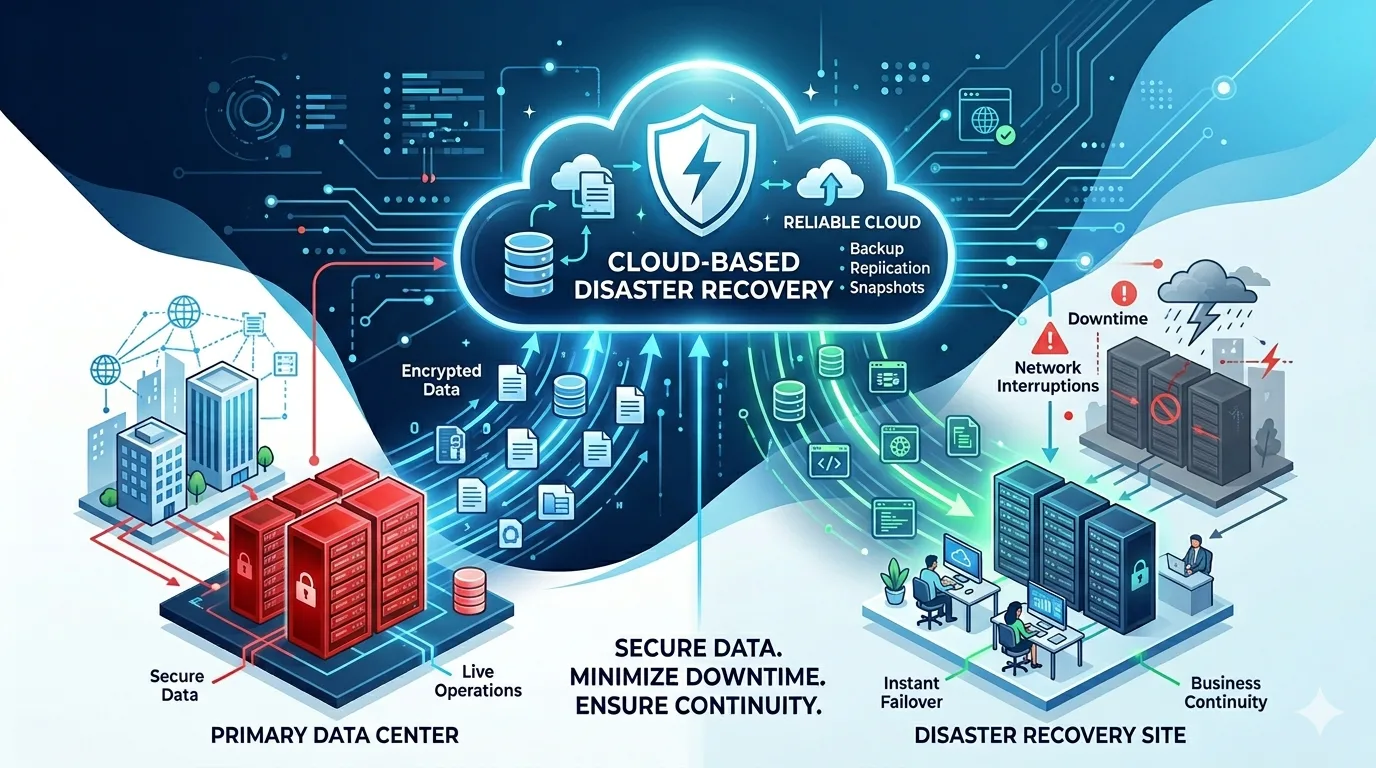
Cloud disaster recovery helps businesses recover data, applications, and systems after an outage, cyberattack, hardware failure, or human error. It gives organizations a reliable way to restore operations when primary infrastructure becomes unavailable.
As companies depend more on cloud platforms, SaaS tools, virtual machines, and remote access, disaster recovery has become a core part of business continuity. The question is no longer whether disruption will happen. The real question is how quickly the business can recover when it does.
What Is Cloud Disaster Recovery?
Cloud disaster recovery, also called cloud based disaster recovery, is a strategy that uses cloud-based resources to protect and restore business systems. It may include cloud backups, replication, snapshots, standby servers, and automated failover.
Instead of depending only on a physical data center or local backup device, businesses can use the cloud as a recovery environment. If the main system fails, workloads can be restored or launched from the cloud.
Cloud DR can protect:
- Databases
- Applications
- Virtual machines
- File servers
- SaaS data
- On-premises workloads
- Cloud-native workloads
The goal is to reduce downtime, prevent major data loss, and keep the business running.
Why Businesses Need Cloud Disaster Recovery
Unexpected downtime can affect sales, customer service, employee productivity, and company reputation. A single outage can stop access to important files, applications, and communication systems.
Cyberattacks have made the risk even greater. Ransomware can encrypt production data and target backups, leaving businesses with few recovery options.
Cloud disaster recovery helps solve this problem by creating secure, recoverable copies of critical systems. With the right plan, businesses can restore operations without depending on damaged or compromised infrastructure.
Key Components of a Cloud DR Plan
A strong cloud disaster recovery plan should include more than simple data backup. It should define how the entire recovery process will work.
Important components include:
- Backup and replication policies
- Recovery time objectives
- Recovery point objectives
- Secure cloud storage
- Immutable backup copies
- Access controls
- Application recovery steps
- Testing schedules
- Failover and failback procedures
These elements help ensure that recovery is organized, not improvised during a crisis.
RTO and RPO Explained
Two important terms in cloud disaster recovery are RTO and RPO.
Recovery Time Objective, or RTO, defines how quickly a system must be restored after disruption. A shorter RTO means the business needs faster recovery.
Recovery Point Objective, or RPO, defines how much data loss is acceptable. A shorter RPO means backups or replication must happen more frequently.
For example, a customer-facing application may need a very short RTO and RPO. An archive system may allow longer recovery time and less frequent backups.
Defining these goals helps businesses choose the right cloud DR strategy.
Common Cloud Disaster Recovery Strategies
Backup and Restore
This is the most basic cloud DR method. Data is backed up to the cloud and restored when needed. It is affordable and simple, but recovery may take longer.
Cloud Replication
Cloud replication continuously copies data or workloads to another environment. This helps reduce data loss and supports faster recovery.
Warm Standby
A smaller version of the production environment runs in the cloud. If a disaster occurs, it can be scaled up to support business operations.
Full Failover
In a full failover setup, applications can switch to a secondary cloud environment when the primary system fails. This is useful for businesses that require high availability.
Benefits of Cloud Disaster Recovery
Cloud disaster recovery offers several business advantages.
It helps reduce downtime by giving teams a faster recovery path. It improves data protection by storing copies away from the primary environment. It can also reduce the cost of maintaining a separate physical disaster recovery site.
Other benefits include:
- Better protection against ransomware
- Scalable cloud storage and compute resources
- Faster application recovery
- Improved business continuity
- Flexible recovery options for different workloads
- Stronger compliance support
For growing businesses, cloud DR can provide enterprise-level resilience without the cost of building a second data center.
Cloud DR and Ransomware Protection
A good cloud disaster recovery strategy should be designed with ransomware in mind. Attackers may try to delete or encrypt backups before demanding payment.
To reduce this risk, businesses should use immutable backups, encryption, multi-factor authentication, and isolated recovery copies. Backup systems should not rely on the same credentials used in production environments.
Regular recovery testing is also important. A backup that has never been tested may fail when it is needed most.
The strongest cloud DR plans focus on clean recovery, not just data storage.
Best Practices for Cloud Disaster Recovery
Businesses can improve cloud disaster recovery by following a few key practices:
- Identify the most critical systems first
- Set clear RTO and RPO targets
- Use immutable and encrypted backups
- Keep backup access separate from production access
- Test recovery plans regularly
- Document every recovery step
- Monitor backup jobs and recovery health
- Review the DR plan as the business changes
Disaster recovery should be treated as an ongoing process, not a one-time setup.
Cloud Backup Is Not the Same as Cloud DR
Cloud backup stores copies of data. Cloud disaster recovery restores business operations.
This difference is important. A company may have backups but still be unable to recover quickly if applications, servers, users, permissions, and network settings are not included in the recovery plan.
Cloud DR looks at the full recovery picture. It helps businesses bring systems back online, not just retrieve files.
Conclusion
Cloud disaster recovery is essential for businesses that want to stay resilient during outages, cyberattacks, and unexpected failures. It protects critical systems, reduces downtime, and gives organizations a clear path to recovery.
A strong cloud DR plan includes secure backups, defined recovery goals, tested procedures, and cloud infrastructure that can support business operations when primary systems fail. Backup solutions are also critical.
In today’s digital environment, disaster recovery is not just an IT responsibility. It is a business continuity requirement.