Selecting the right large-format printer is essential for professionals who require accuracy, speed, and reliability. Architects, engineers, marketers, and educators face challenges in printing and scanning oversized documents efficiently. Many offices rely on multiple devices, which can slow workflows and increase the risk of errors. Comparing options helps organizations identify the best printer for their needs.
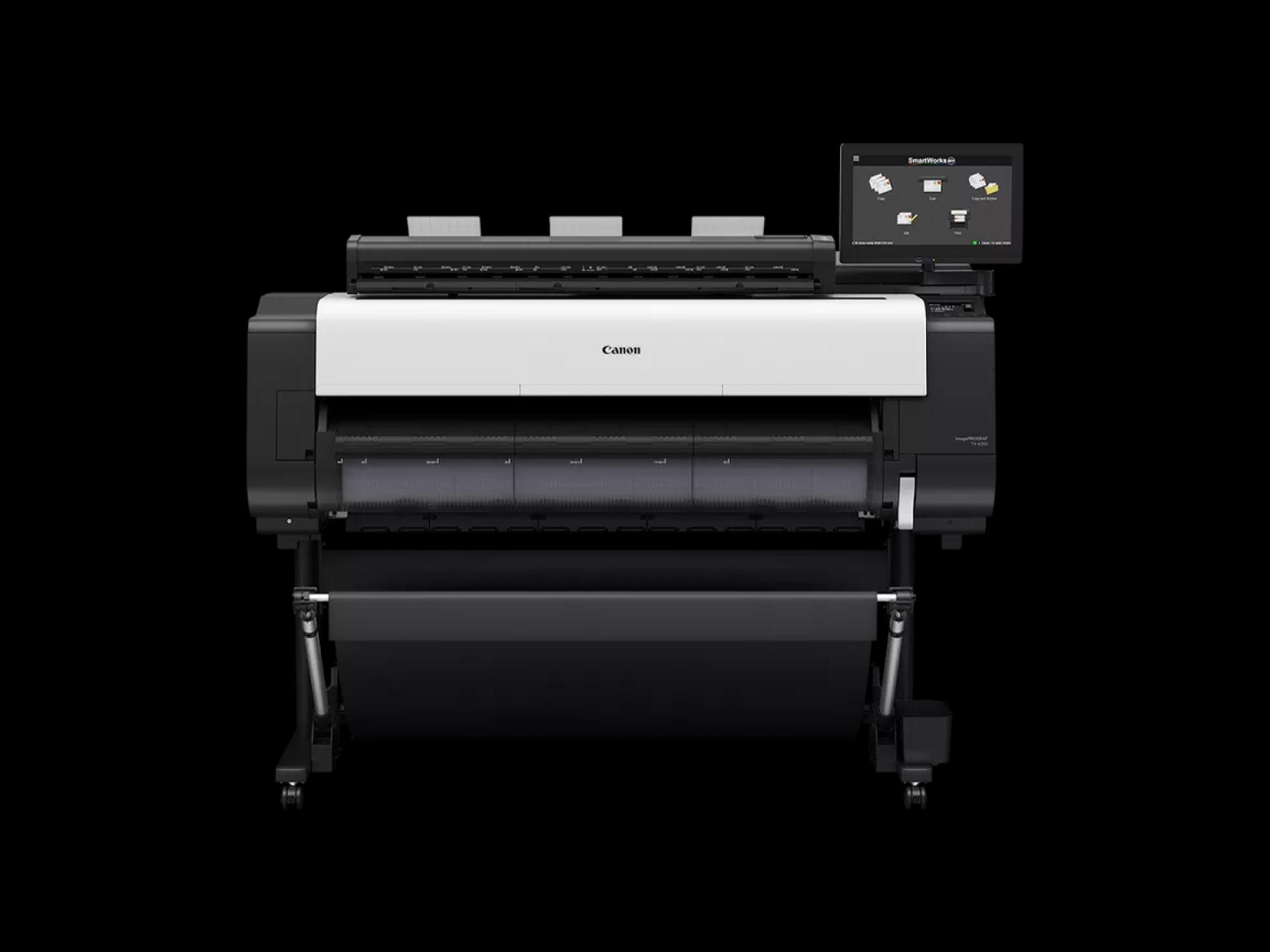
The Canon imagePROGRAF TX-4200 MFP Z36 combines high-resolution printing, Z36 scanning, and SmartWorks MFP software into a single solution. Unlike some other large-format printers, it integrates multiple functions, providing consistent output quality, fast performance, and workflow efficiency.
Comparing Print Quality
Canon imagePROGRAF TX-4200 MFP Z36
The printer delivers high-resolution output up to 2400 x 1200 dpi using a five-color pigment ink system. Technical drawings, CAD schematics, posters, and banners appear sharp, vibrant, and professional. Oversized media up to 44 inches wide is supported, enabling flexibility for a variety of projects.
Other Printers
Many competing printers either sacrifice speed for quality or require multiple passes to achieve comparable resolution. Some models struggle with precise line reproduction or vibrant colors, especially for technical drawings or marketing materials.
Recommendation
For professionals who need both speed and high-quality large-format output, the Canon imagePROGRAF TX-4200 MFP Z36 provides an optimal balance between precision and efficiency.
Comparing Scanning Capabilities
Canon imagePROGRAF TX-4200 MFP Z36
The integrated Z36 scanner allows fast, accurate scanning of documents up to 50 feet in TIFF format. Scan speeds reach 13 inches per second for monochrome and 6 inches per second for color. Multipage PDFs can be created quickly, supporting seamless digital workflow.
Other Printers
Many large-format printers do not include integrated scanning or require additional devices. This increases manual effort, delays project completion, and complicates document management. Some scanners may only handle smaller documents or require stitching for oversized scans.
Recommendation
For offices needing frequent digitization of large-format documents, the Canon imagePROGRAF TX-4200 MFP Z36 reduces manual work, saves time, and ensures accurate digital copies.
Comparing Workflow Integration
Canon imagePROGRAF TX-4200 MFP Z36
SmartWorks MFP software streamlines printing and scanning. Batch scanning, automatic image optimization, and multipage PDF creation reduce repetitive tasks and improve efficiency. Integrating all functions into a single device simplifies operations and minimizes errors.
Other Printers
Separate printing and scanning devices may lack software integration, forcing professionals to manage multiple workflows manually. This increases the potential for mistakes, inconsistent output, and slower turnaround times.
Recommendation
The Canon imagePROGRAF TX-4200 MFP Z36 is ideal for teams that value integrated workflows and consistent results.
Comparing Media Handling
Canon imagePROGRAF TX-4200 MFP Z36
Supports a wide range of media, including standard bond paper, heavyweight sheets, and specialty materials. High-capacity ink tanks allow continuous operation for large-volume projects.
Other Printers
Some models are limited in media types or sizes, requiring frequent media changes or restricting project scope. High-volume jobs may be slower due to smaller ink capacities or slower printing speeds.
Recommendation
For offices with diverse printing requirements, the Canon imagePROGRAF TX-4200 MFP Z36 offers the most versatile solution.
Comparing Connectivity and Security
Canon imagePROGRAF TX-4200 MFP Z36
Offers USB, Ethernet, and Wi-Fi connectivity, with secure printing features such as PIN protection and encrypted communication. Allows multiple users to print and scan safely from various devices.
Other Printers
Many alternatives lack full connectivity or robust security features, which can be a concern for sensitive projects or collaborative environments.
Recommendation
For secure office workflows and multi-user access, the Canon imagePROGRAF TX-4200 MFP Z36 provides advanced connectivity and security that competitors often lack.
Overall Comparison and Final Thoughts
When comparing the Canon imagePROGRAF TX-4200 MFP Z36 to other large-format printers, it consistently outperforms in several areas: high-resolution printing, fast scanning, workflow integration, versatile media handling, and connectivity. While initial investment may be higher than some alternatives, the long-term benefits in productivity, accuracy, and professional-quality output justify the cost.
For professionals in architecture, engineering, marketing, or education, choosing the Canon imagePROGRAF TX-4200 MFP Z36 means less manual work, reduced errors, and more consistent results. It is a comprehensive solution for modern offices handling large-format documents regularly.
Conclusion
The Canon imagePROGRAF TX-4200 MFP Z36 stands out in the market of large-format printers. Its combination of high-resolution printing, Z36 scanning, SmartWorks MFP software, versatile media handling, and secure connectivity makes it a top choice for professionals. Compared to other printers, it offers superior workflow efficiency, accuracy, and reliability. Investing in the Canon imagePROGRAF TX-4200 MFP Z36 enhances productivity, simplifies document management, and ensures high-quality results for any professional large-format printing project.