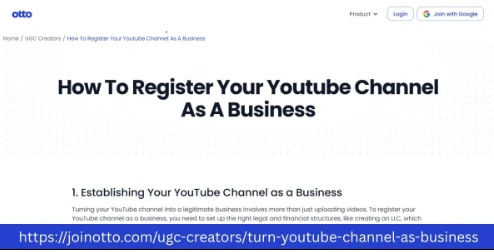
In the creator economy, user-generated content (UGC) has become a powerful vehicle for business growth. Platforms like YouTube give everyday creators the tools to turn passion into profit. But if you want to treat your UGC creator channel seriously and professionally, it’s important to understand how to register your YouTube channel as a business. Otto AI is here to walk self-employed entrepreneurs and small businesses through this process while helping you transform your YouTube presence into a legitimate and scalable venture.
Why Turn Your UGC YouTube Channel into a Business?
Many creators begin as hobbyists—posting videos, building an audience, and sometimes earning through ads or brand deals. But treating your channel as a real business opens up several advantages:
- Tax Benefits: Claim expenses like equipment, editing software, and internet bills.
- Credibility: Easier to attract brand sponsorships and negotiate professional contracts.
- Growth Opportunities: Access to business banking, funding, and formal partnerships.
- Legal Protection: Separation of personal and business liability if set up as an LLC or corporation.
That’s why understanding how to register your YouTube channel as a business is critical.
Step-by-Step: How to Register Your YouTube Channel as a Business
1. Define Your Business Model
Before registering, clearly outline how your YouTube channel generates income:
- Ads through the YouTube Partner Program
- Affiliate marketing
- Sponsorships and brand collaborations
- Selling digital products or merchandise
- Offering services like consulting or tutorials
Otto AI suggests using this as the basis for your business plan to ensure you’re aligning content with long-term monetization strategies.
2. Choose a Business Structure
There are several structures to consider:
- Sole Proprietorship: Easiest to set up, but no liability protection.
- LLC (Limited Liability Company): Offers liability protection and flexibility.
- Corporation (Inc.): Ideal for scaling but more complex to manage.
Most UGC creators opt for an LLC for simplicity and protection. Otto AI can help guide small businesses on selecting the right structure using AI-powered recommendations based on your goals.
3. Pick a Business Name
This can be your YouTube channel name or a separate brand entity. Make sure it's unique and available in your state or country’s business registry. It also helps to check domain availability in case you want a website later.
4. Register Your Business
You’ll need to register with your local, state, or federal authorities, depending on your country.
In the U.S., for example:
- Register your LLC or corporation with the Secretary of State
- Apply for an EIN (Employer Identification Number) from the IRS
- Get local business licenses if required
Otto AI’s automation tools can simplify this registration process by providing checklists, form templates, and reminders.
5. Open a Business Bank Account
Once your business is registered, open a dedicated business account. This ensures your personal and business finances are kept separate, which is crucial for legal protection and accurate bookkeeping.
6. Set Up Business Tools and Branding
Now that your YouTube channel is legally a business:
- Design a professional logo and channel art
- Create media kits and sponsorship decks
- Use invoicing and contract tools for brand deals
- Employ project management and analytics software
Otto AI provides AI-based branding support, content planning suggestions, and collaboration tools tailored to content creators.
Benefits of Registering Your YouTube Channel with Otto AI
As a small business or self-employed creator, registering your YouTube channel can seem overwhelming. Otto AI removes the guesswork with intuitive guidance and business management features:
- Smart Checklists for each business registration step
- Document Templates for contracts, invoices, NDAs, and licensing agreements
- Brand Deal Tracker to manage negotiations and deliverables
- AI Analytics to review channel growth and suggest improvements
- Collaboration Tools for editing schedules, uploads, and marketing strategies
With Otto AI, you’re not just registering a business—you’re building a sustainable brand.
UGC and YouTube: The Future of Creator-Driven Business
User-generated content is becoming a cornerstone of modern marketing. Brands rely on authentic voices, and creators are perfectly positioned to meet this demand. By treating your YouTube channel as a real business, you unlock:
- Higher-earning potential
- Greater brand opportunities
- Long-term audience loyalty
And with the rise of AI-powered solutions like Otto AI, creators can operate at a professional level without needing large teams or budgets.
Final Thoughts: Your YouTube Channel Is a Business
The creator economy is growing—and fast. Whether you're reviewing tech gadgets, teaching dance tutorials, or sharing your fitness journey, your content has value. Registering your YouTube channel as a business is more than paperwork—it's a commitment to your success and scalability.
If you’ve ever asked yourself how to register your YouTube channel as a business, Otto AI is your partner in making the transition easy, smart, and future-ready. Embrace your role not just as a creator—but as a business owner.