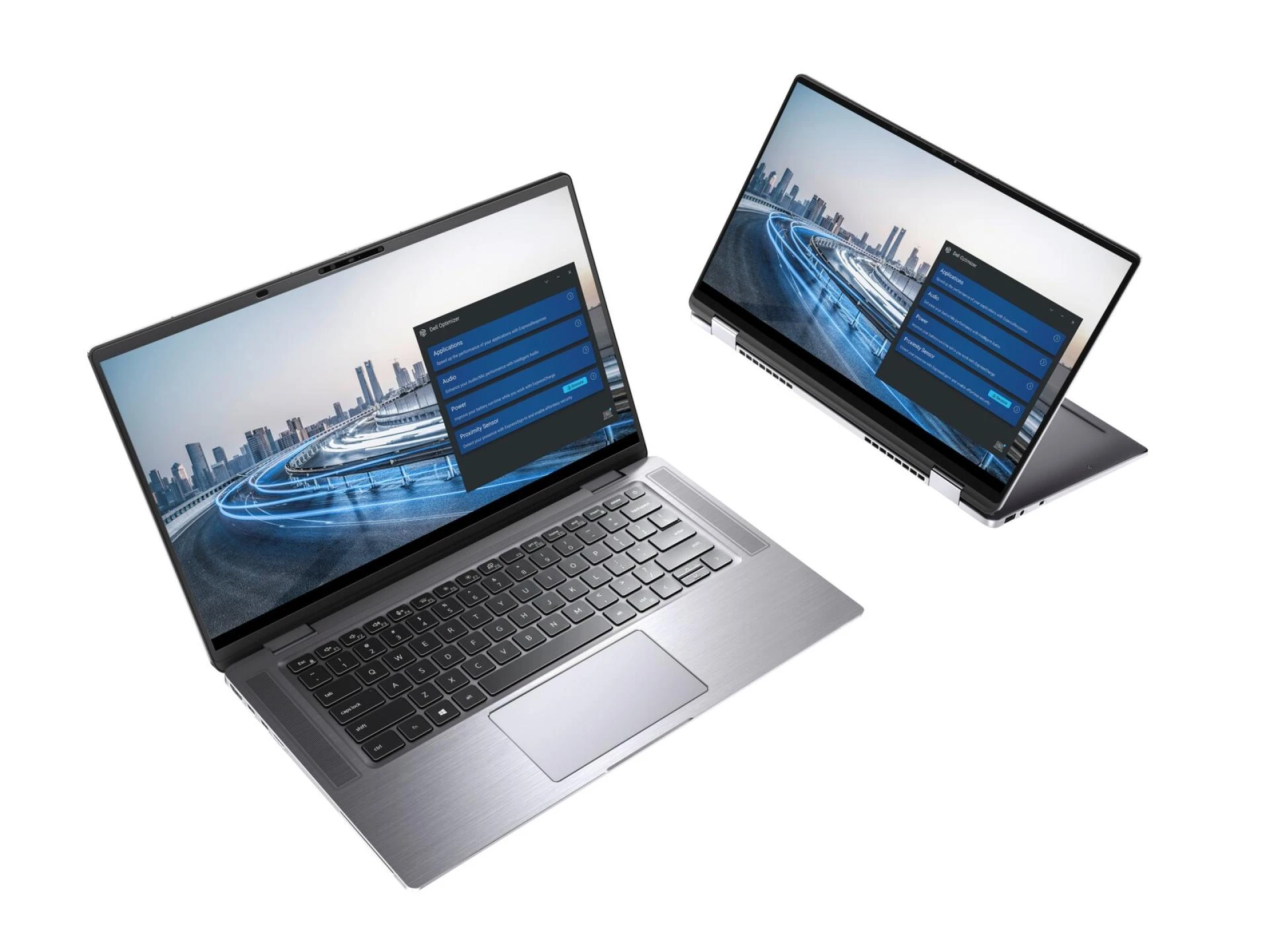
AI integration is redefining what it means for a laptop to be truly smart. With features like intelligent battery management, performance optimization and AI-powered voice assistants, modern laptops are more powerful, responsive, and user-friendly than ever before.
These advancements not only make laptops easier to use but also help users get more done in less time. As AI technology continues to evolve, we can expect even smarter laptops with better adaptability, automation, and personalization.
Whether you are working, studying, or creating content, an AI-powered laptop can enhance your overall computing experience. Investing in a smart laptop ensures smoother performance, better security, and a more convenient way to complete everyday tasks effortlessly.
So, get ready to explore AI-driven features that define a truly smart laptop and how they can benefit users in different ways.
Feature 1. Managing Battery Efficiently
One of the biggest concerns for laptop users is battery life.
AI helps manage power consumption more efficiently by analyzing usage patterns and optimizing settings. Instead of manually adjusting power settings, a smart AI integrated laptop takes care of it automatically, ensuring that your laptop lasts longer without sacrificing performance.
Some key ways AI optimizes battery life include:
- Smart Power Adjustment: AI reduces power usage when performing light tasks like browsing and increases it for intensive tasks like video editing.
- Automatic Screen Brightness Control: AI adjusts brightness based on ambient lighting to save battery.
- Predicting Battery Drain: AI analyzes usage habits and provides alerts when charging is needed.
These AI-powered adjustments help extend battery life, allowing users to work or enjoy entertainment for longer without worrying about running out of power.
Feature 2. Optimizing Performance Dynamically
AI plays a key role in improving a laptop's speed and performance. It continuously monitors the system’s workload and adjusts the processing power accordingly.

For instance, Intel's Dynamic Tuning Technology employs AI to predict workloads and adjust performance levels, balancing power consumption and performance.
- Dynamic Performance Adjustment: AI increases power when running heavy tasks like video editing or gaming and reduces it for simple tasks like browsing.
- Overheating Prevention: By managing CPU and GPU usage, AI prevents overheating and extends hardware lifespan.
- Faster Processing Speeds: AI ensures the system runs efficiently by allocating resources where they are needed the most.
This automatic adjustment helps laptops run smoothly, avoiding lag and ensuring an efficient computing experience.
Feature 3. Enhancing Security with AI
The integration of AI security protection prevents unauthorized users from accessing the device through its strong authorization system while minimizing the chances of cyber attacks.
Some AI-driven security enhancements include:
- Facial Recognition and Fingerprint Authentication: AI scans unique biometric data for secure and quick logins.
- Real-Time Threat Detection: The detection of suspicious behavior occurs beforehand through AI-powered antivirus software because it operates in real time.
- Predicting Cyber Threats: The learning ability of AI uses previous cyber attack data to detect security threats before they happen so that blocking can occur.
Artificial intelligence security systems provide users with confidence and tranquility because their data and personal information remain safe.
Feature 4. Assisting with Voice Commands
Voice assistant technology is now a key aspect of smart laptop interfaces. Users can operate their laptops through hands-free voice recognition, which derives its power from artificial Intelligence.
- Convenient Commands: The system accepts voice commands that conduct web searches, launch applications, set appointments, and write reminders.
- Personalized Assistance: The artificial intelligence platform develops personalized knowledge of individual preferences by learning user-specific requirements to provide individualized responses.
- Accessibility Benefits: Voice assistants serve people with disabilities by enabling hands-free control for accessibility needs.
The accuracy of AI will improve during use, which enhances laptop interaction and accessibility, particularly for users involved in multitasking activities.
Feature 5. Updating and Maintaining Systems Automatically
The process of maintaining updated laptops along with error-free system status takes substantial time. The process of software maintenance tasks, together with updates, becomes much easier through automated procedures provided by AI systems.
AI automatically updates all crucial system components, which optimizes their performance so users can achieve the best system results.

System issues get resolved proactively through AI technology before developing into major problems. The system uses AI to find old drivers, remove unneeded files that optimize storage, and determine upcoming hardware breakdowns.
By taking preventative measures, users can easily sustain their laptops with extended operational reliability as their main goal.
Feature 6. Assisting with Content Creation
For creative professionals, AI tools make content creation easier and more efficient. AI-powered software can enhance images, edit videos, and even generate text-based content.
A significant 83.2% of content marketers plan to utilize AI content generation tools to bolster their marketing efforts in 2024.
- Automated Editing: AI can automatically remove background noise from audio recordings and enhance video or photo quality.
- Writing Assistance: AI suggests grammar improvements, sentence restructuring and content ideas.
- Time-Saving Tools: AI speeds up repetitive tasks, allowing creators to focus on creativity rather than technical adjustments.
These intelligent features help users save time and improve their creative output, making AI an essential tool for content creators.
Feature 7. Adapting Display and Personalizing User Experience
AI technology allows systems to develop personalized preferences through habit learning followed by setting adjustments. A laptop becomes intelligent when it tailors its settings to match users' patterns while operating their device.
AI technology offers two primary functions that adapt screen illumination to the environmental light and modify color schemes to minimize eye fatigue and still make product recommendations based on past browsing activities. The accessibility features of AI systems include adaptive assistive technologies and personalized keyboard shortcuts to improve device interaction.
User behavior analytics enable AI systems to provide each laptop user with an experience that flows with perfect efficiency while targeting their personal choices.
Conclusion
Smart AI-integrated laptops outperform traditional laptops because they use user behavior analysis to automatically adapt their functions for different tasks while enhancing their performance.
AI integration provides laptops with advanced intelligence capabilities that contribute to power control, security measures, improved performance, and creative assistance.
The addition of AI capabilities provides better performance, together with smart functionality and faster operation, for users ranging from professionals to educators to simple laptop users.