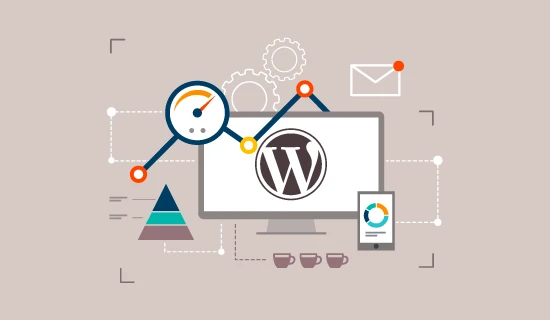
When it comes to website performance, small details can make a big difference. Many developers focus on design, plugins, or content. However, they often miss the details that affect speed and user experience. As a WordPress development agency, we know that even great websites can miss out on optimisation chances.
If your site loads slowly or works unevenly, it might not be bad design. Often, it's due to technical mistakes. Here are some common WordPress optimisation tips that developers often overlook. By addressing these, you can improve your site's performance.
1. Ignoring Database Optimisation
One of the most overlooked areas is the database. Over time, WordPress databases collect a lot of extra data. This includes post revisions, spam comments, expired transients, and temporary options. This clutter slows down queries and overall performance.
Regular database cleanups improve loading times and reduce server stress. Tools like WP-Optimise or using phpMyAdmin can help keep the database lean and efficient. A clean database is a key factor in improving performance, especially for high-traffic websites.
2. Not Leveraging Browser Caching
Another common mistake is neglecting browser caching. Caching allows repeat visitors to load your website faster by storing static files on their devices. Without proper caching rules, browsers fetch all elements from the server every time a page loads.
Adding a simple .htaccess rule or using caching plugins such as W3 Total Cache can significantly improve speed. We’re a WordPress development agency, and we often include a caching setup in our Speed Optimisation services. This helps every site run smoothly and consistently.
3. Overusing Plugins
Plugins add functionality, but too many can slow a site down. Each plugin runs extra code, often adding CSS, JavaScript, and database queries. Developers often use plugins for simple tasks that custom code can easily manage.
Review your plugins regularly. Deactivate and delete those that are unnecessary or duplicate functionality. This not only improves speed but also reduces security risks.
4. Failing to Optimise Images Properly
Large image files are one of the biggest culprits behind slow websites. Many developers upload high-resolution images without compression or proper scaling. Using tools like TinyPNG or ShortPixel can reduce file size without affecting quality.
Implementing lazy loading is another essential step. It ensures images only load when visible on the user’s screen, saving bandwidth and speeding up initial page loads.
5. Neglecting Code Minification
Every line of unnecessary space or comment in your CSS, JavaScript, or HTML adds to load time. Minifying code helps by removing these redundancies. While it seems minor, on large websites, it can make a noticeable difference.
Combining minification with file compression through Gzip or Brotli enhances results further. These steps are key to our Speed Optimisation services. They help keep the code efficient while maintaining functionality.
6. Forgetting About Hosting Quality
Even the best optimisation can’t overcome poor hosting. Cheap shared hosting can severely limit performance, especially during high-traffic periods. Developers sometimes focus only on the build, ignoring server-level factors.
Choosing a reliable hosting provider is important. Look for strong uptime, solid-state drives, and good resource allocation. Quality hosting complements every other optimisation technique and ensures long-term performance stability.
Final Thoughts
Website performance isn’t about one big fix — it’s the sum of small, smart optimisations. By fine-tuning these overlooked areas, your WordPress site can load faster, perform better, and retain more users.
Ready to boost your website’s speed? Our WordPress Speed Optimisation experts can audit, clean, and fine-tune your site to deliver lightning-fast performance.