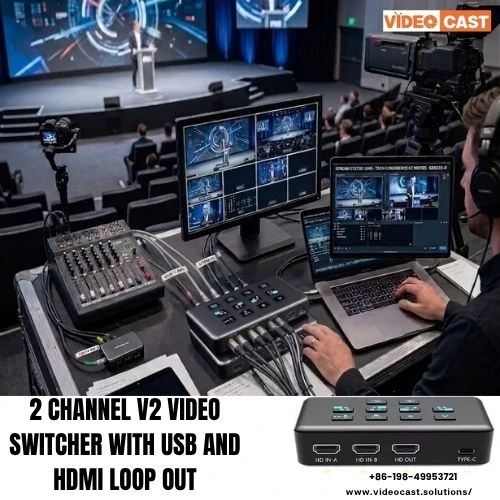
In today’s fast-paced digital environment, content creators, broadcasters, and event producers rely on seamless video production to capture and retain audience attention. At the centre of this workflow is the video switcher a powerful device that transforms multi-camera setups into polished, professional broadcasts.
What Is a Video Switcher?
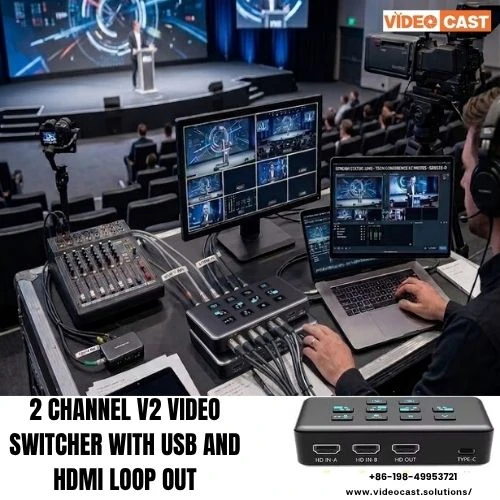
A video switcher is a production tool that allows operators to switch between multiple video sources in real time. These sources can include cameras, laptops, media players and remote feeds. Instead of presenting a static single-camera view, a switcher enables dynamic transitions, overlays and effects that significantly enhance viewer engagement.
Why Video Switchers Matter in 2026
With the rapid growth of live streaming, hybrid events, and online content platforms, production quality has become a key differentiator. An HDMI video switcher ensures smooth transitions, synchronised visuals, and consistent output essential for maintaining credibility and professionalism.
Modern switchers are no longer limited to large studios. Compact and software-based solutions now allow independent creators and small teams to achieve broadcast-level results without complex infrastructure.
Key Features That Define a High-Performance Video Switcher
A reliable video switcher should support multiple input channels, allowing users to connect various cameras and devices simultaneously. Real-time switching capability ensures that transitions between sources are smooth and lag-free.
Advanced models include built-in effects such as picture-in-picture, chroma key (green screen) and customisable transitions. Integration with streaming platforms is another critical feature, enabling direct broadcasting without additional encoding hardware.
Audio control is equally important. A good switcher allows synchronised audio mixing, ensuring that sound quality matches the visual experience.
Applications Across Industries
Video switchers are widely used in live events, webinars, online education, and corporate presentations. In broadcasting environments, they enable directors to control multiple camera angles effortlessly. For content creators, they simplify the production process while improving output quality.
In educational settings, instructors can switch between lecture views, presentations and demonstrations. In corporate settings, switchers enhance virtual meetings and product launches by delivering a more engaging visual narrative.
Choosing the Right Video Switcher
Selecting the right video switcher depends on your production needs. For small setups, a compact switcher with basic inputs and streaming support may be sufficient. Larger productions may require advanced systems with extensive connectivity, automation features and integration capabilities.
Ease of use is another critical factor. A user-friendly interface reduces the learning curve and minimizes operational errors during live production. Scalability should also be considered, especially for growing production environments.
The Future of Video Switching
As technology evolves, video switchers are becoming smarter and more automated. AI-driven features like auto-switching, scene recognition, and real-time tracking are revolutionising the management of productions. These advancements reduce manual effort while improving accuracy and efficiency.
Cloud-based switching is also gaining traction, enabling remote production teams to collaborate seamlessly from different locations. This flexibility is particularly valuable in today’s distributed work environments.
For more information, contact them:
- Email: [email protected]
- Phone: +86-198-49953721
- Website: www.videocast.solutions/
FAQ: Video Switcher
What is a video switcher used for?
A video switcher is used to manage and switch between multiple video sources during live production or recording.
Do I need a video switcher for live streaming?
Yes, a video switcher improves production quality by enabling multi-camera control, transition and overlays.
Can a video switcher handle audio as well?
Most modern video switchers include audio mixing features for synchronised sound control.
What is the difference between hardware and software video switchers?
Hardware switchers are physical devices, while software switchers run on computers and offer more flexibility.
How many inputs should a video switcher have?
It depends on your setup, but at least 3–4 inputs are recommended for basic multi-camera production.
Are video switchers suitable for beginners?
Yes, many entry-level switchers are designed with simple interfaces for easy operation.
Can I stream directly using a video switcher?
Many modern switchers support direct streaming to platforms without additional encoders.