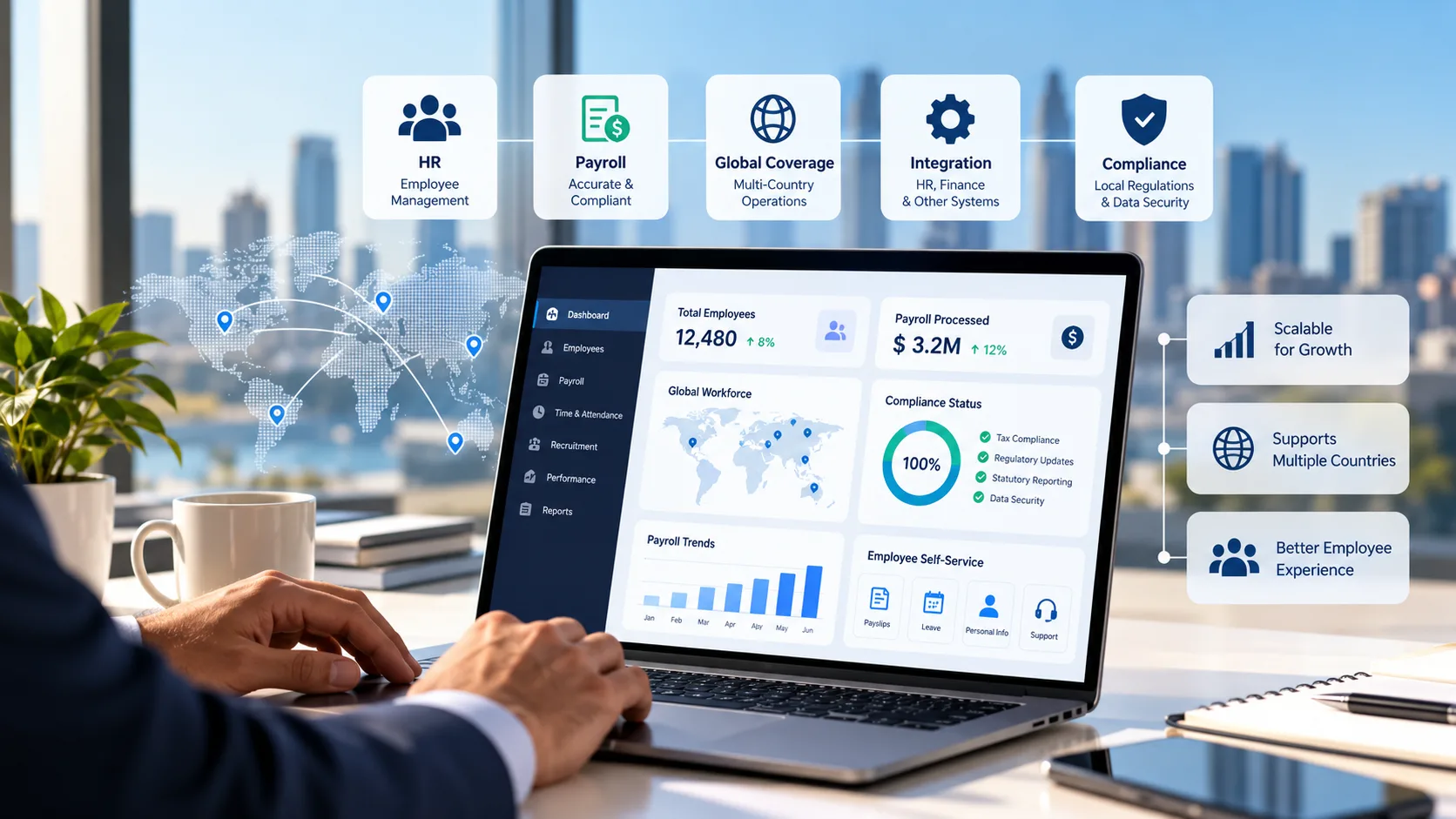
Choosing HR and payroll software can be surprisingly difficult. Most platforms promise automation, accurate payroll processing, better employee experiences and reduced administrative work. Yet the capabilities that matter most vary considerably between businesses.
A company with 80 employees operating in one country has very different requirements from an enterprise managing 15,000 employees across multiple regions. Similarly, an organisation replacing an outdated payroll system may have different priorities from one consolidating its entire HR technology environment.
This raises an important question: What is the best HR and payroll software for your business?
The answer depends on more than product features or brand recognition. It requires understanding your workforce, existing technology, compliance responsibilities and long-term operating requirements.
This guide examines the major HR and payroll software options, the differences between platforms and a practical framework for making an informed decision.
Why There Is No Single Best HR and Payroll Software
HR and payroll systems support different but closely related functions.
HR software typically manages employee records, recruitment, onboarding, performance, leave and other workforce processes.
Payroll software calculates employee earnings, deductions, taxes, statutory contributions and payments.
Some platforms combine these functions into one environment. Others specialise in particular areas and integrate with complementary applications.
A platform that performs well for one organisation may be unsuitable for another because of differences in:
- Employee numbers and workforce structure.
- Countries and jurisdictions of operation.
- Payroll frequency and complexity.
- Existing HR, finance and workforce systems.
- Regulatory and reporting requirements.
- Implementation resources and internal expertise.
- Budget and long-term technology strategy.
Rather than looking for a universally superior product, businesses should identify the solution that best matches their operational needs.
Nine HR and Payroll Software Providers Worth Evaluating
The following providers offer different combinations of HR, payroll and workforce management capabilities.
They are listed alphabetically and are not presented as a performance ranking.
1. ADP
ADP provides payroll and human capital management solutions for businesses ranging from smaller organisations to multinational enterprises.
Its offerings include payroll administration, workforce management and HR-related services.
Consider ADP when: Evaluating payroll solutions with a broad range of workforce management and service options.
What to verify: Product availability by country, integration capabilities, implementation arrangements and the specific features included in the proposed package.
2. Dayforce
Dayforce provides integrated human capital management technology covering HR, payroll, workforce management and related functions.
Its approach is relevant to organisations seeking closer coordination between employee information, scheduling, time tracking and payroll.
Consider Dayforce when: Evaluating an integrated workforce management and payroll environment.
What to verify: Country-specific payroll functionality, configuration requirements, deployment complexity and reporting capabilities.
3. Deel
Deel offers international workforce services, including global payroll and employer-of-record arrangements.
Its services are relevant to organisations managing employees across different countries or expanding into new markets.
Consider Deel when: International hiring, global payroll coordination and employment services are major requirements.
What to verify: Country coverage, legal employment arrangements, service responsibilities and total costs.
4. Employment Hero
Employment Hero provides HR, payroll and employment management technology, with offerings relevant to Australian businesses and other supported markets.
Its capabilities can be useful for organisations seeking connected employee administration and payroll workflows.
Consider Employment Hero when: Evaluating HR and payroll administration for domestic or growing businesses.
What to verify: Local payroll functionality, business-size suitability, integrations and availability of required features.
5. Papaya Global
Papaya Global provides global payroll and workforce payment technology.
Its offerings focus on coordinating international payroll operations, payments and workforce-related processes.
Consider Papaya Global when: Global payroll coordination and international workforce payments are important priorities.
What to verify: Payroll delivery arrangements, country coverage, integration requirements and payment processes.
6. Ramco Payce
Ramco Payce is an enterprise-oriented global payroll platform designed to support payroll operations across multiple countries.
Its positioning is relevant to organisations managing complex payroll requirements, enterprise integrations and international workforce operations.
Consider Ramco Payce when: Evaluating enterprise payroll technology for multi-country operations.
What to verify: Country-specific processing capabilities, HR integration requirements, implementation arrangements and local service support.
7. Rippling
Rippling combines HR, payroll and IT-related workforce administration capabilities.
Its platform approach connects employee information with workflows across different business functions.
Consider Rippling when: Integrated employee administration and workflow automation are key requirements.
What to verify: Payroll country availability, local compliance support, integration scope and pricing.
8. SAP SuccessFactors
SAP SuccessFactors provides enterprise human capital management technology, including employee administration, talent management and payroll-related solutions.
Its ecosystem is relevant to organisations with complex HR processes and established enterprise technology environments.
Consider SAP SuccessFactors when: Evaluating enterprise HR architecture and integrated payroll capabilities.
What to verify: Payroll deployment options, country coverage, implementation requirements and compatibility with existing systems.
9. Workday
Workday provides enterprise HR and workforce management technology, with payroll capabilities and global payroll integration arrangements.
Its offerings are relevant to organisations seeking connected HR information, workforce reporting and enterprise processes.
Consider Workday when: Enterprise HR management and workforce data integration are central priorities.
What to verify: Native payroll country coverage, partner arrangements, integration requirements and implementation complexity.
How to Choose the Best HR and Payroll Software for Your Business
The most effective evaluation process begins with business requirements rather than vendor demonstrations.
Step 1: Understand Your Workforce Complexity
Document your current employee population, employment types, legal entities, payroll calendars and geographic locations.
Consider how these requirements may change over the next three to five years.
For example, a company operating exclusively in Australia may prioritise local payroll compliance and straightforward employee administration.
An enterprise operating across APAC, Europe and North America may require multi-country payroll coordination, consolidated reporting and complex integrations.
Step 2: Identify Your Existing Technology Dependencies
Review the applications currently used for HR, payroll, finance, time tracking and workforce management.
Determine which systems should remain in place and which may be replaced.
A payroll solution should fit the organisation's broader technology architecture rather than introducing unnecessary duplication.
Step 3: Evaluate Compliance Requirements
Payroll software must support the relevant legal and regulatory requirements of the countries in which employees are paid.
For Australian employers, this may include PAYG withholding, superannuation, Single Touch Payroll reporting and applicable employment entitlements.
Multinational businesses must also consider local requirements across their other operating jurisdictions.
Ask vendors to demonstrate relevant compliance workflows rather than relying only on general product descriptions.
Step 4: Test Real Payroll Scenarios
A standard product demonstration may not reveal how software handles complex operational situations.
Businesses should request demonstrations involving realistic scenarios such as:
- Retroactive salary adjustments.
- Employee transfers between business entities.
- Overtime and variable pay.
- Leave-related payroll calculations.
- Employee terminations and final payments.
- Cross-border workforce changes.
- Payroll corrections and exception handling.
Testing these scenarios provides a more useful indication of operational suitability than comparing feature lists alone.
Step 5: Compare Implementation Requirements
Implementation complexity can vary significantly between providers.
Important considerations include data migration, system integration, configuration, testing, parallel payroll processing, training and post-launch support.
Organisations should assess whether internal teams have sufficient resources to manage the implementation.
Step 6: Calculate Total Cost of Ownership
Software subscription fees are only one part of the investment.
The total cost may also include:
- Initial implementation and configuration.
- Data migration.
- System integrations.
- Additional modules.
- Country onboarding.
- Employee-based or transaction-based charges.
- Support and maintenance.
- Internal administration and training.
A lower initial subscription price does not necessarily translate into lower long-term operating costs.
Integrated HR and Payroll Software vs Specialist Platforms
Businesses often face a choice between adopting an integrated HR and payroll suite or connecting separate specialist applications.
An integrated platform may simplify certain data flows and reduce the number of vendors involved.
Separate systems may offer greater flexibility to select specialised capabilities that better suit individual business functions.
Evaluation AreaIntegrated HR and Payroll SuiteSeparate Specialist SystemsEmployee informationMay be managed within one platformRequires reliable data integrationVendor managementOften fewer primary vendorsMultiple vendors may be involvedSpecialised functionalityDepends on suite capabilitiesGreater choice of specialist applicationsReportingMay offer more unified reportingMay require data consolidationImplementationPotentially broader organisational changeGreater integration and coordination requirementsFlexibilityDepends on platform architectureIndividual applications may be replaced separatelyGovernancePotentially centralised controlsResponsibilities must be coordinated across systemsNeither model is universally better. The right approach depends on existing technology investments, workforce requirements and organisational priorities.
Five Common HR and Payroll Software Selection Mistakes
1. Choosing Based on Brand Recognition Alone
Well-known providers may offer extensive capabilities, but brand recognition does not guarantee suitability for every organisation.
Vendor selection should be based on demonstrated functionality and operational fit.
2. Overlooking Country-Specific Payroll Requirements
A platform may offer global HR functionality without native payroll processing in every country.
Organisations should verify the precise delivery model for each required market.
3. Underestimating Integration Complexity
Connecting HR, payroll and finance systems requires careful planning.
Poorly designed integrations can create data inconsistencies, reporting problems and additional administrative work.
4. Ignoring Employee Experience
Payroll accuracy is essential, but employee accessibility also matters.
Self-service, payslip availability, leave information and payroll support can influence employee satisfaction.
5. Focusing Only on Subscription Pricing
Implementation costs, support requirements, integrations and future expansion can significantly affect total expenditure.
A complete financial evaluation should consider both direct and indirect costs.
A Practical HR and Payroll Software Evaluation Scorecard
A weighted scorecard can help organisations compare shortlisted providers against consistent criteria.
Evaluation CriterionIllustrative WeightingPayroll accuracy and compliance25%HR functionality and employee management20%Integration capabilities20%Reporting and analytics10%Security and governance10%Implementation and support10%Total cost of ownership5%Total100%These weightings are illustrative and should be adjusted according to business priorities.
A multinational organisation may assign more weight to country coverage and international payroll operations, while a smaller domestic business may prioritise local compliance, usability and cost.
Frequently Asked Questions
What is the best HR and payroll software in 2027?
There is no universal best solution. Organisations should evaluate providers based on workforce complexity, compliance requirements, HR functionality, integration needs and total cost of ownership.
Which HR and payroll software is best for large enterprises?
Large enterprises commonly evaluate providers such as ADP, Dayforce, Ramco, SAP SuccessFactors and Workday, alongside other platforms depending on geographic coverage and business requirements.
What is the difference between payroll software and HR software?
Payroll software calculates and processes employee payments and related obligations. HR software manages employee information and workforce processes. Some platforms combine both functions.
Is cloud-based HR and payroll software better than on-premises software?
Cloud platforms can offer managed updates and flexible access, while on-premises environments may suit particular operational or architectural requirements. Suitability depends on security, governance, integration and organisational needs.
Can one platform manage HR and payroll across multiple countries?
Some platforms provide multi-country capabilities, but coverage and delivery models vary. Organisations should verify whether payroll is processed natively or through local partners.
How much does HR and payroll software cost?
Pricing depends on employee numbers, countries, modules, implementation requirements, support arrangements and service delivery models. Organisations should compare total cost rather than subscription fees alone.
How long does HR and payroll software implementation take?
Implementation timelines vary according to workforce size, system complexity, integrations, data migration and the number of countries involved. Enterprises should request a detailed implementation plan from shortlisted providers.
Final Thoughts
The best HR and payroll software is the solution that supports an organisation's current requirements while providing sufficient flexibility for future growth.
Businesses should begin by understanding their workforce, compliance responsibilities and technology environment. They can then compare providers through structured evaluations, realistic demonstrations and total cost assessments.
Rather than selecting software based on popularity or feature counts, organisations should focus on operational suitability, implementation readiness and long-term value.
A disciplined selection process helps HR, finance and IT leaders make more informed decisions and build a stronger foundation for workforce management.