What Is a Network Switch Enclosure and How Does It Work?
Modern businesses depend on stable network connections to manage communication, share information, and operate different digital systems. Network switches play an important role in connecting computers, servers, printers, security cameras, and other devices within a network. However, these devices need proper storage and protection to maintain an organized IT environment. This is where a network switch enclosure becomes useful.
A network switch enclosure provides a dedicated space for installing and protecting network switches. It helps keep networking equipment organized, reduces cable clutter, and provides a suitable environment for electronic devices. Businesses use these enclosures in offices, data centers, industrial facilities, schools, and other locations where network equipment needs to be managed.
Understanding how a network switch enclosure works and what features it offers can help businesses select the right solution for their networking requirements.
What Is a Network Switch Enclosure?
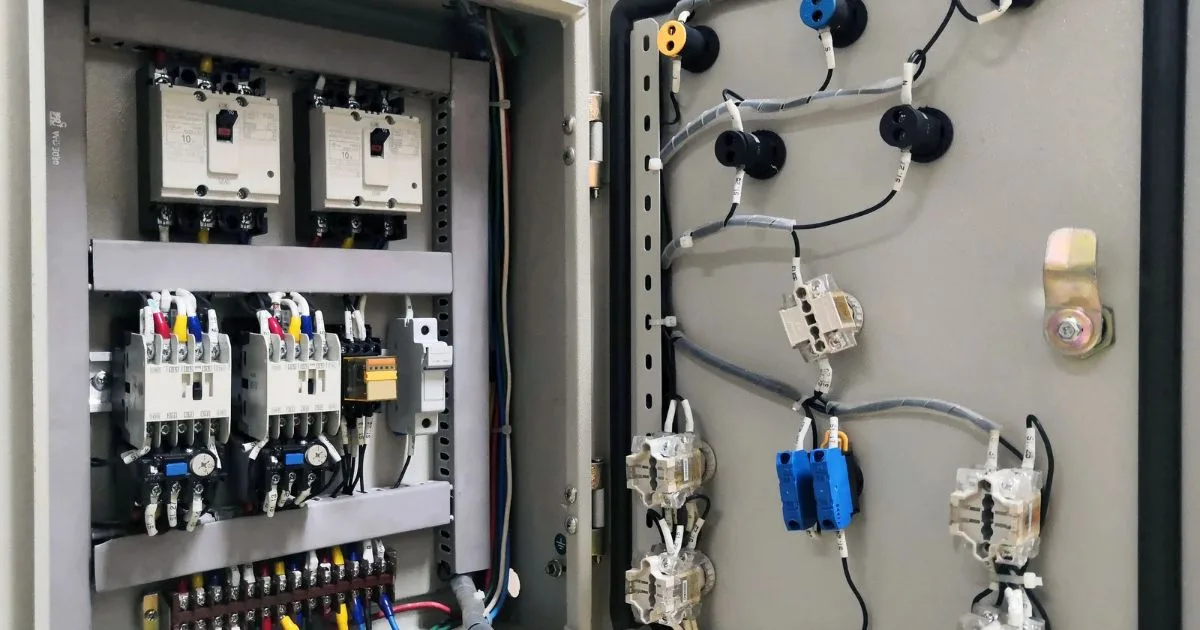
A network switch enclosure is a protective cabinet or housing designed to hold network switches and related equipment. It provides a structured location for installing networking devices while helping protect them from dust, accidental contact, and other environmental factors.
Network switches connect multiple devices and allow them to communicate over a local area network (LAN). Since these devices often operate continuously, they need a suitable installation area with proper ventilation and organized cable connections.
A network switch enclosure may be wall-mounted, rack-mounted, or designed for specific industrial applications. Depending on its size and construction, it can accommodate network switches, patch panels, routers, and other compatible accessories.
These enclosures are available in different materials, dimensions, and designs to meet the requirements of different IT environments.
How Does a Network Switch Enclosure Work?
A network switch enclosure works by providing a dedicated housing for networking equipment. It keeps the devices securely positioned while allowing cables, power connections, and network ports to remain accessible.
The working process involves several important elements:
1. Equipment Installation
The first step is installing the network switch inside the enclosure. Depending on the enclosure design, the switch may be mounted using rack rails, brackets, shelves, or other suitable mounting hardware.
The equipment should fit properly without restricting ventilation or access to its ports.
2. Network Cable Connections
Once the switch is installed, network cables are connected to its available ports. These cables link computers, servers, printers, wireless access points, and other network devices.
Many enclosures include cable entry points that help route connections into and out of the cabinet. This keeps the installation organized and reduces loose cables.
3. Power Connection
Network switches require a suitable power source to operate. The enclosure provides space for managing power connections and, depending on its design, may support compatible power distribution accessories.
Proper cable arrangement helps prevent tangled connections and makes power management easier.
4. Equipment Protection
The enclosure creates a physical barrier around the installed network switch. Depending on its construction, it can help reduce exposure to dust, accidental contact, and unauthorized physical access.
Some models also include lockable doors, protective panels, and environmental sealing features.
5. Airflow and Heat Management
Network switches produce heat during normal operation. A properly designed enclosure allows air to circulate around the equipment.
Ventilation openings, perforated panels, and optional cooling fans may help maintain suitable operating temperatures. The required cooling arrangement depends on the equipment specifications and installation environment.
Important Features of a Network Switch Enclosure
Different network switch enclosures offer different features. Businesses should understand these features before selecting a suitable model.
1. Durable Construction
The construction material affects the strength and durability of an enclosure. Steel and aluminum are common choices for networking cabinets.
Steel models generally provide strong physical protection, while aluminum options may offer a lighter design. The right material depends on installation requirements and the surrounding environment.
2. Proper Ventilation
Ventilation helps prevent excessive heat buildup inside the enclosure. Some models include perforated doors, ventilation openings, or fan mounting options.
Businesses should consider the heat output of their network switches before choosing an enclosure.
3. Secure Locking System
Security is important when network equipment is installed in shared or publicly accessible areas. Lockable doors and access panels help prevent unauthorized physical access.
These features are useful in offices, schools, retail stores, and commercial buildings.
4. Cable Management
A good enclosure should provide enough space and suitable openings for organizing network and power cables.
Cable management features help technicians identify connections, perform maintenance, and make future changes without disturbing the entire installation.
5. Flexible Mounting Options
Network switch enclosures come in different mounting designs:
- Wall-mounted: Suitable for smaller offices and limited spaces.
- Rack-mounted: Designed for compatible standard rack installations.
- Floor-standing: Useful for larger networking setups with multiple devices.
- Industrial enclosures: Designed for installations that require additional environmental protection.
Selecting the right mounting style depends on available space and equipment requirements.
Different Types of Network Switch Enclosures
Network switch enclosures are available in several designs to support different installation environments.
Wall-Mounted Network Switch Enclosures
Wall-mounted enclosures are designed to be installed on suitable walls. They are useful for small offices, retail stores, and communication rooms where floor space is limited.
Their compact design allows businesses to organize network switches without using large floor-standing cabinets.
Rack-Mounted Network Switch Enclosures
Rack-mounted enclosures are designed to hold compatible rack-mounted networking equipment. They are commonly used in server rooms, data centers, and business IT departments.
They provide a structured arrangement for network switches, patch panels, and other rack-compatible devices.
Outdoor Network Switch Enclosures
Outdoor enclosures are designed for networking equipment installed outside buildings. Depending on their specifications, they may provide protection against rain, dust, and other environmental conditions.
They are commonly used for security camera networks, outdoor wireless systems, and industrial communication installations.
Industrial Network Switch Enclosures
Industrial enclosures are designed for demanding working environments. They may offer stronger construction and additional protection against dust, moisture, vibration, and other site-specific conditions.
They are suitable for manufacturing facilities, warehouses, and industrial networking applications.
Benefits of Using a Network Switch Enclosure
Installing networking equipment inside a suitable enclosure offers several advantages for businesses.
Better Equipment Organization
A network switch enclosure keeps networking devices in one dedicated location. It helps prevent equipment from being scattered across desks, shelves, or floors.
This organized arrangement makes it easier for IT teams to identify devices and manage connections.
Protection from Physical Damage
Network switches contain sensitive electronic components. A suitable enclosure helps protect them from accidental contact, falling objects, and other physical risks.
The level of protection depends on the enclosure's design and construction.
Improved Cable Management
Multiple network connections can create cable clutter. An enclosure with proper cable routing options helps keep connections neat and accessible.
This makes troubleshooting and routine maintenance more convenient.
Better Space Management
Wall-mounted and compact rack-mounted designs help businesses use available space more effectively. They are particularly useful in small offices and communication rooms.
Easier Maintenance
When networking equipment is arranged inside a dedicated enclosure, technicians can access devices and connections more easily. This helps simplify inspections, cable replacement, and equipment upgrades.
Where Are Network Switch Enclosures Used?
Network switch enclosures are used in different industries and commercial environments.
| Industry | Common Applications |
| Offices | Connecting computers, printers, and communication systems |
| Data Centers | Organizing switches and network accessories |
| Schools | Supporting computer labs and classroom networks |
| Retail Stores | Managing payment systems and security cameras |
| Manufacturing | Supporting industrial communication networks |
| Healthcare Facilities | Organizing network connections for IT systems |
| Warehouses | Supporting wireless networks and connected devices |
Each environment has different requirements, so businesses should select an enclosure based on equipment size, installation location, and environmental conditions.
How to Choose the Right Network Switch Enclosure
Selecting the right enclosure requires understanding the needs of the networking setup.
Check Equipment Size: Measure the network switch and any additional devices that need to be installed. Make sure the enclosure provides sufficient internal space.
Consider Weight Capacity: Check the maximum load supported by the enclosure and its mounting system.
Review Ventilation: Choose a design that provides adequate airflow for the installed equipment.
Evaluate Security: Consider lockable doors and secure access panels if the equipment is installed in shared areas.
Check Cable Management: Look for suitable cable entry points and routing options to maintain an organized installation.
Understand Environmental Requirements: For outdoor or industrial installations, check the enclosure's IP rating and other relevant protection specifications.
Plan for Future Needs: Consider additional space for compatible equipment that may be added later.
Conclusion
A network switch enclosure plays an important role in organizing and protecting networking equipment. It provides a dedicated space for installing network switches, managing cable connections, and maintaining suitable equipment conditions. From small office networks to industrial communication systems, these enclosures support different IT installation requirements.
Rackfinity offers IT equipment and technical furniture, including rack enclosures and networking accessories, to support business infrastructure needs. By considering factors such as size, ventilation, material quality, security, and mounting options, businesses can select a suitable network switch enclosure for their setup. The right enclosure helps create a more organized workspace and makes network equipment management easier.
Frequently Asked Questions
1. What is the main purpose of a network switch enclosure?
A network switch enclosure provides a dedicated space to install and protect network switches. It also helps organize cables and maintain a structured networking environment.
2. Does a network switch enclosure prevent overheating?
A properly ventilated enclosure helps manage heat by allowing air to circulate around the equipment. However, cooling requirements depend on the switch and enclosure specifications.
3. Can a network switch enclosure be installed outdoors?
Yes. Outdoor-rated enclosures are available for external installations. Businesses should check the IP rating and environmental specifications before selecting one.
4. What equipment can be installed in a network switch enclosure?
Depending on its size and design, an enclosure can hold network switches, patch panels, routers, power accessories, and other compatible networking devices.
5. Are wall-mounted network switch enclosures suitable for small businesses?
Yes. Wall-mounted models are useful for small businesses because they help organize networking equipment while saving valuable floor space.