
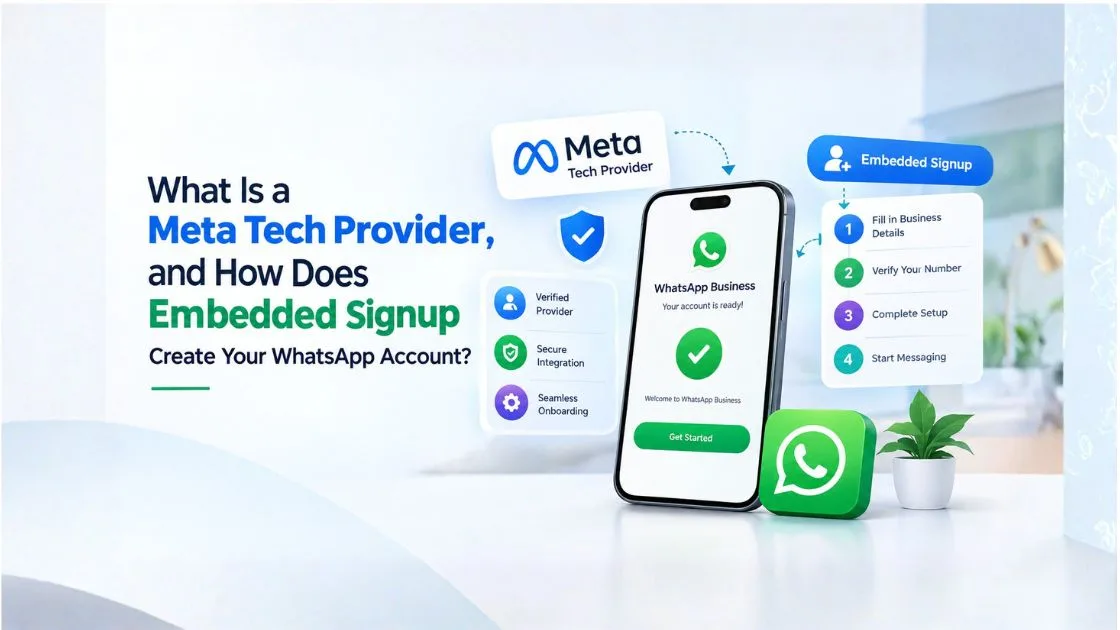
Summary - A Meta Tech Provider helps businesses integrate with Meta's WhatsApp Business Platform and connect messaging with CRM systems, AI chatbots, and customer communication tools. WhatsApp Embedded Signup simplifies onboarding by allowing businesses to authorise access to their Meta business assets through a provider's platform. If you are searching for a meta verified whatsapp api provider in India, it is important to understand how provider credentials, WhatsApp account setup, and Meta verification differ before choosing a solution.
What Is a Meta Tech Provider?
A Meta Tech Provider is a technology company that builds software or integrations using Meta's business tools and APIs. In the WhatsApp ecosystem, technology providers can help businesses connect the WhatsApp Business Platform with applications such as CRM software, customer support systems, marketing automation platforms, and AI chatbots.
For example, an education company in Pune might receive hundreds of admission enquiries each week. A WhatsApp integration can help the company acknowledge enquiries, share course details, send application reminders, and transfer qualified leads to admission counsellors.
The technology provider helps connect these communication workflows to the business's existing systems. Depending on its offering, it may also provide onboarding assistance, reporting, automation features, and technical support.
However, being a technology provider does not automatically mean a company has every Meta partner designation or verification credential. Businesses evaluating a meta verified whatsapp api provider should independently check the company's current status and understand exactly what its verification claims mean.
What Is WhatsApp Embedded Signup?
WhatsApp Embedded Signup is an onboarding flow that enables businesses to connect their WhatsApp Business Platform assets to an eligible third-party platform through a Meta-authorised process.
Instead of manually configuring every integration step, businesses can follow a guided signup experience to select or create the required business assets, add a phone number where applicable, and grant the necessary permissions.
For example, a Mumbai-based e-commerce company may want to connect WhatsApp messaging to its order management system. Through an eligible Embedded Signup integration, the company can authorise the required account access and proceed with the provider's technical configuration.
Embedded Signup simplifies onboarding, but it does not automatically guarantee business verification, display name approval, or successful activation of every messaging feature.
How Does Embedded Signup Create Your WhatsApp Business Account?
The exact process depends on the provider's implementation and the business's existing Meta assets. A typical onboarding flow includes the following steps.
Step 1: Start Signup From the Provider's Platform
The business opens the WhatsApp onboarding option within the selected technology platform. This begins the process of connecting its business assets to the integration.
Step 2: Log In to Your Facebook Account
The user authenticates through the available Meta login experience. Businesses should ensure that the person completing signup has the appropriate permissions to manage the relevant assets.
Step 3: Select or Create a Meta Business Portfolio
Depending on eligibility and the options presented, the business can select an existing portfolio or create one. Using the correct business portfolio helps keep account ownership and access management organised.
Step 4: Create or Select a WhatsApp Business Account (WABA)
The user selects an existing WhatsApp Business Account or creates a new one if the onboarding flow permits it. A WABA is the business account used to manage WhatsApp Business Platform assets.
Step 5: Add and Verify Your Business Phone Number
The business follows the available verification process for its phone number. Existing-number eligibility, number migration, and WhatsApp Business App coexistence depend on the account and supported onboarding path.
Step 6: Grant the Required Permissions
The business authorises the permissions needed for the provider's integration. Users should review these permissions carefully and grant only the access required for the intended service.
Step 7: Complete Setup and Connect to the WhatsApp Business Platform
The provider completes the relevant technical configuration, which may include API access, phone-number registration, webhook setup, and messaging tests.
Creating a WABA and activating a phone number for API messaging are related but distinct steps. Businesses should confirm that the configuration is complete before using the integration for customer communication.
What Is the Difference Between a Meta Tech Provider and a WhatsApp BSP?
A Meta Tech Provider and a WhatsApp Business Solution Provider (BSP) should not automatically be treated as interchangeable terms.
A technology provider may develop software that connects to Meta's APIs. A company offering WhatsApp Business Platform services may also provide onboarding, messaging interfaces, automation, and customer support. The exact role depends on its relationship with Meta and its commercial offering.
Meta Tech Provider vs. Business Solution Provider
The distinction concerns the company's technical role, partner status, and services. Check current Meta documentation and the provider's credentials rather than relying on the label used in an advertisement.
Meta Tech Provider vs. WhatsApp API Reseller
An API reseller generally sells access to a platform or messaging service supplied through another organisation or integration. The reseller's role does not automatically establish official Meta partner status.
Who Owns the WhatsApp Business Account After Signup?
Account ownership and access depend on the business assets selected during onboarding and the applicable arrangements. Businesses should confirm that they retain appropriate administrative control and understand how access can be managed if they change providers.
Who Manages API Access, Messaging, and Customer Support?
Responsibilities vary by provider. Meta supplies the underlying platform, while the technology company may manage software, integration, onboarding assistance, and support. Confirm who handles technical faults, account configuration, billing, and escalations before signing up.
What Are the Requirements for WhatsApp Embedded Signup?
Before beginning onboarding, businesses should review the following requirements:
- Meta Business Portfolio: Access to an appropriate business portfolio, or the ability to create one through the available flow.
- Business information: Accurate details about the company and its intended use of WhatsApp.
- WhatsApp Business Account: An existing WABA or eligibility to create one.
- Business phone number: A number that meets the applicable verification and registration requirements.
- Permissions: A user account with sufficient authority to select and manage the relevant assets.
- Provider configuration: A properly configured integration that supports the required onboarding process.
Business verification and WhatsApp display name approval may also be required or beneficial depending on the account, use case, and applicable Meta rules.
Businesses should not assume that completing Embedded Signup automatically satisfies every verification requirement. Check the current requirements before planning a launch date.
How Does Embedded Signup Work Behind the Scenes?
Embedded Signup is the user-facing part of a wider technical integration. After authorisation, the provider must handle the relevant account details, permissions, and API configuration securely.
Meta Login and Business Authorization
The signup flow allows the business to authenticate and authorise access to the required assets. The provider must follow Meta's applicable permission and integration requirements.
WhatsApp Business Account and Phone Number IDs
The integration uses identifiers associated with the selected WhatsApp Business Account and phone number to work with the appropriate messaging assets.
Access Tokens and Permission Management
API access relies on appropriate authorisation. Providers should securely handle access credentials, limit permissions where possible, and avoid exposing tokens in browser code, logs, or unsecured systems.
Connecting Webhooks and Messaging APIs
Webhooks can deliver events such as incoming messages and message-status updates to the provider's application. The integration can then connect these events to CRM workflows, support dashboards, and automation tools.
Registering the Phone Number for API Messaging
Depending on the onboarding flow, additional configuration or registration may be needed before the number can send and receive messages through the API. Businesses should test the complete messaging workflow before going live.
What Happens After WhatsApp Embedded Signup Is Completed?
Once the account and integration are configured, businesses can begin setting up their communication workflows. Following a step-by-step WhatsApp API integration process can help businesses configure the API, connect CRM systems, test message delivery, and prepare workflows before going live.
Common next steps include:
- Testing incoming and outgoing messages.
- Configuring approved message templates for applicable business-initiated conversations.
- Connecting webhooks and delivery-status reporting.
- Integrating the platform with CRM or helpdesk software.
- Setting up AI chatbots for common questions and lead qualification.
- Establishing human-agent handover for enquiries that require personal assistance.
For example, a real estate agency can use WhatsApp to acknowledge property enquiries automatically, ask prospective buyers about their preferred location and budget, and route suitable leads to a sales representative.
Businesses should also review consent practices, message-template requirements, data access, and applicable WhatsApp policies before launching campaigns.
What Are the Benefits of Embedded Signup for Businesses?
Embedded Signup can make onboarding more straightforward by bringing important account-selection and authorisation steps into a guided experience.
Faster WhatsApp Business API Onboarding
A guided process can reduce manual setup steps and help businesses connect their assets more efficiently.
Fewer Manual Setup Steps
Businesses can complete supported onboarding actions within the provider's platform rather than coordinating every step independently.
Secure Authorization and Permission Control
Meta's authorisation flow helps users grant the required permissions. Security still depends on how the provider implements access management and protects credentials.
Easier CRM and AI Chatbot Integration
After successful configuration, WhatsApp messaging can connect with customer records, automated responses, lead qualification, and support workflows.
A More Consistent Onboarding Experience for Multiple Customers
Technology companies serving multiple businesses can use supported onboarding flows to standardise the process while accommodating each customer's account requirements.
These benefits depend on the provider's implementation and the business's eligibility. Embedded Signup does not guarantee instant approval or uninterrupted messaging.
Common WhatsApp Embedded Signup Problems and How to Fix Them
The WhatsApp Business Account Does Not Appear
Check whether the correct Meta account is being used and whether the user has sufficient permissions to access the business assets.
Phone Number Verification Fails
Confirm the number is entered correctly and can receive the verification method offered. Check for existing account connections or other eligibility restrictions.
The Phone Number Is Already Connected to WhatsApp
Review the number's current use and the available migration or coexistence options. Do not remove an existing account without understanding the consequences.
Meta Business Permissions Are Missing
Ask an authorised business administrator to review the relevant access settings and repeat the onboarding process if necessary.
Embedded Signup Completes but API Messaging Does Not Work
Check phone-number registration, API permissions, credentials, webhook configuration, and messaging setup. Review any error responses before retrying.
Business Verification or Display Name Approval Is Pending
Review the status in the relevant Meta business tools and correct any requested information. Approval timelines can vary, so avoid promising a fixed activation time.
Is WhatsApp Embedded Signup Different From WhatsApp Business App Signup?
Yes. The WhatsApp Business App is designed for businesses managing conversations through an app interface, while the WhatsApp Business Platform supports integrations and programmatic messaging.
Embedded Signup is an onboarding flow for connecting business assets to a supported platform integration. It is not simply another name for creating a WhatsApp Business App account.
FeatureWhatsApp Business AppWhatsApp Business PlatformMain useManaging conversations through an appBusiness messaging and integrationsCRM integrationDepends on available toolsSupported through suitable integrationsAPI-based automationNot its primary functionSupportedAI chatbot integrationDepends on third-party optionsPossible through compatible platformsOnboardingApp setupMay use Embedded Signup or another supported processThe best option depends on conversation volume, automation needs, team workflows, and technical requirements.
Can You Use an Existing WhatsApp Business Account With Embedded Signup?
In many cases, businesses can connect existing eligible business assets, but the available options depend on the onboarding flow.
Connecting an Existing WhatsApp Business Account
Select the appropriate existing account when it appears in the signup process and the business has the required permissions.
Using an Existing Business Phone Number
Check the number's eligibility and current registration before proceeding. Existing use can affect the steps required.
WhatsApp Business App Coexistence and Eligibility
Some supported onboarding paths may allow the WhatsApp Business App and Platform to be used together. Availability depends on eligibility, provider support, and the applicable Meta process.
Migrating From Another WhatsApp API Provider
Confirm account ownership, number eligibility, migration requirements, and the handling of existing integrations before making changes. Plan the transition to minimise disruption to customer communication.
How Should You Choose a Meta Tech Provider for WhatsApp API Integration?
Businesses should evaluate a provider based on its technical capabilities, transparency, and ability to support their communication requirements.
Check Embedded Signup and Onboarding Capabilities
Ask whether the provider supports the appropriate onboarding flow and can help resolve account configuration issues.
Evaluate CRM and AI Chatbot Integration
Confirm compatibility with your CRM, customer support tools, lead management systems, and chatbot workflows.
Review Messaging Features, Analytics, and Automation
Look for relevant messaging tools, template management, delivery reports, automation features, and human-agent handover.
Understand Pricing, Support, and Account Ownership
Request a clear breakdown of subscription fees, messaging charges, integration costs, support responsibilities, and administrative access.
Verify Security, Permissions, and Data Handling
Ask how credentials are protected, permissions are managed, and customer information is handled.
For businesses comparing available options, this guide to top WhatsApp API providers in India can provide an additional starting point. Verify each provider's current credentials and capabilities before making a decision.
Ready to Improve Your WhatsApp Business Communication?
If your business plans to automate customer support, manage leads, connect WhatsApp with CRM software, or introduce AI chatbot workflows, begin by identifying the processes you want to improve.
Compare eligible providers, review their credentials, request a product demonstration, and confirm the onboarding and integration requirements before committing. A well-planned WhatsApp Business Platform setup can help businesses across India manage customer conversations more efficiently while maintaining appropriate control over their accounts and data.
Frequently Asked Questions About Meta Tech Providers and Embedded Signup
What Is a Meta Tech Provider for WhatsApp Business API?
A Meta Tech Provider is a technology company that helps businesses integrate the WhatsApp Business Platform with tools such as CRM software, customer support systems, and AI chatbots. Its services may include onboarding, automation, API integration, and technical support. However, businesses should verify the provider's current Meta credentials instead of assuming that every technology provider has the same official status.
How Does WhatsApp Embedded Signup Work?
WhatsApp Embedded Signup is a guided onboarding process that allows businesses to connect their Meta business assets to an eligible third-party platform. Users can log in, select or create the required business assets, configure a WhatsApp Business Account, verify an eligible phone number, and grant the necessary permissions. Additional API configuration and testing may be required before messaging becomes operational.
Can I Use My Existing WhatsApp Business Account and Phone Number With Embedded Signup?
Yes, businesses can often connect an existing eligible WhatsApp Business Account or phone number, depending on the onboarding flow and account configuration. However, existing number registration, migration requirements, user permissions, and WhatsApp Business App coexistence eligibility can affect the process. Check these requirements with your provider before making changes to an active account.
Does WhatsApp Embedded Signup Automatically Verify My Business or Approve My Display Name?
No. Completing WhatsApp Embedded Signup does not automatically guarantee Meta business verification, WhatsApp display name approval, or activation of every messaging feature. These processes have separate requirements and may require additional information or review. Businesses should check their status through the relevant Meta business tools before planning a launch.
How Can I Connect WhatsApp Business API With My CRM and AI Chatbot After Signup?
After completing onboarding and the required API configuration, businesses can connect WhatsApp messaging with compatible CRM systems and AI chatbot platforms. This integration can help automate customer replies, capture leads, update customer records, send approved message templates, and route complex enquiries to human agents. Before going live, test message delivery, webhooks, permissions, and the complete customer communication workflow.