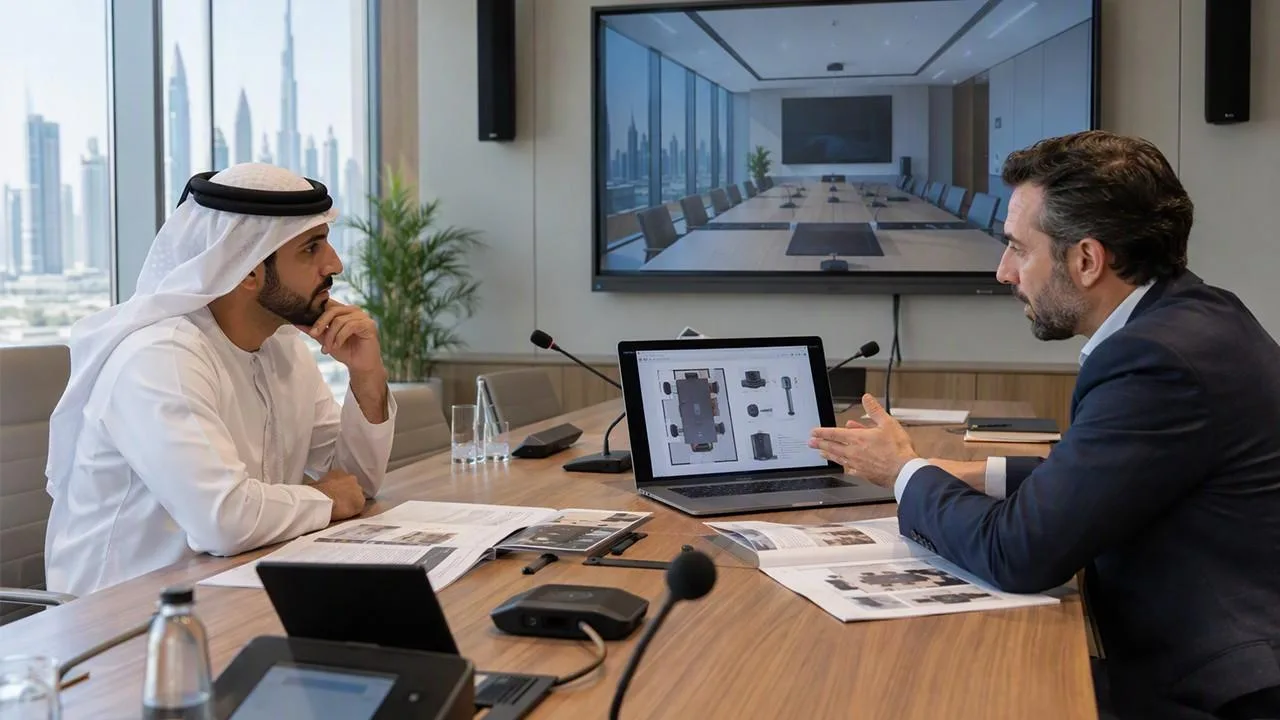
A modern meeting room needs the right equipment to support clear communication and smooth presentations. Best AV Integration Services involve choosing audio, video, display, and control equipment that works well together. Whether a company uses a small meeting room or a large conference space, the equipment should make meetings easy to manage. Understanding the main equipment requirements can help businesses plan a suitable conference room setup.
1. Display Screens or Large Monitors
A display screen is one of the most important parts of a conference room AV setup. It allows meeting participants to view presentations, documents, videos, and other shared information.
The screen size should match the room size and the number of people attending meetings. Small meeting rooms may only need one large display, while larger rooms may require multiple screens.
Common display options include:
- Large LED displays
- Professional LCD monitors
- Commercial display panels
- Interactive touchscreens
When selecting a display, consider screen resolution, brightness, viewing distance, and connection options. A good display should allow everyone in the room to read information without difficulty.
2. Conference Room Microphones
Microphones help participants speak clearly during meetings, especially when some people join remotely. Without suitable microphones, voices may sound weak or unclear.
Different conference rooms need different microphone types. Small rooms may work well with tabletop microphones, while larger spaces may need ceiling-mounted or wireless microphones.
Some common options include:
- Tabletop conference microphones
- Ceiling microphones
- Wireless microphones
- Boundary microphones
- Microphone arrays
Microphone placement is also important. Devices should be positioned to capture voices from different seating areas. This helps reduce communication problems during online meetings and presentations.
3. Speakers and Audio Systems
A good audio system helps everyone hear presentations, video calls, and discussions clearly. Poor sound quality can make meetings difficult, especially when participants are sitting far from the main display.
Speakers should be selected according to the room layout, seating arrangement, and room size.
Common audio equipment includes ceiling speakers, wall-mounted speakers, and professional conference room speakers.
For larger rooms, multiple speakers may be required to provide even sound coverage. Audio equipment should also be placed carefully to avoid unwanted noise and feedback.
4. Video Conferencing Cameras
Video conferencing cameras allow remote participants to see people inside the meeting room. They are useful for businesses that regularly communicate with employees, customers, and partners in different locations.
Modern cameras offer features such as automatic framing, zoom, and speaker tracking.
Some commonly used camera options include:
- PTZ cameras
- USB conference cameras
- Wide-angle cameras
- AI-powered tracking cameras
The camera should cover the main seating area and provide a clear view of meeting participants. For larger conference rooms, more than one camera may be needed.
5. Video Conferencing System
A video conferencing system connects the room's audio and video equipment with online meeting platforms. It helps people communicate with remote participants without needing separate equipment for every meeting.
These systems may support platforms such as Microsoft Teams, Zoom, and Google Meet.
A complete setup may include a video conferencing unit, camera, microphone, speakers, and a control interface.
Before choosing a system, businesses should check software compatibility, network requirements, connection options, and the number of people who regularly attend meetings.
6. Room Control System
A room control system makes it easier to manage different AV devices from one place. Instead of operating each device separately, users can control several functions through a touchscreen or control panel.
Depending on the setup, the control system can manage:
- Display screens
- Projectors
- Room lighting
- Audio volume
- Video conferencing equipment
- Motorised curtains
For example, a user may start a meeting with one touch. The system can switch on the display, adjust the lighting, and prepare the audio equipment.
This makes daily meeting room operation easier, especially for employees who are not familiar with AV equipment.
7. AV Switchers and Connectivity Equipment
AV switchers help connect different devices to a display system. They allow users to change between laptops, presentation systems, cameras, and other video sources.
Common connectivity equipment includes HDMI cables, USB cables, wireless presentation devices, network cables, and video switchers.
For example, a meeting participant may connect a laptop to the main display to share a presentation. Other participants can also connect their devices when needed.
Cable management is another important part of the setup. Properly arranged cables help keep the room organised and reduce connection problems.
8. Network and Wireless Connectivity
A stable network connection is important for modern conference room equipment. Video calls, screen sharing, and cloud-based presentations all depend on reliable internet access.
Businesses should consider installing suitable Wi-Fi access points and wired network connections.
Wired Ethernet connections are useful for equipment that needs a stable network connection, such as video conferencing systems and room control devices.
Wireless connectivity also makes it easier for employees to share screens without connecting multiple cables. However, the network should have enough capacity to support several connected devices at the same time.
9. Choosing Equipment Based on Room Requirements
Not every conference room needs the same equipment. A small meeting room may only require a display, camera, microphone, and speaker system. A large boardroom may need multiple displays, several microphones, advanced cameras, and a central control system.
Before purchasing equipment, businesses should consider the room dimensions, number of users, meeting frequency, and type of presentations.
Planning the equipment together can also help avoid compatibility problems. This is where Best AV Integration Services can help businesses understand how different AV components work together when planning a conference room system.