🎥 Why Webcam Quality Matters More Than Ever
First Impressions in the Digital Era
Let’s face it—people judge what they see, especially online. Whether you're a YouTuber, streamer, or content creator, your webcam is often your first impression. Think of it like walking into a meeting in real life. If your video looks grainy, poorly lit, or awkwardly framed, it sends a message—even if your content is great.
Viewers today are used to high-quality visuals. Platforms like YouTube, Twitch, and even Instagram have raised expectations. According to industry trends, video content now makes up over 80% of all internet traffic, which shows how dominant visual communication has become. This means your competition isn’t just about ideas—it’s also about presentation.
A good webcam setup doesn’t mean you need expensive gear. It means understanding how to use what you have effectively. Small changes—like better lighting or proper angles—can completely transform how professional you look.
The Rise of Video Content Creation
Content creation has exploded in recent years. From gaming streams to educational videos and personal branding, everyone is on camera now. And with more creators entering the space, standing out becomes harder.
Here’s the reality: your audience decides within seconds whether to keep watching. If your video looks polished and clear, they’re more likely to stay engaged. If it looks messy or amateur, they might scroll away.
Your webcam setup is like your stage. You don’t need a Hollywood studio, but you do need clarity, consistency, and a professional touch.
📷 Choosing the Right Webcam
Resolution and Frame Rate Explained
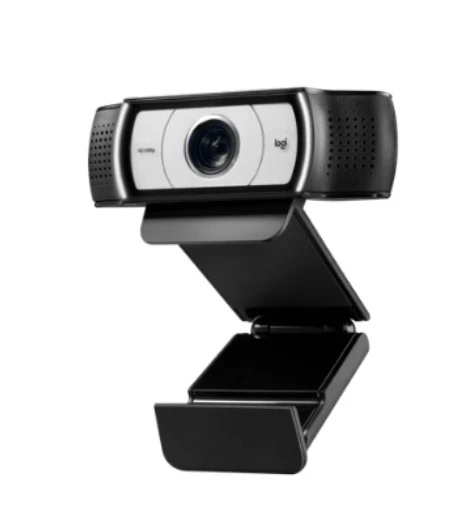
Not all webcams are created equal, and understanding resolution is key. A 720p webcam might have worked a few years ago, but today, 1080p is the standard, and many creators are even moving toward 4K.
Resolution affects how sharp your image looks, while frame rate (measured in FPS) determines how smooth your video appears. A 30fps setup is decent, but 60fps creates a much smoother and more natural look—especially for streaming or fast movements.
If you’re serious about content creation, investing in a good webcam can make a noticeable difference. But even a basic webcam can look amazing with the right setup.
Budget vs Premium Options
You don’t need to spend a fortune to look professional. Budget webcams can perform well if paired with good lighting and positioning. Premium webcams offer better sensors, autofocus, and low-light performance, but they’re not magic solutions.
Think of it like a smartphone camera. Even a high-end phone won’t look great in poor lighting. The same rule applies here.
💡 Lighting Setup for Professional Results
Natural Light vs Artificial Light
Lighting is the single most important factor in webcam quality—yes, even more than the camera itself. Natural light is your best friend. Sitting near a window can instantly improve your video quality.
But natural light isn’t always reliable. That’s where artificial lighting comes in. A simple ring light or softbox can create consistent, flattering lighting.
The goal is to eliminate shadows and highlight your face clearly. When lighting is done right, even a basic webcam looks high-end.
Best Lighting Angles
Lighting placement matters just as much as the light itself. The ideal setup is placing the light in front of you, slightly above eye level. This creates a natural, soft glow.
Avoid placing light behind you—it turns you into a silhouette. Also, avoid harsh overhead lighting that creates shadows under your eyes.
Think of lighting like storytelling—it should highlight you, not distract from you.
🎯 Camera Positioning and Framing
Eye-Level Positioning
Camera angle can make or break your video. A camera placed too low can feel awkward, while one too high can feel unnatural.
The best position? Eye level. This creates a direct, engaging connection with your audience. It feels like you’re talking to them, not at them.
Use a stand, books, or a tripod to adjust your webcam height. It’s a small detail that makes a huge difference.
Rule of Thirds and Composition
Framing isn’t just about centering yourself. Using the rule of thirds—placing your face slightly off-center—creates a more visually appealing composition.
Also, leave a little space above your head (called headroom). Too much space feels distant, while too little feels cramped.
🪟 Background and Environment Setup
Clean and Minimal Backgrounds
Your background says a lot about you. A cluttered background can distract viewers, while a clean setup keeps the focus on you.
You don’t need a fancy studio. A simple wall, a bookshelf, or a tidy desk works perfectly.
Using Depth and Lighting for Aesthetics
Adding depth to your background—like placing objects or lights behind you—creates a more professional look. This separates you from the background and adds a cinematic feel.
Even small details, like a lamp or LED lights, can elevate your setup.
🎙️ Audio Quality Matters Too
Built-in vs External Microphones
Here’s a truth many beginners overlook: bad audio ruins good video. Even if your webcam looks amazing, poor sound quality will push viewers away.
Built-in microphones are convenient but often lack clarity. An external microphone—like a USB mic—can significantly improve your audio.
Reducing Noise and Echo
Recording in a quiet space is important. Soft materials like curtains, carpets, or foam panels help reduce echo.
Think of audio as the backbone of your content. If viewers can’t hear you clearly, nothing else matters.
⚙️ Webcam Settings and Optimization
Adjusting Brightness and Contrast
Most webcams allow you to tweak settings like brightness, contrast, and saturation. Adjusting these can improve your image quality dramatically.
Avoid overexposure—your face shouldn’t look washed out. Balance is key.
Software Enhancements and Filters
Tools like OBS or webcam software allow further customization. You can add filters, adjust colors, and improve sharpness.
But don’t overdo it. Keep it natural—your goal is to look professional, not artificial.
🌐 Internet and Streaming Stability
Importance of Bandwidth
Even the best setup can fail if your internet is unstable. A strong and consistent connection ensures smooth streaming and recording.
Aim for at least 5–10 Mbps upload speed for high-quality streaming. If possible, use a wired connection instead of Wi-Fi for better stability.
🚀 Advanced Tips for Creators
Using Multiple Cameras
As you grow, you might want to use multiple camera angles. This adds variety and keeps your content dynamic.
Switching between angles can make your videos more engaging and professional.
Streaming Software Integration
Software like OBS Studio allows you to control scenes, overlays, and transitions. It turns a simple webcam setup into a full production studio.
Learning these tools can take your content to the next level.
🧾 Conclusion
Looking professional on camera isn’t about having the most expensive equipment—it’s about understanding the basics and applying them well. From lighting and positioning to audio and background, every element plays a role in how your content is perceived.
When you combine these elements effectively, your webcam becomes more than just a camera—it becomes a powerful tool for storytelling and connection. Whether you’re just starting or looking to upgrade your setup, these tips can help you create content that stands out and keeps your audience coming back.
❓ FAQs
1. What is the best webcam resolution for creators?
1080p is the standard for most creators, while 4K is ideal for high-end content.
2. Do I need expensive lighting for good video quality?
No, even natural light or affordable ring lights can significantly improve your setup.
3. How important is audio compared to video?
Audio is extremely important—poor sound quality can drive viewers away faster than poor video.
4. Can I use my smartphone as a webcam?
Yes, many creators use smartphones as webcams for better video quality.
5. What software is best for streaming?
OBS Studio is one of the most popular and powerful free options for streaming and recording.