When choosing a payment terminal for your business, it's crucial to understand the costs involved. The payment terminal is just one part of the puzzle—it's the processing fees that can significantly impact your expenses over time. One such terminal that is highly popular for retail and hospitality businesses is the Ingenico Desk 5000. It is known for its user-friendly design and reliable performance, but like all terminals, it comes with associated costs that every business owner should be aware of.
This article will take you through the different types of fees that you might encounter when using the Ingenico Desk 5000, from hardware costs to transaction processing fees. Understanding these fees is essential to ensure that you're not caught off guard by unexpected charges.
What Is the Ingenico Desk 5000?
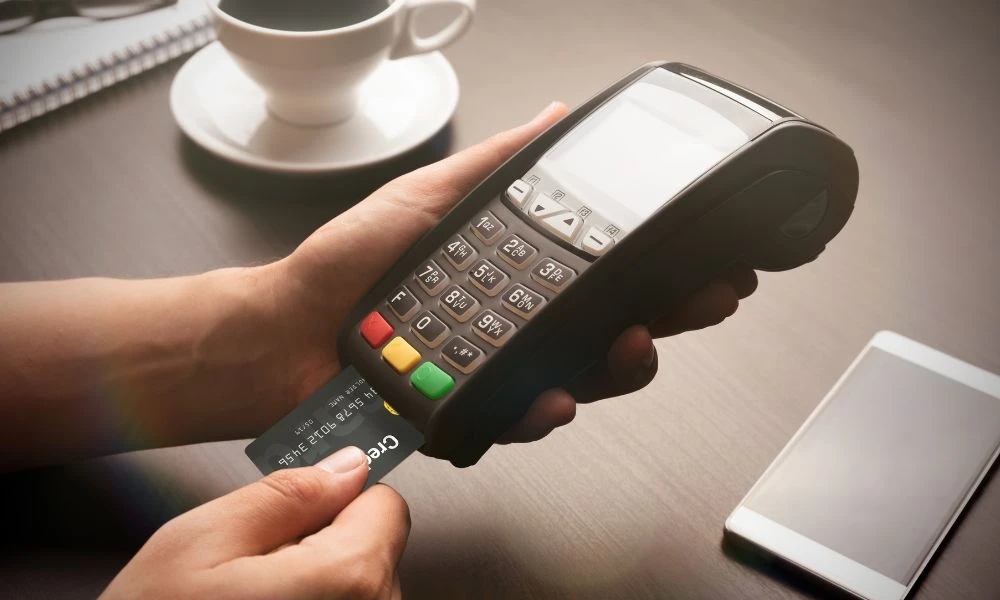
The Ingenico Desk 5000 is a countertop payment terminal designed for businesses looking to accept payments easily. It is equipped with a touchscreen interface and supports a variety of payment methods, including EMV chip, magnetic stripe, and contactless/NFC payments. This terminal is widely used in many businesses, especially in retail, where quick and secure transactions are a priority.
However, as with any payment terminal, the cost of using the Ingenico Desk 5000 goes beyond the price of the hardware. The actual cost of processing payments depends on various factors, including the pricing model of your payment processor and the fees associated with the terminal itself. To better understand these costs, let's break them down into different categories.
Hardware Costs
When you invest in the Ingenico Desk 5000, you have two main options: purchasing the terminal outright or leasing it.
Purchase Costs
If you decide to buy the terminal, the initial cost typically ranges from $300 to $700. This price can vary depending on where you buy it from, and some vendors may offer discounts if you’re purchasing multiple units for your business.
Leasing or Renting
Leasing options are also available, where you pay a monthly fee that usually ranges from $10 to $30 per unit. Renting the terminal is an option if you need it for a short period, like for special events. Renting tends to be more expensive than purchasing over time.
Additional Setup Fees
In addition to the purchase price, you may also encounter setup or activation fees. These are generally a one-time charge that can range from $50 to $150, depending on the provider.
Transaction Processing Fees
The majority of the ongoing costs of using the Ingenico Desk 5000 come from the transaction processing fees. These are the fees you’ll pay each time you process a payment using the terminal.
Types of Transaction Processing Fees
These fees are typically charged by the payment processor, not the terminal itself. However, it’s important to note that the terminal’s features, such as NFC (contactless) payments, can impact your overall processing fees.
Interchange-Plus Pricing
Interchange-plus pricing is considered the most transparent pricing model. With this model, the payment processor charges the actual fee set by the card networks, plus a fixed markup for their services. For example, if the interchange rate is 1.8% + $0.10 per transaction, your processor might add a markup of 0.20% + $0.10, making the total cost for the transaction 2.0% + $0.20.
Flat-Rate Pricing
Flat-rate pricing is simpler but typically more expensive in the long run. In this model, the processor charges a single rate per transaction, often around 2.5% or 2.7%. While easy to understand, flat-rate pricing can be costly if your business processes a high volume of low-ticket transactions.
Tiered Pricing
Tiered pricing is less transparent and can lead to confusion. Under this model, transactions are categorized into “qualified,” “mid-qualified,” and “non-qualified” tiers, with different rates applied to each. This system can lead to higher fees for certain types of transactions, such as rewards cards or international payments.
Typical Transaction Fees for the Ingenico Desk 5000
When using the Ingenico Desk 5000 for card-present transactions (such as when a customer physically swipes or taps their card), the typical processing fees are lower compared to card-not-present transactions (such as those done online).
Card-Present Transactions
For card-present transactions, the fees typically range as follows:
- Debit card payments: 0.5% to 1.2%
- Credit card payments: 1.5% to 2.9%
These fees can vary depending on the pricing model your processor uses.
Card-Not-Present Transactions
For transactions where the card is not physically present, such as online payments or manually keyed-in card details, the fees are usually higher. These fees can range between 2.5% and 3.9% per transaction.
Fees Specific to the Ingenico Desk 5000
While the primary costs come from transaction fees, there are other potential charges that you might incur when using the Ingenico Desk 5000. Here are some of the most common ones:
Contactless Payment Fees
Many processors do not charge extra for contactless payments, which is a feature of the Ingenico Desk 5000. However, if you’re using a processor that charges for NFC or mobile wallet transactions, you might incur additional fees.
Gateway Fees
If you're using a separate payment gateway for online transactions or if your terminal is integrated with your POS system, you may be charged a monthly gateway fee. This can range from $5 to $25 per month, plus per-transaction fees of $0.10 to $0.15.
PCI Compliance Fees
To ensure the security of customer data, payment processors often charge PCI compliance fees. This fee is required to meet the Payment Card Industry Data Security Standard (PCI DSS). The annual fee for PCI compliance typically ranges from $10 to $99.
Support and Maintenance Fees
Some payment processors offer customer support packages that provide access to 24/7 support or hardware replacement guarantees. These services can come with monthly fees, and they’re often optional unless you require enhanced customer service.
How to Lower Your Payment Processing Costs
While there are unavoidable costs associated with payment processing, there are steps you can take to reduce your overall expenses.
Choose the Right Pricing Model
If you're processing a high volume of transactions, an interchange-plus pricing model will likely save you more money in the long run than flat-rate pricing. It’s worth discussing with your payment processor to determine which model suits your business needs best.
Encourage Customers to Use Debit Cards
Debit card payments typically incur lower processing fees than credit cards. If possible, encourage your customers to use debit cards for smaller transactions.
Reduce Chargebacks
Chargebacks, or disputes from customers about charges, can be costly. Ensuring that you have clear return policies and fraud detection methods in place can help you avoid chargeback fees, which can range from $15 to $50 per incident.
Conclusion
The Ingenico Desk 5000 is a powerful tool for businesses looking to streamline their payment processing, but it’s crucial to understand the associated fees. From hardware costs to transaction processing fees, being aware of all the potential charges will help you make an informed decision. By choosing the right pricing model, being mindful of chargebacks, and encouraging lower-cost payment methods, you can minimize your payment processing costs and keep your business running smoothly.