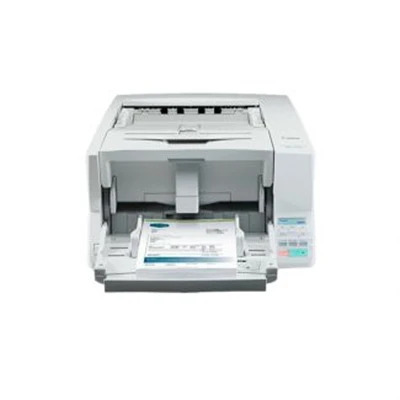
In today’s fast-paced digital world, a reliable document scanner is more than just an office accessory—it is a productivity powerhouse. From digitising contracts and invoices to maintaining secure electronic records, modern scanners play a crucial role in helping businesses transition to paperless workflows. With advanced technologies now integrated into scanning solutions, selecting the right scanner can significantly improve efficiency, accuracy, and data security.
Whether you are upgrading your office equipment or purchasing your first scanner, understanding the key features to look for ensures you invest in a device that meets your long-term needs.
1. High Scanning Speed and Performance
One of the most important features of a modern document scanners are scanning speed. In busy workplaces, slow scanners can create bottlenecks and reduce overall productivity.
Why scanning speed matters:
- Enables fast digitisation of large document batches
- Reduces waiting time at shared office stations
- Enhances workflow efficiency for teams
- Ideal for businesses handling high-volume paperwork
Most advanced scanners today offer 25–60 pages per minute (PPM), while high-end production scanners can go beyond 100 PPM. If your office frequently scans multi-page documents, look for a model with a high simplex (one-sided) and duplex (double-sided) scanning speed.
2. Automatic Document Feeder (ADF) Capacity
The Automatic Document Feeder is a crucial feature for efficient batch scanning. Instead of manually loading pages one at a time, an ADF allows you to stack multiple sheets and let the scanner process them automatically.
What to look for:
- ADF capacity of 30–100 sheets for standard office use
- Higher capacity (100+ sheets) for professional or enterprise environments
- High-quality rollers that minimise jams and double-feeds
An ADF-equipped scanner greatly improves your office’s scanning workflow by enabling hands-free operation and reducing the need for constant supervision.
3. Duplex Scanning Capability
Duplex scanning allows the device to scan both sides of a page in a single pass, making the process significantly faster and more efficient.
Benefits of duplex scanning:
- Cuts scanning time in half
- Ensures accuracy for double-sided documents
- Ideal for receipts, agreements, forms, and reports
- Saves storage space by producing smaller digital files
Modern scanners with single-pass duplex scanning deliver the best performance and accuracy, especially for businesses dealing with contracts or legal documents.
4. Optical Character Recognition (OCR) Technology
One of the biggest advancements in scanning is OCR (Optical Character Recognition). OCR converts scanned images into editable and searchable text, transforming your documents into usable digital files.
Why OCR is essential:
- Enables keyword searching within documents
- Converts PDFs into editable Word or Excel files
- Enhances accessibility and organisation
- Saves time on manual data entry
For the best results, look for scanners that offer high-accuracy OCR supporting multiple languages and advanced formatting retention.
5. High Resolution and Image Quality
Quality image output is crucial, especially when handling detailed documents such as IDs, photographs, diagrams, or handwritten notes.
Key image quality features:
- High DPI (Dots Per Inch)—a modern scanner should offer at least 600 DPI
- Auto colour detection
- Background removal
- De-skew and orientation correction
- Image enhancement tools for clarity and contrast
A scanner with intelligent image processing ensures crisp, clear digital files that can be easily read, printed, or archived.
6. Connectivity Options (WiFi, USB, Ethernet)
Modern offices rely on flexible connectivity, and today’s scanners are designed to match evolving workflows.
Essential connectivity features:
- WiFi for wireless scanning across devices
- Ethernet for shared office environments
- USB 3.0 for fast direct connections
- Cloud integration for services like Google Drive, OneDrive, and Dropbox
With wireless and cloud-enabled scanning, teams can quickly access scanned documents from anywhere within the network, improving collaboration and reducing downtime.
7. Compatibility with Document Management Systems
For businesses using Document Management Systems (DMS) or enterprise software, compatibility is essential.
Look for scanners that integrate easily with:
- Accounting systems
- CRM platforms
- Enterprise Resource Planning (ERP) systems
- Cloud-based file management tools
- Workflow automation software
Compatibility ensures seamless indexing, organising, and storing of digital files across your ecosystem.
8. Advanced Security Features
With data breaches becoming more frequent, security is a top priority for any modern office equipment. Ensure your scanner offers robust security protocols to protect sensitive information.
Security features to consider:
- Encrypted file transmission
- User authentication (PIN, password, cards)
- Secure boot and firmware protection
- Access control settings
- Audit trails for compliance
These features are especially important for industries like healthcare, government, accounting, and legal services.
9. Portable and Space-Saving Designs
Not all offices have room for large, bulky equipment. Fortunately, many modern scanners come in compact or portable designs without compromising performance.
Types to consider:
- Portable USB-powered scanners for mobile professionals
- Compact desktop scanners for small offices
- Flatbed scanners for versatility in scanning books and delicate documents
A space-efficient scanner can still deliver high speed, effective OCR, and excellent image quality, making it ideal for home offices or small businesses.
10. Durability and Long-Term Reliability
The build quality of your scanner determines how long it will perform without issues. High-quality scanners are designed for thousands of daily scans and offer long-lasting rollers, heavy-duty ADF systems, and robust internal components.
Look for:
- High daily duty cycle (e.g., 3,000–10,000 pages/day)
- Replaceable consumables
- Long manufacturer warranties
- Proven brand reliability
A durable scanner reduces long-term costs and ensures consistent performance.
11. User-Friendly Interface and Software
Ease of use is critical for enhancing productivity and reducing training time. Modern scanners often include intuitive software and simple control panels that streamline the scanning process.
Useful interface features:
- Touchscreen panels
- One-touch scanning presets
- Batch scanning workflows
- Automatic file naming and sorting
- Integration with mobile apps
The right software makes scanning more efficient and helps teams maintain an organised digital filing system.
Conclusion: Investing in the Right Modern Document Scanner
Choosing the best modern document scanner comes down to understanding your needs and identifying the features that will deliver the most value. Whether it’s high-speed scanning, OCR accuracy, cloud connectivity, or advanced security, today’s scanners offer powerful tools to streamline document workflows and support digital transformation across industries.
A well-selected scanner can improve productivity, reduce manual work, enhance data security, and support a truly paperless environment. By focusing on the essential features outlined above, you can confidently choose a scanner that meets your business goals and adapts to future technology trends.