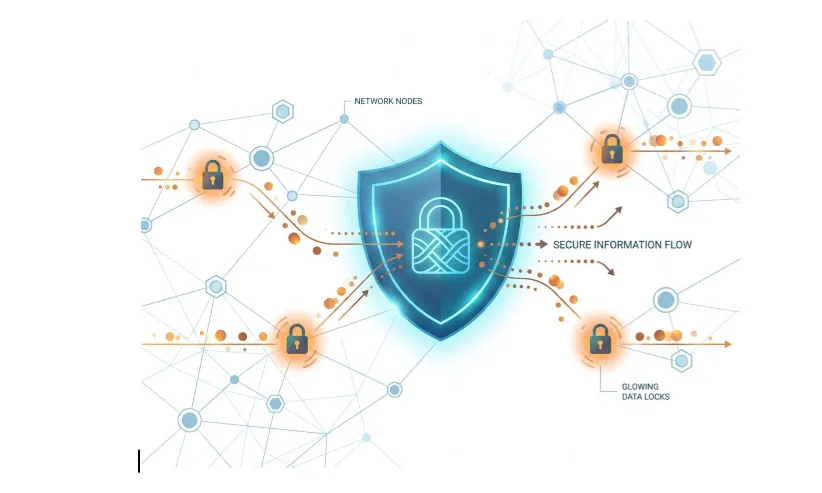

One wrong click can instantly expose sensitive company data and trigger a cascade of severe consequences. You lose immediate revenue as operations grind to a halt and customers take their business elsewhere. Regulatory bodies issue massive fines for compliance violations while your brand reputation sustains severe damage. This rapid fallout shows exactly how vulnerable unprotected digital assets are to human error and targeted attacks.
In this article, we outline how data loss prevention solutions act as your frontline defense against these expensive security breaches.
9 Key Reasons to Implement Data Loss Prevention
1. Automated Data Discovery and Classification
Sensitive data often sits across inboxes, CRMs, cloud drives, shared documents, ticketing systems, employee laptops, and exported spreadsheets. Without automated discovery, security teams may not know where customer records, payment details, contracts, employee information, or critical intellectual property are stored.
Crucial data loss prevention solutions help scan these locations, identify sensitive information, and classify it by risk. For example, a spreadsheet with customer names, emails, account IDs, and billing details can be automatically labeled as confidential. Once classified, the business can apply the right rules, such as blocking external sharing, limiting downloads, or requiring approval before access.
2. Granular Policy Enforcement
A DLP setup applies the right rule to the right data at the right moment. Granular policy enforcement lets businesses define what users can do based on context. That context can include the data type, user role, department, device, location, destination, and action.
For example:
- Finance can send invoices to approved vendor domains, but not payroll files to personal emails
- Sales can view customer records in the CRM, but can’t download the full database without approval
- HR can share employee documents with approved benefits providers, but not public file-sharing links
- Developers can use approved code repositories, but cannot paste source code into public tools
- Analytics for data teams can be part of an everyday process
This helps businesses protect sensitive information without blocking normal work. It also makes policies easier to enforce because the rules are specific.
3. Real-Time Visibility Into Data Movement
Data moves through emails, downloads, uploads, shared links, collaboration tools, APIs, cloud folders, and employee devices. A file can leave the business in seconds, often through an ordinary action like forwarding an email or creating a public link.
DLP gives security teams visibility into these movements as they happen. It can show who accessed sensitive data, what they tried to do with it, where it was going, and whether the action followed policy.
For example, an employee may upload customer data to a personal cloud account so they can work from another device. Another may share a contract link with “anyone with the link” access. Someone else may send a report to the wrong external recipient because autocomplete betrayed them, as it loves to do.
4. Proactive Insider Threat Mitigation
DLP helps identify behavior that does not match normal usage. This can include bulk downloads, repeated policy violations, unusual access times, transfers to unknown domains, or attempts to move data from approved systems into unmanaged tools.
For example, if a departing employee downloads hundreds of client records in one afternoon, that behavior needs attention. If a contractor accesses files outside their project scope, that should be flagged. If a team member repeatedly tries to email restricted documents externally, the business needs to know before the data is exposed.
Security teams can investigate, restrict access, remind the user of policy, or escalate the case before the situation becomes a breach.
5. Accelerated Incident Response
When sensitive data is exposed, every minute matters. Teams need to answer basic questions quickly: what data was involved, who accessed it, where it went, whether it was blocked, and what needs to happen next.
DLP gives security teams a clearer incident trail. Instead of digging through scattered logs and messages, they can see the user, file, data type, destination, policy violation, and system action in one place.
This improves response in practical ways:
- Security can contain the issue faster
- Legal can assess exposure with better evidence
- Compliance can determine whether reporting is required
- Leadership can understand the business impact
- Customer-facing teams can communicate accurately if needed
For example, if an employee sends a confidential pricing file to the wrong external contact, DLP logs can show whether the email was blocked, delivered, encrypted, or quarantined. That changes the response completely.
6. Optimized Security Resource Allocation
Security teams already deal with too many alerts. Without proper filtering, important risks get buried under low-value notifications. DLP helps teams prioritize what needs attention and what can be handled automatically.
A DLP system can rank incidents based on data sensitivity, user behavior, destination, volume, and business risk. A single internal misclassification may need a light-touch review. A large customer database sent to an unknown external address needs immediate escalation.
This helps teams use their time where it matters most.
For example, the system might automatically warn an employee who tries to share a low-risk document externally. But if someone attempts to transfer regulated customer data to a personal email address, the system can block it and alert security immediately.
7. Streamlined Regulatory Audits
Compliance teams need to show where sensitive data lives, who can access it, how it is protected, and what happens when someone violates policy.
DLP supports audit readiness by creating a record of data classification, access activity, policy enforcement, blocked actions, incident response, and remediation. This gives businesses documentation they can actually use, instead of scrambling through folders, screenshots, and half-forgotten Slack messages.
This is especially useful for companies handling regulated data, such as:
- Customer personally identifiable information
- Payment and billing data
- Employee records
- Healthcare information
- Financial documents
- Legal contracts
- Intellectual property
For example, if an auditor asks how customer data is protected, the business can show discovery rules, classification labels, access controls, policy logs, and incident history.
8. Protection Across Diverse Environments
Modern business data moves across cloud apps, email, SaaS platforms, shared drives, endpoints, messaging tools, personal devices, and third-party systems. A security policy that only protects one environment leaves gaps everywhere else.
DLP helps apply consistent protection across these touchpoints. That means sensitive data can be monitored and controlled whether it sits in a CRM, gets downloaded to a laptop, moves into a spreadsheet, attaches to an email, or uploads to a cloud folder.
For example, a customer file may start in the CRM, move into a report, get shared with finance, and later be attached to an email for review.
9. Upskill or Outsource
If you’re not prepared to handle this in-house with targeted digital skills training, then it may be time to outsource for software developers to get you on track, as being protected is no longer a luxury. This is a crucial must.
Picture keeping your data safe as one of your company's foundations. If you skip this important step, it could create a domino effect that can cost you in more ways than one.
Treat Data Loss Prevention as a Business Control
Data loss controls how sensitive data is discovered, used, shared, and protected across everyday operations. When these controls are in place, teams know what data they are handling, what they are allowed to do with it, and where risks can occur. Security teams get visibility and faster response. Compliance teams get proof. Leadership reduces exposure to revenue loss, reputational damage, and regulatory penalties.