In today’s competitive e-commerce environment, Shopify merchants are constantly seeking innovative ways to reach customers, boost conversions, and reduce cart abandonment. Traditional channels such as email marketing and SMS notifications still play a significant role, but they often require customer data (like an email address or phone number) before a store can connect with shoppers.
This is where web push notifications come in. Unlike email or SMS, push messages appear directly on a shopper’s device screen—whether they’re actively browsing or not. With higher visibility and instant delivery, web push has quickly become one of the most effective tools in the e-commerce engagement toolkit.
In this guide, we’ll cover everything Shopify merchants need to know about web push notifications—from setup and best practices to strategies for growth—so you can start converting browsers into buyers.
What Are Web Push Notifications?
Definition and How They Work
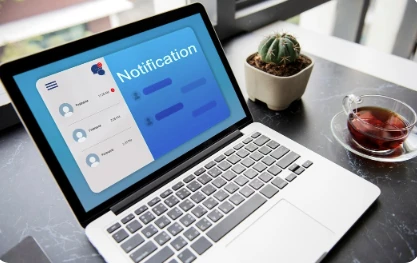
Web push notifications are small, clickable messages delivered to a user’s desktop or mobile browser. Unlike email automation notifications or SMS campaigns, push doesn’t require personal details like email addresses or phone numbers. Instead, a visitor simply opts in through their browser with one click.
Once subscribed, they’ll receive timely notifications such as flash sales, abandoned cart reminders, or order updates, even if they’re no longer on your store.
Difference Between Push, Email, and SMS
- Push Notifications: Instantly delivered to a browser. High visibility, low barrier to entry.
- Email Notifications: Best for detailed communication like newsletters or receipts. Requires personal information.
- SMS Notifications: Highly personal and urgent but limited in character length and often more expensive.
Think of push as the fastest, least intrusive way to re-engage customers—while email and SMS notifications provide depth and personalization.
Why Shopify Stores Should Use Web Push Notifications
Direct and Instant Customer Reach
Unlike email which may sit unread in an inbox, push messages appear instantly on the user’s screen. This immediacy makes it a powerful channel for urgent updates like sales or restocks.
Higher Visibility Compared to Email
The average open rate for email is around 20%, but push notifications often achieve click-through rates between 5–15%, thanks to their visibility and concise format.
Cost-Effective Retargeting Channel
With website notifications, merchants can reach subscribers without paying for ads. Once a customer opts in, you can re-engage them repeatedly without additional acquisition costs.
Key Use Cases for Shopify Merchants
Abandoned Cart Recovery
Abandoned Cart Recovery is a universal e-commerce challenge. Push notifications can remind shoppers of items left behind—often minutes after they exit your store—boosting recovery rates significantly.
Back-in-Stock Alerts
Push messages are a direct way to notify subscribers the moment a sold-out product is available again. This drives urgency and instant traffic.
Flash Sale Announcements
With push browser notifications, merchants can create buzz around limited-time offers and drive customers back to their Shopify store within minutes.
Shipping and Order Updates
Keeping customers informed about shipping status builds trust. Push notifications complement email automation by ensuring updates are seen instantly.
Browse Abandonment Reminders
Even if a visitor doesn’t add a product to their cart, Shopify merchants can send personalized reminders about items they viewed—helping turn interest into a purchase.
Setting Up Web Push Notifications on Shopify
Installing PushOwl (or Similar Apps)
PushOwl is a popular Shopify app designed specifically for ecommerce push messages. With one-click installation, it allows merchants to collect subscribers and launch campaigns effortlessly.
Customizing Opt-In Prompts
The opt-in prompt is the first interaction a shopper has with your push program. Customize the message to make it clear and enticing—highlighting benefits like “Get instant sale updates.”
Creating Your First Campaign
Start with a simple campaign, such as a weekend discount or a product launch announcement. Test different timings and formats to see what resonates with your audience.
Best Practices for Shopify Push Notifications
Crafting Compelling Headlines
Short, actionable headlines drive the highest engagement. For example: “Your cart is waiting—checkout now and save 10%!”
Using Images & Emojis Wisely
Visuals increase click-through rates. Add product images or emojis to make your web push campaigns stand out.
Timing and Frequency
- Don’t overwhelm subscribers with too many messages.
- Experiment with sending times—like early evenings or weekends—for optimal engagement.
Personalization and Segmentation
Segment your subscribers based on browsing behavior, purchase history, or location. Personalized automated notifications have much higher conversion rates than generic blasts.
Measuring Success of Push Campaigns
Key Metrics
- Click-Through Rate (CTR): Measures engagement with your notification.
- Conversion Rate: Tracks how many clicks lead to purchases.
- Subscriber Growth: Ensures your push program is scaling.
A/B Testing for Better Performance
Run split tests on notification headlines, CTAs, and send times to continually optimize.
Challenges and How to Overcome Them
Subscriber Fatigue
Too many push messages can cause users to unsubscribe. Balance promotional messages with value-driven notifications like order updates or educational content.
Balancing with Email and SMS
Push, email, and SMS notifications shouldn’t compete—they should complement each other. For instance:
- Push for urgent updates
- Email for long-form content
- SMS for critical order confirmations
When used together, they form a powerful omnichannel marketing strategy.
Where to Go Next
Now that you understand the basics, it’s time to dive deeper:
- Learn how push messages directly drive conversions in our guide: [Top Web-Push Campaign Types to Drive Conversions].
- Explore the future potential of push with [Perfect Web-Push Notification Guide: Copy, Timing & Images That Convert].
These resources will help you master push marketing and integrate it into a broader omnichannel approach.
Conclusion
For Shopify merchants, web push notifications are no longer optional—they’re essential. They provide instant visibility, cost-effective retargeting, and seamless integration with email and SMS marketing strategies. By combining personalized campaigns with best practices, merchants can boost conversions, recover lost sales, and build stronger customer relationships.
If you’re ready to start, set up your first campaign today and experience the difference web push can make for your Shopify store.