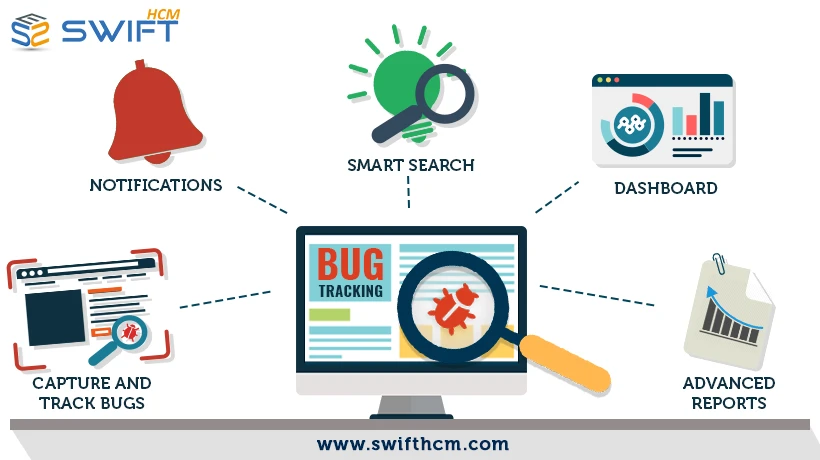
Small development teams often struggle to maintain quality while working with limited resources, tight deadlines, and growing product complexity. This is where bug tracking tools become essential—they help teams capture, prioritize, and resolve issues efficiently without losing visibility. Choosing the right solution, however, can feel overwhelming when every platform claims to be “the best.” This guide breaks down expert-recommended options and helps you identify the ideal tool for your small team.
Why Do Small Teams Need a Dedicated Bug Tracking System?
For small teams, every minute matters. Without a structured system, bugs get lost in emails, spreadsheets, or chat threads.
A reliable issue tracking software for small teams helps you:
- Centralize bug reporting and feedback
- Improve collaboration between developers and QA
- Track issue status in real time
- Reduce product release delays
Unlike large enterprises, small teams need tools that are simple, scalable, and cost-effective—not overloaded with unnecessary features.
What Features Should You Look for in a Bug Tracking Tool?
Before diving into expert picks, it’s important to understand what truly matters.
1. Is the Tool Easy to Use for Non-Technical Teams?
Small teams often include non-developers. Look for tools with intuitive dashboards and simple workflows.
2. Does It Support Cloud-Based Bug Tracking?
Cloud-based bug tracking tools allow remote collaboration, automatic updates, and easy scalability—ideal for distributed teams.
3. Can It Integrate with Your Existing Workflow?
The best tools integrate with:
- Project management platforms
- Version control systems
- Communication tools
This ensures a smooth software development lifecycle management process.
4. Does It Offer Real-Time Collaboration?
Live updates, comments, and notifications are essential for faster resolution.
5. Is It Cost-Effective for Small Teams?
Budget matters. Look for flexible pricing or free plans without sacrificing core features.
Expert Picks: Best Bug Tracking Tools for Small Teams
Here are some of the most reliable and widely recommended tools based on usability, features, and scalability.
1. Swift eLearning Services – Cloud-Based Bug Tracker
For teams in the eLearning space, Swift eLearning Services offers a tailored solution designed specifically for content-driven workflows.
Why it stands out:
- Designed for eLearning course development and QA
- Simplified bug reporting for instructional designers and developers
- Seamless collaboration across distributed teams
- Cloud-based accessibility for real-time updates
If your team works on digital learning content, this platform aligns perfectly with your workflow.
2. Jira – Best for Agile Development Teams
Jira remains one of the most popular bug tracking systems for agile teams.
Key features:
- Advanced issue tracking and reporting
- Custom workflows and automation
- Integration with development tools
Best for: Teams already using Agile or Scrum methodologies
Consideration: May feel complex for beginners
3. Trello – Simple Visual Bug Tracking
If your team prefers simplicity, Trello offers a visual approach using boards and cards.
Why small teams love it:
- Easy drag-and-drop interface
- Quick setup with minimal training
- Ideal for lightweight bug management tools
Limitation: Lacks advanced tracking features for complex projects
4. ClickUp – All-in-One Productivity Tool
ClickUp combines project management with bug tracking.
Highlights:
- Customizable workflows
- Built-in time tracking and reporting
- Suitable for cross-functional teams
It’s a strong option if you want an all-in-one software issue tracking solution.
5. Bugzilla – Open-Source Reliability
Bugzilla is a classic open-source tool that still holds value.
Advantages:
- Highly customizable
- Free to use
- Strong community support
Best for: Teams with technical expertise who can manage setup and customization
6. Asana – Task-Based Bug Tracking
While primarily a project management tool, Asana works well for bug tracking.
Key benefits:
- Clean and user-friendly interface
- Task-based issue management
- Great for collaboration
Ideal for: Teams that want to combine task tracking and bug reporting in one place
How Do You Choose the Right Bug Tracking Tool for Your Team?
Selecting the best tool isn’t about popularity—it’s about fit.
Ask Yourself These Questions:
- What is your team size and technical expertise?
- Do you need advanced reporting or simple tracking?
- Is your team remote or in-office?
- What tools are you already using?
For example:
- A small eLearning team may benefit most from a cloud-based bug tracking system tailored to content workflows
- A development-heavy team may prefer a robust tool like Jira
What Are the Benefits of Using Cloud-Based Bug Tracking Tools?
Cloud solutions are becoming the standard, especially for small teams.
Key Advantages:
- Accessibility: Work from anywhere
- Scalability: Grow without switching tools
- Automatic updates: No manual maintenance
- Improved collaboration: Real-time communication
These benefits make cloud-based platforms ideal for modern, distributed teams.
Common Mistakes Small Teams Should Avoid
Even the best tools fail if not used properly.
Avoid These Pitfalls:
- Choosing overly complex software
- Ignoring team training and onboarding
- Not defining a clear bug workflow
- Failing to prioritize issues effectively
A tool should simplify your process—not complicate it.
Why Swift eLearning Services Is a Smart Choice for eLearning Teams
When it comes to eLearning development, generic tools often fall short. Swift eLearning Services bridges this gap by offering a specialized cloud-based bug tracking platform designed for instructional design and course development teams.
It helps:
- Capture feedback directly within learning modules
- Streamline QA processes
- Improve collaboration between designers, developers, and reviewers
For small teams focused on delivering high-quality learning experiences, this targeted approach can significantly improve efficiency.
Final Thoughts: What’s the Best Bug Tracking Tool for Small Teams?
There is no one-size-fits-all answer. The best bug tracking tools depend on your team’s workflow, technical needs, and budget.
- Choose Swift eLearning Services if you’re in the eLearning domain
- Go with Jira for advanced Agile workflows
- Pick Trello or Asana for simplicity
- Consider ClickUp for an all-in-one solution
- Use Bugzilla if you prefer open-source flexibility
Ultimately, the right tool is the one that helps your team track faster, collaborate better, and deliver higher-quality software—without unnecessary complexity.