In today’s fast-paced work environment, efficient communication is the cornerstone of business success. For HR teams, small businesses, and companies juggling multiple communication platforms like Slack, Microsoft Teams, Gmail, and Outlook, managing emails effectively is a persistent challenge. This is where Winslow Email Integration steps in to revolutionize how teams synchronize and manage their emails across various platforms effortlessly.
What is Winslow Email Integration?
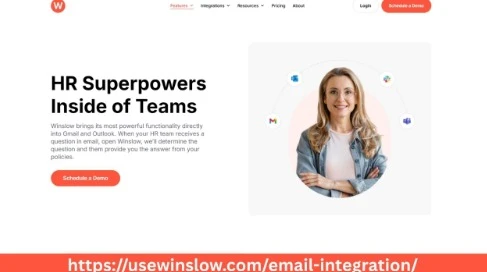
Winslow Email Integration is a seamless solution designed to unify your email communication with popular collaboration tools and email clients. Whether your HR team is working within Slack channels, Microsoft Teams, or managing inboxes on Gmail or Outlook, Winslow offers a centralized, synchronized system to keep your communication smooth, organized, and accessible in real time.
The goal of Winslow is simple: to simplify email syncing and eliminate the hassle of toggling between multiple apps, reducing lost information and boosting productivity.
Why HR Teams and Small Businesses Need Winslow Email Integration
Human Resources teams handle a high volume of emails daily — from candidate communications to employee inquiries, benefits coordination, and compliance matters. Small businesses and growing companies, often with limited resources, need to maximize efficiency while maintaining clear communication streams.
Winslow’s integration capabilities provide several key benefits for HR professionals and small businesses:
1. Centralized Communication Hub
Managing emails spread across multiple platforms can be overwhelming. Winslow Email Integration consolidates your email accounts and syncs them with collaboration tools like Slack and Teams. This central hub allows HR teams to track conversations, respond quickly, and maintain an organized workflow without missing critical messages.
2. Improved Collaboration Across Teams
Many HR teams collaborate on employee hiring, onboarding, and payroll via group chats and project management tools. Winslow bridges the gap between emails and these collaboration platforms, making it easier to share email content, documents, and updates instantly within Slack or Teams channels. This results in faster decision-making and better teamwork.
3. Increased Productivity Through Automation
Winslow automates email syncing so your HR team doesn’t waste time manually forwarding emails or copying information between apps. Automated syncing ensures that emails are updated in real time across Gmail, Outlook, and integrated platforms, enabling HR staff to focus more on strategic initiatives rather than administrative tasks.
4. Enhanced Email Tracking and Management
Keeping track of email threads, follow-ups, and deadlines is critical for HR success. Winslow’s email integration offers robust tracking features that notify teams when messages are opened or replied to, ensuring no communication slips through the cracks.
5. Seamless Integration with Popular Platforms
Winslow supports integrations with widely used email clients and collaboration tools, including Gmail, Outlook, Slack, and Microsoft Teams. This means your HR team can continue using their preferred platforms while benefiting from synchronized email management.
Key Features of Winslow Email Integration
Multi-Platform Syncing
Winslow Email Integration supports multiple platforms simultaneously, allowing HR teams to manage Gmail and Outlook emails within Slack or Teams. This multi-platform capability eliminates switching between apps and unifies communication streams.
Real-Time Sync and Updates
Emails, attachments, and threads are synced instantly across connected platforms. Real-time updates mean your HR team is always on the same page, even when collaborating remotely or across different time zones.
Smart Email Filtering and Search
Finding specific emails quickly is essential for HR workflows. Winslow provides intelligent filtering and search features that help teams locate emails by sender, date, subject, or keyword across all synced accounts.
Secure and Compliant
Data security and compliance are vital for HR teams handling sensitive employee information. Winslow Email Integration uses industry-standard encryption and complies with data protection regulations, ensuring your communications remain private and secure.
Customizable Notifications
Customize notifications so your HR team receives alerts only for important emails or actions. This reduces distractions while ensuring no critical email goes unnoticed.
How to Implement Winslow Email Integration in Your HR Team
Implementing Winslow Email Integration is straightforward and designed to fit seamlessly into your existing workflows. Here’s a simple step-by-step guide:
- Connect Your Email Accounts: Start by linking your Gmail, Outlook, or other email accounts to the Winslow platform.
- Integrate Collaboration Tools: Connect your Slack workspace or Microsoft Teams channels where your HR team communicates.
- Set Sync Preferences: Customize which folders, labels, or channels should sync emails and define notification settings.
- Train Your Team: Conduct a brief training session to familiarize your HR team with Winslow’s features and how it streamlines email communication.
- Monitor and Optimize: Use Winslow’s analytics and tracking to monitor email activity and optimize workflows continuously.
Real-Life Use Cases: Winslow in Action
Case 1: Recruiting Efficiency
A small business HR team used Winslow Email Integration to sync candidate emails between Gmail and their Slack recruitment channel. This real-time syncing enabled recruiters to collaborate instantly, share candidate feedback, and schedule interviews without missing a beat. The result? Reduced time-to-hire and improved candidate experience.
Case 2: Employee Onboarding
A growing company integrated Winslow with Outlook and Microsoft Teams to streamline onboarding emails and team notifications. HR staff could update onboarding checklists and share welcome emails directly within Teams, improving communication flow and ensuring every new hire felt supported from day one.
Case 3: Benefits Coordination
An HR team working across multiple locations used Winslow to sync benefits inquiries from employees’ emails to a dedicated Slack channel. This centralized approach helped HR resolve questions faster, maintain compliance records, and reduce email backlog.
Why Choose Winslow for Your Email Integration Needs?
- User-Friendly Interface: Winslow is designed with ease of use in mind, requiring minimal IT support.
- Scalable Solution: Whether you are a small business or a large company, Winslow grows with your team’s needs.
- Dedicated Support: Winslow offers dedicated customer service and onboarding assistance.
- Cost-Effective: Simplify your communication tools without investing in multiple expensive software.
Conclusion
For HR teams, small businesses, and companies relying on a mix of communication platforms like Slack, Teams, Gmail, and Outlook, managing emails effectively can make or break productivity. Winslow Email Integration offers a robust, easy-to-use solution that simplifies email syncing, improves team collaboration, and streamlines workflows.
By centralizing email communication, automating syncing, and ensuring secure, real-time updates, Winslow empowers HR teams to focus on what really matters — building strong teams and supporting employees efficiently.
If your HR team is ready to reduce communication chaos and elevate email management, Winslow Email Integration is the smart choice for seamless syncing across your favorite tools.