
The SADP Tool (Search Active Devices Protocol) is a free and essential utility used for discovering, activating, and managing Hikvision-based network devices on a local network. It is widely used by CCTV installers, IT professionals, and security system administrators for quick and hassle-free device setup.
What Is SADP Tool?
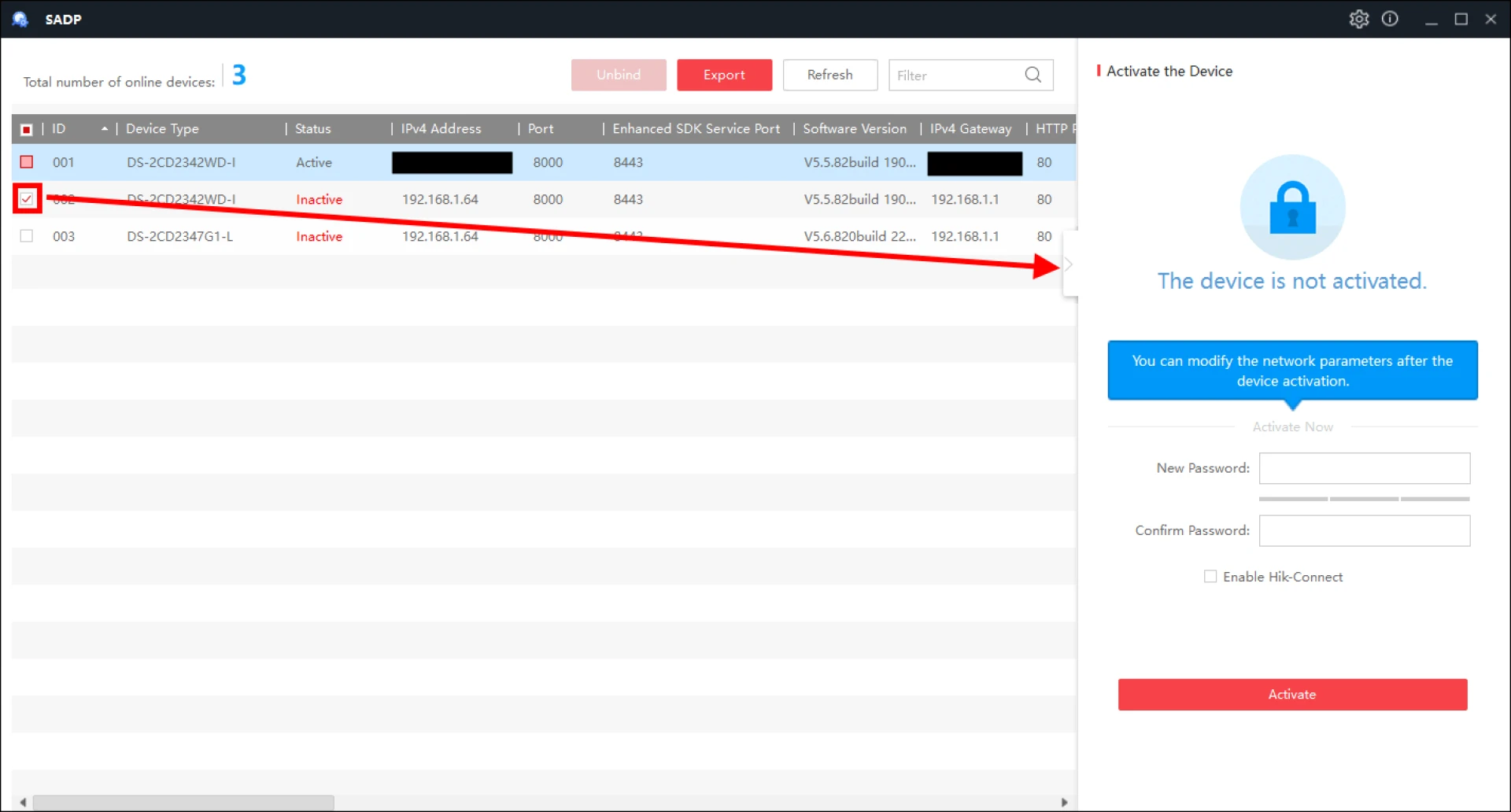
SADP Tool helps users automatically detect IP cameras, DVRs, NVRs, and other network devices connected to the same LAN. It allows users to view device details, activate inactive devices, change IP addresses, and reset passwords — all without logging into the device’s web interface.
Key Features of SADP Tool
- Auto Device Discovery on the local network
- View Device Information (IP address, model, serial number, firmware)
- Activate New Devices by setting an admin password
- Modify Network Settings (IP, gateway, subnet)
- Batch Configuration for multiple devices
- Secure Password Reset option (authorization required)
Why Use SADP Tool?
- Saves time during CCTV installation
- Eliminates the need for manual IP scanning
- Ideal for both beginners and professionals
- Works efficiently in large surveillance networks
- Free, lightweight, and easy to use
How to Use SADP Tool
- Download and install the SADP Tool on your PC
- Connect your system and devices to the same network
- Launch the tool to scan available devices
- Select a device to activate or configure
- Save settings and refresh the device list
Best Use Cases
- Initial setup of Hikvision IP cameras and NVRs
- Finding devices with unknown IP addresses
- Changing network configurations
- Recovering access to locked devices
- Preparing devices before adding them to recording systems
Conclusion
The SADP Tool is a must-have utility for managing Hikvision surveillance devices. It simplifies device discovery, activation, and configuration, making network setup faster, smoother, and more reliable. For anyone working with IP-based security systems, SADP Tool is an indispensable solution.