Many people use the words "invoice" and "receipt" as if they mean the same thing. They don't. Mixing them up can cause confusion with clients, delay payments, and create problems at tax time. Knowing which document to send, and when, keeps your records clean and your clients clear on where they stand.
This guide explains the difference between an invoice and a receipt, shows when to use each, and covers how a free receipt generator makes the job quick.
What Is an Invoice?
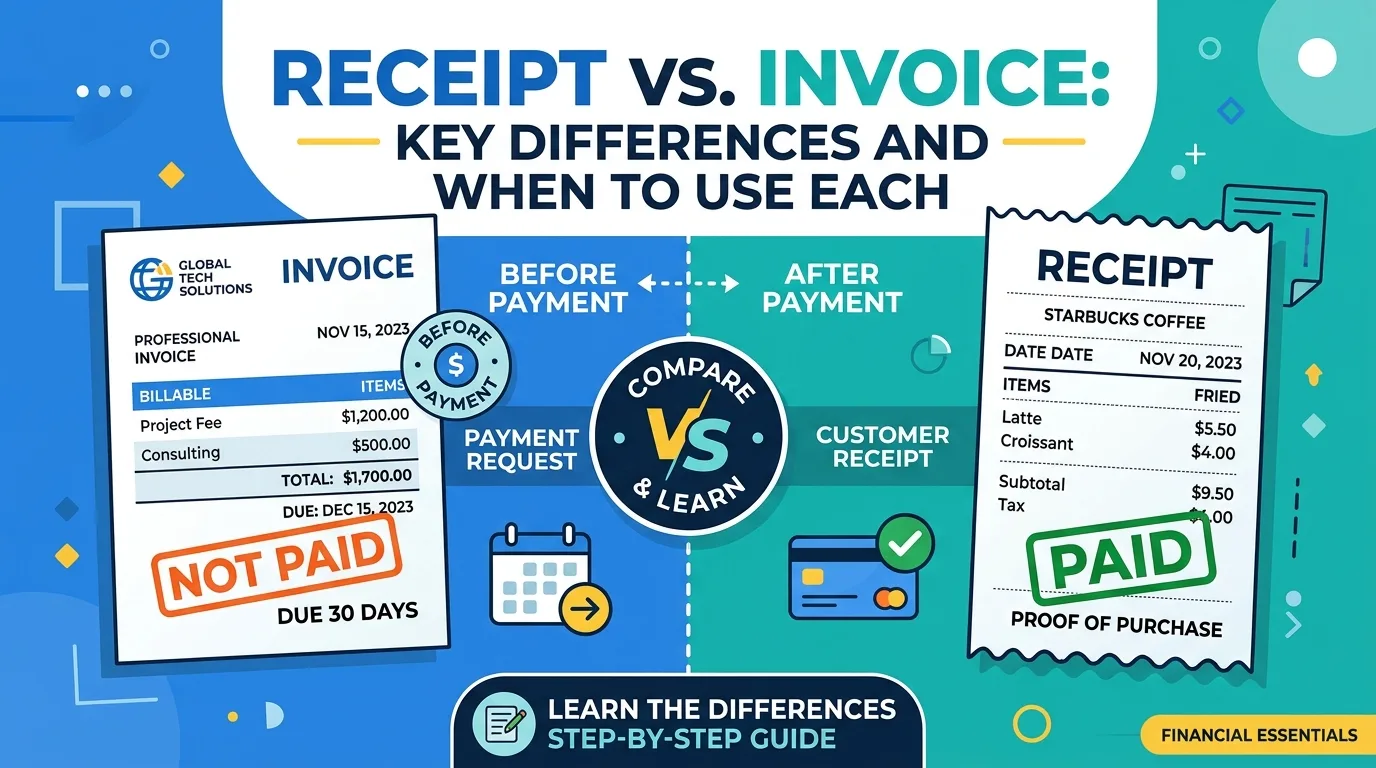
An invoice is a request for payment. You send it before the customer pays. It lists what you provided, what it costs, and when payment is due. Think of it as saying, "Here is what you owe me."
What Is a Receipt?
A receipt is proof of payment. You send it after the customer has paid. It confirms that money was received, how much, when, and by what method. Think of it as saying, "Thank you, you've paid in full."
Receipt vs. Invoice: Key Differences
FeatureInvoiceReceiptPurposeRequests paymentConfirms paymentWhen issuedBefore paymentAfter paymentPayment statusUnpaid or pendingPaidDue dateYesNoPayment method shownInstructions for payingThe method usedUsed forBilling, accounts receivableProof of purchase, bookkeepingWhat an Invoice Includes
• The word "Invoice" and a unique invoice number
• Your business details and your client's details
• Issue date and due date
• Itemized list of goods or services
• Subtotal, tax, discounts, and total due
• Payment terms and instructions
What a Receipt Includes
• The word "Receipt" and a receipt number
• Your business name and contact details
• Customer name (when relevant)
• Date of payment
• Description of what was purchased
• Amount paid, including any tax
• Payment method, such as cash, card, or bank transfer
• A "Paid" note or reference to the related invoice
When Should You Use an Invoice?
Send an invoice when you deliver work or goods but payment has not been made yet. This is common for:
• Freelance and agency projects
• B2B sales with credit terms such as Net 15 or Net 30
• Retainers and recurring services
• Deposits and milestone payments
When Should You Use a Receipt?
Send a receipt when payment has been received. This applies to:
• Retail and in-person sales
• Online purchases paid at checkout
• Cash payments
• Payments received against an earlier invoice
In many businesses you will use both. You send an invoice to request payment, then issue a receipt once the money arrives.
Do You Always Need Both?
Not always. A coffee shop gives a receipt only, because payment happens on the spot. A consultant who bills monthly might send an invoice and later mark it "Paid." Some clients, however, want a separate receipt for their accounting or reimbursement. When in doubt, send one. It costs you nothing and avoids questions.
Why Receipts Matter
Proof of payment. A receipt protects both sides if there is ever a dispute about whether something was paid.
Bookkeeping. Clean records make it easier to reconcile accounts and prepare taxes.
Expense claims. Customers often need receipts to claim business expenses or reimbursements.
Professionalism. Sending a receipt shows you are organized and builds trust.
What Is a Receipt Generator?
A receipt generator, also called a receipt maker, is an online tool that creates a formatted receipt from the details you enter. You add the date, items, amount, and payment method, and the tool produces a clean receipt you can download as a PDF.
A free online receipt generator is useful because it:
• Saves time compared with building receipts by hand
• Calculates totals and tax automatically
• Gives every receipt a consistent, professional look
• Works on any device with a browser
• Needs no software installation
How to Make a Receipt in Five Steps
Step 1: Enter your business name, address, and contact details.
Step 2: Add the receipt number and the date of payment.
Step 3: List what was purchased, with quantities and prices.
Step 4: Add tax and confirm the total paid, then select the payment method.
Step 5: Download the receipt as a PDF and send or print it.
Common Mistakes to Avoid
Calling a receipt an invoice. If you send an invoice marked as paid without saying so, clients may pay twice. Label each document clearly.
Missing payment method or date. A receipt without these is weak proof of payment.
Skipping numbering. Use unique, sequential numbers for both receipts and invoices.
Not linking documents. Reference the original invoice number on the receipt so records match.
Losing copies. Keep digital copies of every receipt for at least the period your local tax rules require.
Quick Summary
An invoice asks for money, and a receipt confirms you got it. Use invoices to bill and receipts to close the loop. With a free receipt generator, producing either one takes only a minute.
Need to make one now? Try the free tools at newinvoice-generator.com to create professional invoices and receipts online, with automatic totals and instant PDF download.