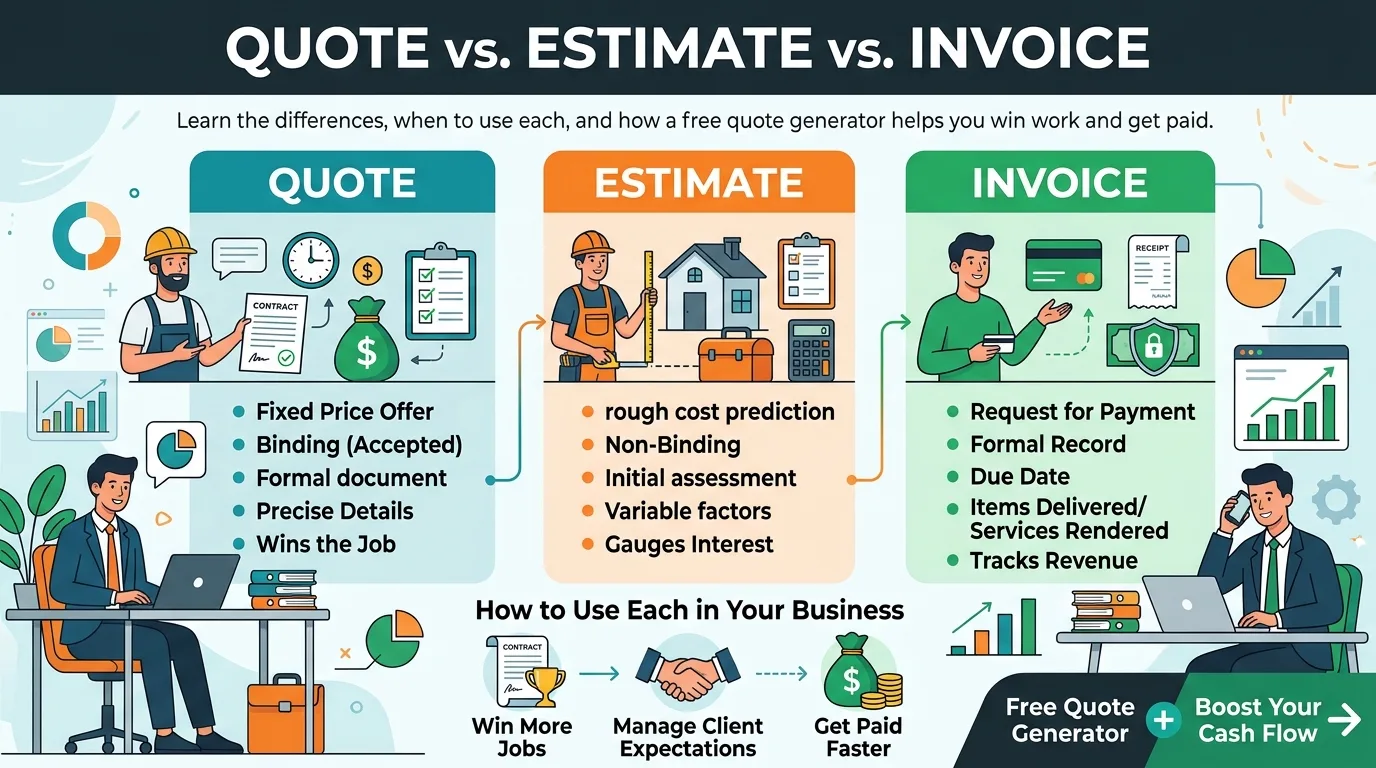
Winning a job and getting paid for it involves three documents that people often confuse: the quote, the estimate, and the invoice. They look similar, but each one does a different job. Using the wrong one can lead to pricing disputes, unhappy clients, or money left on the table.
This guide explains how quotes, estimates, and invoices differ, when to use each, and how a free quote generator can speed up the process.
What Is a Quote?
A quote is a fixed price offer for specific work or products. When a client accepts it, you are both agreeing to that price. A quote usually lists exactly what is included, the total cost, and how long the offer is valid.
Use a quote when the scope is clear and you can commit to a number. For example: "Logo design, three concepts, two revisions, $450. Valid for 30 days."
What Is an Estimate?
An estimate is a best guess at the likely cost. It is not a firm commitment, and the final price may change. Estimates are common when the scope is uncertain or depends on factors you can't fully predict, such as repairs or custom work.
Use an estimate when you need to give the client an approximate figure before work begins. For example: "Bathroom repair, estimated $800 to $1,200 depending on materials needed."
What Is an Invoice?
An invoice is a request for payment sent after work is done or goods are delivered. It lists what was provided, the amount owed, and when payment is due. Unlike a quote or estimate, an invoice is about money owed now.
Quote vs. Estimate vs. Invoice at a Glance
FeatureQuoteEstimateInvoicePurposeOffer a fixed priceGive an approximate priceRequest paymentWhen usedBefore work startsBefore work startsAfter work or deliveryBinding?Usually yes, once acceptedNo, price may changeYes, payment is duePriceFixedApproximate or a rangeFinalHas due date?Has an expiry dateSometimesYesWhen to Use Each Document
Use an estimate when:
• The scope is not fully defined
• Costs depend on time or materials that may change
• The client only needs a ballpark figure to plan a budget
Use a quote when:
• You know exactly what the job involves
• You can commit to a firm price
• The client wants certainty before saying yes
Use an invoice when:
• The work is finished or goods are delivered
• A milestone, deposit, or retainer payment is due
• You need to formally request payment
How They Work Together
Many businesses use all three in sequence:
1. Estimate: The client asks, "Roughly how much will this cost?" You send a range.
2. Quote: After discussing details, you send a fixed-price offer.
3. Invoice: Once the work is complete, you bill the agreed amount.
Keeping the numbers consistent across the three documents prevents disputes. If the final invoice differs from the quote, explain why in writing.
What a Good Quote Should Include
• The word "Quote" and a unique quote number
• Your business details and the client's details
• The date issued and an expiry date
• A clear description of the work or products
• Itemized prices, taxes, and the total
• Terms and conditions, such as deposit and payment schedule
• Space for the client to accept or sign
Tips for Writing Better Quotes and Estimates
Be specific about the scope. State exactly what is included and what is not. This prevents "scope creep" later.
Set an expiry date. Prices change. A validity period such as 14 or 30 days protects you.
Itemize costs. Breaking down labor, materials, and extras builds trust and makes the price easier to justify.
Include terms. Mention deposits, payment schedules, and what happens if the scope changes.
Follow up. A short message a few days after sending can turn a maybe into a yes.
Keep a template. Reusing a consistent layout saves time and looks professional.
What Is a Free Quote Generator?
A free quote generator, or quote maker, is an online tool that builds a professional quote from the details you enter. You add your information, the client's details, the items and prices, and the tool formats everything and calculates the total. You can then download the quote as a PDF and send it to the client.
Benefits include:
• A polished layout without design work
• Automatic totals, tax, and discounts
• Faster response times, which helps you win jobs
• Consistent branding across documents
• No software to install
Common Mistakes to Avoid
Calling an estimate a quote. If you label a rough figure as a quote, a client may hold you to it.
Leaving out the expiry date. An old quote can come back months later at outdated prices.
Vague line items. "Miscellaneous" is an invitation to argue.
Forgetting taxes. Make sure the client sees the full price they will pay.
Skipping the written record. Verbal agreements are hard to prove. Always send it in writing.
Final Thoughts
Think of it this way: the estimate sets expectations, the quote locks in the price, and the invoice collects the money. Using each at the right moment makes your business look organized and protects you from misunderstandings.
Create your quotes and invoices in minutes with the free tools at new invoice generator, with automatic totals and instant PDF download.