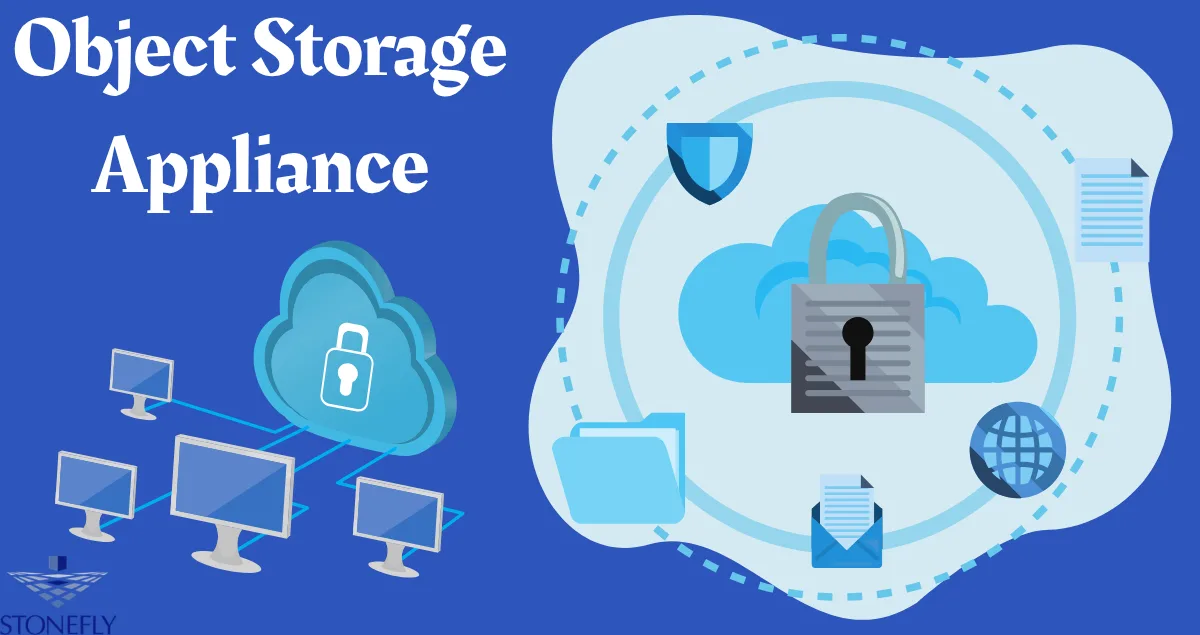
When teams need scalable, durable storage without a six-month project, they choose an Object Storage Appliance that arrives racked, cabled, and ready.
You unbox it, assign an IP, create a bucket, and start writing data the same day. The hardware, software, and erasure coding are pre-integrated and tested by the vendor. That means fewer surprises, predictable performance, and support from one phone number when something breaks.
What Defines an Appliance vs. Software-Only
Not every object store sold as a box is truly an appliance. Here’s the difference.
1. Pre-Integrated Stack
A true appliance ships with compute, networking, drives, and the object software already installed and tuned.
The vendor has validated firmware, drivers, and OS settings so you don’t spend weeks chasing performance bugs.
2. Single Support Path
If a disk fails or an API returns errors, you call one company. There is no finger-pointing between hardware and software teams.
That reduces mean time to repair and keeps your staff focused on apps, not infrastructure.
3. Fixed Building Blocks
Appliances come in known sizes: 96 TB, 288 TB, 1 PB raw. You scale by adding another identical unit.
The cluster handles data redistribution automatically. Capacity planning becomes simple math instead of custom design work.
Why Enterprises Pick Appliances for Object
DIY clusters can work, but appliances solve three real problems.
Time to Value
Building from parts means sizing, ordering, assembly, burn-in, OS install, network tuning, and software deployment.
An Object Storage Appliance cuts that to rack, power, and configure. Most teams are storing production data within 48 hours.
Predictable Performance
Vendors test each model and publish throughput numbers. You know a 4U node does 3 GB/s read with 12+4 erasure coding before you buy.
With DIY, performance depends on your drive choice, HBA settings, and kernel tweaks. Results vary wildly.
Lifecycle Simplicity
Firmware updates, drive swaps, and node additions are handled through one management interface.
The vendor tests the upgrade path across the whole stack. You avoid the “this NIC driver breaks that kernel” problems that plague custom builds.
Typical Hardware Profile
Most appliances follow a similar pattern, tuned for object workloads.
ComponentCommon SpecReasonForm Factor2U or 4UBalances density and coolingDrives12 to 36 HDDs, 2 to 4 NVMeHDDs for capacity, NVMe for metadataCPU1 to 2 sockets, 16 to 32 coresErasure coding and HTTP handlingRAM128 to 512 GBMetadata cache and indexingNetwork2x 25Gb or 2x 100GbSupports parallel client connectionsPowerRedundant PSUsNo single point of failureSome models add a small SSD tier for indexing or a GPU for on-box processing, but the core is always dense disk plus enough CPU to serve thousands of requests.
Core Software Features to Demand
Hardware is only half the story. The software running on the Object Storage Appliance determines how useful it is.
S3 API Compatibility
Your backup tools and apps already speak this API. The appliance should support bucket operations, multipart upload, versioning, tagging, and lifecycle policies.
Test presigned URLs and range GETs during pilot, because those break in partial implementations.
Erasure Coding and Self-Healing
Look for 12+4 or 16+4 schemes that tolerate multiple drive or node failures. The system should detect a bad disk, isolate it, and rebuild data without admin action.
Rebuilds should throttle so client traffic isn’t impacted.
Immutability and Retention Lock
For ransomware defense and compliance, you need object lock. Once enabled, objects cannot be deleted or changed until retention expires.
This must be enforced at the storage layer, not just in the API.
Multi-Site Replication
The appliance should replicate buckets to another site asynchronously. If site A fails, you point apps to site B and keep running.
Granular replication rules let you choose which buckets go offsite.
Deployment Patterns That Work
Pattern A: Backup Target
Place one appliance in the main data center and another in a DR site. Point backup software to the local unit for fast ingest.
Enable immutability for 60 days and replicate weekly fulls to the DR unit. RTO stays low because restores run locally.
Pattern B: Media Active Archive
Video teams ingest daily footage to the appliance. Editing uses proxies on fast storage while masters stay in object.
After 90 days, lifecycle rules move objects to a higher-density pool. Global editors pull clips via presigned URLs without VPN.
Pattern C: Analytics Landing Zone
Data pipelines write raw logs, CSV, and parquet files to the appliance. Query engines like Spark read directly from it.
No ETL into a warehouse just to explore data. The compute scales separately from storage.
Operations: Day Two and Beyond
Appliances reduce toil, but you still need good habits.
Monitoring: Track capacity, disk health, rebuild status, and request latency. Send alerts to your SIEM. Set a warning at 70 percent full so you have time to order expansion.
Upgrades: Schedule firmware and software updates quarterly. The cluster should do rolling upgrades with no downtime. Always read release notes for API changes.
Security: Join the appliance to your directory for admin login, but use separate service accounts for apps. Enable audit logs and ship them off-box. Rotate access keys every 90 days.
Testing: Restore from the appliance monthly. Pick a different workload each time. Document the duration so you know your real RTO.
Cost Model: Appliance vs. Cloud vs. DIY
Appliances are capital purchases. You pay upfront and depreciate over 5 years.
Compared to usage-based billing, they win when you store lots of data or have high API activity. The crossover point is usually between 400 TB and 1 PB.
Compared to DIY, appliances cost 15 to 25 percent more in hardware but save months of engineering time. For most teams, that tradeoff is easy.
You also get one support contract instead of separate hardware and software agreements.
Common Pitfalls and How to Avoid Them
- Undersizing Network: Object storage loves bandwidth. Two 25Gb ports are the minimum today. Plan for 100Gb if you expect parallel ingest from many clients.
- Ignoring Metadata Disk: If the appliance uses SSDs for index, size them correctly. When they fill, performance collapses. Ask the vendor for sizing rules.
- No Offsite Copy: One appliance is not a DR plan. Replicate critical buckets or write a second copy to tape. Fire and ransomware don’t care about your RAID level.
- Skipping the Pilot: Run your actual app against the appliance for two weeks. Check auth, multipart, retries, and delete behavior. Fix issues before you migrate real data.
Conclusion
When you need object storage that just works, an appliance removes the guesswork. You get validated hardware, tuned software, and one support line.
Deploy times drop from months to days, and performance is known before the PO is signed. Start with one unit for backups or a media project. Measure ingest speed, restore time, and admin hours. If it meets your goals, add more and build a cluster. Scale becomes a repeatable purchase, not a custom project.
FAQs
1. How many appliances do I need for high availability?
Three is the standard minimum for a cluster. That allows one unit to fail or be upgraded while the other two keep serving data. Some vendors support two-node setups with a witness, but three is safer for performance during maintenance.
2. Can I mix different generations of appliances in one cluster?
Usually yes, but check the vendor’s compatibility matrix. Newer nodes may run faster and handle more load, so the cluster will rebalance over time. Avoid mixing widely different capacity points because it can create hot spots.
3. What happens when a drive fails inside the appliance?
The system detects the failure, isolates the drive, and starts rebuilding its data from erasure coding or replicas. LEDs turn amber and you get an alert. You hot-swap the drive and the rebuild finishes automatically. No downtime for clients.
4. Do I need special training to manage an appliance?
Basic storage and networking skills are enough. The management UI handles most tasks: create bucket, set policy, add node, run update. For advanced tuning or troubleshooting, vendor support guides you. Most teams are comfortable after one day of training.
5. How do I retire an appliance at end of life?
Use the cluster’s data evacuation feature. It moves all objects to remaining nodes or a new appliance. Once empty, you decommission it. For security, use the built-in crypto-erase on drives or physically destroy them if policy requires.