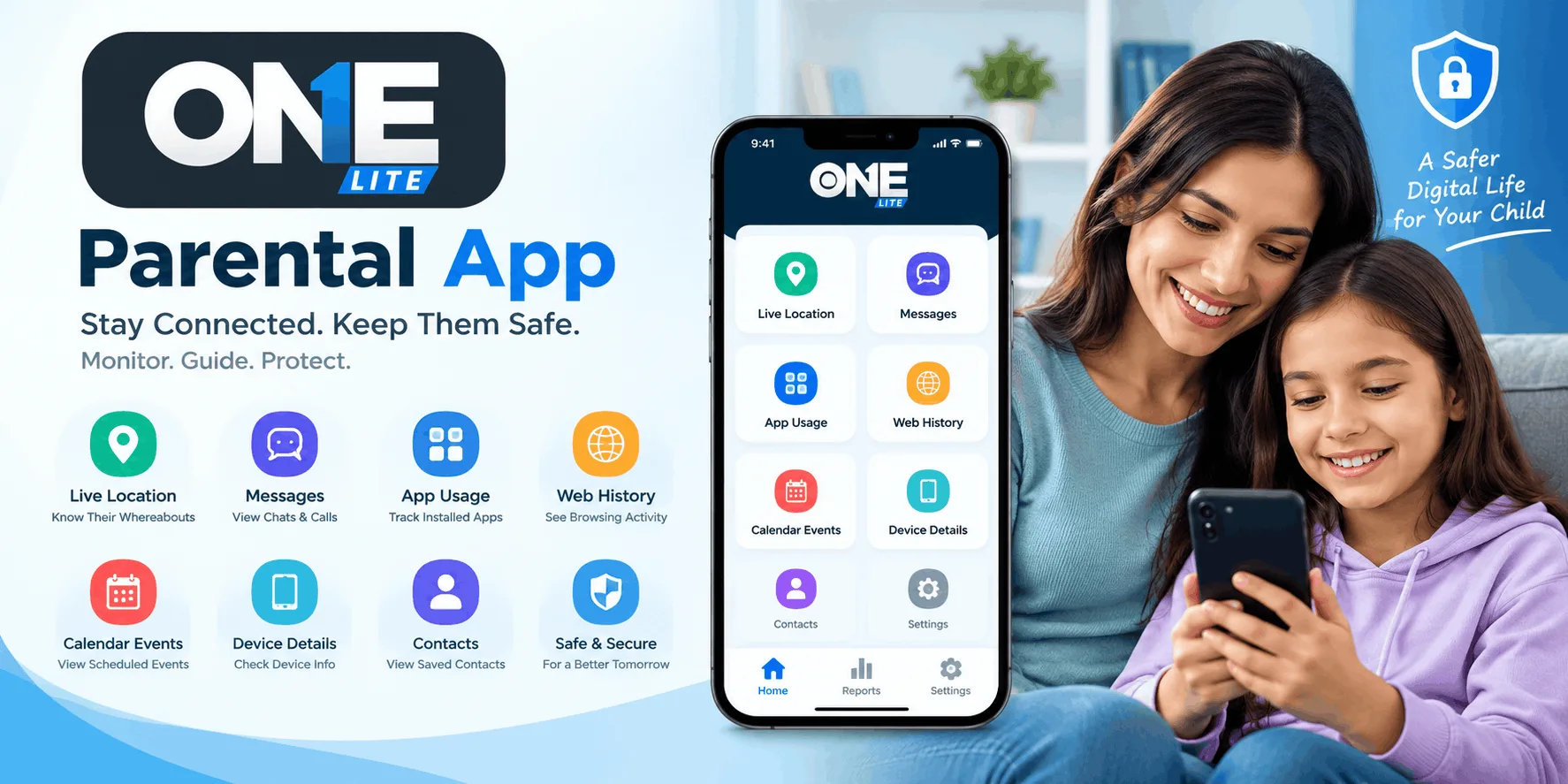
Smartphones have become an essential part of everyday life. People use them to communicate, access information, manage tasks, and stay connected with others. However, managing multiple activities on a single device can sometimes become challenging. Having the right mobile application can make everyday smartphone use more convenient and organized. OneLite is an Android application designed to offer users a practical mobile experience through its dedicated app interface.
Available on Google Play, OneLite gives Android users another option to explore when looking for mobile tools that support their everyday needs. Its accessibility through the Play Store also makes it easier for users to find the application, review its information, and install it on a compatible device.
What Is OneLite?
ONELite - Digital Guard is a parental control application developed by TheOneSpy. It is designed to help parents understand their children's smartphone activities and encourage responsible technology use.
The app works on a child's Android device and allows parents to review selected phone activities through a dedicated monitoring dashboard. Rather than relying entirely on restrictions, OneLite gives parents information they can use to have meaningful conversations with their children about online safety, mobile habits, and responsible smartphone use.
Its features cover several areas, including installed applications, GPS location updates, saved contacts, browsing history, and calendar events.
Key Features of OneLite
OneLite brings several useful parental control features together. Here are some of the main capabilities parents can explore.
1. Monitor Installed Applications
Children regularly install new applications to play games, communicate with friends, watch videos, and explore online content. However, not every application is suitable for every age group.
OneLite allows parents to view the applications installed on their child's Android phone. They can review the app list, discuss unfamiliar applications, and decide which ones are appropriate.
The app also provides app blocking and unblocking functionality. Parents can use this feature to restrict unwanted applications according to agreed family rules.
2. GPS Location Tracking
Knowing a child's whereabouts can help parents coordinate daily activities and manage family schedules. OneLite includes GPS location and tracking features that provide available location updates from the child's device.
Parents can use these updates when arranging school pickups, checking travel plans, or confirming whether a child has reached an expected destination.
Location information can support family safety, but it should also encourage open communication. Children should understand why location sharing is being used and when parents may check it.
3. Review Saved Contacts
A child's contact list can provide useful context about their communication network. OneLite allows parents to view contacts saved on the managed Android device.
This feature can help parents recognize unfamiliar names and ask questions about new friendships or contacts.
It is important to remember that a saved contact does not automatically indicate a risk. Parents should use this information as a starting point for discussion rather than making assumptions about someone's intentions.
4. Check Browsing History
Children can access thousands of websites through their smartphones. Some websites provide educational information, while others may contain inappropriate or misleading content.
OneLite includes browser history monitoring to help parents review websites visited through the device.
Parents can use this information to discuss internet safety, online privacy, suspicious websites, and responsible browsing habits. These conversations can help children understand how to recognize potentially harmful online content.
5. View Calendar Events
Managing school activities, appointments, and family commitments becomes easier when everyone understands the schedule.
OneLite allows parents to view calendar events saved on the child's phone. This can help them stay informed about scheduled activities and important appointments.
The feature can also provide useful context when coordinating transportation or discussing upcoming responsibilities with children.
6. Access Device Information
Parents sometimes need basic information about the smartphone they are managing, particularly during initial setup or when troubleshooting technical issues.
OneLite provides access to device information. This helps parents identify the managed phone and understand certain details about the device.
Having this information available can make device management and support more straightforward.
How to Set Up OneLite on Android
Getting started with OneLite involves a few basic steps. Parents should have authorized access to the child's Android device before beginning installation.
Follow these steps:
- Visit the OneLite Google Play listing and install the application on the child's Android device.
- Open the application and complete the registration process.
- Check the registered email address for dashboard login details and the activation code.
- Activate the application and follow the required permission setup instructions.
- Access the available activity updates through the TOSDesk application or the online dashboard.
Once the setup is complete, parents can review available information through their dashboard.
Free Trial and Lite Mode
OneLite provides a two-day free trial, allowing parents to explore its features before deciding whether to continue using the application.
During the trial, activity updates are provided every 15 minutes. After the trial period, the application continues in Lite Mode, which provides updates every 24 hours with limited records.
Parents should understand that OneLite does not provide continuous live monitoring. Update frequency can also depend on the device's internet connection, permissions, and settings.
This information helps families understand what to expect when using the application.
Why Choose OneLite for Parental Control?
Choosing a parental control application requires considering usability, available features, device compatibility, and privacy.
OneLite offers several useful capabilities within one Android application. Parents can review installed apps, check available location updates, understand saved contacts, and discuss browsing activities.
Another advantage is its focus on communication. Monitoring information should not replace conversations between parents and children. Instead, it can help families identify topics that deserve attention.
Parents can use OneLite to establish reasonable smartphone boundaries, explain online risks, and encourage children to make better digital decisions.
Privacy and Responsible Usage
Parental control applications involve access to personal device information. Therefore, responsible usage should always be a priority.
OneLite requires certain permissions to support features such as browser history monitoring and app blocking. It also uses Device Administrator permission to help prevent removal without parental knowledge.
Parents should install the application only on a child's device they own or are authorized to manage. They should explain the purpose of monitoring, follow applicable consent requirements, and protect dashboard login credentials.
Families should also review the application's privacy policy to understand its data practices.
Final Thoughts
OneLite by TheOneSpy is an Android parental control application designed to help parents understand their children's smartphone activities. Its features include installed app monitoring, app blocking, GPS location updates, contact viewing, browsing history, calendar events, and device information.
The two-day free trial gives parents an opportunity to explore the application before continuing with Lite Mode.
For families looking for a practical way to support responsible smartphone habits, OneLite offers a collection of useful monitoring and device management features. When combined with trust, communication, and clear family rules, it can become a helpful part of a broader digital parenting strategy.