Introduction
Most teams don’t struggle because they lack talent or effort. They struggle because work gets stuck—quietly, repeatedly, and often unnoticed until it’s too late.
These slowdowns, known as bottlenecks, are one of the biggest reasons projects miss deadlines, teams feel overloaded, and delivery becomes unpredictable. The real problem isn’t the bottleneck itself—it’s the lack of early visibility.
That’s exactly where Kanban Board Software changes how teams work.
Why Bottlenecks Hurt More Than Missed Deadlines
A missed deadline is visible. A bottleneck usually isn’t.
By the time a deadline slips:
- Work has already piled up
- Team members are already blocked
- Managers are already reacting instead of planning
Bottlenecks form inside the workflow, not at the end. If you can’t see work as it moves, you can’t see where it slows down.
This is why teams need flow visibility—not just task completion.
What Actually Causes Bottlenecks in Team Workflows
Bottlenecks don’t appear randomly. They usually come from predictable patterns:
- Too much work in progress at the same time
- Unclear workflow stages that hide delays
- Uneven workload distribution across people
- Manual handoffs between steps
Without clear visualization, these issues stay invisible until pressure builds.
Why Traditional Tracking Methods Fail to Reveal Bottlenecks
Many teams rely on tools that show what is assigned—but not how work flows.
Here’s where common methods fall short:
- Task lists show tasks in isolation, not movement
- Spreadsheets show static data, not live flow
- Status meetings reveal problems after delays happen
- Reports explain the past, not the present
None of these make bottlenecks obvious while they’re forming.
How Kanban Board Software Makes Work-in-Progress Visible
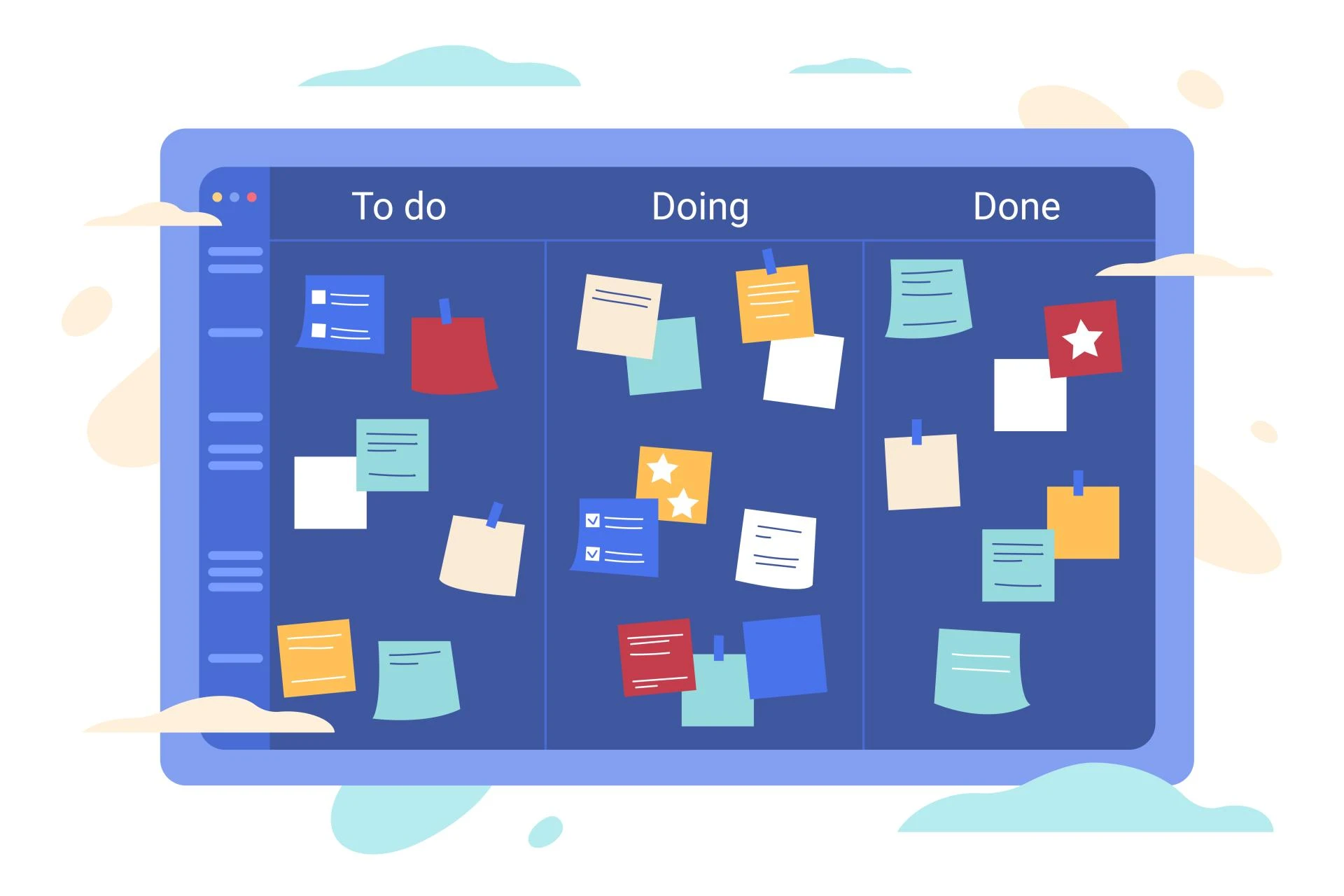
The biggest strength of Kanban Board Software is that it shows work in motion, not just work assigned.
Instead of a flat list, you see:
- Tasks moving across defined stages
- Work piling up in specific columns
- Progress (or lack of it) at a glance
This visual layout instantly answers critical questions:
- Where is work slowing down?
- Which stage has too many tasks?
- What’s been stuck the longest?
Bottlenecks stop being hidden—they become visible signals.
Stage-Based Tracking: The Key to Early Bottleneck Detection
Stages are more than labels. They represent how work actually gets done.
With Kanban Board Software, each stage reflects a real step in your process:
- Planned
- In progress
- Review
- Waiting
- Done
When tasks stop moving between stages, the board tells you immediately.
What bottlenecks look like visually:
- One column growing faster than others
- Tasks sitting too long in a single stage
- Downstream stages staying empty
This stage-based tracking allows teams to intervene before deadlines are affected.
Improving Flow Efficiency With Visual Signals
Flow efficiency is about how smoothly work moves from start to finish.
Kanban Board Software improves flow by:
- Making delays visible in real time
- Highlighting idle tasks
- Showing where work waits instead of progresses
When work flows smoothly:
- Teams finish tasks faster
- Stress decreases
- Delivery becomes predictable
When flow breaks, the board shows you exactly where and why.
How Teams Can Act on Bottleneck Signals Immediately
Visibility alone isn’t enough—you need action. Once bottlenecks appear, teams can respond fast:
- Reassign work from overloaded stages
- Limit new work entering congested columns
- Adjust priorities to unblock critical tasks
- Redesign stages to better match reality
Kanban Board Software turns bottlenecks into manageable decisions instead of last-minute crises.
How Managers Benefit From Real-Time Bottleneck Visibility
For managers, bottlenecks are usually discovered through complaints or delays. That’s inefficient.
With Kanban Board Software, managers gain:
- Instant insight into stalled work
- Fewer status meetings
- Data-backed decisions instead of assumptions
This shifts leadership from micromanagement to proactive flow management.
Common Bottleneck Patterns Teams Should Watch For
Over time, teams start recognizing recurring bottleneck signals:
- “Almost done” columns filling up
- Review or approval stages growing endlessly
- Specialist-heavy stages becoming overloaded
Kanban Board Software helps teams spot these patterns early and fix the system—not blame people.
Conclusion: Bottlenecks Are a Signal, Not a Failure
Bottlenecks don’t mean your team is failing. They mean your workflow is talking to you.
Teams that rely on guesswork discover problems too late. Teams that use Kanban Board Software see problems forming—and fix them while there’s still time.
When work is visible, flow improves. When flow improves, delivery becomes reliable.
FAQs
1. How does Kanban Board Software help identify bottlenecks?
Kanban Board Software visually shows where work piles up across stages, making delays and congestion visible in real time.
2. What is a workflow bottleneck?
A bottleneck is a stage where tasks accumulate faster than they move forward, slowing overall delivery.
3. Can Kanban Board Software improve delivery speed?
Yes. By revealing delays early, teams can rebalance work and maintain steady flow.
4. Is Kanban Board Software useful for non-technical teams?
Absolutely. Any team with repeatable processes benefits from visual stage-based tracking.
5. How early can bottlenecks be detected with Kanban boards?
Bottlenecks can be identified as soon as tasks stop moving between stages—often days before deadlines are at risk.