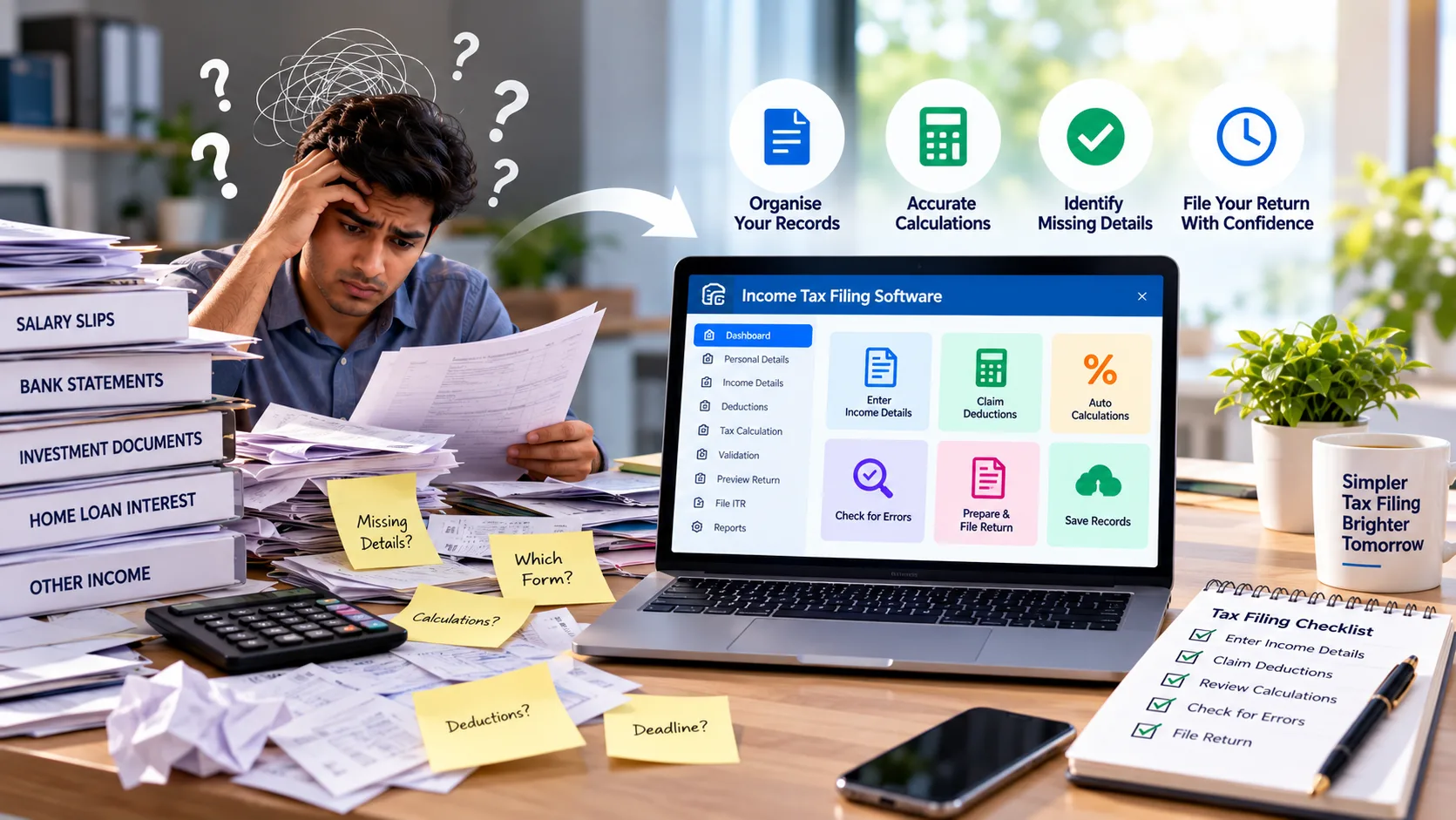
Income tax filing software can make tax preparation easier to manage. Instead of working through every detail on paper, users can organise their records and follow a clear process. This can be helpful when income details, bank statements, and investment records are kept in different places.
Still, choosing a tax tool is not just about finding one that looks simple. It should suit your needs, help you review your entries, and make it easier to spot missing details. The right choice can save time and reduce the stress that often comes with tax filing.
What Does Income Tax Filing Software Actually Do?
Income tax filing software helps users prepare the details needed for an income tax return. Depending on the tool, it may help with data entry, calculations, record keeping, and return preparation.
Some tools are made for people who file their own returns. Others are designed for tax professionals who work with many clients.
The features can vary. That is why it is worth checking what a tool offers before you start using it.
Tax software can make the process easier, but it cannot do everything on its own. Users still need to provide correct details and check their returns before filing.
Why More People Use Tax Filing Tools
Tax filing often involves several small tasks. When these tasks are handled one by one, it can be easy to lose track of a detail. Software can bring the work into one place and make the process easier to follow.
1. Keep Your Records Organised
Before preparing a return, you need to gather the right information. This may include salary details, bank records, investment documents, and other income information.
A digital tool can help you enter these details in an organised way. It can also make it easier to return to an entry when you need to check it.
Good record keeping helps you avoid searching through scattered files at the last minute.
2. Spend Less Time on Manual Work
Manual calculations can take time. They can also lead to errors when figures are copied or entered incorrectly.
Some tax tools perform calculations based on the details you provide. This can reduce repetitive work and help you prepare your return more efficiently.
However, the results depend on the information entered. Always check the figures against your records.
3. Spot Missing Details
A missing field or an incomplete entry can slow down the filing process. Some software includes checks that point out details that need attention.
These alerts can help you review your work before filing. They may also make it easier to find an entry that needs to be corrected.
Keep in mind that software may not catch every mistake. A careful review is still important.
4. Make Review Less Confusing
When information is clearly arranged, it is easier to understand what you have entered. You can compare the figures with your documents and make changes when needed.
This is useful for both individuals and professionals. A clear process can make tax preparation easier to manage from start to finish.
What Should You Look for in Tax Filing Software?
A tool may offer many features, but not all of them will be useful to you. Focus on the ones that match your needs.
- Simple navigation: The software should be easy to understand. Clear steps can help new users move through the process without confusion.
- Suitable filing features: Check whether the tool supports the type of return you need to prepare. Do not assume every product covers every tax situation.
- Calculation support: Find out which calculations the software can handle. Make sure you can review the results before filing.
- Error checks: Alerts for missing or unusual entries can help you catch problems early. Check what the software can and cannot detect.
- Data protection: Tax records contain private information. Read the provider's privacy and security details. Use trusted services and protect your login information.
- Help when needed: Guides and customer support can be useful when you are unsure about a step. Check what help is available before choosing a tool.
- Clear pricing: Compare the cost with the features included. A higher price does not always mean a better fit for your needs.
How to Choose a Tool That Fits Your Work
Start by thinking about how you file your taxes. Your needs may be different from those of another user.
If you file your own return, you may want a simple interface and clear instructions. If you are a tax professional, you may need features that help you manage records for several clients.
Ask yourself a few questions:
- Does the software support the type of return I need?
- Can I enter and review my details without confusion?
- Does it help me find missing information?
- Can I get help if I run into a problem?
- Is the price suitable for my budget?
These questions can help you compare options in a practical way. Choose a tool based on how well it fits your work, rather than how many features it lists.
It is also useful to read the product details before choosing a plan. Some features may only be available in certain versions. Make sure you know what is included.
Tax Filing Mistakes You Can Avoid
Even with software, small mistakes can happen. The good news is that many can be reduced with a few simple habits.
- Do not rush through data entry. Check each figure against the original document before entering it.
- Do not leave out income details. Gather the records you need before you begin. This makes it easier to include all relevant information.
- Do not assume every deduction applies to you. Check the rules and your own situation before making a claim.
- Do not ignore alerts. If the software flags an entry, take a moment to understand why. Correct it if needed.
- Do not skip the final review. Check your personal details, income figures, and calculations before submitting the return.
Keep copies of your important records and filing acknowledgement. They can help if you need to review the information later.
Income Tax Filing and TDS Filing Are Not the Same
Income tax filing and Tax Deducted at Source (TDS) filing are connected, but they serve different purposes.
An income tax return covers details about a taxpayer's income and tax position. TDS work deals with tax deducted at source and the related reporting tasks.
Some businesses and tax professionals may need to handle both. However, a tool made for TDS work should not automatically be treated as a complete solution for every income tax return.
If TDS filing is also part of your work, you can explore Webtel's TDS filing software. Review its features to see whether they suit your TDS-related needs.
Knowing the difference between these tasks can help you choose the right tool for each job.
Make Tax Preparation Easier to Manage
Income tax filing software can help you organise records, handle routine calculations, and prepare your return in a more structured way. The best fit depends on your filing needs, budget, and comfort with technology.
Before choosing a tool, check its features, ease of use, security, and support options. Make sure it covers the type of return you need to prepare.
Most importantly, take time to review your details before filing. Software can make the process smoother, but accurate information and a final check remain essential.