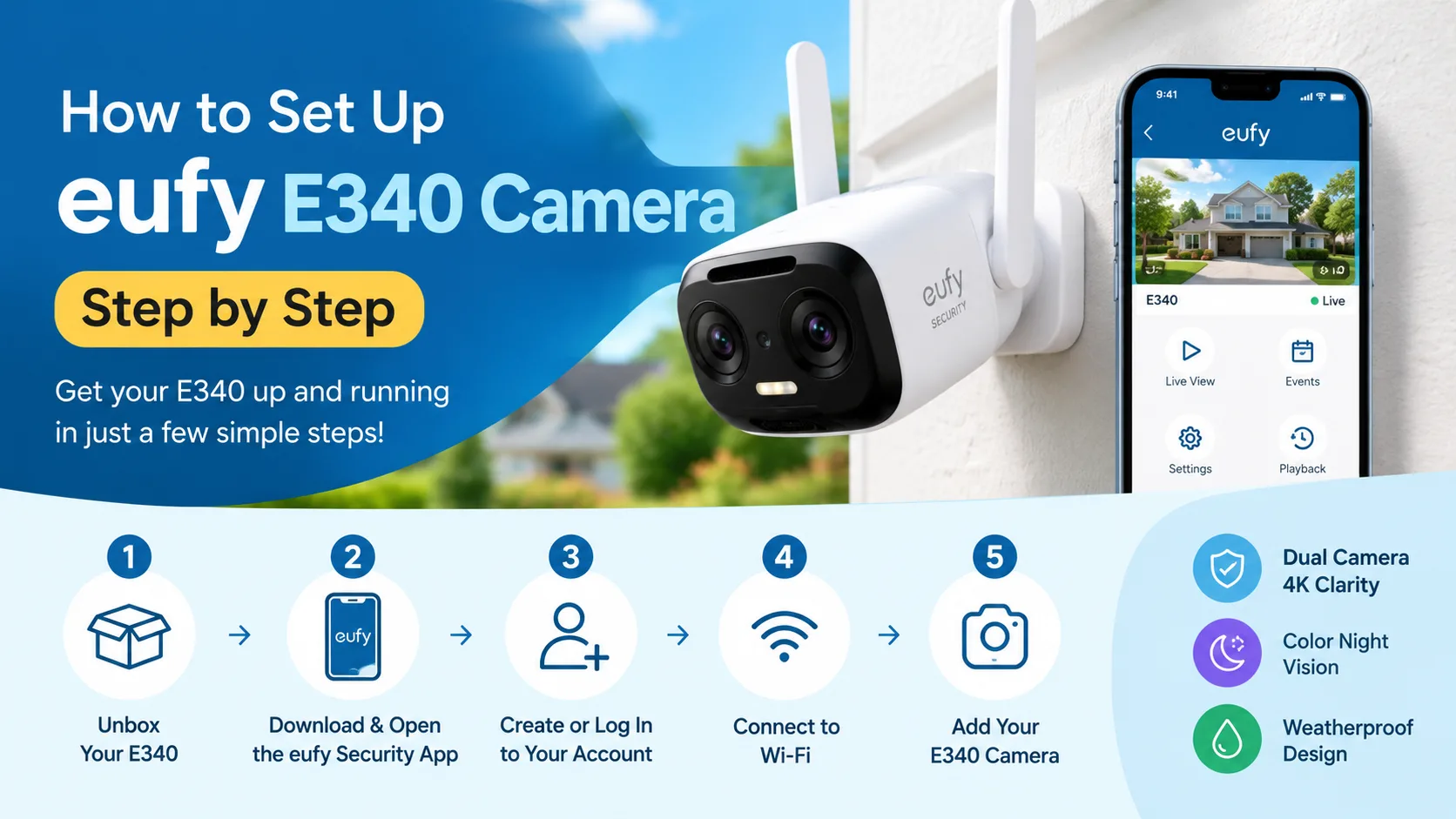
To complete the Eufy E340 Setup, charge the doorbell, install the eufy Security app, add the device, connect it to Wi-Fi and test the live view. If you face eufy camera offline or Eufy camera not working issues, check power, Wi-Fi, app settings and the device connection first.
Setting up the Eufy E340 is easier than it may look. You do not need advanced technical skills. You mainly need the doorbell, your phone, the eufy Security app and a stable Wi-Fi connection.
The Video Doorbell E340 can work on its own through your home router. You can also connect it with compatible eufy HomeBase devices. Eufy lists the E340 as model T8214. It can use battery power or compatible existing doorbell wiring.
This guide explains the complete setup in simple steps.
When Should You Set Up Your Eufy E340?
Set up the E340 before fixing it permanently to the wall. This lets you check the camera view and Wi-Fi connection first. If you already installed it and it shows eufy camera offline, you can also use these steps to reconnect it.
What Do You Need for Eufy E340 Setup?
What you needWhy you need itEufy E340 doorbellMain security deviceeufy Security appDevice setup and controlSmartphoneUsed during setupStable Wi-FiConnects the doorbell to your networkCharged batteryRequired for battery-powered setupScrewdriver and drillNeeded for wall installation
The E340 supports battery operation and compatible wired installation. If you use existing doorbell wiring, turn off power at the breaker before working with the wires. If you are not comfortable with electrical work, use a qualified electrician.
How Do You Set Up Eufy E340 Step by Step?
1. Charge the Battery
Start by removing the battery pack from the doorbell. Charge it fully. Put the battery back into the camera before starting the setup.
A full charge helps avoid interruptions during the first connection.
2. Install the Eufy Security App
Download the eufy Security app on your Android or iPhone.
Open the app. Sign in to your eufy account. If you do not have an account, create one.
Eufy recommends using the app as the main guide during device setup.
3. Add the E340 to the App
Open the app and choose the option to add a new device.
Select the Video Doorbell E340. Follow the instructions shown on your phone.
The QR code is located on the back of the doorbell. Scan it when the app asks you to do so.
4. Press the Sync Button
Find the SYNC button on the back of the E340.
Press and hold it for about two seconds. You should hear a beep.
This puts the doorbell into setup mode. Continue following the instructions in the app.
5. Connect the Doorbell to Wi-Fi
Select your home Wi-Fi network in the app.
Enter the correct Wi-Fi password. Keep your phone and doorbell close to the router during setup.
Wait for the connection to finish. Do not close the app while the device is being added.
6. Check the Live View
Once connected, open the camera's live view.
Move the doorbell around the installation area if needed. Check whether the view covers your entrance properly.
Eufy recommends checking the live view before final installation. A wall close to the camera can also cause infrared reflections and affect night vision.
7. Mount the E340
For a new installation, use the included mounting bracket.
Eufy recommends around 48 inches or 1.2 meters, from the ground for the mounting position. A 15-degree wedge can be used when you need to change the viewing angle.
After mounting, attach the doorbell to the bracket until it clicks into place.
8. Test Everything
Press the doorbell button. Check the notification on your phone.
Open the live view. Test two-way audio. Check motion alerts.
If everything works, your Eufy E340 Setup is complete.
Why Is My Eufy Camera Offline?
If your eufy camera offline message appears, start with the basics. Check that the doorbell has power. Then check your router. Make sure your Wi-Fi is working on your phone.
If you recently changed your Wi-Fi name or password, the camera may need to be connected to the new network again.
Weak Wi-Fi can also cause connection problems. Eufy recommends checking the Wi-Fi connection and moving the router closer when the signal is weak.
What Can You Do If Your Eufy Camera Is Not Working?
ProblemWhat you can tryEufy camera not workingRestart the camera and check powerCamera is offlineCheck Wi-Fi and router connectionSetup failsKeep the phone and camera closer togetherQR code does not scanClean the code and improve lightingNo notificationsCheck notification settings in the appPoor live viewCheck Wi-Fi signal strengthNight view looks blurryMove the camera away from nearby wallsWi-Fi password changedReconnect the camera to the new networkIf basic steps do not work, save important recordings before resetting the device. Eufy's troubleshooting guidance notes that a reset means you will need to reconnect the camera to the app.
How Can You Fix Eufy Camera Not Working During Setup?
First, check the power and Wi-Fi connection. Then close and reopen the eufy app. Try the setup again with the doorbell close to your router. Check that you are entering the accurate Wi-Fi password. If the problem continues, trail the reset instructions for your exact E340 model. Do not reset the device as your first step if you have important recordings.
FAQs
Does Eufy E340 Need HomeBase?
No. The Video Doorbell E340 can work independently when connected to your home wireless router. HomeBase is optional. Eufy also lists the E340 as compatible with HomeBase 2, HomeBase 3 and HomeBase Mini.
Why Does My Eufy E340 Keep Going Offline?
An unstable connection, weak Wi-Fi, changed network password or power problem can cause offline issues. Start by checking power and your router. Then check the camera's Wi-Fi connection in the eufy app.
Can I Use Eufy E340 Without Doorbell Wiring?
Yes. The E340 has a rechargeable battery, so you can use it without existing doorbell wires. Charge the battery before setup. If you prefer wired power, check that your existing wiring meets Eufy's requirements.
How Do I Fix Eufy Camera Not Working After Setup?
Check the power, Wi-Fi, app connection and notifications first. Restart the device if needed. If the issue remains, save important recordings and consider resetting and adding the E340 again through the eufy Security app.
Final Thoughts
The Eufy E340 Setup process is simple when you do it in the right order. Charge the battery, add the doorbell in the eufy Security app, connect Wi-Fi, check the live view and then mount it.
If you see eufy camera offline or Eufy camera not working, do not panic. Start with power and Wi-Fi checks. These simple checks solve many common setup problems.
Note: Eufy also sells a separate Floodlight Cam E340 (T8425). Its installation process is different from the Video Doorbell E340, especially because it involves wired electrical installation.