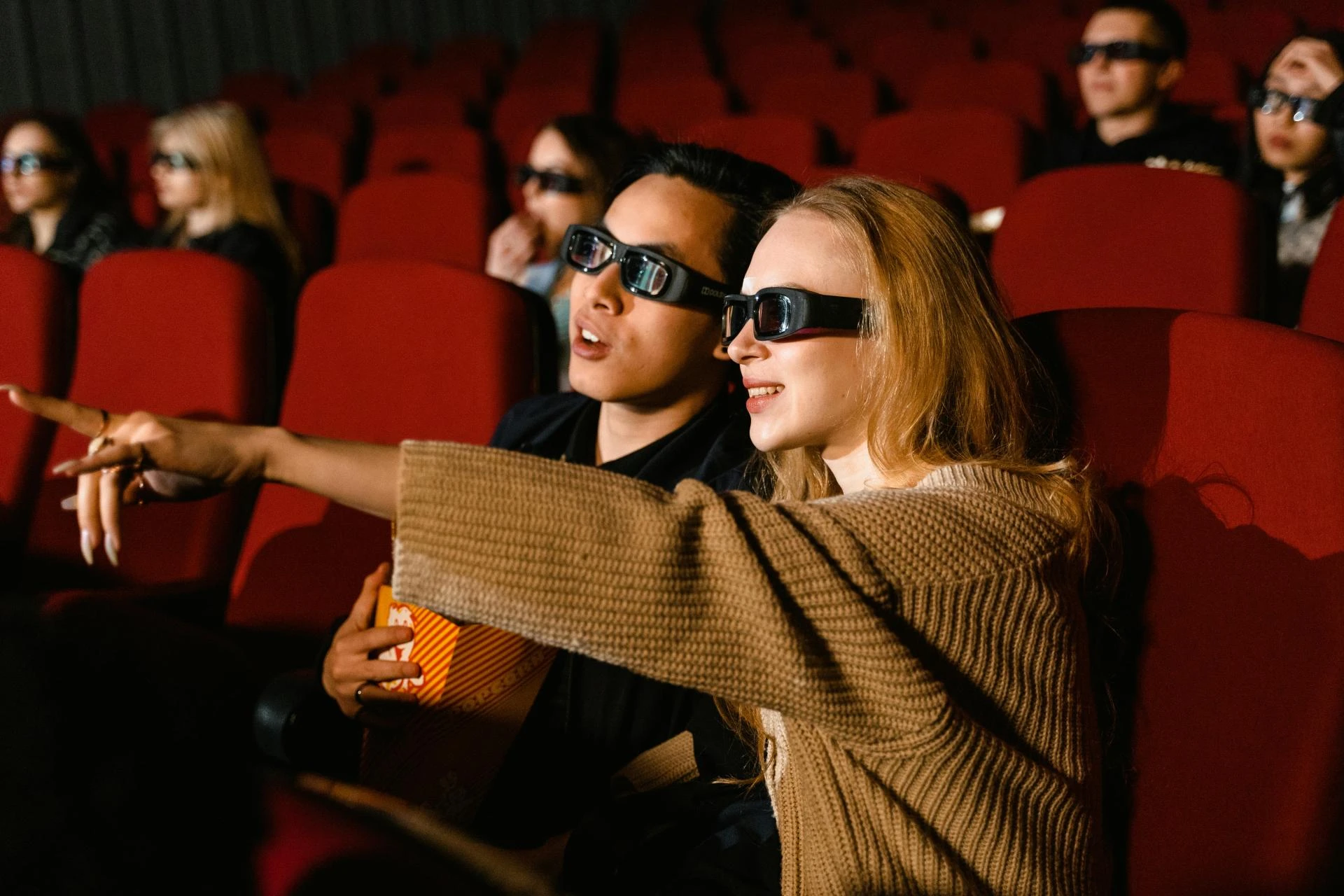
Turning your living room or dedicated space into a 3D home cinema is no longer a dream reserved for the wealthy. With technological advancements and affordable equipment options, you can now create an immersive cinematic experience right in your home without breaking the bank. Whether you are a movie enthusiast or a gamer, a 3D home cinema projector can transform your entertainment setup. Here’s a complete guide to help you set up your 3D home theater on any budget.
1. Choose the Right 3D Home Cinema Projector
The cornerstone of any home cinema is the projector. When selecting a 3D home cinema projector, consider these factors:
- Resolution: Aim for at least 1080p Full HD. If your budget allows, 4K projectors deliver sharper images and more immersive experiences.
- Brightness: A projector with 2000–3000 lumens works well in moderately lit rooms. For spaces that cannot be completely darkened, higher lumens are preferable.
- 3D Capability: Ensure the projector supports active or passive 3D. Active 3D requires special glasses, while passive 3D uses polarized lenses similar to movie theaters.
- Connectivity: Look for HDMI ports, USB support, and wireless streaming capabilities to easily connect Blu-ray players, gaming consoles, or streaming devices.
Affordable options like DLP projectors provide excellent image quality for budget-conscious buyers. Brands such as Epson, BenQ, and Optoma often have budget-friendly 3D projectors that deliver impressive performance.
2. Plan Your Room Layout
Even the best projector can’t compensate for a poorly planned viewing space. Consider the following:
- Screen Placement: The screen should be at eye level from your primary seating area. If using a wall instead of a projector screen, make sure the surface is smooth and painted with a matte finish.
- Seating Distance: Ideally, sit at a distance of 1.5–2.5 times the screen width. Too close can strain your eyes, and too far diminishes the immersive effect.
- Ambient Light Control: Light leakage reduces image clarity. Use blackout curtains or dimmable lights to enhance your 3D viewing experience.
Even on a budget, thoughtful room layout can dramatically enhance the cinematic feel without expensive soundproofing or lighting setups.
3. Select a Projection Screen or Surface
While a projector can display images on a plain wall, using a dedicated screen elevates the experience:
- Fixed Frame Screens: Offer smooth, taut surfaces ideal for sharp 3D images.
- Pull-Down Screens: Affordable and space-saving, perfect for small rooms.
- Painted Wall Surfaces: Budget-friendly, but ensure the wall is smooth and painted with high-gain projector paint for brighter images.
When shopping for a screen, check the gain rating. A gain of 1.0–1.2 works well in most home environments. Higher gain screens can produce brighter images but may create hotspots.
4. Set Up Audio for True Immersion
Great visuals need great sound. While many budget 3D home cinema setups rely on the projector’s built-in speakers, adding external audio dramatically improves the experience:
- Soundbars: Affordable, compact, and easy to set up.
- Surround Sound Systems: For mid-range budgets, a 5.1 or 7.1 system creates a full cinematic atmosphere.
- Wireless Speakers: Offer flexibility in speaker placement without messy cables.
A balance of clear dialogue, immersive background effects, and deep bass makes your 3D movies feel like a true theater experience.
5. Connectivity and Source Devices
Your 3D home cinema projector is only as good as the content it displays. Popular sources include:
- Blu-ray Players: Many support 3D discs, perfect for high-quality movies.
- Gaming Consoles: Modern consoles support 3D gaming, ideal for immersive gameplay.
- Streaming Devices: Platforms like Netflix, Disney+, and Amazon Prime offer 3D or 4K content.
- DTV Installations: Professional DTV setups ensure you can access live sports, movies, and shows in 3D quality.
Make sure your projector and devices support the same 3D formats to avoid compatibility issues.
6. Optimize Your 3D Viewing Experience
After setting up your projector, screen, and sound, fine-tune your setup:
- Adjust Projector Settings: Modify brightness, contrast, and color balance. Many projectors have preset cinema modes for optimal viewing.
- Calibrate Audio: Ensure sound levels are balanced between speakers and minimize echoes or sound distortion.
- Test Different Viewing Angles: 3D effects may weaken if you sit off-center. Position seats for the best stereoscopic effect.
- Minimize External Light: Even low ambient light can wash out 3D images. Use dim lights or blackout curtains to enhance contrast.
7. Budget-Friendly Tips
Creating a 3D home cinema doesn’t have to cost thousands. Here are some strategies to save money:
- Buy Refurbished Equipment: Many reputable brands offer certified refurbished projectors at a fraction of the price.
- Use DIY Screens: Affordable projector paint or blackout cloth can replace commercial screens.
- Start Small: Begin with a modest projector and soundbar, then gradually upgrade components over time.
- Bundle Deals: Look for combo deals that include a projector, screen, and speakers for discounted prices.
- DTV Installations Packages: Opting for professional DTV installation bundles ensures you get reliable 3D content access without extra equipment hassle.
Even with a limited budget, you can achieve impressive results by prioritizing projector quality and room setup.
8. Maintenance Tips for Longevity
To ensure your 3D home cinema projector lasts:
- Keep It Dust-Free: Dust reduces brightness and can damage internal components.
- Proper Ventilation: Avoid overheating by placing your projector in a well-ventilated area.
- Lens Cleaning: Use a microfiber cloth to gently clean the lens.
- Update Firmware: Manufacturers sometimes release firmware updates to improve performance and 3D compatibility.
Regular maintenance ensures your projector performs at its best for years to come.
9. The Final Touch: Ambiance
Don’t forget the small details that make a cinema feel special:
- Ambient Lighting: LED strips or dimmable wall lights enhance the cinematic mood.
- Comfortable Seating: Recliners or bean bags make long movie nights enjoyable.
- Decor: Posters, themed furniture, or curtains can enhance the immersive feeling.
A cozy atmosphere combined with a high-quality 3D home cinema projector can rival the theater experience without the cost of tickets or snacks.
Conclusion
Setting up a 3D home cinema projector on any budget is absolutely achievable. By choosing the right projector, optimizing your room layout, selecting proper audio and screen options, and fine-tuning your setup, you can create an immersive home entertainment experience that rivals commercial theaters. Whether you invest in professional DTV installations or DIY solutions, the key is balancing quality with affordability.
Now it’s your turn—pick your projector, optimize your space, and bring the magic of 3D movies into your home!