
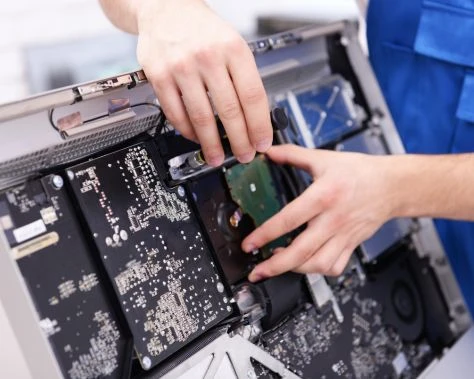
For Melbourne residents and businesses, a damaged hard drive can feel like a minor catastrophe. Whether you're dealing with corrupted family photos, essential business documents, or personal records, losing data to a faulty hard drive is increasingly common in our digital age. In Footscray and surrounding suburbs, where small businesses and households rely heavily on digital storage, this problem affects thousands each year. The good news? In most cases, your data isn't permanently lost. This guide will walk you through practical recovery options and help you understand when professional computer repairs Footscray services become necessary.
Understanding Common Hard Drive Damage Problems
Hard drives fail in two primary ways: logical failures and physical damage. Understanding which type you're dealing with is the first step toward recovery.
Logical Failures
Logical failures occur when the drive itself is still functional, but the file system or data structure becomes corrupted. Common causes include:
- Accidental file deletion or formatting
- Software corruption or malware infections
- Power surges or unexpected shutdowns
- Corrupted boot sectors
- Failed updates or system errors
In these situations, the drive typically still spins up and may make normal operating sounds, but your files appear inaccessible or the system fails to recognize it.
Physical Damage
Physical damage is more serious and usually requires professional intervention. Signs include:
- Strange clicking, beeping, or grinding noises
- The drive not spinning up at all
- Burning smells or visible damage
- Complete system failure to recognize the device
- Overheating issues
Physical problems stem from mechanical component failure, head crashes, or water/fire damage—situations where the drive's internal components are compromised.
Why Hard Drives Fail: Common Causes
Understanding what causes hard drive failure can help you prevent future data loss.
Mechanical wear and tear is the most common culprit. Hard drives contain moving parts that gradually wear out over time, typically after 3–5 years of use. Power-related issues such as surges, voltage fluctuations, or improper shutdowns can cause immediate damage. Environmental factors like heat, moisture, and physical shocks accelerate failure, particularly in Melbourne's variable climate. Firmware corruption can render a drive inaccessible even when the hardware remains intact. Finally, manufacturing defects, though rare, do occur and sometimes only manifest after months or years of operation.
Practical Recovery Solutions You Can Try First
Before assuming your data is lost, several DIY approaches are worth attempting, particularly for logical failures.
Step 1: Connect the Drive to Another Computer
If your external hard drive is damaged or your internal drive won't boot, try connecting it to another computer using an external enclosure or USB adapter. This bypasses potential motherboard or software issues and allows you to access the data directly. Windows machines can access drives formatted for either Windows or older systems, though Mac users may need additional software to read non-Mac drives.
Step 2: Use Data Recovery Software
For logical failures, data recovery software can work miracles. Programs like Recuva (free), EaseUS Data Recovery Wizard, or R-Studio scan your drive and attempt to reconstruct lost files. Here's how to use them safely:
- Connect your damaged drive externally to prevent further system corruption
- Install recovery software on a different drive or computer
- Run a scan to identify recoverable files
- Save recovered files to a healthy external drive, never back to the damaged one
Success rates for software recovery are typically 60–90% depending on how severely the drive was damaged.
Step 3: Freeze Method (Use With Caution)
This controversial technique involves sealing a damaged drive in a plastic bag and placing it in a freezer for 2–3 hours. The cold can temporarily contract metal components and restore temporary functionality. However, this is a last resort for mechanical failures and can cause condensation damage. It may only buy you 15–30 minutes of operation—enough to access critical files. Immediately connect to another computer and transfer files; don't rely on this as a permanent fix.
When Professional Computer Repairs Footscray Services Are Essential
Some situations require professional expertise. Computer repairs Footscray specialists have cleanroom facilities, specialized equipment, and expertise that DIY methods simply cannot replicate.
Contact professionals if:
- The drive makes clicking, beeping, or grinding sounds (indicates mechanical failure)
- You see burned components or physical damage
- The drive shows signs of water or fire damage
- DIY recovery attempts have failed
- Your data is financially or emotionally irreplaceable (business records, family photos)
- The drive won't be recognized by any computer you try
Professional data recovery isn't cheap—typically ranging from $300 to $1,500 depending on damage severity—but it's worth the investment for critical data. Professionals can replace failed components, repair corrupted firmware, and extract data in sterile conditions.
Prevention: Protecting Your Data Going Forward
Recovery is stressful and expensive. Prevention is far simpler:
Implement a 3-2-1 backup strategy: Keep three copies of important data, store them on two different media types, with one copy offsite. Regular automated backups to cloud services like Google Drive, Dropbox, or OneDrive ensure you're always protected. Replace drives proactively after 4–5 years of use, before failure occurs. Manage heat and ventilation by ensuring your computer has adequate airflow. Use surge protectors to safeguard against electrical damage. Handle devices carefully and avoid physical shocks to external drives.
Conclusion
A damaged hard drive in Footscray or anywhere in Melbourne doesn't mean your photos and documents are gone forever. Start with simple solutions—connecting to another computer and trying data recovery software—before escalating to professional help. For logical failures, these approaches work remarkably well. For physical damage or when personal attempts fail, don't hesitate to seek professional computer repairs Footscray services; the expertise and equipment they offer can mean the difference between permanent loss and successful recovery.
The most important takeaway? Don't panic, don't continue using the damaged drive, and don't attempt risky solutions like opening the drive yourself unless you're in a controlled environment. Keep your data safe through regular backups, and you may never face this situation at all.