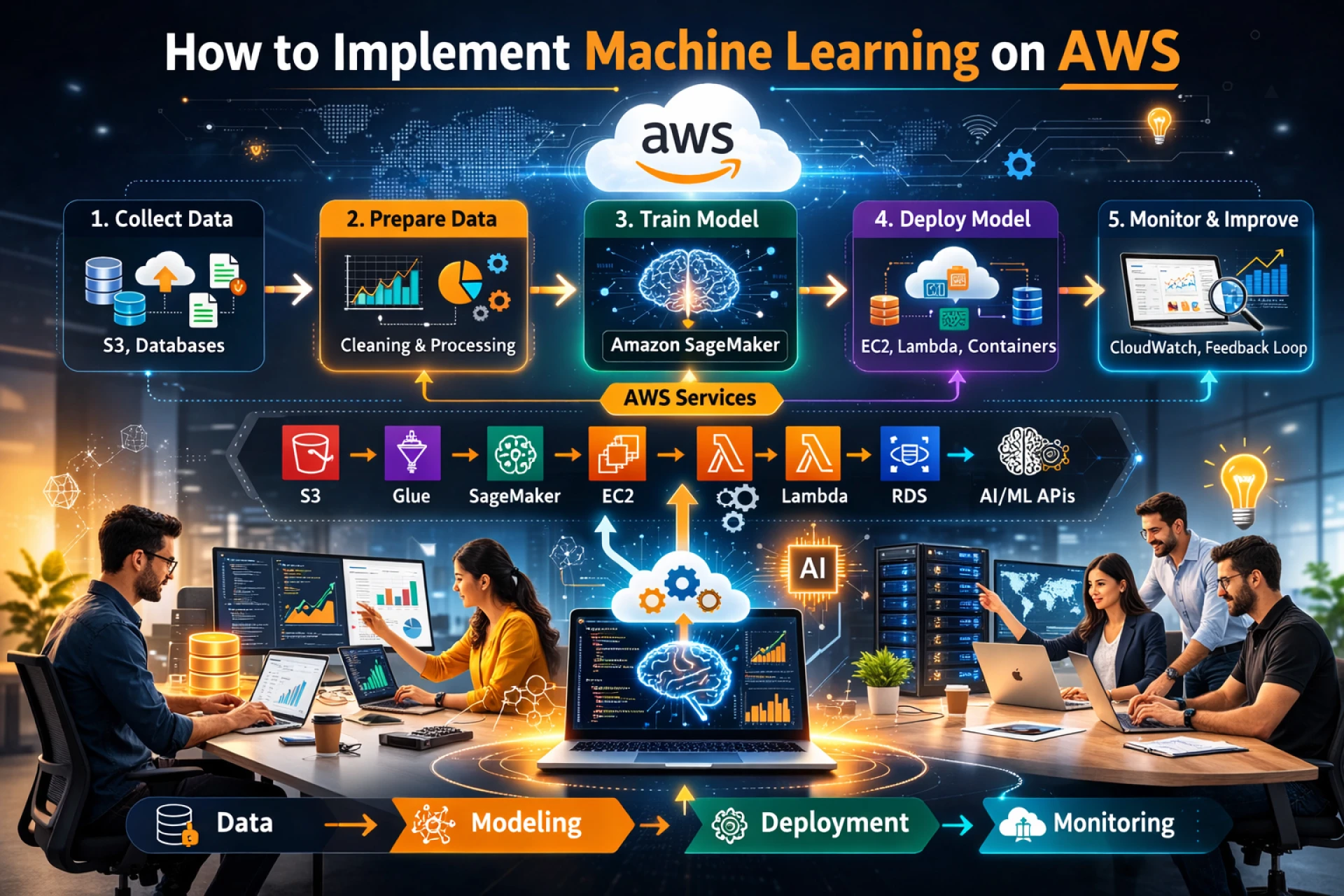
 Implementing Machine Learning (ML) on AWS can range from calling a simple API to managing a massive, custom-built neural network. In 2026, the ecosystem is divided into three main "paths" based on your technical needs and timeline.
1. Choose Your Path
Before you write any code, determine which AWS service tier matches your goal:
PathPrimary ServiceBest For...Technical LevelGenerative AIAmazon BedrockChatbots, RAG (Retrieval-Augmented Generation), and using existing LLMs (Claude, Llama).Low (API-based)Custom MLAmazon SageMakerBuilding bespoke models for churn prediction, fraud detection, or computer vision.High (Data Science)Ready-to-UseAWS AI ServicesAdding specific features like image recognition (Rekognition) or text-to-speech (Polly).None (Plug-and-play)2. The Implementation Lifecycle (SageMaker)
If you are building a custom model, you will follow the standard ML lifecycle using Amazon SageMaker AI.
Step 1: Data Preparation
- Storage: Store your raw data in Amazon S3.
- Processing: Use SageMaker Data Wrangler to clean and transform data visually, or AWS Glue for heavy-duty ETL (Extract, Transform, Load) jobs.
- Feature Store: In 2026, many teams use the SageMaker Feature Store to store and share standardized features across multiple models.
Step 2: Model Building & Training
- Development: Use SageMaker Studio (a web-based IDE) to write Python code in JupyterLab notebooks.
- Training: Instead of running local code, you create a Training Job. This spins up ephemeral GPU/CPU instances, trains the model on your S3 data, and then shuts them down to save costs.
- AutoML: If you’re short on time, SageMaker Autopilot can automatically test dozens of algorithms and pick the best one for you.
Step 3: Deployment & MLOps
- Inference: Deploy your model to a SageMaker Endpoint. This provides a REST API that your applications can call.
- Monitoring: Use SageMaker Model Monitor to detect "drift" (when your model’s accuracy drops over time because real-world data changed).
- Automation: Set up SageMaker Pipelines to automate the entire process—from data ingestion to deployment—whenever new data arrives.
3. The Generative AI Approach (Amazon Bedrock)
If you want to implement a modern AI assistant or agent, Bedrock is the faster route:
- Select a Foundation Model: Pick a model (e.g., Anthropic Claude 3.5 or Llama 3).
- Knowledge Bases: Connect your private company documents (stored in S3) to the model so it can answer questions based on your data.
- Agents: Use Agents for Amazon Bedrock to let the AI "take action"—like booking a flight or querying a database—by connecting it to AWS Lambda.
4. Pro-Tips for 2026
- Cost Control: Use SageMaker Savings Plans and Inference Recommender to ensure you aren't paying for oversized GPU instances.
- Responsible AI: Use SageMaker Clarify to check your training data for bias before you deploy.
- Serverless Inference: For applications with "spiky" traffic, use Serverless Endpoints so you only pay when the model is actually being used.