If you're an iPhone user in Melbourne, you've likely heard the nightmare scenario: your phone takes a tumble into a coffee cup, gets caught in sudden rainfall, or ends up in a bathroom accident. A liquid-damaged screen can feel like a disaster, especially when you're worried about losing years of photos, messages, and important data. The good news? You don't have to choose between saving your phone and saving your data. Apple Repairs Melbourne specialists understand this concern, and there are proven steps you can take immediately after liquid exposure to protect both your device and your information.
This guide walks you through what happens when your iPhone screen encounters liquid, why the damage occurs, and practical solutions to minimize the impact—all without risking your valuable data.
Understanding Liquid Damage to iPhone Screens
What Happens When Liquid Hits Your iPhone?
When liquid comes into contact with your iPhone's screen, several things happen simultaneously. The display itself contains delicate electronic components, including LCD or OLED layers, backlighting systems, and countless microscopic circuits. When liquid seeps into these layers, it creates electrical pathways that shouldn't exist, causing short circuits and component failure.
Your screen might immediately show signs like flickering, distorted colors, dead pixels, or complete blackness. Sometimes, the damage isn't visible right away—liquid may sit behind the screen for hours or days before you notice touch responsiveness issues or image degradation.
Why iPhone Screens Are Vulnerable
Modern iPhones are more water-resistant than ever, but they're not waterproof. Apple designs its devices to handle brief exposure to fresh water, but here's the catch: their resistance ratings assume cold, distilled water. In reality, Melbourne residents encounter far more problematic liquids—saltwater from coastal areas, chlorinated pool water, sugary drinks, and soapy bathwater. These liquids are far more corrosive and conductive than fresh water, causing faster component deterioration.
Additionally, screens are sealed with adhesive that degrades over time. Older iPhones or those that have already experienced minor water exposure become more vulnerable to subsequent liquid damage.
Common Problems After Liquid Exposure
Beyond the visible screen issues, liquid damage creates cascading problems:
Display malfunction is the most obvious symptom. You might see vertical lines, horizontal lines, unresponsive areas, or a completely black screen despite the phone still being powered on.
Touch sensitivity problems often develop next. Even if the display itself works, the digitizer layer—which registers your touches—becomes unreliable or stops working altogether.
Battery issues frequently occur because liquid damages the charging circuits and battery management systems, potentially causing rapid battery drain or dangerous overheating.
Data inaccessibility is the fear that keeps most people awake at night. If your phone won't turn on or the screen is completely dead, how do you access your data?
Immediate Steps After Liquid Exposure
Act Fast: The First Hour Matters
Time is your enemy when liquid has contacted your iPhone. Here's what you should do immediately:
Power off your device as soon as possible, but don't use the normal shutdown process. Press and hold the power button and volume down button simultaneously until the power-off slider appears, then slide to power off. This prevents electrical damage from short circuits.
Don't charge the phone. Connecting it to power while wet creates dangerous electrical pathways. Resist the urge to check if it still works by plugging it in.
Remove external accessories including cases, screen protectors, and chargers. These trap moisture against your device.
Dry the exterior gently with a soft, lint-free cloth. Don't shake the phone vigorously—this can spread liquid internally.
Place your phone in uncooked rice, silica gel packets, or a dedicated phone drying case for at least 48 hours. Many people overlook this step, but it genuinely helps draw moisture away from internal components.
Professional Solutions and Expert Tips
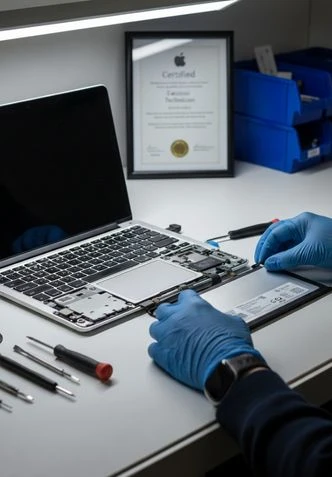
When DIY drying methods have run their course, professional intervention becomes necessary. Apple Repairs Melbourne technicians use specialized equipment like ultrasonic cleaning baths and pressure chambers that home remedies simply cannot replicate.
Why Professional Repair Protects Your Data
Professional repair services can often save your screen without erasing your data because they work on the hardware level, not the software level. When a technician replaces your display assembly or performs micro-soldering repairs, they're not touching your storage drive—the component that actually holds your photos, messages, and apps.
Here's the critical difference: your iPhone's internal storage is physically separate from the display circuits. A damaged screen doesn't automatically erase your data. However, if liquid has damaged the phone's logic board or if repair attempts trigger a factory reset, data loss becomes possible. Professional technicians minimize this risk through careful diagnosis before any repair work begins.
The Data Backup Consideration
If your phone powers on even partially, backup your data immediately using iCloud or connecting to a computer with iTunes or Finder. This creates a safety net regardless of what happens next.
If your phone won't power on, don't panic. Professional repair facilities can often power the device temporarily using specialized equipment, allowing them to extract your data before replacing damaged components.
When You Need Professional Help
Don't attempt DIY screen replacement if liquid damage is involved. The risk of damaging the logic board or spreading corrosion is too high.
Seek professional help if:
- Your phone won't power on or charge after 48-72 hours of drying
- The screen shows extensive damage (large dead areas, severe discoloration)
- You notice any burning smell, excessive heat, or battery swelling
- You've attempted drying but problems persist
- You're uncertain about your data's safety
Conclusion
Liquid damage to your iPhone screen feels devastating, but data loss isn't inevitable. By acting quickly with proper drying techniques and understanding when professional intervention is needed, you can often recover both your device and your precious data. Melbourne residents have access to experienced repair specialists who understand the local climate challenges—from coastal salt spray to sudden downpours—and know exactly how to address liquid damage without sacrificing your information.
The key takeaway: power down immediately, dry thoroughly, and don't rush to turn your phone back on. Whether you choose professional repair or attempt home drying methods, prioritize patience over panic. Your data is likely still safe on your device, waiting for the hardware to be restored.