Buying a laptop in Nepal can be a significant investment, especially when you are looking for a device that will last for several years. While there are many genuine laptops available from authorized and established sellers, buyers may also come across unusually cheap deals or products with unclear histories.
Some laptops may be refurbished, used, imported through unofficial channels, or sold with misleading specifications. In some cases, a device may look completely new on the outside while having previously been used or repaired.
For students, professionals, gamers, and other buyers, knowing how to identify a genuine laptop before making a purchase can help avoid unexpected problems later.
This guide explains the key things buyers in Nepal should check before purchasing a laptop and how to reduce the risk of buying a fake, refurbished, or incorrectly advertised device.
Understand the Difference Between Fake, Used, and Refurbished Laptops
The first step is understanding what you are actually buying.
A fake laptop is generally a device that is misrepresented to the buyer. This could involve incorrect specifications, counterfeit components, or misleading product information.
A used laptop, on the other hand, has previously been owned or operated by someone else. It may still work perfectly, but it should be clearly identified and priced accordingly.
A refurbished laptop is a previously used or returned device that has been inspected, repaired, or restored before being sold again. Refurbished laptops can sometimes offer good value, but buyers should know that the product is refurbished and understand what warranty or support is included.
The problem occurs when a used or refurbished laptop is presented as brand new.
Buy From a Reliable Laptop Seller
One of the easiest ways to reduce the risk of buying a fake or misrepresented laptop is to choose a reliable seller.
Before purchasing, research the store and check whether it has an established physical presence, a professional website, clear contact information, and a history of selling laptops and computer products.
For buyers researching different laptop models and sellers in Nepal, platforms such as InfoTechs Nepal can also be useful when comparing available laptops, specifications, and configurations before making a purchase.
However, regardless of where you shop, it is always a good idea to verify the exact model, warranty, and product condition before completing your purchase.
Check the Exact Laptop Model Number
Laptop manufacturers often release multiple configurations under similar product names.
For example, two laptops may have the same series name but completely different processors, RAM, storage, displays, or graphics cards.
Before buying, check the complete model number rather than relying only on the laptop's marketing name.
Compare the model number with the manufacturer's official specifications and confirm that the following details match:
- Processor model
- RAM capacity
- Storage capacity
- Graphics card
- Display resolution
- Screen refresh rate
- Operating system
- Keyboard layout
- Other important features
If the specifications shown by the seller do not match the manufacturer's information, ask for clarification before purchasing.
Verify the Serial Number
Every genuine laptop should have a unique serial number or service tag provided by the manufacturer.
You can usually find this information on the laptop's bottom panel, packaging, BIOS, or system information page.
Check whether the serial number on the laptop matches the information on the original packaging and purchase documents.
Depending on the brand, you may also be able to enter the serial number on the manufacturer's official support website to check product information and warranty status.
If the serial number is missing, appears altered, or does not match the product documentation, it is worth investigating further.
Check the Laptop's Warranty
Warranty information can provide valuable clues about a laptop's authenticity and condition.
Before purchasing, ask the seller what type of warranty is included and who provides it.
Check the following:
- Warranty duration
- Warranty start date
- Warranty coverage
- Authorized service support
- Repair conditions
- Replacement policies
- Availability of service centers
If a laptop is advertised as brand new but its warranty has already started long before your purchase, ask the seller why.
A warranty that does not match the product's claimed condition does not necessarily mean the laptop is fake, but it is something you should clarify before buying.
Inspect the Packaging Carefully
Packaging can provide another indication of whether a laptop is genuinely new.
When buying a new laptop, examine the box and packaging for signs of damage, resealing, or tampering.
Look for:
- Broken or replaced seals
- Damaged packaging
- Missing accessories
- Different serial numbers
- Missing documentation
- Signs that the box has been opened previously
However, packaging alone should not be considered proof that a laptop is genuine. Some refurbished or used laptops can be repackaged, while genuine products may also have damaged packaging during transportation.
It is better to combine packaging checks with serial number, warranty, and hardware verification.
Check the Laptop's Physical Condition
A laptop advertised as brand new should generally not show obvious signs of previous use.
Inspect the device carefully before accepting it.
Pay attention to:
- Scratches on the body
- Worn keyboard keys
- Trackpad marks
- Scratches around USB ports
- Dust inside vents
- Loose hinges
- Fingerprints or stains
- Damaged screws
- Signs of opening or repair
Minor marks do not automatically mean that a laptop is refurbished, but several signs of wear on a supposedly new device should raise questions.
If possible, inspect the laptop in person before completing the purchase.
Check Battery Health and Usage Information
The battery can sometimes reveal whether a laptop has been used previously.
A brand-new laptop should generally have minimal battery usage, although the exact battery condition can vary depending on manufacturing, storage, testing, and the time since production.
On Windows laptops, you can generate a battery report to check information about battery capacity and usage.
Compare the original battery capacity with the current full-charge capacity. A significant reduction may indicate that the battery has already experienced considerable use.
Battery health alone is not enough to prove that a laptop is refurbished, but it can be useful when combined with other checks.
Verify the Installed Hardware
Software tools can help confirm whether the laptop actually contains the components advertised by the seller.
After turning on the laptop, check the system information and verify the:
- Processor
- RAM
- Storage
- Graphics card
- Display resolution
You can also use trusted system-information or hardware-diagnostic tools to identify the installed components.
For example, if a laptop is advertised with 16GB RAM but the system reports 8GB, you should ask the seller to explain the difference before purchasing.
The same applies to storage and graphics hardware. Do not assume that the specifications printed in an advertisement are automatically correct.
Check the Operating System and Software
A genuine new laptop should normally come with a properly activated operating system when Windows is included with the purchase.
Check whether Windows is activated and whether the laptop contains unusual software, unfamiliar user accounts, or signs of previous activity.
If you find multiple personal accounts, old files, browsing history, or previously installed applications that clearly belong to another user, the laptop may have been used before.
This does not necessarily mean the device is defective, but it is important to clarify its condition.
Be Careful With Extremely Low Prices
A price that looks too good to be true deserves closer attention.
Laptop prices can vary between sellers due to promotions, stock availability, configurations, and warranty terms. However, a significant price difference compared with the normal market price may require further investigation.
Before buying a heavily discounted laptop, ask:
- Is the laptop brand new?
- Is it refurbished?
- Is it an open-box product?
- Is the warranty included?
- Is it an imported model?
- Is the exact configuration different?
- Is the product officially supported in Nepal?
Comparing prices from multiple reputable sellers can help you understand whether a deal is genuinely attractive or simply reflects a difference in product condition or specifications.
Ask for a Proper Purchase Invoice
Always request a proper invoice when purchasing a laptop.
The invoice should clearly mention important information such as:
- Seller's name
- Product name
- Exact model number
- Serial number, where applicable
- Purchase date
- Price
- Warranty information
A proper invoice can be useful if you later need warranty service, repairs, or support.
Avoid purchasing an expensive laptop without any proof of purchase, particularly when the seller cannot clearly explain the product's origin or warranty coverage.
Check the Charger and Accessories
The charger is another component worth checking.
Make sure the charger is compatible with the laptop and appears to be the correct model supplied for that device.
Check:
- Charger brand
- Power rating
- Voltage
- Connector type
- Physical condition
A laptop may still work with a compatible third-party charger, but if you are buying a brand-new device, ask why the original charger is missing or has been replaced.
Also check whether the accessories included in the box match what was promised by the seller.
Avoid Unclear Online Listings
Online marketplaces and social media can make it easy to find attractive laptop deals, but buyers should be careful when product information is incomplete.
Be cautious if a listing:
- Does not show the exact model number
- Uses only generic product photos
- Does not mention warranty details
- Has an unusually low price
- Provides limited seller information
- Avoids questions about product condition
- Requests payment without proper documentation
Before making a payment, verify the seller and ask for complete product information.
A professional seller should generally be able to explain the laptop's exact specifications, condition, warranty, and return or exchange policies.
Ask Direct Questions Before Buying
Do not hesitate to ask questions before purchasing a laptop.
Some useful questions include:
- Is this laptop brand new?
- Has it ever been used?
- Is it refurbished or open-box?
- What is the exact model number?
- What type of warranty is included?
- Is the warranty valid in Nepal?
- Can I verify the serial number?
- Does the laptop come with the original charger?
- Can I inspect the device before purchase?
A trustworthy seller should be comfortable providing clear answers.
If the seller avoids basic questions or pressures you to make an immediate payment, consider looking for another option.
Common Warning Signs to Watch For
While no single warning sign automatically means that a laptop is fake or refurbished, several issues together should make you more cautious.
Watch out for:
- Unusually low prices
- Missing serial numbers
- Mismatched model information
- Damaged or resealed packaging
- Visible signs of previous use
- Unclear warranty information
- Missing invoices
- Incorrect hardware specifications
- Third-party chargers without explanation
- Sellers who refuse to let you inspect the product
Taking a few extra minutes to verify these details can help prevent expensive mistakes.
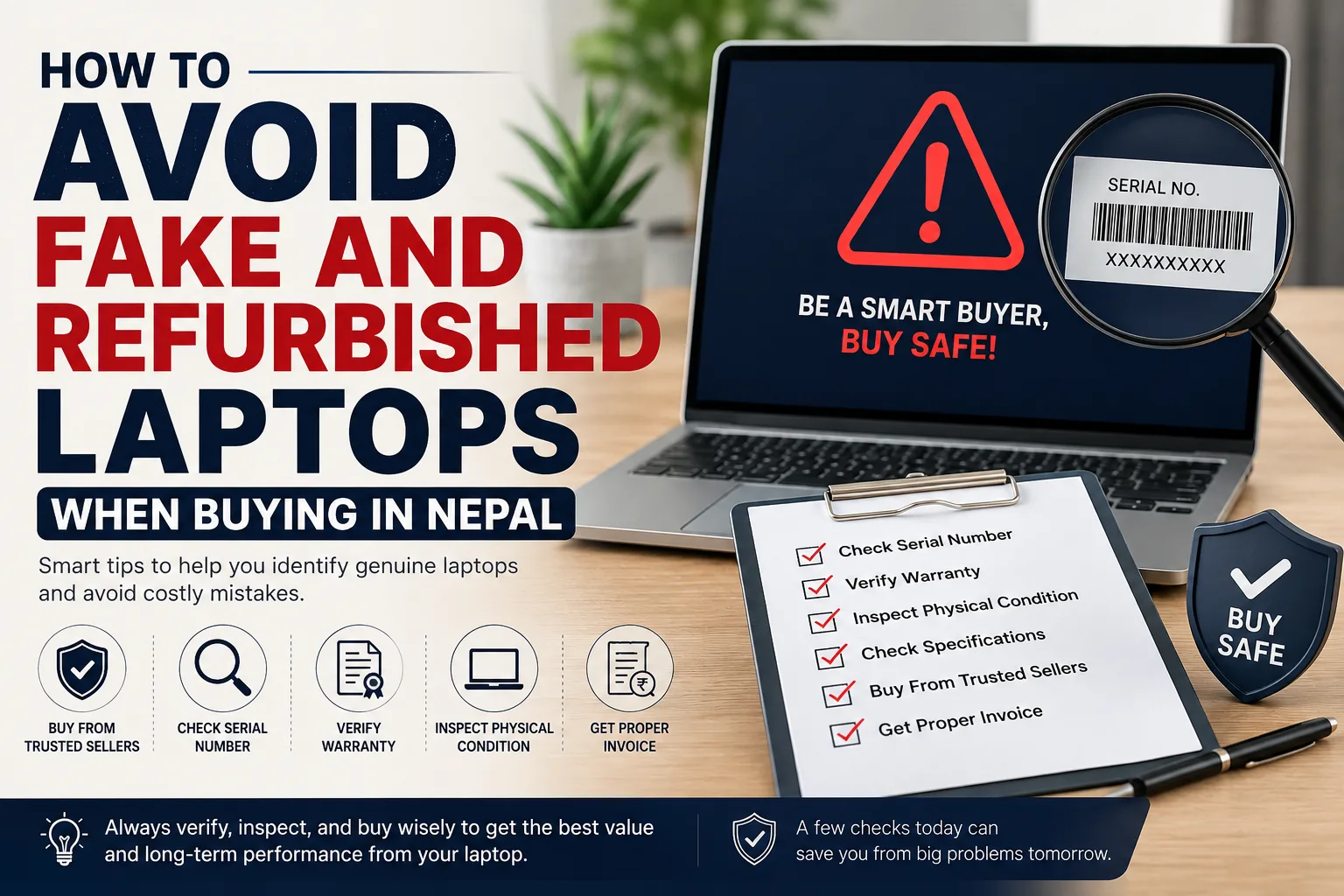
A Simple Checklist Before Buying a Laptop in Nepal
Before purchasing, consider checking the following:
- Is the seller trustworthy?
- Is the exact model number clearly provided?
- Does the hardware match the advertised specifications?
- Can the serial number be verified?
- Is the warranty clearly explained?
- Is the laptop physically free from obvious signs of previous use?
- Is the battery condition reasonable?
- Is Windows properly activated?
- Are the charger and accessories original or clearly identified?
- Will you receive a proper invoice?
- Is the price reasonable compared with other sellers?
- Are return or exchange policies available?
Answering these questions can help you make a safer purchasing decision.
Final Thoughts
Avoiding fake and refurbished laptops in Nepal does not necessarily require advanced technical knowledge. The key is to slow down, verify the product carefully, and purchase from a seller that provides clear information about the laptop's specifications, condition, warranty, and after-sales support.
Before buying, check the exact model number, verify the serial number, inspect the physical condition, confirm the hardware specifications, and ask about warranty coverage. Comparing prices from multiple reliable sellers can also help you identify unusual deals that may require additional investigation.
For buyers researching laptops in Nepal, taking the time to compare models and configurations through established platforms such as InfoTechs Nepal can make the purchasing process easier. However, buyers should always verify the final product details, warranty, and condition before completing a purchase.
A laptop is a long-term investment, so choosing a genuine product from a reliable seller can help you avoid unexpected problems and get better value from your money.